Macro
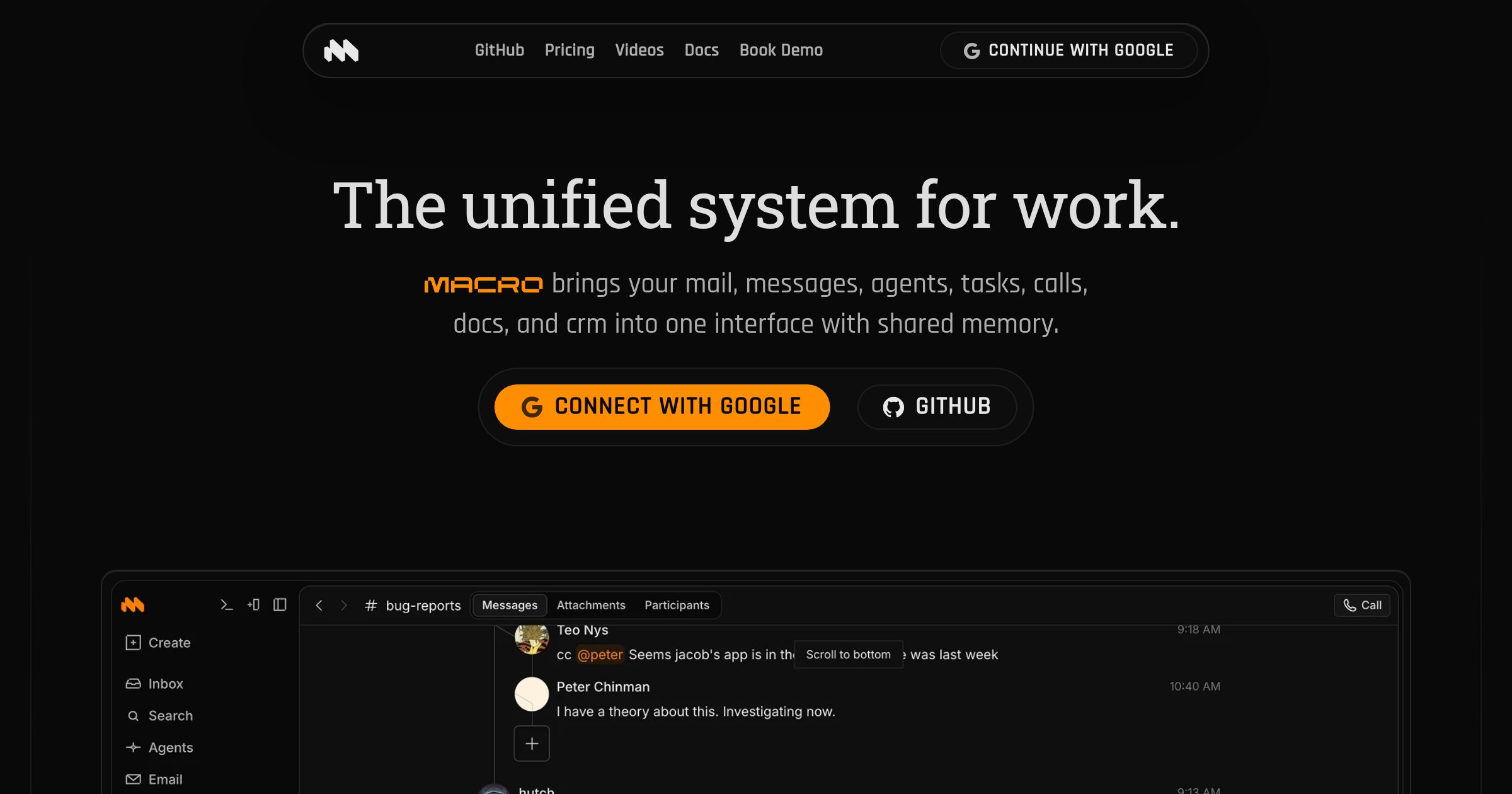
For teams: Macro unifies email, messages, docs, tasks, and agents in one workspace so you keep context and ship faster without context switching.
Built by Jacob Beckerman · Artificial Intelligence · Productivity · Task Management · Freemium
In category: #364 of 2048 · Artificial Intelligence
Macro is a Product Hunt listing on Launch Llama with 191 total upvotes, founded by Jacob Beckerman who joined in Jul 2026, compared against 3 alternatives.
Product Hunt listing
Listing status
191upvotes
Community score
Jacob Beckerman (Joined Jul 2026)
Founder
Compared against 3 alternatives
Market comparison
Launched on Launch Llama Jul 6, 2026 · #27 of 53 that day
About
Macro is an all-in-one workspace that consolidates email, team chat, documents, tasks, calendar, CRM and agents into a single system. It helps teams maintain shared context and operate as a unified organization by centralizing information that would otherwise scatter across multiple tools.
Launch Llama's Take
Based on Launch Llama data as of
Macro has 191 upvotes, including the votes it received on Product Hunt, which ranks it #364 of 2,048 Artificial Intelligence tools on Launch Llama by upvotes, in the top quarter. It has been listed on Launch Llama since July 2026. No Launch Llama members have upvoted it yet and it has no reviews yet.
Macro vs Routine
Macro is an all-in-one workspace that consolidates email, team chat, documents, tasks, calendar, CRM and agents into a single system. Routine also combines tasks, calendars, and notes in one application, while Macro's listing covers email, team chat, documents and CRM alongside tasks and calendar.
| Macro | Routine | Coworker AI | TODO for AI | |
|---|---|---|---|---|
| What it does | For teams: Macro unifies email, messages, docs, tasks, and agents in one workspace so you keep context and ship faster without context sw… | For busy professionals: Routine lets you control tasks, calendar, and projects by voice so you manage work hands-free while multitasking. | For teams: Coworker AI routes tasks to optimal models with company context so you get 5x token value from the same budget. | AI task board for teams and their agents |
| Pricing | Freemium | Freemium | Paid | Freemium |
| Free plan | Yes, free plan | Yes, free plan | No free plan listed | Yes, free plan |
| Category | Productivity | Productivity | Productivity | Task Management |
| Upvotes on Launch Llama | 191 | 242 | 219 | 3 |
| Listed on Launch Llama | July 2026 | July 2026 | June 2026 | November 2026 |
Key Features
- Triage multiple email accounts in one unified inbox with AI assistance
- Collaborate on real-time markdown documents linked to email, tasks and channels
- Manage team chat organized into Signal and Noise sections linked to tasks and docs
- Access shared team-level memory built from your unified workspace
- Contribute, fork, extend and self-host using open source code
Use Cases
- Teams scaling from seed to IPO who need unified context across engineering, sales and marketing
- Organizations wanting to replace multiple SaaS tools with a single integrated system
Who it is for
- Startup and small teams who want email, chat, docs, tasks, and CRM in one workspace
- Sales teams tracking customer follow-ups and deal stages in a CRM
- Engineering teams who want coding agents to read diffs and take tasks through to pull requests
Pricing
Free plan for personal use. Paid plan costs $40 per seat per month for first 5 seats, then $80 per seat.
FAQ
What's the main purpose of Macro?
Macro combines email, chat, documents, tasks, calls, and agents. Read them in one inbox, search across the workspace, and use agents to edit documents, draft replies, and update tasks. Documents use CRDTs for live collaboration and offline sync.
How does Macro compare to Notion?
Macro is a replacement for Notion. Notion is built on markdown and databases; Macro has purpose-built modules for each job, plus native email, messaging, and file storage. You can still connect Notion via MCP and ask a Macro agent to import your docs. See our comparison video.
How does Macro compare to Superhuman?
Macro Mail uses familiar J / K / E shortcuts, combines your email accounts in one inbox, and shares that inbox with messages, @mentions, tasks, and agent responses. Agents can search indexed email, draft replies, and share threads with your team.
How does Macro compare to Slack?
Macro Chat shows replies inline and treats conversations as inbox items you can mark done. When you can share a document or email thread, @mentioning it in a channel grants access to that channel. Agents participate in channels and can read the referenced work.
Does Macro have its own email or integrate with my email?
Macro Mail is an email client, not an email server. We integrate with your existing Google Workspace or Gmail account. Outlook and custom IMAP/SMTP are a popular request and are coming soon.
Can I self-host Macro?
Yes, under our AGPL license, though the hosted version is our primary focus today. The hosted version has the iOS app, Apple/Google/GitHub approvals, runs on AWS, and maintains a SOC 2 Type II audit. For HIPAA, FedRAMP, or other needs, contact [email protected].
Is Macro fully open source? What is the license?
Yes — fully open source, not "open core". As of May 31 2026 we moved from BSL to the AGPLv3, a copyleft license, meaning derivative works must also be open source. To build on Macro under a different (e.g. closed-source) license, contact [email protected].
How do you make money if Macro is open source?
From our hosted version, like any other SaaS or AI product, and from those who build on top of Macro and prefer a license other than the AGPLv3.
How do teams work in Macro? Do I need a team?
Macro works great solo or as a team, and pricing is the same either way. Teams share email, tasks, documents, and calls through workspace permissions. Agents can search and read the work you have access to, and use memory built from your workspace activity. Team subscriptions require a paid seat for every member, and each seat can be Pro or Max.
What happens if I hit my AI usage limit?
Every plan includes a monthly amount of AI usage. Free has a limited allowance for trying Macro, Pro covers standard everyday use, and Max includes 10× Pro's usage for heavy agent work. If you reach your limit, upgrade from billing settings: Free to Pro, or Pro to Max.
Alternatives
 TODO for AIHelps high performers run their company from one shared TODO list, with their team and AI agents doing the work inside their own tools for a single price across every model.
More in Artificial Intelligence
New on Launch Llama
Launched this week · This month's launches · All products A–Z
Featured in
- The 15 Best Task Management Tools in 2026 (Compared) — ranked #15
Ask AI about Macro
Third-party sources
- An office suite for the intelligence age
Hacker News · August 15, 2026 · 2 points
- Macro
Hacker News · May 6, 2026 · 4 points
- Designing for Speed
Hacker News · January 21, 2025 · 1 point
For bots & AI agents
Machine-readable versions of Macro and Launch Llama. Fetch these instead of parsing this page.
This listing (.md) llms.txt llms-full.txt ai.txt Full catalog (.md) Endpoint index API docs MCP server MCP manifest Developer docs