Pinin
For photographers: Pinin restores damaged photos by removing blur, scratches, and dust while preserving original details so your memories look pristine.
Built by Umberto · Artificial Intelligence · Design Tools · Freemium
In category: #1511 of 2031 · Artificial Intelligence
Pinin is an Instant Launch listing on Launch Llama with 2 upvotes from 2 founders, founded by Umberto who joined in Jun 2026, compared against 6 alternatives.
Instant Launch listing
Listing status
2upvotes
Community score
Umberto (Joined Jun 2026)
Founder
Compared against 6 alternatives
Market comparison
Launched on Launch Llama Jun 13, 2026 · #7 of 16 that day
Pinin at a glance
- What it is
- Pinin: For photographers: Pinin restores damaged photos by removing blur, scratches, and dust while preserving original details so your memories look pristine.
- Pricing
- Pinin pricing: The first photo restoration is free with no credit card required.
- Best for
- Pinin is best for families restoring personal photos and memories, including images of loved ones who have passed., photographers who want to restore damaged client or archival photos. and people digitizing vintage or archival photo collections who need faithful, non-fabricated restorations.
- Alternatives
- Top Pinin alternatives on Launch Llama: Rendrflow, Restore Old Photos - Retrocap and ResLeap.
About
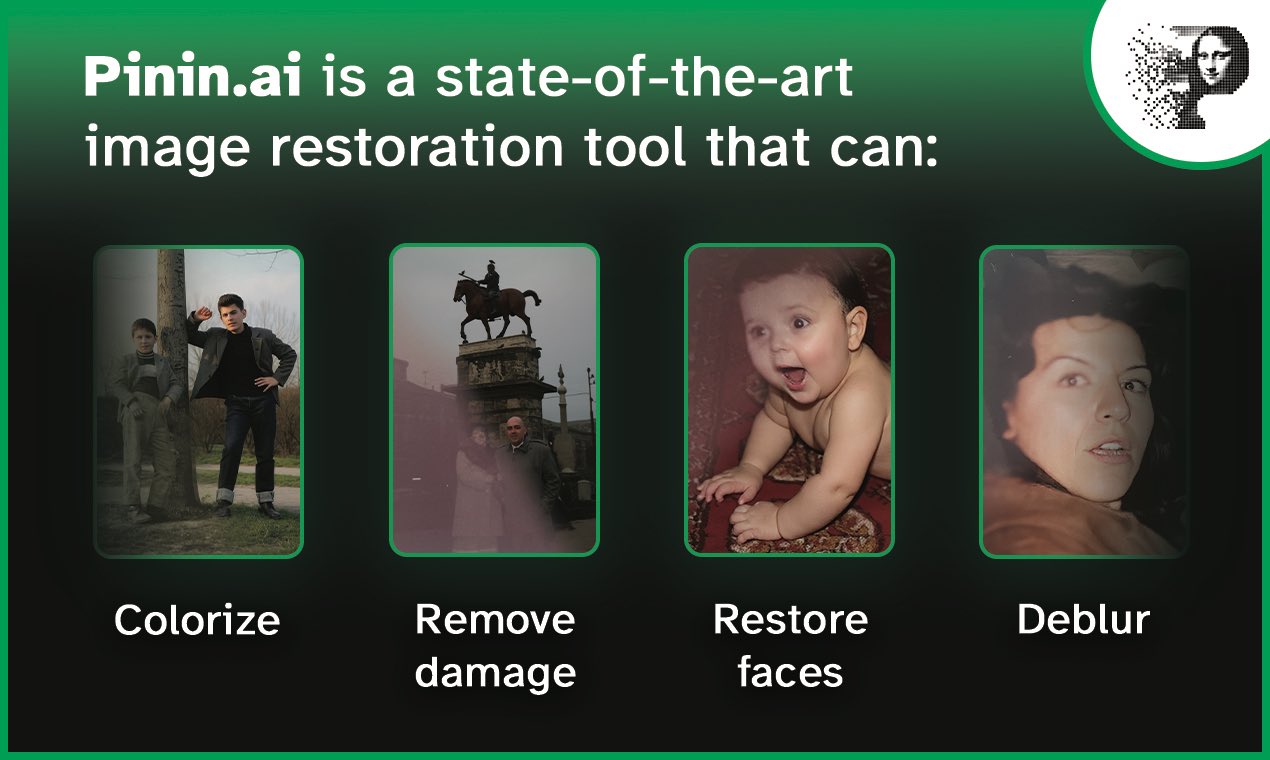
Often, AI image restoration tools fail their mission because they do not preserve faces or details. Pinin does the opposite, it analyzes and preserves the original details while enhancing quality and resolution. Most tools are behind paywalls or complex registrations. Pinin offers a simple deal to everyone: the first photo is free. No credit card required.
Follow Pinin: X (Twitter) · LinkedIn
Use Cases
- Restoring scratched, torn, faded, or blurry old family photos so they are sharp enough to print and share
- Adding natural color to black-and-white photos of relatives and past events
- Upscaling and denoising low-resolution images, including bulk restoration of entire photo albums
Who it is for
- Families restoring personal photos and memories, including images of loved ones who have passed.
- Photographers who want to restore damaged client or archival photos.
- People digitizing vintage or archival photo collections who need faithful, non-fabricated restorations.
Pricing
The first photo restoration is free with no credit card required.
FAQ
What is Pinin?
Pinin is an AI-powered photo restoration and enhancement platform that repairs scratches, tears, and water damage in seconds.
How does Pinin AI photo restoration work?
Upload a damaged or old photo and our AI analyzes it, then automatically repairs scratches, tears, and water damage within seconds.
Is it safe to upload my personal photos?
Yes. All uploads are encrypted and stored securely. We do not use your photos to train our models. You can delete your photos at any time.
Is the first restoration really free?
Yes. Your first photo restoration is completely free with no watermark and no credit card required.
What is AI photo restoration and how does it work?
AI photo restoration uses deep-learning models to analyze an old, damaged, blurry, or faded photograph and rebuild the missing detail. Pinin's AI has learned from millions of images how faces, textures, and colors should look, so it can repair scratches, sharpen soft focus, correct color, and raise resolution automatically. You upload a photo, the AI does the work in seconds, and you download a restored version — no editing skills required. Try it now or browse real before-and-after examples.
Is my first photo restoration really free?
Yes. Your first restoration is completely free — no credit card, no trial countdown, no hidden fees. It's the easiest way to judge the quality on your own photo before you ever pay. After that, you can buy credits or subscribe on the pricing page.
What platforms does this service support?
Pinin is entirely web-based. Open your browser, go to the site, and start restoring — no downloads, no installs, no compatibility headaches. It works on any modern browser and any device with an internet connection, whether that's a laptop, a tablet, or a phone. There's currently no dedicated desktop or mobile app, and for a service people often use in emotional, one-off moments — finally restoring a late parent's photo, or digging through an old family album — that simplicity is a feature: one link, and you're in.
What types of photos can Pinin restore?
Almost any photo, from any era. That includes old family portraits, damaged wedding pictures, blurry childhood snapshots, faded color prints, scratched or water-damaged images, torn photographs, and low-resolution scans or digital files. Pinin works with both black & white and color photography.
How long does a restoration take?
Most restorations finish in about 30 seconds to 2 minutes, depending on the size and complexity of the image. Processing is automatic and starts the moment you upload, so you'll usually have your enhanced photo back almost immediately.
What file formats and sizes are supported?
Pinin accepts all common image formats, including JPEG, PNG, TIFF, BMP, and RAW files from most cameras. The standard upload limit is 50MB per image, with higher limits available on higher-tier and Enterprise plans. The system automatically optimizes processing based on your file type.
Alternatives
 RendrflowFor photographers: Rendrflow upscales and restores photos offline on your device so your images stay private while gaining studio-quality results.
 Restore Old Photos - RetrocapFor families and genealogy fans: an iPhone and Android app that repairs scratched, faded or blurry old photos, sharpens faces and colorizes black-and-white pictures in seconds.
 AI Photo EditorFor creators: AI Photo Editor transforms images via text prompts, editing JPG, PNG, WebP instantly without design skills or software.
New on Launch Llama
Launched this week · This month's launches · All products A–Z
Ask AI about Pinin
Supporters
2 founders
2 founders contributed 2 upvotes to Pinin on Launch Llama.

For bots & AI agents
Machine-readable versions of Pinin and Launch Llama. Fetch these instead of parsing this page.
This listing (.md) llms.txt llms-full.txt ai.txt Full catalog (.md) Endpoint index API docs MCP server MCP manifest Developer docs