Updated 2026-10-22 · 15 of 17 Task Management tools on Launch Llama compared
Quick answer: The best Task Management tools in 2026, by Launch Llama community upvotes, are Bond, Asmi AI, Claude Cowork Projects. If you want to start free, Asmi AI has a free plan. We compared 15 of the 17 Task Management tools listed on Launch Llama on pricing, features and use cases.
Our picks at a glance
- Best overall: Bond — the most upvoted Task Management tool on Launch Llama
- Best free option: Asmi AI — free plan + paid tiers
- Most features listed: Claude Cowork Projects — 4+ features on its listing
How we compared them
This is a comparison built from listing data, not a hands-on review: we have not tested these tools ourselves. Every product here is listed on Launch Llama, and the ranking uses what founders and their users have put on the record.
Tools are ordered by community upvotes. Duplicate listings are merged, and listings without a real description are left out. Pricing, features and use cases come from each product's listing and can change, so check the product's own site before you buy.
Comparison table
| Rank | Tool | Best for | Pricing | Free plan | Upvotes |
|---|---|---|---|---|---|
| 1 | Bond | Sales teams automating prospect research and list building | Free plan; paid from $99/month | Yes | 678 |
| 2 | Asmi AI | People who need to cancel subscriptions or fight service charges without making calls themselves | Free plan + paid tiers | Yes | 472 |
| 3 | Claude Cowork Projects | Individuals managing complex workflows who need organized workspace | Free plan + paid tiers | Yes | 380 |
| 4 | Rezonant | Product teams who want to keep coding agents aligned on strategy and customer context | See website | Not listed | 323 |
| 5 | Spine | Investors analyzing companies and markets to build investment theses and TAM models | Free plan; paid from $16/month | Yes | 320 |
| 6 | zero.xyz | Developers who want their AI to generate images without leaving the chat | Free plan; paid from $5 | Yes | 320 |
| 7 | TabAI | Students organizing research across multiple subjects and staying focused during study sessions | Free plan; paid from $6.99/month | Yes | 301 |
| 8 | Lemon | Knowledge workers who want to avoid context switching while completing multiple tasks | Free | Yes | 298 |
| 9 | Goals | Fitness enthusiasts training for specific events like running a 5K in a set timeframe | Free plan; paid from $1.99/month | Yes | 287 |
| 10 | Google Chrome Skills | Health professionals calculating protein macros for recipes quickly | Free | Yes | 269 |
| 11 | Akiflow | Busy professionals who want to save hours every week managing calendars and tasks | Free plan; paid from $19/month | Yes | 261 |
| 12 | Elvin | Product managers who need sprint updates drafted before standup | Free | Yes | 259 |
| 13 | ClawApp: OpenClaw Made Easy | Developers who want to build and run OpenClaw agents without manual configuration | Free | Yes | 214 |
| 14 | Slack | Engineering teams who want to automate code reviews with AI agents | Free plan + paid tiers | Yes | 203 |
| 15 | Macro | Teams scaling from seed to IPO who need unified context across engineering, sales and marketing | Free plan; paid from $40/seat | Yes | 191 |
The 15 best Task Management tools in 2026
1. Bond — best for sales teams automating prospect research and list building

Pricing: Free plan; paid from $99/month · Free plan: Yes · Upvotes: 678
In Bond's words
Bond is an AI Chief of Staff for executives. It connects to your tools, learns how your company works, and turns scattered tasks into a self-managing to-do list that always knows what you need to do next. You can ask Bond to prepare you for your next meeting, draft a follow-up, send an email, create action items, identify blockers, surface risks, or delegate tasks to team members.
Key features
- Build qualified prospect lists from buying signals
- Verify emails and enrich prospect data automatically
- Write personalized emails and outreach messages
- Score and qualify leads instantly
- Push campaigns to email sequencers with one click
Use cases
- Sales teams automating prospect research and list building
- GTM teams running outbound campaigns at scale
- Founders launching their first outbound campaigns
Pricing details: Free plan with 500 credits monthly. Starter at $99/month with 2.5k credits. Pro at $349/month with 10k credits. Growth at $599/month with 20k credits. Enterprise with custom pricing.
2. Asmi AI — best for people who need to cancel subscriptions or fight service charges without making calls themselves
Pricing: Free plan + paid tiers · Free plan: Yes · Upvotes: 472
In Asmi AI's words
Asmi calls you every morning. You talk - it handles the day. It calls services (dentist, salon, plumber, bank, insurance) or people (friends, colleagues) to coordinate, book or resolve things. Updates you on iMessage or WhatsApp when done. It can navigate IVRS, wait on hold and handle complex conversations well.
Key features
- Make calls to services and people to coordinate and book appointments
- Navigate phone systems and wait on hold during calls
- Send updates via iMessage or WhatsApp when tasks complete
- Handle calls and emails to complete tasks until done
Use cases
- People who need to cancel subscriptions or fight service charges without making calls themselves
- Busy individuals coordinating appointments with friends, colleagues and service providers
3. Claude Cowork Projects — best for individuals managing complex workflows who need organized workspace

Pricing: Free plan + paid tiers · Free plan: Yes · Upvotes: 380
In Claude Cowork Projects's words
Projects in Claude Cowork bring your tasks, files, instructions, and memory into one focused workspace on your desktop. Built for individuals and teams managing complex workflows, it keeps everything local, organized, and reusable so you can work faster with consistent context across tasks.
Key features
- Keep tasks and context in one focused workspace
- Store files and instructions on your computer
- Import existing projects with one click
- Maintain memory and context across tasks
Use cases
- Individuals managing complex workflows who need organized workspace
- Teams working on projects requiring consistent context and reusable information
See Claude Cowork Projects pricing, reviews and alternatives →
4. Rezonant — best for product teams who want to keep coding agents aligned on strategy and customer context

Pricing: See website · Upvotes: 323
In Rezonant's words
Rezonant helps product teams turn messy ideas into code-ready specs, tickets, and engineering tasks. Collaborate with PMs, engineers, designers, and AI agents in one shared workspace. Ground decisions in your actual codebase, keep everyone aligned on the same version, and create work that humans and coding agents can confidently ship.
Key features
- Organize product context across tools into a self-updating wiki
- Automate product work like prototypes, specs, and pull requests
- Connect to existing tools without manual data entry
- Guide coding agents with shared product context and strategy
- Approve decisions and maintain control through Slack workflows
Use cases
- Product teams who want to keep coding agents aligned on strategy and customer context
- Teams handling customer feedback who need to automatically create tickets and PRs from insights
- Product teams who want to reduce time spent on spec writing and backlog management
5. Spine — best for investors analyzing companies and markets to build investment theses and TAM models

Pricing: Free plan; paid from $16/month · Free plan: Yes · Upvotes: 320
In Spine's words
The AI research that beats Perplexity, Claude, ChatGPT, now connected to your apps and running on a schedule. Describe a project, Spine's agents pull from your tools, browse the web, and deliver finished work. Reports, docs, spreadsheets, presentations. Set it to run daily or weekly. Results land in Notion, Google Docs, Sheets, wherever you work.
Key features
- Orchestrate multiple AI agents across 300+ models
- Run agents locally with Medley or in cloud with Canvas
- Build adaptive task graphs that grow as dependencies emerge
- Review completed work and create repair branches for verification
Use cases
- Investors analyzing companies and markets to build investment theses and TAM models
- Consultants producing client-ready market sizing, due diligence, and competitive intelligence reports
- Legal teams researching case law, regulations, patents, and preparing litigation strategy
Pricing details: Free plan with 2,000 credits monthly. Starter from $16/month annual ($20 monthly). Max from $80/month annual ($100 monthly). Enterprise with custom pricing.
6. zero.xyz — best for developers who want their AI to generate images without leaving the chat

Pricing: Free plan; paid from $5 · Free plan: Yes · Upvotes: 320
In zero.xyz's words
**Product Hunt: Claim $5 at zero.xyz, the free power tool for AI agents** Zero unblocks your agents so they can discover services to accomplish tasks, no APIs keys or config. Works with Claude Code, Codex, Gemini, OpenClaw, Hermes and most other CLI agents. Make your agents better with Zero.
Key features
- Discover and connect to thousands of tools and services
- Execute tasks without requiring API keys or configuration
- Generate images, audio, music, and video through integrated services
- Scrape websites and pull live data from the internet
- Send emails and deploy live websites instantly
Use cases
- Developers who want their AI to generate images without leaving the chat
- Users who need their AI to scrape web pages and extract data
- Teams deploying websites from natural language prompts
Pricing details: Free to install with $5 in starting credit.
7. TabAI — best for students organizing research across multiple subjects and staying focused during study sessions
Pricing: Free plan; paid from $6.99/month · Free plan: Yes · Upvotes: 301
In TabAI's words
TabAI collects your tasks from everywhere, keeps them structured in one place, and helps you stay focused. It automatically captures tasks from tabs, text, and tools so nothing needs manual input. AI organizes tasks and context so your brain stays clear. Personal analytics show where your attention goes and help build self-awareness. Focus mode blocks distractions only when they break your current goal. You execute. TabAI remembers, organizes, and protects your focus.
Key features
- Pull tasks automatically from Gmail, Slack, Notion and other tools
- Block distracting websites based on your current task context
- Automatically organize and group browser tabs by project
- Create tasks instantly from selected text anywhere on the web
- Track focus time and distraction patterns with analytics
Use cases
- Students organizing research across multiple subjects and staying focused during study sessions
- Founders and developers managing tasks from multiple tools without manual entry
Pricing details: Free plan with basic tab management and blocking.
8. Lemon — best for knowledge workers who want to avoid context switching while completing multiple tasks
Pricing: Free · Free plan: Yes · Upvotes: 298
In Lemon's words
Lemon is an AI voice assistant that works everywhere. Press Fn key, speak, and complete tasks. Reply to emails 12x faster, create documents, search the internet without leaving your flow state, and delegate work with just a voice command. Built for knowledge workers drowning in context switching. No new tabs. Pure flow state. Much more is coming - Follow us on twitter or sign-up at our website.
Key features
- Convert spoken thoughts into structured prompts for AI tools
- Dictate notes and messages with filler words automatically removed
- Write emails in your tone by speaking the key points
- Work across all text fields in any application
- Reply to emails twelve times faster than typing
Use cases
- Knowledge workers who want to avoid context switching while completing multiple tasks
- Researchers planning customer interviews by speaking through interview frameworks
- Professionals drafting emails while staying focused on their workflow
Pricing details: Free to start with no credit card required and two-minute setup.
9. Goals — best for fitness enthusiasts training for specific events like running a 5K in a set timeframe

Pricing: Free plan; paid from $1.99/month · Free plan: Yes · Upvotes: 287
In Goals's words
Most goal apps give you a to-do list and hope for the best. Goals works differently. Type in what you want to achieve, and AI breaks it into a step-by-step plan with one clear daily action. No dashboards, no task management. Just open the app, see what to do today, and check it off. Streaks keep you consistent. Check-ins adapt your plan. I built this because you shouldn't need to be a project manager to go after what you want.
Key features
- Break goals into step-by-step plans with AI
- Assign one clear daily action each day
- Track consistency with streak counters
- Share goals and invite others to join
- Adapt plans based on daily check-ins
Use cases
- Fitness enthusiasts training for specific events like running a 5K in a set timeframe
- People planning major life events and trips who need actionable daily steps
- Users seeking accountability by sharing goals with friends and teammates
Pricing details: Free plan with up to 3 goals. Pro plan costs $1.99/month for unlimited goals and shared goals.
10. Google Chrome Skills — best for health professionals calculating protein macros for recipes quickly

Pricing: Free · Free plan: Yes · Upvotes: 269
In Google Chrome Skills's words
Skills in Google Chrome turn your best AI prompts into reusable one-click workflows. It lets you discover, save and remix AI workflows and repeat them instantly. Save any prompt from chat history, trigger it with / or +, and run it across the page or multiple tabs. Includes a ready-to-use Skills library you can customize. From shopping comparisons to productivity boosts, streamline browsing with smarter, repeatable AI actions.
Key features
- Save AI prompts as reusable one-click workflows
- Run saved Skills across multiple browser tabs
- Access a library of ready-to-use Skills for common tasks
- Edit and customize Skills to fit specific needs
- Discover and remix AI workflows from other users
Use cases
- Health professionals calculating protein macros for recipes quickly
- Shoppers comparing product specifications across multiple tabs
- Workers scanning lengthy documents for important information
See Google Chrome Skills pricing, reviews and alternatives →
11. Akiflow — best for busy professionals who want to save hours every week managing calendars and tasks
Pricing: Free plan; paid from $19/month · Free plan: Yes · Upvotes: 261
In Akiflow's words
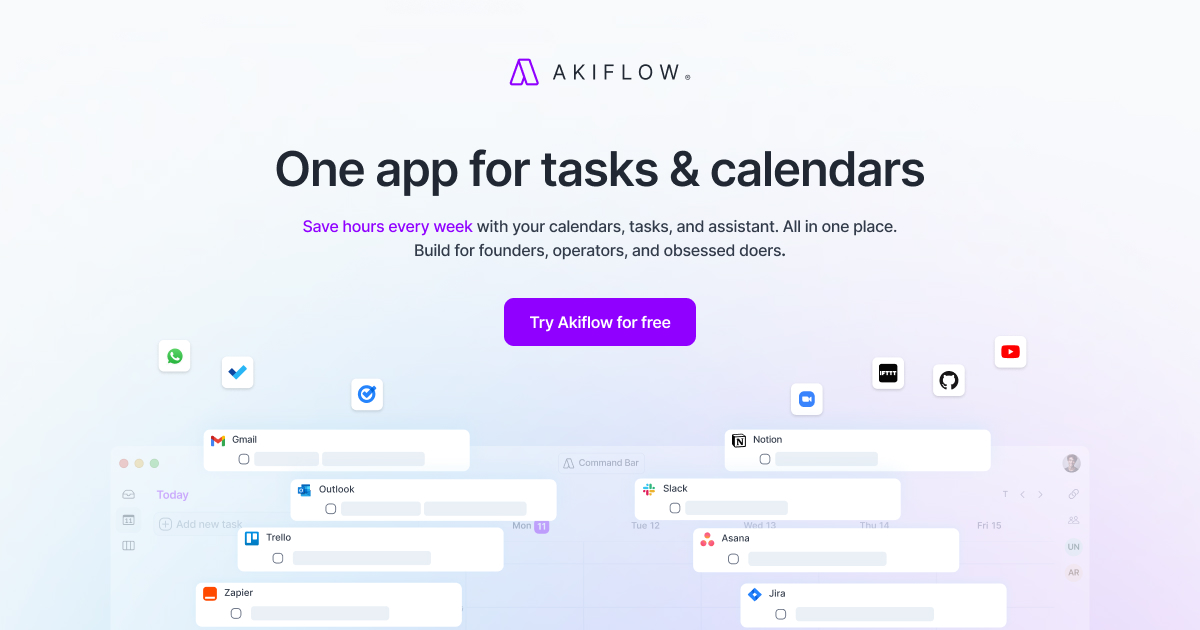
Akiflow is a time-blocking planner that combines tasks, calendars, and AI in one application. It helps busy professionals plan focused days and manage their work effectively. The product integrates work and personal schedules while providing an AI assistant for planning support.
Key features
- Sync work and personal calendars in one place
- Organize tasks with mindful planning categories
- Time-block your day automatically
- Access an on-demand AI executive assistant
- Integrate email and other apps into inbox
Use cases
- Busy professionals who want to save hours every week managing calendars and tasks.
- Founders and operators who need to plan their day automatically.
Pricing details: Akiflow offers a 7-day free trial. Pro costs $34/month billed monthly or $19/month billed yearly. No free plan available after trial ends.
12. Elvin — best for product managers who need sprint updates drafted before standup
Pricing: Free · Free plan: Yes · Upvotes: 259
In Elvin's words
Stop acting as the routing layer between AI and your actual work. Elvin is proactive AI that finds coordination work across your tools, handles the messy multi-step parts, and asks before taking action. It turns scattered context from messages, meetings, docs, and task tools into ready-to-approve drafts, follow-ups, updates, and next steps.
Key features
- Watch inbox, calendar, and messages to find work needing doing
- Draft completed documents, spreadsheets, and charts ready to use
- Learn your work style from activity without manual configuration
- Offer automation for repetitive tasks you perform the same way
- Run pre-built skills for common job roles and workflows
Use cases
- Product managers who need sprint updates drafted before standup
- Consultants who want to send client check-ins for quiet threads
- Founders raising capital who need investor thread replies drafted
Pricing details: Free while in beta.
13. ClawApp: OpenClaw Made Easy — best for developers who want to build and run OpenClaw agents without manual configuration
Pricing: Free · Free plan: Yes · Upvotes: 214
In ClawApp: OpenClaw Made Easy's words
ClawApp is a macOS desktop app designed to simplify working with OpenClaw bots. It replaces manual setup and fragmented tooling with a guided, all-in-one experience. Users can install, manage, and run local agents without worrying about configuration or system internals. ClawApp focuses on clarity and speed, making it easy to get a local OpenClaw agent running and ready to use within minutes.
Key features
- Build and manage multiple AI agents with individual models and permissions
- Connect to multiple AI providers or run models locally
- Import Claude skills as files or create new skills in the app
- Schedule agents to run autonomously on recurring intervals
- Manage all agent settings from a single unified dashboard
Use cases
- Developers who want to build and run OpenClaw agents without manual configuration
- Teams needing to automate recurring research and market monitoring tasks
- Users who want daily briefings delivered to messaging apps like Telegram
Pricing details: Free to download with no card required.
See ClawApp: OpenClaw Made Easy pricing, reviews and alternatives →
14. Slack — best for engineering teams who want to automate code reviews with AI agents

Pricing: Free plan + paid tiers · Free plan: Yes · Upvotes: 203
In Slack's words
Slackbot’s new MCP Client ends fragmented AI work by connecting 20+ apps (Atlassian, Linear, Canva, Zoom) to one conversational interface. Ask Slackbot in plain language to act across tools—sign docs, update tickets, view dashboards—then share results in team channels for true multiplayer collaboration.
Key features
- Chat and collaborate with your team in channels
- Automate everyday tasks with workflow builder
- Manage projects and tasks without leaving conversations
- Search your company's entire work memory with AI
- Work with external partners securely in real time
Use cases
- Engineering teams who want to automate code reviews with AI agents
- Sales teams who want to update deals by asking their AI agent
- Project managers who want to track and manage tasks in one place
Pricing details: Free plan available with basic features. Pro tier costs €4.13–€8.25 per user/month. Business+ tier costs €9–€18 per user/month with advanced AI features.
15. Macro — best for teams scaling from seed to IPO who need unified context across engineering, sales and marketing
Pricing: Free plan; paid from $40/seat · Free plan: Yes · Upvotes: 191
In Macro's words
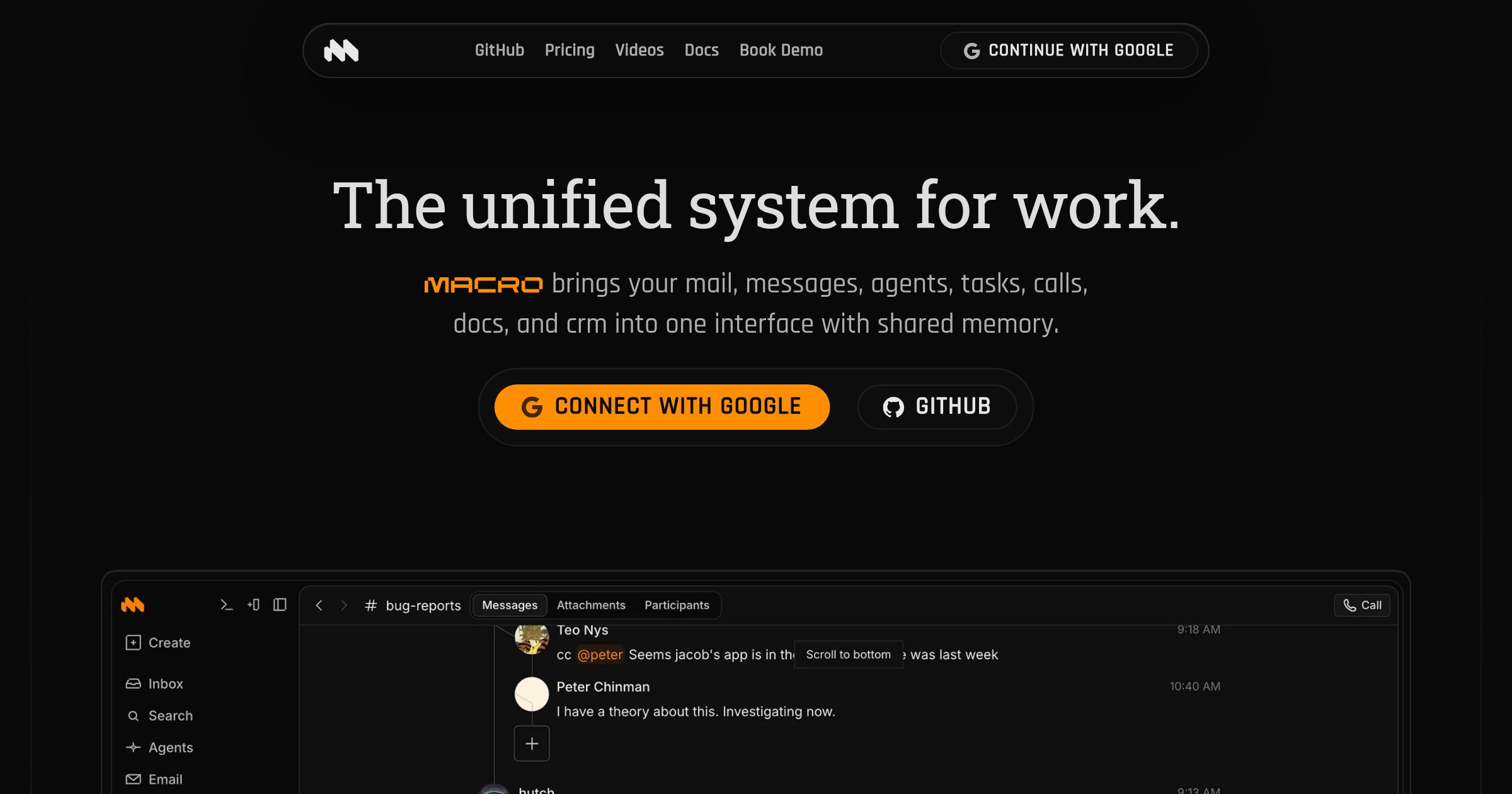
Macro is an all-in-one workspace that consolidates email, team chat, documents, tasks, calendar, CRM and agents into a single system. It helps teams maintain shared context and operate as a unified organization by centralizing information that would otherwise scatter across multiple tools.
Key features
- Triage multiple email accounts in one unified inbox with AI assistance.
- Collaborate on real-time markdown documents linked to email, tasks and channels.
- Manage team chat organized into Signal and Noise sections linked to tasks and docs.
- Access shared team-level memory built from your unified workspace.
- Contribute, fork, extend and self-host using open source code.
Use cases
- Teams scaling from seed to IPO who need unified context across engineering, sales and marketing.
- Organizations wanting to replace multiple SaaS tools with a single integrated system.
Pricing details: Free plan for personal use. Paid plan costs $40 per seat per month for first 5 seats, then $80 per seat.
How to choose
- Choose Bond for sales teams automating prospect research and list building.
- Choose Asmi AI for people who need to cancel subscriptions or fight service charges without making calls themselves.
- Choose Claude Cowork Projects for individuals managing complex workflows who need organized workspace.
- Choose Rezonant for product teams who want to keep coding agents aligned on strategy and customer context.
- Choose Spine for investors analyzing companies and markets to build investment theses and TAM models.
- Choose zero.xyz for developers who want their AI to generate images without leaving the chat.
Still comparing? Browse every tool in Task Management or see the best tools in other categories.
Frequently asked questions
What is the best Task Management tool in 2026?
Bond is the most upvoted Task Management tool on Launch Llama. For executives: Bond learns your workflow and auto-manages tasks so you focus on strategy instead of admin Bond keeps the workflow clear so you ship outcomes with less busywork. Asmi AI and Claude Cowork Projects round out the top three.
Is there a free Task Management tool?
Yes. 14 of the 15 tools in this comparison list a free plan, including Bond, Asmi AI, Claude Cowork Projects.
How were these Task Management tools ranked?
By community upvotes on Launch Llama, after merging duplicate listings and dropping listings without a real description. We have not tested these tools hands-on; pricing and features come from each product's listing.
How many Task Management tools are listed on Launch Llama?
17 Task Management tools with full listings at the time of writing. This page compares the top 15; the rest are on the Task Management category page.