MakeImg AI
For creators: MakeImg AI generates 4K images with FLUX, Nano Banana Pro, and Seedream models, supporting 50+ languages and commercial use instantly.
Built by Manus AI · Artificial Intelligence · Design Tools · Freemium
In category: #1531 of 2048 · Artificial Intelligence
MakeImg AI is a Community listing on Launch Llama with 2 total upvotes, founded by Manus AI who joined in Aug 2026, compared against 5 alternatives.
Community listing
Listing status
2upvotes
Community score
Manus AI (Joined Aug 2026)
Founder
Compared against 5 alternatives
Market comparison
Launched on Launch Llama Aug 17, 2026 · #111 of 122 that day

About
MakeImg AI is a multi-model AI image generator platform that lets you switch between different AI models including Nano Banana Pro, FLUX, and Seedream for text-to-image creation. Generate high-quality images in 4K resolution with precise text rendering in 50+ languages, supporting flexible aspect ratios and commercial use. Create stunning visuals in seconds with a user-friendly interface designed for designers, marketers, and content creators.
Follow MakeImg AI: X (Twitter)
Use Cases
- Generating a product still-life photo from a text prompt for an online store listing
- Restyling or changing the background of an existing photo by uploading it as a reference image
- Creating social media visuals, banners, or ad concepts from a detailed text brief
Who it is for
- Creators making visuals for their own projects, posts, or campaigns.
- Marketing teams preparing concept images and layout mockups for campaigns.
- E-commerce sellers wanting product photos with a chosen setting and lighting.
Pricing
Image generation costs credits per image (e.g. 10 credits for Nano Banana 2 Lite at 1:1).
FAQ
How do I generate a picture from text?
Describe the subject, setting, and light. Choose a model and aspect ratio, sign in, and generate. Review the result and adjust your prompt if needed.
Can I generate an image from my own photo?
Yes. Sign in and upload a JPG, PNG, or WebP photo up to 5 MB. Describe what to change and keep, then choose a model that accepts reference images.
How many starting credits do I get?
Sign in to see your available credits and any account rewards. The amount depends on your account and current offers. The generator shows the cost before you submit.
How long does it take to generate an image?
Time varies by model, request, and provider load. Follow the task in your workspace. If the browser times out, check My creations before submitting again.
Can I use images for commercial projects?
MakeImg supports personal and commercial projects under the applicable terms. Use reference material you have permission to use and check your selected model’s conditions before publishing.
Which formats and resolutions are supported?
Reference uploads accept JPG, PNG, and WebP files up to 5 MB. Output format and resolution depend on the model; check the completed file before using it.
Are credits returned if generation fails?
Confirmed failed generations return credits automatically. After a browser timeout, check My creations before trying again. Contact support if the task status or balance does not update.
Which AI models can I use?
The AI photo generator offers GPT Image 2.5, Nano Banana 2.1, Seedream, FLUX, Imagen 4, and Ideogram options. The selector shows which models support your input and their settings and credit costs.
What do Fast, Standard, and Pro generations cost?
Each generation uses credits according to its speed and capability: Fast uses 10 credits, Standard uses 20 credits, and Pro uses 40 credits. That makes it easier to estimate a plan from the kind of work you do. Use Fast for quick exploration, Standard when you need a more considered pass, and Pro when the task calls for the highest available generation tier. The plan cards show estimated generation counts so you can compare your likely volume before checkout.
When do subscription credits refresh?
Subscription credits refresh with the billing cycle of the plan you choose. Monthly plans are suited to a steady monthly rhythm, while annual plans give you an annual credit allowance and an annual billing cadence. Pick the schedule that matches how you budget and how your work arrives: a regular stream of briefs may favor a subscription, while a short campaign or occasional project may be better served by a one-time pack. The plan table shows the refresh timing for each option.
Alternatives
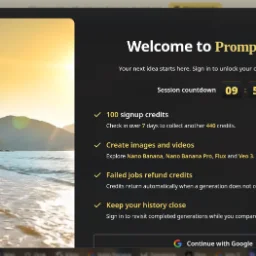 PromptImageFree AI image & video studio with a prompt library. Signup credits, Nano Banana, Flux, Veo — no card needed.
 Bimg AI: Nano Banana AI PlatformFor designers and creators: Bimg AI generates, edits, upscales, and restores images with AI so you produce professional visuals without manual design work.
More in Artificial Intelligence
New on Launch Llama
Launched this week · This month's launches · All products A–Z
Ask AI about MakeImg AI
Supporters
1 founder
1 founder supported MakeImg AI on Launch Llama.
For bots & AI agents
Machine-readable versions of MakeImg AI and Launch Llama. Fetch these instead of parsing this page.
This listing (.md) llms.txt llms-full.txt ai.txt Full catalog (.md) Endpoint index API docs MCP server MCP manifest Developer docs