Routine
For busy professionals: Routine AI controls your tasks, calendar, and projects by voice, so you schedule meetings and capture ideas hands-free without typing.
Built by Julien Quintard · Artificial Intelligence · Productivity · Audio · Freemium
In category: #270 of 1985 · Artificial Intelligence
Routine is a Product Hunt listing on Launch Llama with 242 total upvotes, founded by Julien Quintard who joined in Jul 2026, compared against 6 alternatives.
Product Hunt listing
Listing status
242upvotes
Community score
Julien Quintard (Joined Jul 2026)
Founder
Compared against 6 alternatives
Market comparison
Launched on Launch Llama Jul 28, 2026 · #41 of 67 that day
About
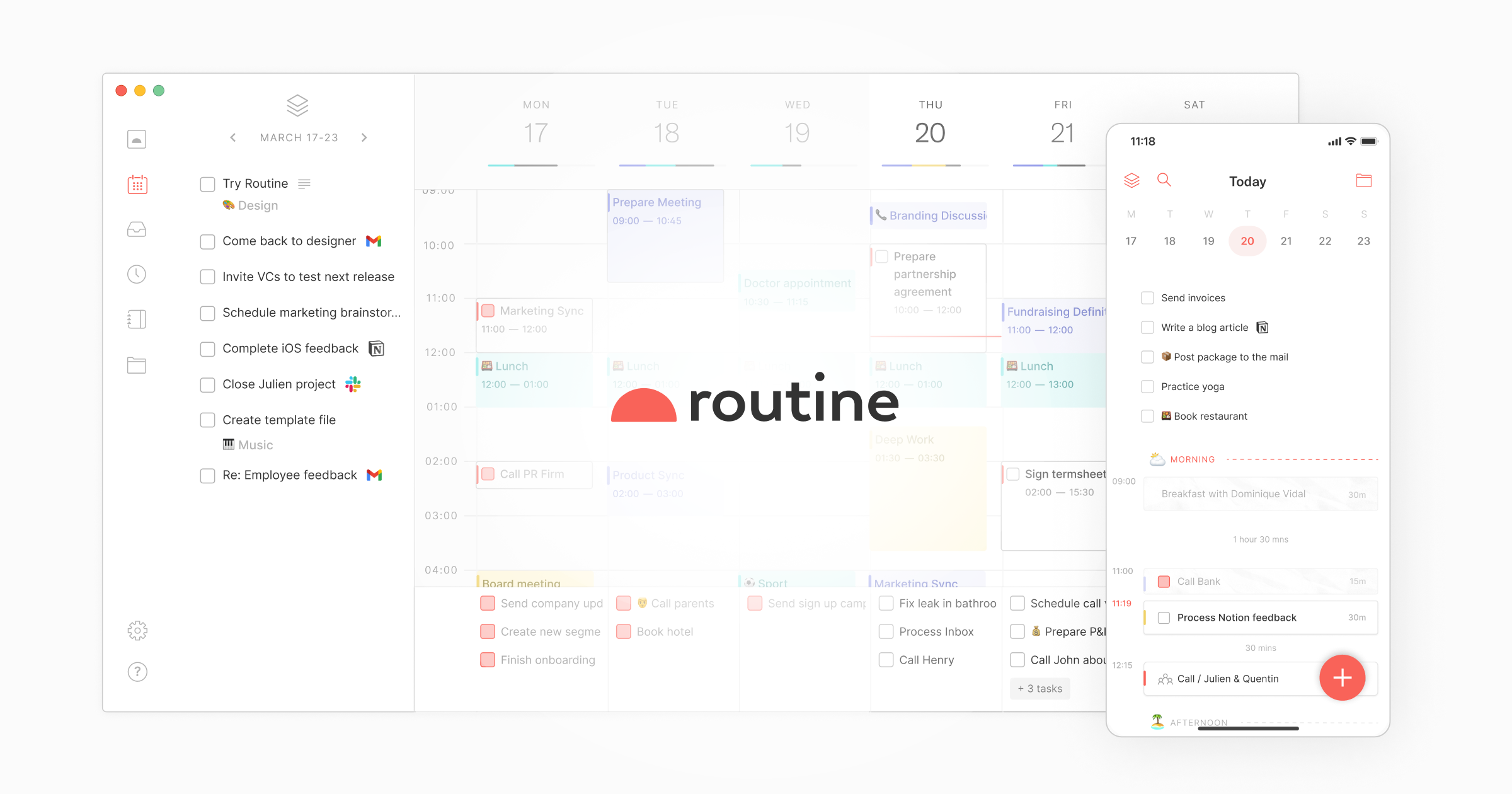
Routine is an AI-powered workspace that combines tasks, calendars, and notes in one application. It helps users plan their day and manage their work more efficiently. The product serves ambitious professionals and teams looking to centralize their work.
Launch Llama's Take
Based on Launch Llama data as of
Routine has 242 upvotes, including the votes it received on Product Hunt, which ranks it #270 of 1,985 Artificial Intelligence tools on Launch Llama by upvotes, in the top quarter. It has been listed on Launch Llama since July 2026. No Launch Llama members have upvoted it yet and it has no reviews yet.
Key Features
- Centralize work from multiple apps into a universal inbox
- Automatically transcribe and summarize meetings
- Build AI automations connecting tools and organizing information
- Block time for important tasks on a single planning screen
Use Cases
- Founders who want to consolidate multiple tools and focus on moving the needle daily
- Teams seeking to reduce costs by consolidating multiple apps into one workspace
Who it is for
- Busy professionals who manage tasks, calendars and projects across many apps.
- Engineering managers and product managers coordinating team work.
- Operations and executive leaders who want a single source of truth for company data.
Pricing
Free plan available forever with basic features. Personal plan costs $5/month, Professional costs $10/month, Business costs $15/seat/month, and Enterprise pricing available upon contact.
FAQ
Does Routine have integrations?
Yes, one of Routine core value is its ability to connect to other tools you use. We support a wide range of integrations, including Google Workspace, Microsoft 365, Slack, and more.
How can I add my Outlook calendars to Routine?
Microsoft Outlook Calendar is unfortunately not supported yet. It is however in active development as of 2025.Check out the integrations catalog for a more up-to-date information.In the meantime, a few services exist that allow synchronizing your Outlook calendars with Google Calendar. This way, all your calendars will be visible in Routine.The following services could be used to that effect:CalendarBridge, gSyncit, GoogleOutlookCalendarSync, Microsoft Power Automate
How can I hide the dashboard and pick up where I left?
If you have opened the dashboard but you want to quickly check something without losing what you had already typed, simply hide the dashboard and resume when you want.To do so:Open the dashboard (with ^ ⎵), Start typing in the console, Then hit ^ ⎵ once more to hide the dashboard, Re-open the dashboard (with ^ ⎵ again), and the text you had typed is still there 🎉
How can I import tasks from my existing tool (Todoist, Asana, Trello, Notion etc.)?
A number of services are fully integrated with Routine, allowing for import and bidirectional synchronization. Please refer to the integrations catalog for more information.If the service you use is not supported yet, you can take a look at Zapier which supports 5000+ applications.
How can I import the notes from my existing tool (Notion, Apple Notes, Obsidian etc.)?
Routine comes equipped with importers that you can use for one-way import of your notes from favorite services & apps.For more information, please refer to the Settings / Imports section in the Routine app.
I am losing access to my email address. How can I make sure I can still use my Routine account?
It often happens that one signed up to Routine using her professional Google account e.g @company.com.It also happens that you leave a company to work for another one, start your own business or else.What will happen to your Routine account if you cannot connect to Routine with your old professional Google account?To prevent this situation from happening, simply connect an additional email address to your Routine account so you can log in through any of them in the future.
Is Routine available through on the Web?
In addition to desktop and mobile apps, Routine is also available in your browser. This is ideal if you want to connect to your Routine account on the go e.g on someone else's computer.Note however that the desktop applications (macOS, Windows and Linux) are 30% faster, support more keyboard shortcuts and come with the advanced dashboard functionality.For those reasons, you should always favor the desktop apps if you can.
Is Routine free?
Yes, Routine is free to use. We offer a free plan with many functionalities, and paid plans with additional features and priority support.
Founder Guides
Alternatives
Featured in
- The 15 Best Audio Tools in 2026 (Compared) — ranked #9
Ask AI about Routine