On Launch Llama
Mac+ - Animated wallpapers and widgets for macOS
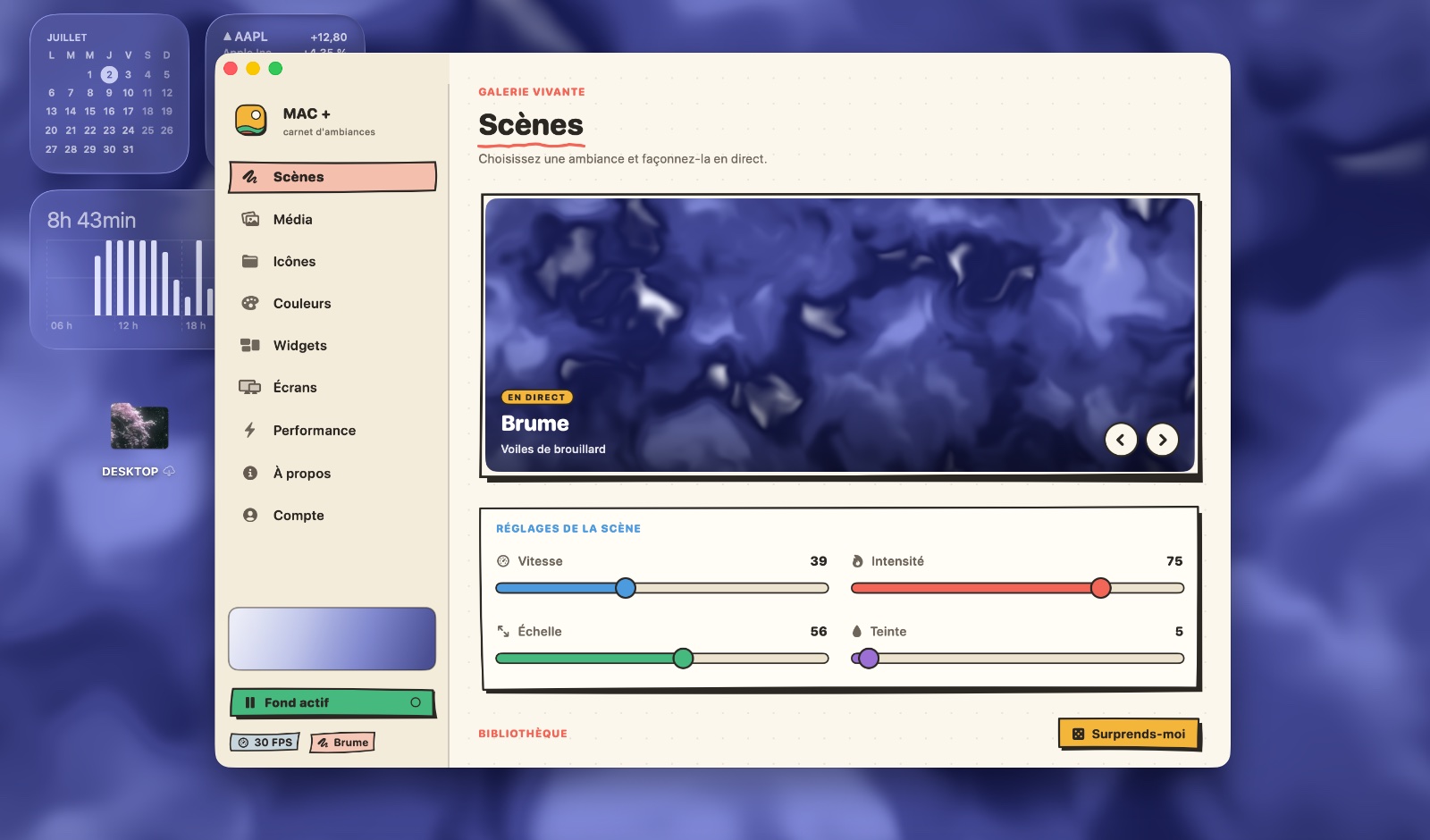
For Mac users: Mac+ adds animated wallpapers, icons and widgets to your desktop so your workspace feels personalized and alive.
Built by Penra
Productivity Design Tools Freemium
Visit website → Upvotes · 36
In category: #845 of 1761 · ProductivityTrending this week: #242 of 1761 · Productivity
Mac+ is a Instant Launch listing on Launch Llama with 36 total upvotes across 2 founder supporters, founded by Penra who joined in Jul 2026, compared against 6 alternatives.
Instant Launch listing
Listing status
36upvotes
Community score
Penra (Joined Jul 2026)
Founder
Compared against 6 alternatives
Market comparison
About
Mac+ brings your Mac desktop to life with 15 GPU-rendered animated scenes, 44 color palettes, custom video backgrounds, 52 folder icon patterns, and 12 desktop widgets. The lightweight, privacy-focused application offers smooth performance with adjustable frame rates and automatic pause features to preserve battery life.
Ask AI
ChatGPT Claude Perplexity Grok
For agents
llms.txt · llms-full.txt · ai.txt · Live fact sheet · Full catalog (.md) · Endpoint index · API spec · REST access · Agent server · Server manifest · Server discovery
Pricing
Mac+ offers a free plan plus paid tiers. See the website for current pricing.
FAQ
What is Mac+?
Mac+ brings your Mac desktop to life with 15 GPU-rendered animated scenes, 44 color palettes, custom video backgrounds, 52 folder icon patterns, and 12 desktop widgets. The lightweight, privacy-focused application offers smooth performance with adjustable frame rates and automatic pause features to preserve battery life.
How much does Mac+ cost?
Mac+ offers a free plan plus paid tiers. See the website for current pricing. You can discover and review Mac+ for free on Launch Llama.
What category does Mac+ belong to?
Mac+ is listed under Design Tools, Productivity on Launch Llama.
How do I get started with Mac+?
Click the "Visit Website" button on this page to go directly to Mac+. You can also upvote and leave a review to help other founders discover it.
Supporters
2 founders2 founders contributed 36 upvotes to Mac+ on Launch Llama.

Reviews
5.0 · Based on 1 review
Hey, love seeing this here! 👋 What inspired you to build this? Would love to hear the story behind it.
Alternatives
- Better Resource Monitor
For Mac developers: Better Resource Monitor displays CPU, memory, GPU, and network usage in your menu bar so you catch performance issues before they slow your work.
- Little buddies. A livelier Mac.
For Mac users: My Dock Buddies adds stylized 3D companion characters to your desktop so your workspace feels more lively.
- Glaze by Raycast
For Mac users: Glaze turns your app ideas into real dock apps via chat, so you get personal software that works offline and launches instantly.
- Bloop
For creators: Bloop turns Mac audio into real-time visual shaders you can export as finished video so your sound design matches your visuals instantly.
- Glisio
For product teams: Glisio records cinematic demos on Mac with smart auto-zoom and built-in editing so you ship polished product videos without timeline work.
- Lovable
For developers: Lovable Desktop organizes projects with tabs and local MCPs, speeding up app building with native Mac shortcuts and workflows.