On Launch Llama

Mailwell - A calm, fast mail app for every account on your Mac
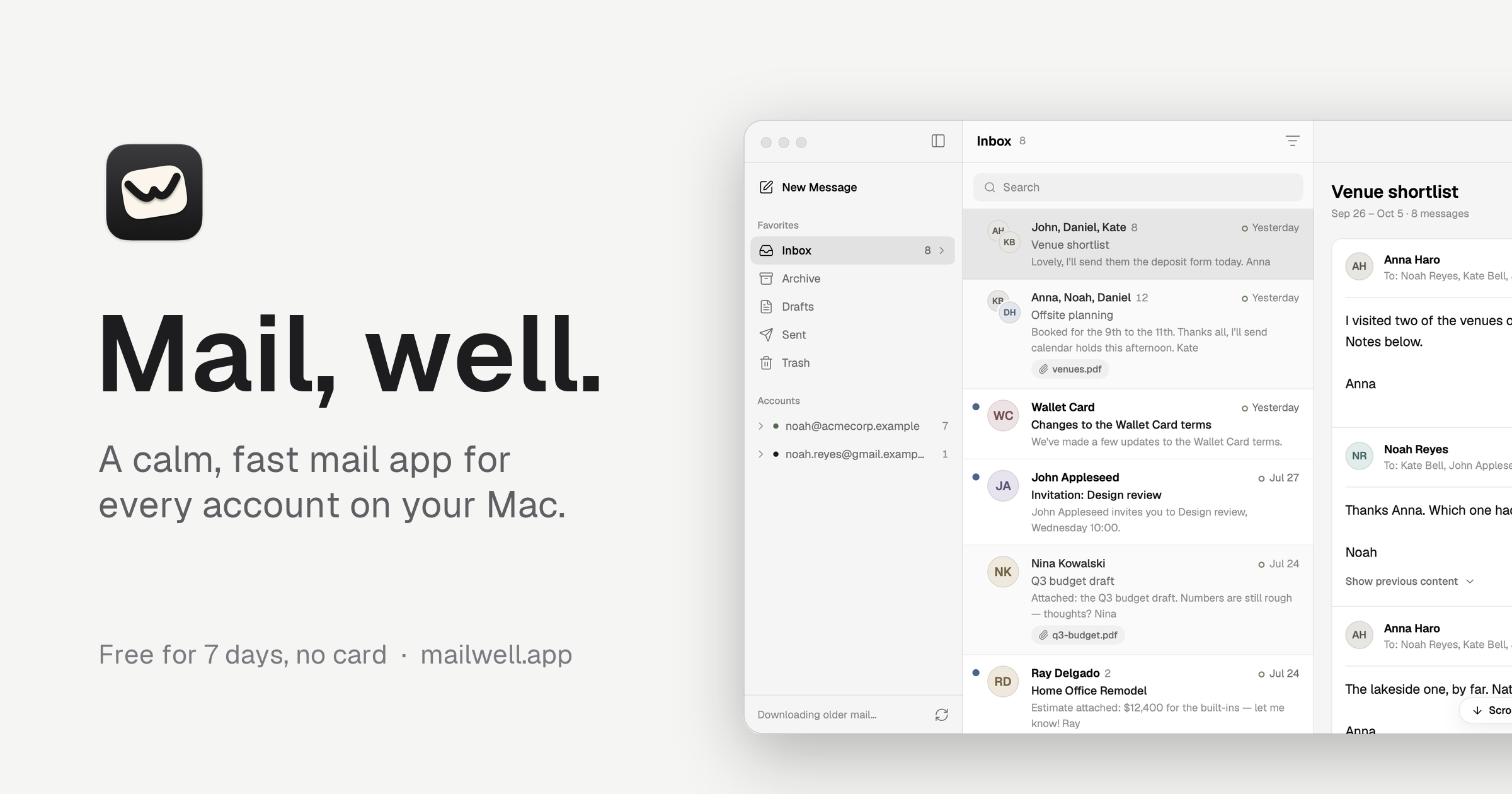
A native Mac mail app that puts Gmail, Outlook, iCloud, Fastmail and any IMAP or JMAP account in one calm window, with your mail kept on your Mac.
Built by Luke Southwell-Chan
MCP Productivity Paid
Visit website → Upvotes · 27
In category: #2 of 14 · MCPWeekly rank: #1
Mailwell is a Community listing on Launch Llama with 27 total upvotes across 12 founder supporters, +27 in the week of Oct 6–Oct 12, 2026, founded by Luke Southwell-Chan who joined in Oct 2026, compared against 6 alternatives.
Community listing
Listing status
27upvotes
+27 · Oct 6–Oct 12, 2026
Community score
Luke Southwell-Chan (Joined Oct 2026)
Founder
Compared against 6 alternatives
Market comparison
Real numbers
90d
-
0
Views
-
0
Visitors
-
0
Clicks
Public Launch Llama traffic for this listing.
Key Features
- Surfaces Gmail, iCloud, Outlook, Fastmail, Proton, IMAP and JMAP
- Delivers mail stored on your Mac, with fast local search (from:, subject:, has:attachment)
- Delivers every action saved on your Mac first, so quitting or going offline never loses it
- Delivers snooze, Send Later, Undo Send, one-click unsubscribe and rules in plain words
- Surfaces summaries and writing help via Apple Intelligence or your key
- Delivers let Claude and other AI assistants read your mail, read-only, if you choose (MCP)
About
Mailwell is a native email app for the Mac, written in Swift. It connects straight to your mail servers and keeps your mail on your Mac, so your messages and passwords never pass through anyone else's servers. It works with Gmail, iCloud, Yahoo and AOL (with an app password and a short guided setup), Fastmail and Kagi Mail over JMAP with instant push, Microsoft 365 and Outlook.com, Proton Mail through Bridge, and any other IMAP or JMAP account. You get a unified inbox with Primary, Social, Promos and Updates tabs, conversations that fold earlier messages away, snooze, Send Later, Undo Send, one-click unsubscribe, rules you can write in plain words, fast local search, and keyboard shortcuts for everything. Every action is saved on your Mac first, so quitting or losing Wi-Fi never drops it. AI is optional and off by default. It's for people who want one quiet, private mail app made for the Mac. Free for 7 days with no card, then $5 a month or $49 a year for up to 3 Macs. Made by one person.
Pricing
Mailwell is a paid product. See the website for current pricing.
Verdict
In the competitive productivity space, Mailwell stands out as a solid option. With 27 upvotes from the Launch Llama community, it's clearly resonating with founders. Mailwell is a native email app for the Mac, written in Swift. If a native mac mail app that puts gmail, outlook, icloud, fastmail and any imap or jmap account in one calm window, with your mail kept on your mac is a priority for your team, it's worth giving Mailwell a closer look.
FAQ
What is Mailwell?
Mailwell is a native email app for the Mac, written in Swift. It connects straight to your mail servers and keeps your mail on your Mac, so your messages and passwords never pass through anyone else's servers. It works with Gmail, iCloud, Yahoo and AOL (with an app password and a short guided setup), Fastmail and Kagi Mail over JMAP with instant push, Microsoft 365 and Outlook.com, Proton Mail through Bridge, and any other IMAP or JMAP account. You get a unified inbox with Primary, Social, Promos and Updates tabs, conversations that fold earlier messages away, snooze, Send Later, Undo Send, one-click unsubscribe, rules you can write in plain words, fast local search, and keyboard shortcuts for everything. Every action is saved on your Mac first, so quitting or losing Wi-Fi never drops it. AI is optional and off by default. It's for people who want one quiet, private mail app made for the Mac. Free for 7 days with no card, then $5 a month or $49 a year for up to 3 Macs. Made by one person.
Who should use Mailwell?
Mailwell is a strong fit if you are one of: • busy founders and teams looking to do more with less If that does not sound like you, skim the features and site before committing time.
What problem does Mailwell solve?
Mailwell is built around this outcome: A native Mac mail app that puts Gmail, Outlook, iCloud, Fastmail and any IMAP or JMAP account in one calm window, with your mail kept on your Mac. Use the site demo or docs to confirm it matches the bottleneck you are trying to remove.
What are the main features of Mailwell?
Mailwell includes: • All your accounts in one window: Gmail, iCloud, Outlook, Fastmail, Proton, IMAP and JMAP • Mail stored on your Mac, with fast local search (from:, subject:, has:attachment) • Every action saved on your Mac first, so quitting or going offline never loses it • Snooze, Send Later, Undo Send, one-click unsubscribe and rules in plain words • Optional AI, off by default: summaries and writing help via Apple Intelligence or your key • Let Claude and other AI assistants read your mail, read-only, if you choose (MCP)
How much does Mailwell cost?
Mailwell is a paid product. See the website for current pricing. Check the official site before you buy so you see current plans, trials, and limits.
How does Mailwell use AI?
Mailwell uses AI as part of its workflow. Before relying on it for customer-facing or confidential work, confirm what data is sent to models, whether outputs are editable, and how you can review results.
Is Mailwell worth trying?
It promises: A native Mac mail app that puts Gmail, Outlook, iCloud, Fastmail and any IMAP or JMAP account in one calm window, with your mail kept on your Mac. It has 27 community upvotes on Launch Llama, which is a signal of interest — not a guarantee it fits you. Worth trying if that problem is painful for you this week; skip it if you only need a one-off workaround you already have.
How do I try Mailwell?
Open the official Mailwell website from this page, run the smallest real task you care about (not a toy demo), and decide in one session whether it removes friction. Check pricing and data/privacy terms before you put production work into it.
Alternatives
- Local Inbox
LocalInbox is a native Mac mail app that reads, sorts and answers your mail with Apple's on-device model. One inbox for every account, nothing sent to an AI cloud, pay once.
- MailVault
A free, open-source email client for macOS, Windows, and Linux that stores all messages locally with no account required, enabling offline access and full data ownership.
- Quartz
For busy professionals: Quartz prioritizes your Gmail by importance and drafts replies in your voice, with all AI processing running locally on your Mac for privacy.
- Tempo
For Mac users: Tempo is a minimalist email client that reduces distractions, helping you focus and build healthier work habits.
- Chute
For Mac users: Chute sends screenshots, links, and files from your Mac to iPhone instantly through your notch, eliminating manual transfers.
- MailAdept by mailwarm
For email teams: MailAdept monitors and fixes your deliverability daily so your messages land in inboxes, not spam MailAdept by mailwarm keeps the workflow clear so you ship outcomes with less busywo…
Supporters
12 founders12 founders contributed 27 upvotes to Mailwell on Launch Llama.




Reviews
4.5 · Based on 2 reviews
Clear landing page that explains the value prop well Add a pricing page with clear comparisons
Clear one-page explanation of what it does, which providers it supports, and a free 7-day trial with no card. Pricing ($5/month or $49/year) is only visible near the bottom, and there is no screenshot or demo on the page itself.
Ask AI
ChatGPT Claude Perplexity Grok
For agents
llms.txt · llms-full.txt · ai.txt · Live fact sheet · Full catalog (.md) · Endpoint index · API spec · REST access · Agent server · Server manifest · Server discovery