Sticta
Turn photo cutouts into a wallpaper you designed
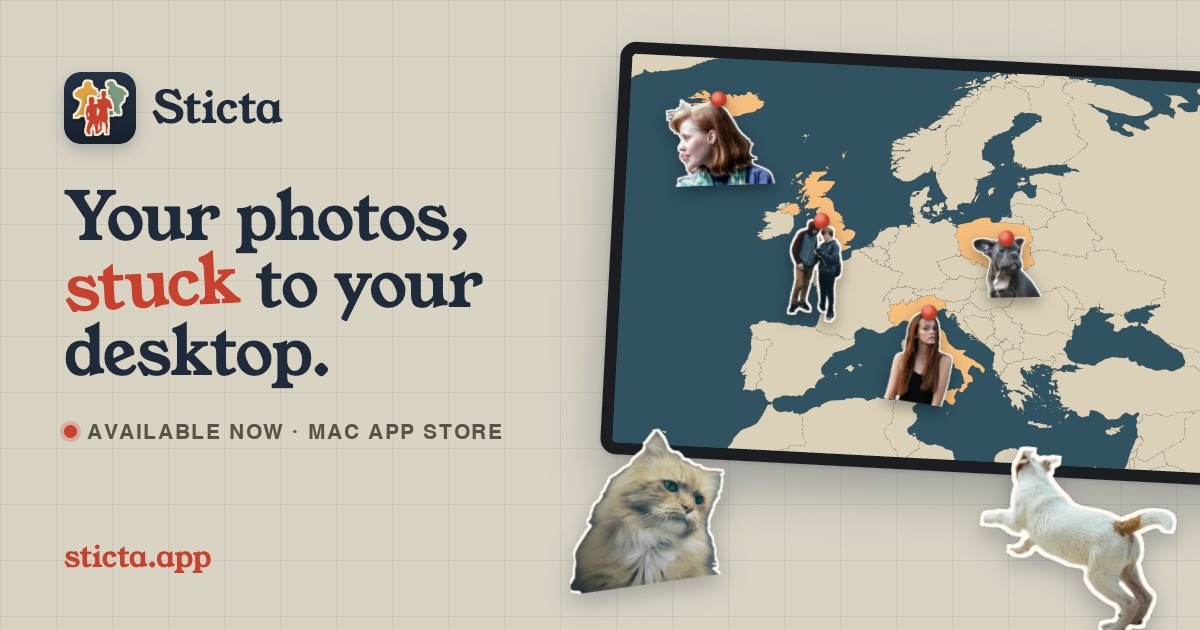
Helps Mac users cut people out of photos, turn them into stickers, and arrange them on maps, timelines, or corkboards to set as a desktop wallpaper.
Productivity · Design Tools · Freemium
In category: #1061 of 1452 · Productivity
Sticta is a Community listing on Launch Llama with 2 total upvotes, compared against 6 alternatives.
Community listing
Listing status
2upvotes
Community score
—
Founder
Compared against 6 alternatives
Market comparison
Launched on Launch Llama Oct 19, 2026 · #171 of 215 that day
About
Sticta detects the subject in each photo on the Mac itself, so nothing is uploaded, and lets you choose who stays in a group shot or brush away rough edges. Stickers can be pinned to countries using the location saved in each photo, or sorted by date into calendars, film strips, and clotheslines. Once the layout is ready, it renders the scene sharply for each display, with separate projects per screen and optional rotation.
Key Features
- Detects and cuts out subjects on-device in about a third of a second
- Lets you choose who stays in group photos and brush to fix edges
- Pins stickers to countries using location saved in photo metadata
- Sorts stickers by date into timelines, calendars, and film strips
- Assigns a different project to each display and rotates them over time
- Exports scenes as images sized for 4K or 1080p TVs and for printing up to A3
Use Cases
- Turning holiday photos into a travel map wallpaper that shows every country visited, with each sticker pinned to where it was taken
- Arranging a year of family or friend photos on a timeline or wall calendar wallpaper, sorted automatically by the date saved in each photo
- Cutting people out of group photos to make stickers, then pinning them to a fridge door or corkboard scene as a desktop background
Who it is for
- Mac users who want personalised desktop wallpapers built from their own photos
- Families or friends who take many trips and want to display their memories on a map or timeline
- People who want to show photo collages on a Mac, an Apple TV, or as printed pictures
Pricing
Sticta is free to download, with one great wallpaper, the travel map, and one project with five stickers. Sticta Unlimited is a one-time purchase that unlocks unlimited stickers and projects, a different project per display, and wallpaper rotation, at a launch price for the first weeks.
FAQ
How do I make a wallpaper from my own photos on a Mac?
Drag your photos into Sticta. It cuts out the people, turns them into stickers and lays them on a scene: a travel map, a timeline sorted by date, a fridge door, a corkboard or a background of your own. Arrange them, then click Set as Wallpaper and it becomes your desktop, rendered sharp for every display.
How do I cut a person out of a photo on a Mac?
For a single cutout, Control-click the person in Photos and choose Copy Subject, or use Tools → Remove Background in Preview. Sticta does the same on your Mac, lets you pick who stays in a group photo and fix the edges with a brush, then turns the cutout into a sticker.
Can I put my travel photos on a map?
Yes. On Sticta's travel map, each sticker is pinned to the country where its photo was taken, using the location saved in the photo, and the countries you've visited light up. Show the whole world, a continent or one country.
Is Sticta free?
Sticta is free to download, with every scene, one project and five stickers, no watermark and no time limit. Sticta Unlimited is a one-time purchase that removes the limits and adds a project per display and wallpaper rotation. No subscription, and Family Sharing is on.
Which Macs does Sticta run on?
Macs with Apple silicon (M1 or later) running macOS 14 Sonoma or later. It is available on the Mac App Store.
Does Sticta upload my photos?
No. Sticta never connects to the internet: the cutout, the map and the wallpaper are all made on your Mac. No account, no analytics.
Can I export a wallpaper as an image or print it?
Yes. Export saves any project as a PNG for a 4K or 1080p TV or in print sizes from 10 × 15 cm to A3 at 300 DPI, or adds it to a Photos album you can use as your Apple TV screen saver.
Can each display show a different wallpaper?
Yes, with Sticta Unlimited. Give every display its own project at its full resolution, and Sticta remembers which is which. Add a few projects to one screen and it rotates them hourly, daily, weekly or each time your Mac wakes.
Alternatives
 BlockPoster.aiFree block poster maker, Bigger imagination.
 RyluxRylux extracts a look from reference photos or a Lightroom Classic catalog and develops your RAW files on your Mac, with no upload or cloud.
More in Productivity
New on Launch Llama
Launched this week · This month's launches · All products A–Z
Ask AI about Sticta
Supporters
1 founder
1 founder supported Sticta on Launch Llama.
For bots & AI agents
Machine-readable versions of Sticta and Launch Llama. Fetch these instead of parsing this page.
This listing (.md) llms.txt llms-full.txt ai.txt Full catalog (.md) Endpoint index API docs MCP server MCP manifest Developer docs