
ManualFig
For product teams: ManualFig converts product photos into line drawings and assembly instructions so you ship manuals in hours, not weeks.
Built by ManualFig and Nadahh · Artificial Intelligence · Productivity · Design Tools · Freemium
In category: #1348 of 1953 · Artificial Intelligence
ManualFig is a Instant Launch listing on Launch Llama with 3 total upvotes, founded by ManualFig and Nadahh who joined in Jul 2026, compared against 6 alternatives.
Instant Launch listing
Listing status
3upvotes
Community score
ManualFig and Nadahh (Joined Jul 2026)
Founder
Compared against 6 alternatives
Market comparison
About
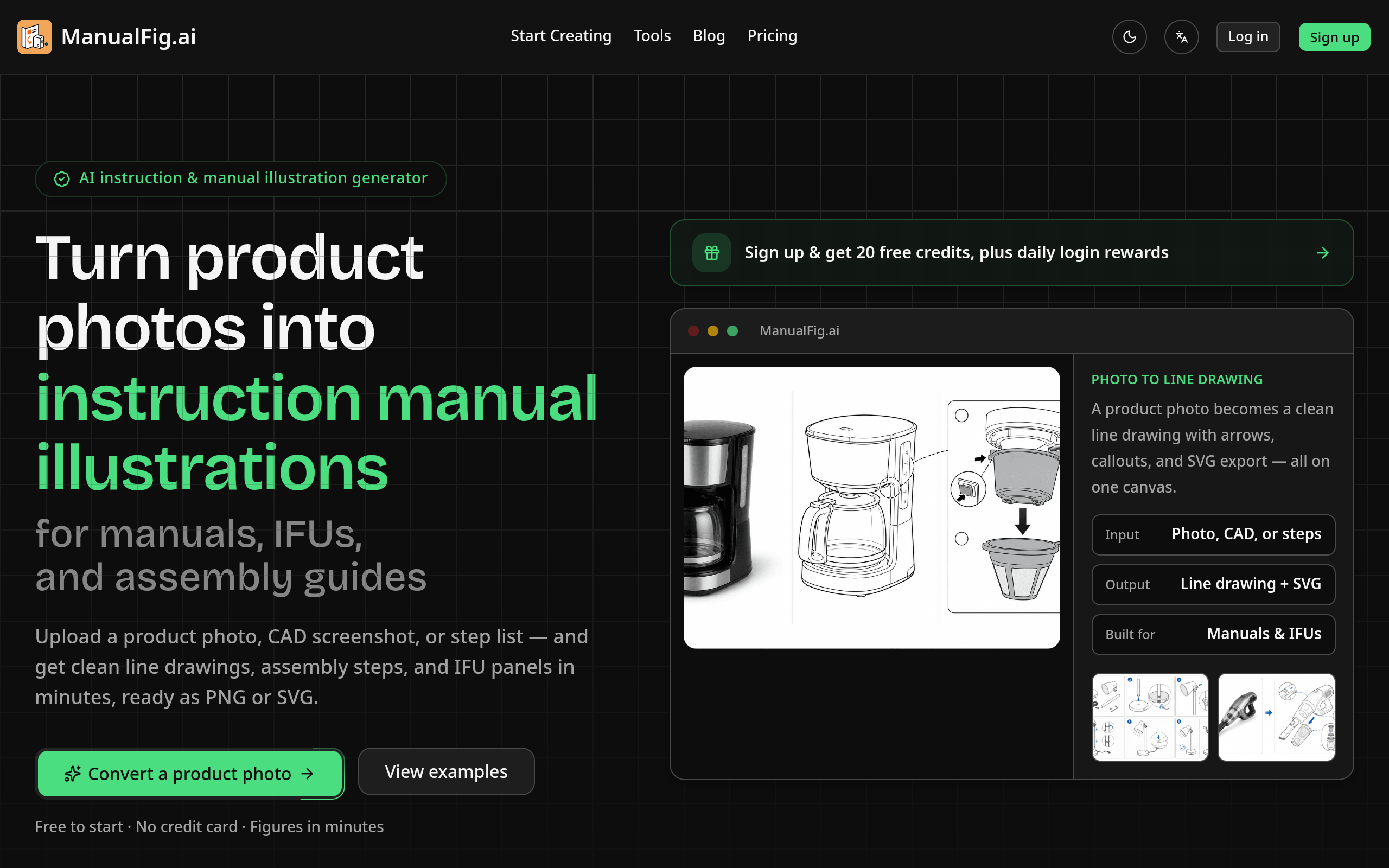
What is ManualFig ManualFig is an innovative AI-powered platform designed to convert product photos into clean line drawings and detailed assembly instructions. It simplifies the process of creating user manuals, instruction sheets, and technical illustrations, making it accessible for businesses and individuals alike. Features of ManualFig AI-Powered Conversion: Quickly transforms product images into line art and assembly instructions, saving time and effort. Multiple Output Formats: Users can export their illustrations in both PNG and SVG formats, ensuring compatibility with various documentation needs. User-Friendly Interface: The platform is designed for ease of use, allowing users to upload images and generate instructions without needing design skills. Version Control: Keep track of different versions of illustrations, making it easy to manage updates and revisions. Customizable Instructions: Users can add arrows, callouts, and other annotations to enhance clarity and usability of the instructions. Use Cases of ManualFig Product Manuals: Ideal for creating user manuals for consumer electronics, furniture, and appliances. Assembly Instructions: Perfect for generating step-by-step assembly guides for various products. Instruction for Use (IFU): Useful for medical devices and other products requiring detailed usage instructions. E-commerce Support: Enhances product listings with clear instructional images to reduce customer inquiries and returns. Training Materials: Can be used to create visual aids for training sessions and workshops, improving comprehension and retention.
Pricing
ManualFig offers a free plan plus paid tiers. See the website for current pricing.
FAQ
Can ManualFig turn product photos into line art?
Yes. Upload a product photo or reference image, then describe the manual use case. ManualFig creates cleaner product line art with arrows, callouts, and detail panels when needed.
Can I create product manual pictures from step lists?
Yes. Paste a procedure or support note and ask for numbered panels. The output can show setup, assembly, replacement, cleaning, troubleshooting, or final checks.
Is ManualFig only for medical device IFU illustrations?
No. Medical IFU is one high-rigor use case, but the same workflow supports ecommerce product manuals, user guides, furniture assembly, appliances, electronics, installation guides, and maintenance sheets.
Can I ask for product line art instead of shaded images?
Yes. You can request black-and-white line art, grayscale diagrams, simple color accents, technical illustration style, or a reference style from an existing manual.
Can uploaded images be used as references?
Yes. The generate page accepts reference images so the model can preserve product shape, part placement, and visible components while still producing a clean manual figure.
Are uploaded product photos private?
Paid-plan projects are not displayed in our community gallery. If you are working with unreleased products, we recommend a paid plan.
Are my images used for AI training?
ManualFig does not use identifiable customer images for its own AI training without consent. You can opt out by contacting support.
Does the app support editing an existing result?
Yes. Users can select an image on the canvas, describe the revision, and keep the edited version under the same project history.
How does SVG export work?
You can generate stroke-based SVG figures directly from a text prompt, or convert any generated image into a clean, editable SVG. Both are saved as assets ready for layout and documentation use.
What do credits pay for?
Each generated image costs 10 credits. Converting a generated image to SVG costs 10 credits. The image estimates shown on each plan are based on generation alone.
Alternatives
 PatentFig AIFor patent attorneys: PatentFig AI generates USPTO-compliant drawings from photos and sketches so you file patents 10x faster.
 Aitu AIFor e-commerce teams: Aitu AI generates product image sets from limited source material so you launch faster without manual design delays.
 ai flowchartFor product and ops teams: AI Flowchart converts plain text or sketches into editable diagrams, exportable as PNG, SVG, or PDF.
Ask AI about ManualFig
Supporters
1 founder
1 founder supported ManualFig on Launch Llama.