Trellis 2
Under reviewFree image to 3D model generator in minutes
Turns one JPG, PNG or WebP into a previewable 3D mesh in 1-3 minutes, exported as GLB for game developers, 3D printing hobbyists and e-commerce teams, with no local GPU.
Built by Lin Zhou · Artificial Intelligence · Freemium
Coming soon on Launch Llama Tools
Trellis 2 is a Community listing on Launch Llama with 0 total upvotes, founded by Lin Zhou who joined in Nov 2026, compared against 4 alternatives.
Community listing
Listing status
0upvotes
Community score
Lin Zhou (Joined Nov 2026)
Founder
Compared against 4 alternatives
Market comparison
Turns one JPG, PNG or WebP into a previewable 3D mesh in 1-3 minutes, exported as GLB for game developers, 3D printing hobbyists and e-commerce teams, with no local GPU.
About
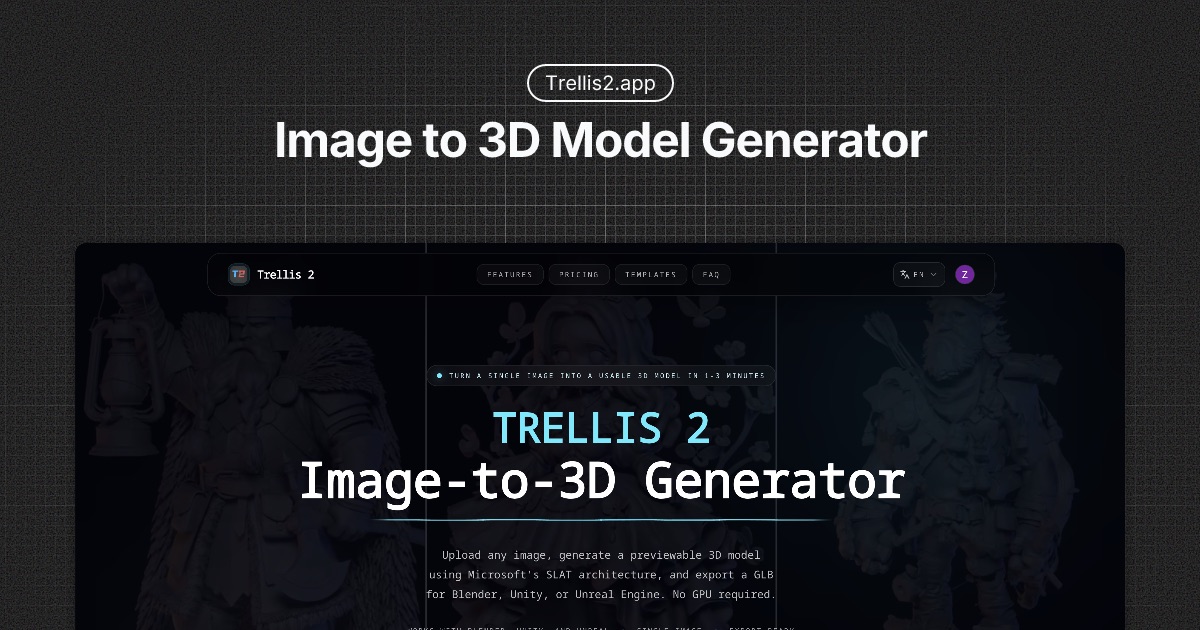
Built on Microsoft Research's SLAT (Structured LATent) architecture, the cloud pipeline takes a single image and lets you pick from 25+ styles, an output resolution, texture quality and mesh quality before generating. Results are saved to cloud storage so you can preview, revisit and download them. GLB export is designed for direct use in Blender, Unity and Unreal Engine, and an optional mesh optimization pass cleans up triangles.
Key Features
- Converts a single JPG, PNG or WebP image into a 3D model
- Generates previewable 3D models in about 1-3 minutes
- Offers 25+ 3D styles, including photorealistic, cartoon, anime and low-poly
- Exports GLB files for Blender, Unity and Unreal Engine
- Saves generated results to cloud storage for revisiting and downloading
Use Cases
- Turning concept art or sketches into rough 3D assets for game prototyping and design reviews
- Creating printable 3D models from a photo or sketch, then refining the base mesh for 3D printing
- Producing rotatable 3D product visuals for e-commerce product pages
From the founder
Who it's for
“Game developers who need usable props and assets for Unity or Unreal in minutes, 3D printing hobbyists turning photos into printable models, e-commerce teams building 360-degree product views, and digital artists who want stylized visualization without owning a GPU.”
About me
“I build tools that make 3D content creation faster. Trellis 2 started from a simple frustration: waiting days for one usable asset. Now a single picture becomes a GLB model in minutes, with styles from photorealistic to low-poly, ready for Blender, Unity and Unreal.”
Who it is for
- Game developers prototyping assets from concept art
- 3D printing enthusiasts
- E-commerce businesses preparing product visuals
Pricing
Starter from $19/mo (15 credits), Pro $49/mo (50 credits), Business $99/mo (120 credits)
FAQ
What is Trellis 2 Image to 3D Generator?
Trellis 2 is a next-generation AI image to 3D generator developed by Microsoft that transforms 2D images into high-quality 3D models. Using powerful Structured LATent (SLAT) representation, Trellis 2 supports multiple output formats including 3D Gaussians and meshes, delivering exceptional detail and versatility that outperforms previous image to 3D methods.
How to convert image to 3D with Trellis 2?
Converting image to 3D with Trellis 2 is simple: upload your 2D image, configure quality and style settings, then click "Generate 3D". No GPU required - our cloud-based AI image to 3D generator handles everything. You can preview the 3D model in real-time and download it in GLB format compatible with Blender, Unity, and Unreal Engine.
Which 3D formats does Trellis 2 image to 3D support?
Trellis 2 image to 3D generator supports multiple output formats for diverse use cases. GLB format is available for instant download, perfect for web 3D viewers and most 3D software. The underlying technology also supports 3D Gaussians for efficient storage and meshes that can be directly imported into 3D modeling tools and game engines like Blender, Unity, and Unreal.
Is Trellis 2 image to 3D free to use?
Yes! Trellis 2 offers free image to 3D generation credits to get started. Simply sign up for an account to receive trial credits and experience our AI image to 3D converter. For users needing more generations, we offer flexible credit packages and premium plans with unlimited image to 3D conversions.
What image formats work best for Trellis 2 image to 3D?
Trellis 2 image to 3D generator supports common formats including JPG, PNG, and WebP. For optimal results when converting image to 3D, use high-resolution images (minimum 512x512) with clear subject definition and good lighting. Images with distinct objects and minimal background clutter produce the best 3D models.
What sets Trellis 2 apart from other image to 3D AI tools?
Trellis 2 distinguishes itself through superior quality, versatility, and ease of use. With up to 2 billion parameters trained on 500K diverse objects, Trellis 2 delivers exceptional detail and adaptability in image to 3D conversion. Unlike other AI image to 3D tools that require powerful local GPUs, Trellis 2 runs entirely in the cloud - no installation or expensive hardware needed.
Can I use Trellis 2 image to 3D for commercial projects?
Absolutely! Paid users own full copyright of their generated 3D models and can use them freely in personal and commercial projects. Whether you are creating assets for games, 3D printing, product visualization, or any other commercial application, Trellis 2 image to 3D generator provides the licensing flexibility you need.
What are the use cases for Trellis 2 image to 3D generator?
Trellis 2 image to 3D generator serves diverse industries and use cases: game developers can rapidly create 3D assets from concept art; e-commerce businesses can generate product 3D models for interactive catalogs; 3D printing enthusiasts can convert photos to printable models; architects and designers can quickly prototype objects from reference images. The possibilities for image to 3D conversion are endless.
Alternatives
 PictoSTLFor makers and designers: AI-powered JPG to STL converter that transforms 2D images into 3D printable models with adjustable quality levels and interactive preview.
 GPT Image 2For designers and creators: GPT Image 2 generates studio-quality images up to 4K with 95% text accuracy in under 30 seconds.
More in Artificial Intelligence
New on Launch Llama
Launched this week · This month's launches · All products A–Z
Launch Llama stats
- DA17
DA: Domain Rating by Ahrefs.
Ask AI about Trellis 2
For bots & AI agents
Machine-readable versions of Trellis 2 and Launch Llama. Fetch these instead of parsing this page.
This listing (.md) llms.txt llms-full.txt ai.txt Full catalog (.md) Endpoint index API docs MCP server MCP manifest Developer docs