
PictoSTL
For makers and designers: AI-powered JPG to STL converter that transforms 2D images into 3D printable models with adjustable quality levels and interactive preview.
Built by MOU LI · Artificial Intelligence · Productivity · Design Tools · Freemium
In category: #1522 of 2046 · Artificial Intelligence
PictoSTL is a Community listing on Launch Llama with 2 total upvotes, founded by MOU LI who joined in Sep 2026, compared against 1 alternative.
Community listing
Listing status
2upvotes
Community score
MOU LI (Joined Sep 2026)
Founder
Compared against 1 alternative
Market comparison
Launched on Launch Llama Sep 28, 2026 · #107 of 143 that day
About
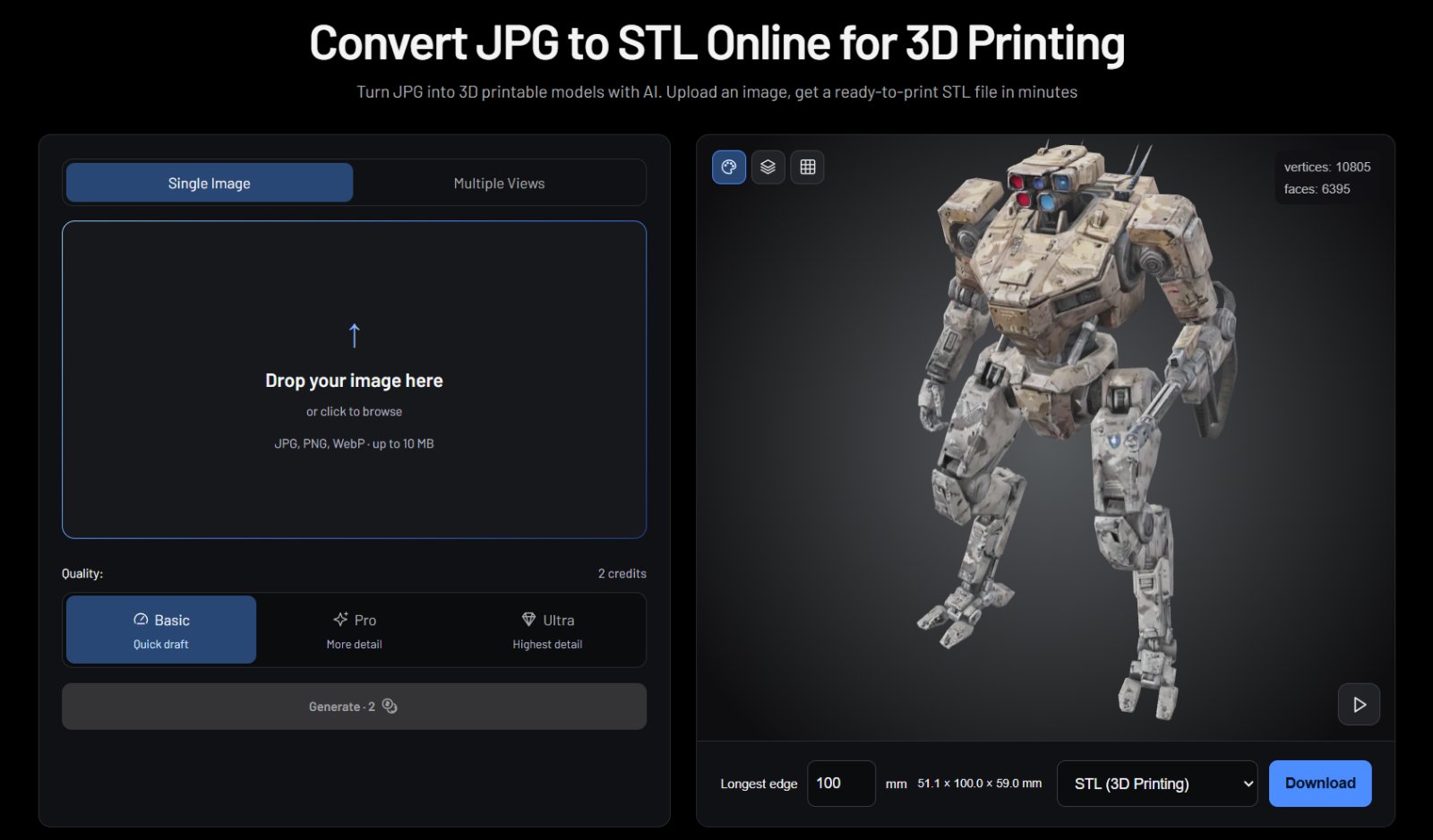
PictoSTL uses artificial intelligence to convert flat 2D images (JPG, PNG, WebP) into 3D mesh models ready for 3D printing. Users upload images, select quality settings (Basic, Pro, or Ultra), and download STL or GLB files. The tool supports multiple image angles for better detail and offers interactive 3D preview with customizable sizing before export.
Competitors: Nomad Sculpt, Fusion 360, Meshmixer, Tinkercad, Blender
Key Features
- Convert 2D images (JPG, PNG, WebP) into 3D mesh models using AI
- Select from three quality levels (Basic, Pro, Ultra) to balance detail and file size
- Preview 3D models interactively before exporting to STL or GLB formats
- Upload multiple image angles to capture better surface detail
- Customize model sizing within the preview before downloading
Use Cases
- Convert product sketches into 3D-printable prototypes for physical testing
- Transform 2D artwork into STL files for 3D printing and manufacturing
- Generate 3D models from photos for jewelry or miniature design iteration
- Create printable files from design mockups without learning 3D modeling software
Who it is for
- Makers and hobbyists who 3D print models from images
- Designers prototyping objects from 2D artwork or photos
- 3D printing users who need quick, browser-based model generation without installing modeling software
Pricing
PictoSTL offers a free plan plus paid tiers. See the website for current pricing.
FAQ
Can you turn a JPG into an STL?
Yes. AI can generate a three-dimensional mesh from a JPG, which can then be exported as STL. The model is an interpretation of the image, including inferred hidden surfaces. Review its geometry and dimensions before printing.
How can I convert an image to an STL file?
Upload a JPG, PNG or WebP image, select a model quality and generate the model. Open the 3D preview, set the longest edge in millimeters, and choose Download STL. Multiple views should show the same object from different angles.
Is JPG to STL conversion free?
pictostl offers 2 credits after account verification, enough for one Basic generation and an STL download. Further generations require credits.
Why should I use multiple views of my object?
A single image leaves the back and hidden parts for the AI to estimate. Photos from the front, back, left, and right give it more information about the shape and details. Use the same object in the same pose, with consistent lighting and backgrounds. Multiple views can improve the result, but do not guarantee a dimensionally accurate scan.
What is a texture on a 3D model?
A texture is the visual surface of a model: its colors, patterns, and surface appearance. Standard textures provide regular-resolution detail, while HD textures provide higher-resolution detail. Textures do not change the underlying shape. Choose GLB to retain available textures; STL contains geometry only.
Why should I set the STL size before downloading?
STL files store coordinates without built-in measurement units. Setting the longest side in millimeters prepares the model for import at your intended size. The default is 100 mm, and changing it scales the other dimensions proportionally. Select millimeters in your slicer and confirm the dimensions before printing. This setting applies to STL export; GLB (Original) keeps the original model scale.
What is the difference between Original, Solid, and Wireframe views?
Original shows the model with its available colors and textures. Solid hides those colors so you can inspect the shape and surface details. Wireframe shows the edges of the faces that form the mesh. These modes only change the preview, not the exported model.
Does an STL file include color or textures?
STL exports the model geometry without textures. Choose GLB to retain the available colors and materials. Adding textures does not add color to the STL file.
Alternatives
More in Artificial Intelligence
New on Launch Llama
Launched this week · This month's launches · All products A–Z
Ask AI about PictoSTL
Supporters
1 founder
1 founder supported PictoSTL on Launch Llama.
For bots & AI agents
Machine-readable versions of PictoSTL and Launch Llama. Fetch these instead of parsing this page.
This listing (.md) llms.txt llms-full.txt ai.txt Full catalog (.md) Endpoint index API docs MCP server MCP manifest Developer docs