Nilo
Turn prompts and sketches into rigged, animated 3D assets
Built for Roblox creators and game developers: generate 3D models from text, images, or sketches, then rig, animate, and export them without Blender.
Built by Joe MacKenzie · Artificial Intelligence · Design Tools · Freemium
In category: #1151 of 2046 · Artificial Intelligence
Nilo is a Community listing on Launch Llama with 9 total upvotes, founded by Joe MacKenzie who joined in Oct 2026, compared against 2 alternatives.
Community listing
Listing status
9upvotes
Community score
Joe MacKenzie (Joined Oct 2026)
Founder
Compared against 2 alternatives
Market comparison
Launched on Launch Llama Oct 19, 2026 · #48 of 215 that day
About
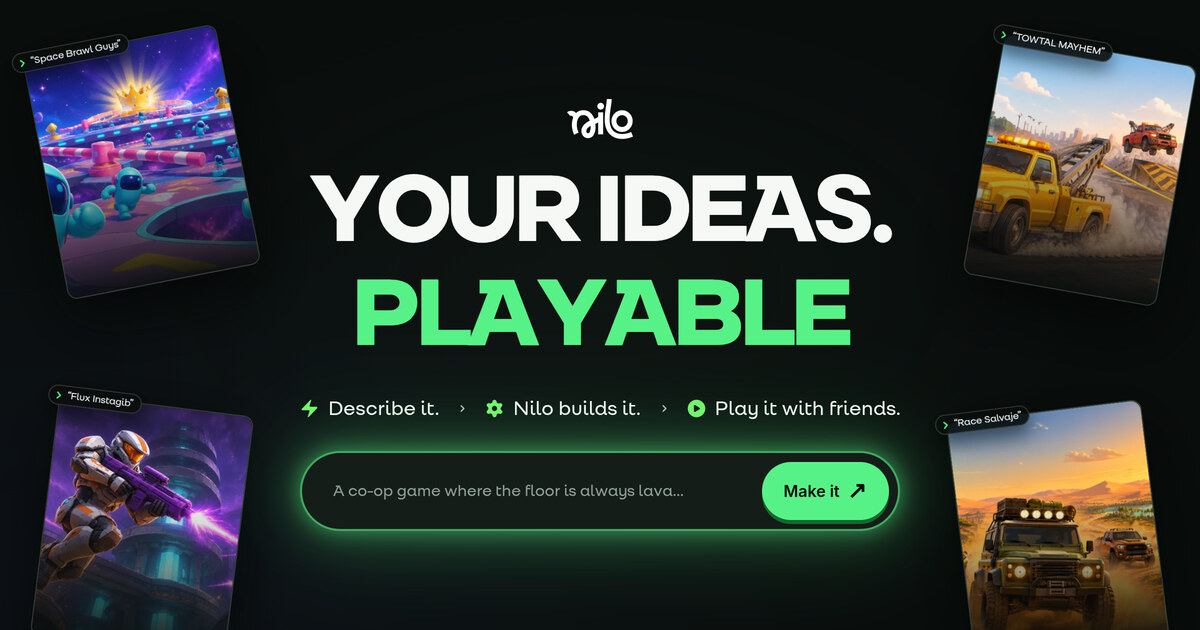
Nilo lets you draft an object from a sketch, image, text prompt, or a mix of these, then refine the details before dragging it into a shared world. A level-of-detail slider controls polycount, a single click rigs the model, and a text prompt generates its animation. It also builds asset packs from one reference image, generates custom Roblox skins, and uploads exports to Roblox Studio. The tool runs in the browser and lets you choose from multiple image and 3D generation models across providers.
Follow Nilo: X (Twitter) · LinkedIn
Key Features
- Generate 3D models from text prompts, sketches, images, or combinations
- Adjust polycount with a level-of-detail slider before exporting
- Rig models with one click and animate them using a text prompt
- Create multi-part asset packs from a single reference image
- Generate custom Roblox skins with AI and export them to Roblox Studio
- Share a world link so friends can playtest assets together
Use Cases
- Generating 3D models from text, images, or sketches to use as props and assets in a Roblox game
- Rigging and animating generated 3D models with a text prompt, then exporting them to Roblox Studio without Blender
- Creating custom Roblox avatar skins with AI and building an asset pack from a single image
Who it is for
- Roblox creators and game developers who need game-ready 3D assets quickly.
- Indie game builders prototyping ideas in their browser without installing complex 3D software.
- Roblox creators who want custom avatar skins and animated models without learning Blender or coding.
Pricing
Nilo offers a free way to try the product.
FAQ
What is Nilo?
Nilo is a browser-based 3D creation platform built for Roblox creators and game developers. Generate game-ready worlds, characters, and tools, customize them in your workbench, and export directly into Roblox Studio. No manual cleanup, no Blender detours, no polycount headaches. Our open beta is live for everyone now.
Who is Nilo for?
Nilo is for Roblox creators and game developers who want to spend their time creating rather than fighting with technical hurdles like manual optimization, UV mapping, or import errors. Whether you are a solo developer or part of a team, Nilo streamlines your workflow and helps you bring your game to life.
Is Nilo free to use?
Yes! Our Starter tier is free and includes usage that can generate assets. Many core building features require no usage at all. For power users, our Builder and Pro tiers offer more usage and access to the latest, high-quality generation models.
What are "Bits" and how do I get more?
Bonus Bits are used when you run out of usage to generate content. You can earn more through Nilo Rewards by referring friends and building within the community or through purchases.
What are Nilo Rewards?
Nilo Rewards is our way of giving back to active builders. Earn Bits by referring friends, building in Nilo, and contributing to the community. The more you build and share, the more you earn.
What makes Nilo better than other AI tools?
Nilo is your all-in-one cheat code for Roblox dev, combining image generation, custom skins, 3D modeling, and animation into one easy tool. Instead of jumping between a bunch of confusing apps, you can sketch, type, or upload an image to build exactly what's in your head. You can even playtest and run around with your creations right in the browser before sending them to Roblox Studio. Plus, it has a built-in level of detail slider, so your models stay fast and lag-free, even on mobile.
How does exporting work?
Create your character, prop, or environment in Nilo, click Export, and download a Roblox-ready file (.fbx, .glb or .stl). Import it into Roblox Studio or another game dev platform and it's ready to use.
What game development platforms can I use Nilo with?
Roblox, Roblox Studio, Unity, Unreal Engine, UEFN, Fortnite, Godot, and more! Or, you can use your models natively in Nilo to create playable worlds.
Is Nilo a Roblox plugin?
No, Nilo is a standalone platform. You create in your browser, then export directly to Roblox Studio. No plugin needed.
Do I need to know how to code or use Blender?
Nilo is built to handle the technical stuff for you. If you can describe your vision with a text prompt, a sketch, or a reference image, Nilo can build it, rig it, and animate it.
Alternatives
More in Artificial Intelligence
New on Launch Llama
- MacPip
- Ratio
- 10ML Perfume Finder
- SunDots
- Image to Video 2.0
- Cascade Scout
- AgentCraft
- Secure Folder: Privacy Vault
Launched this week · This month's launches · All products A–Z
Ask AI about Nilo
Supporters
7 founders
7 founders supported Nilo on Launch Llama.


For bots & AI agents
Machine-readable versions of Nilo and Launch Llama. Fetch these instead of parsing this page.
This listing (.md) llms.txt llms-full.txt ai.txt Full catalog (.md) Endpoint index API docs MCP server MCP manifest Developer docs