Inkwell
FeaturedAI screenwriting software for drafts you can version
Screenwriters draft, revise, and review scripts with ghost text, inline AI edits, and suggestions they accept or reject before anything changes the page.
Built by Morgan Titcher · Writing · Freemium
In category: #15 of 15 · Writing
Inkwell is a Featured Tool on Launch Llama with 1 upvote from 1 founder, +1 in the week of Nov 14–Nov 20, 2026, founded by Morgan Titcher who joined in Nov 2026, compared against 5 alternatives.
Featured Tool
Listing status
1upvotes
+1 · Nov 14–Nov 20, 2026
Community score
Morgan Titcher (Joined Nov 2026)
Founder
Compared against 5 alternatives
Market comparison
Launched on Launch Llama Nov 20, 2026
About
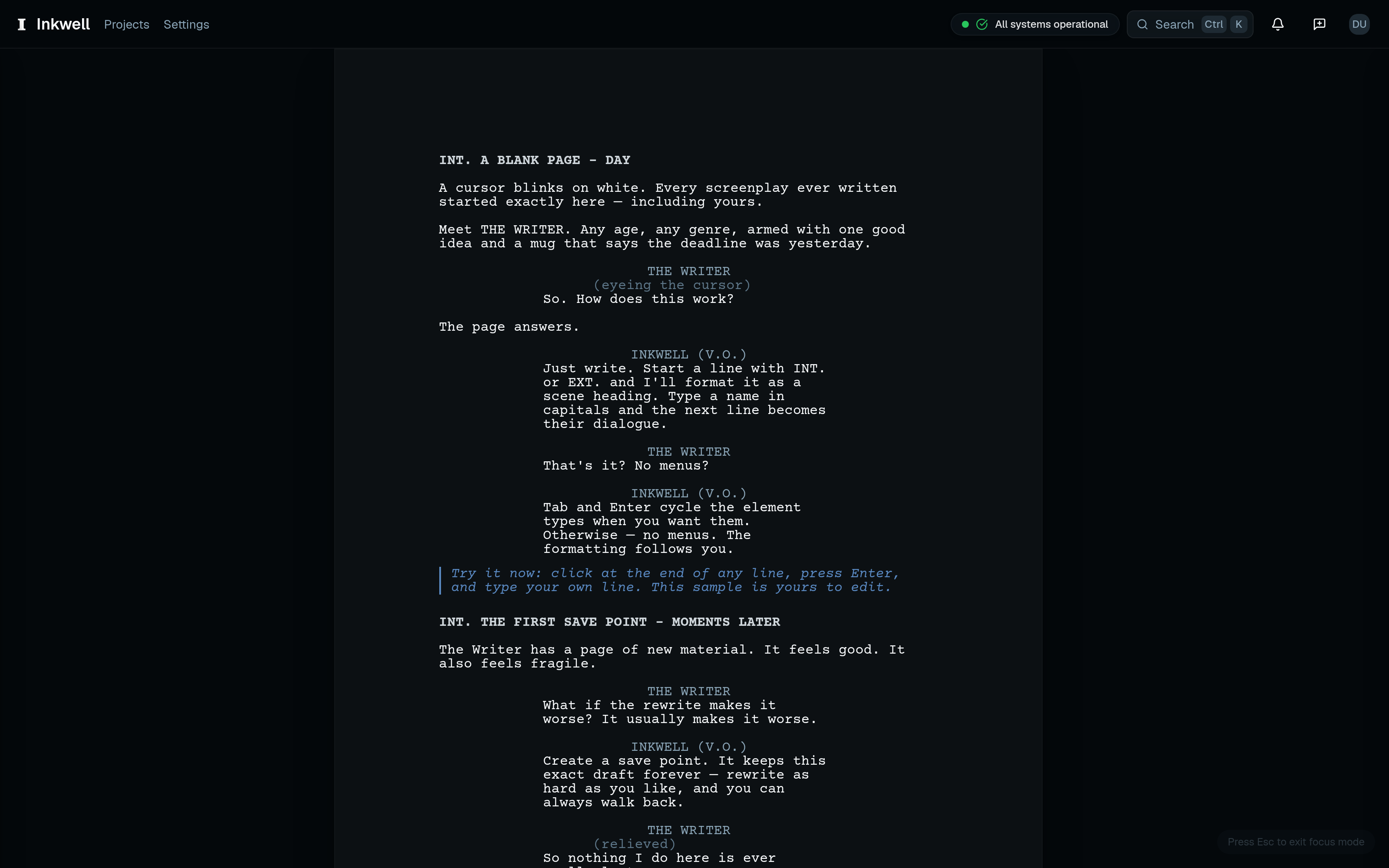
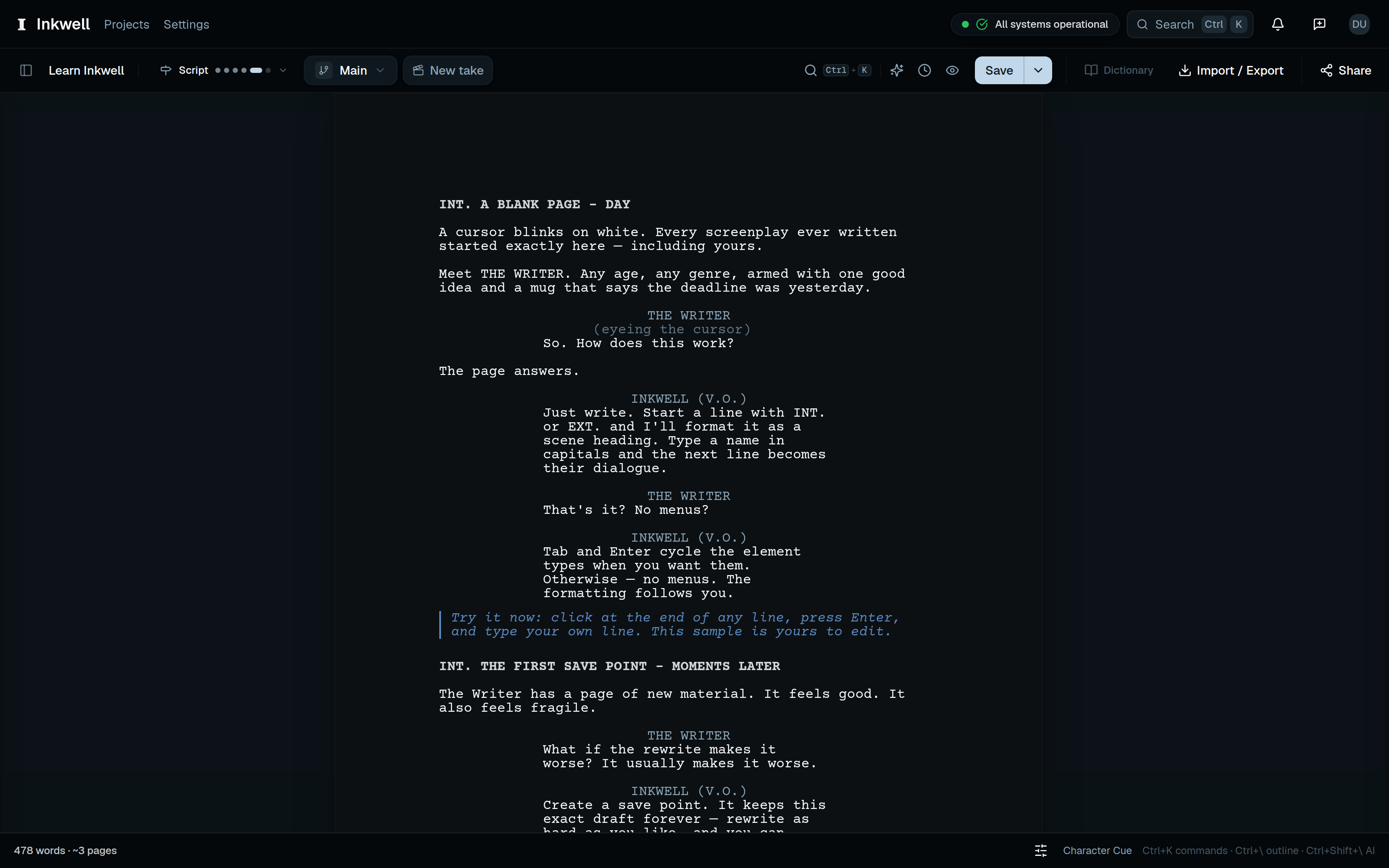
Inkwell is the IDE for writers, bringing writing, feedback, version control, and agentic AI into one workspace. Its screenwriting product, Plot, takes a story from the first outline or treatment through screenplay revisions and production.
Develop the story in the same place you write it. Start with prose, an outline, a treatment, or a series bible, then turn a beat into a formatted scene when it’s ready. Import an existing Word draft or Final Draft screenplay and continue working in Plot.
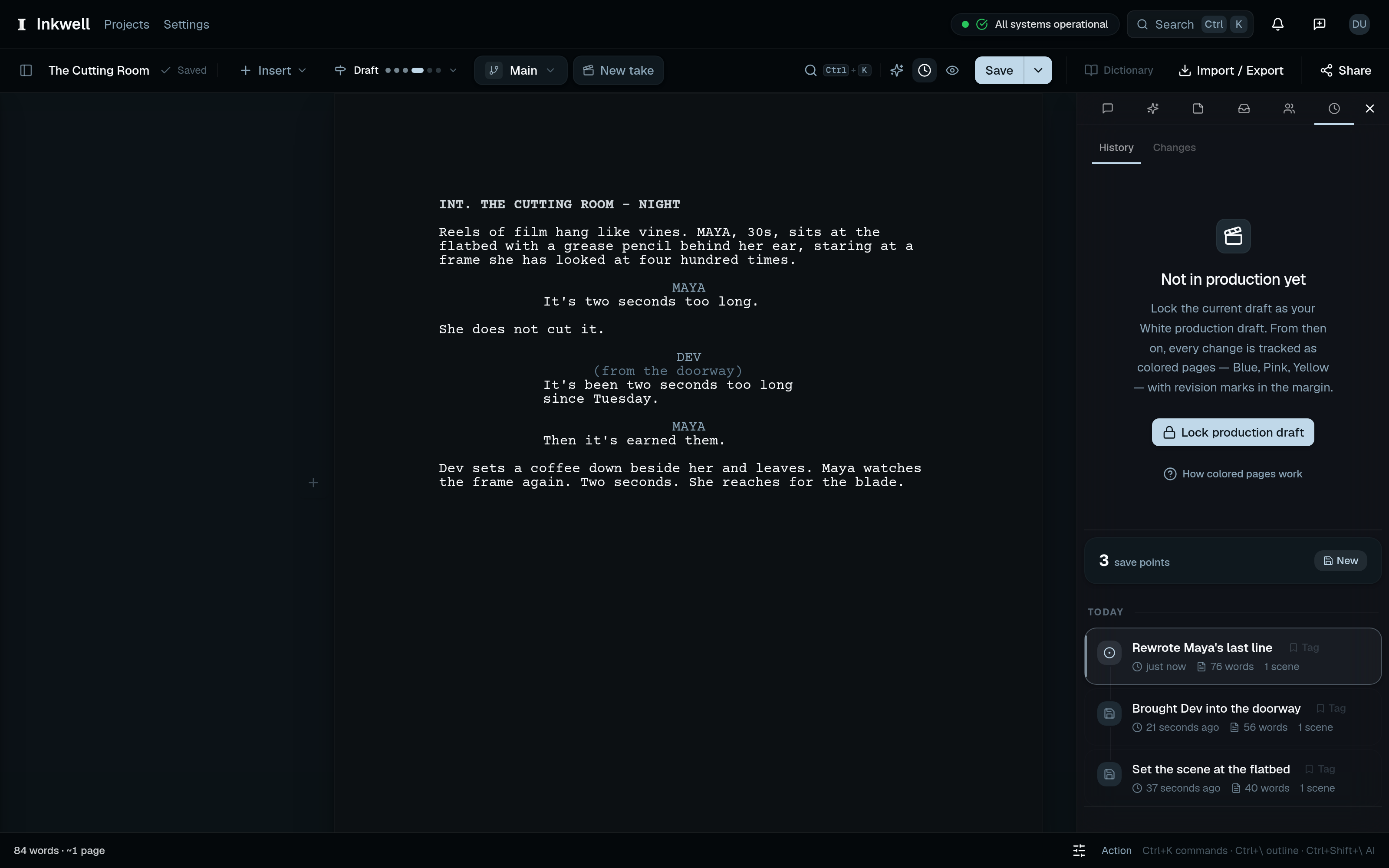
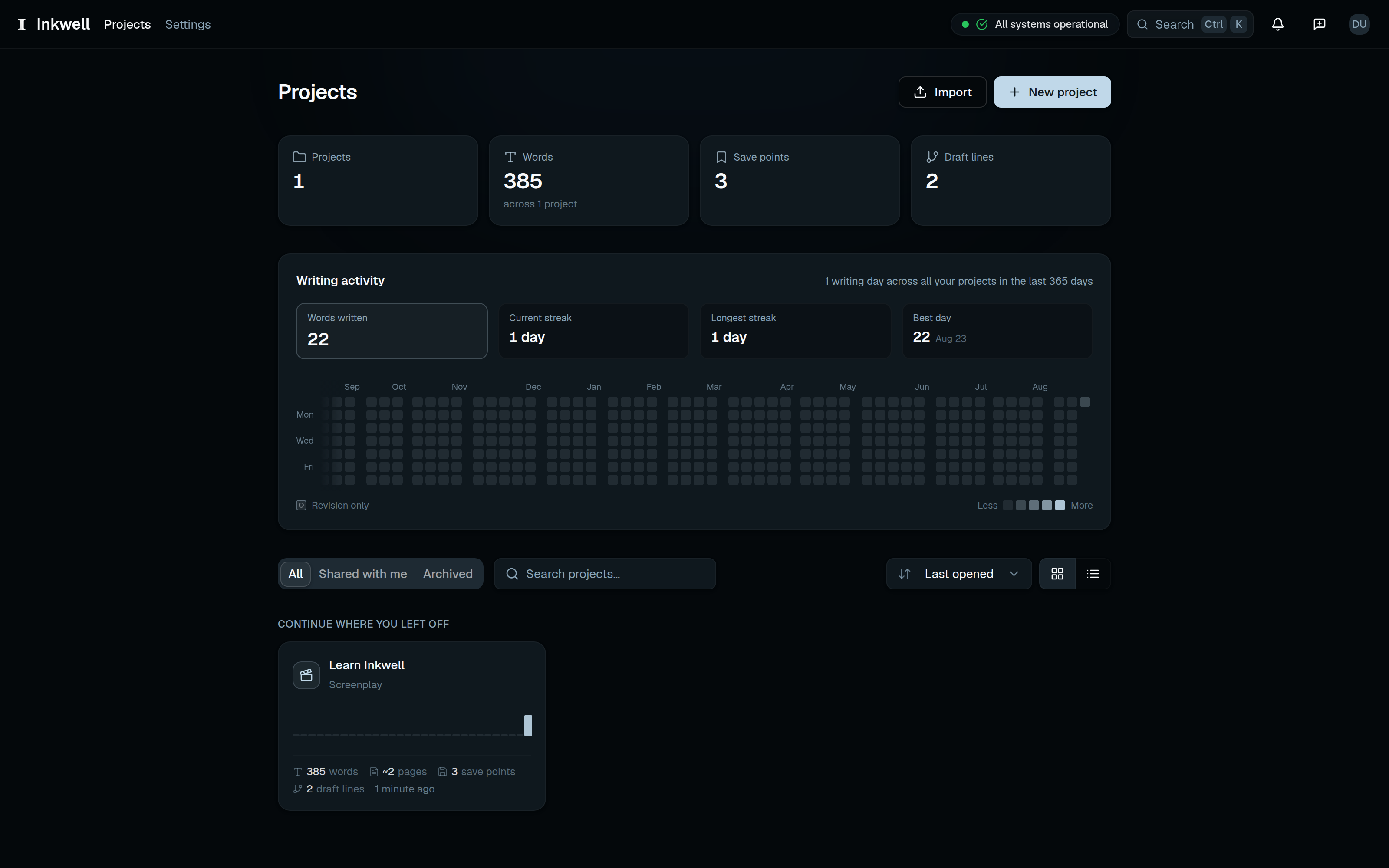
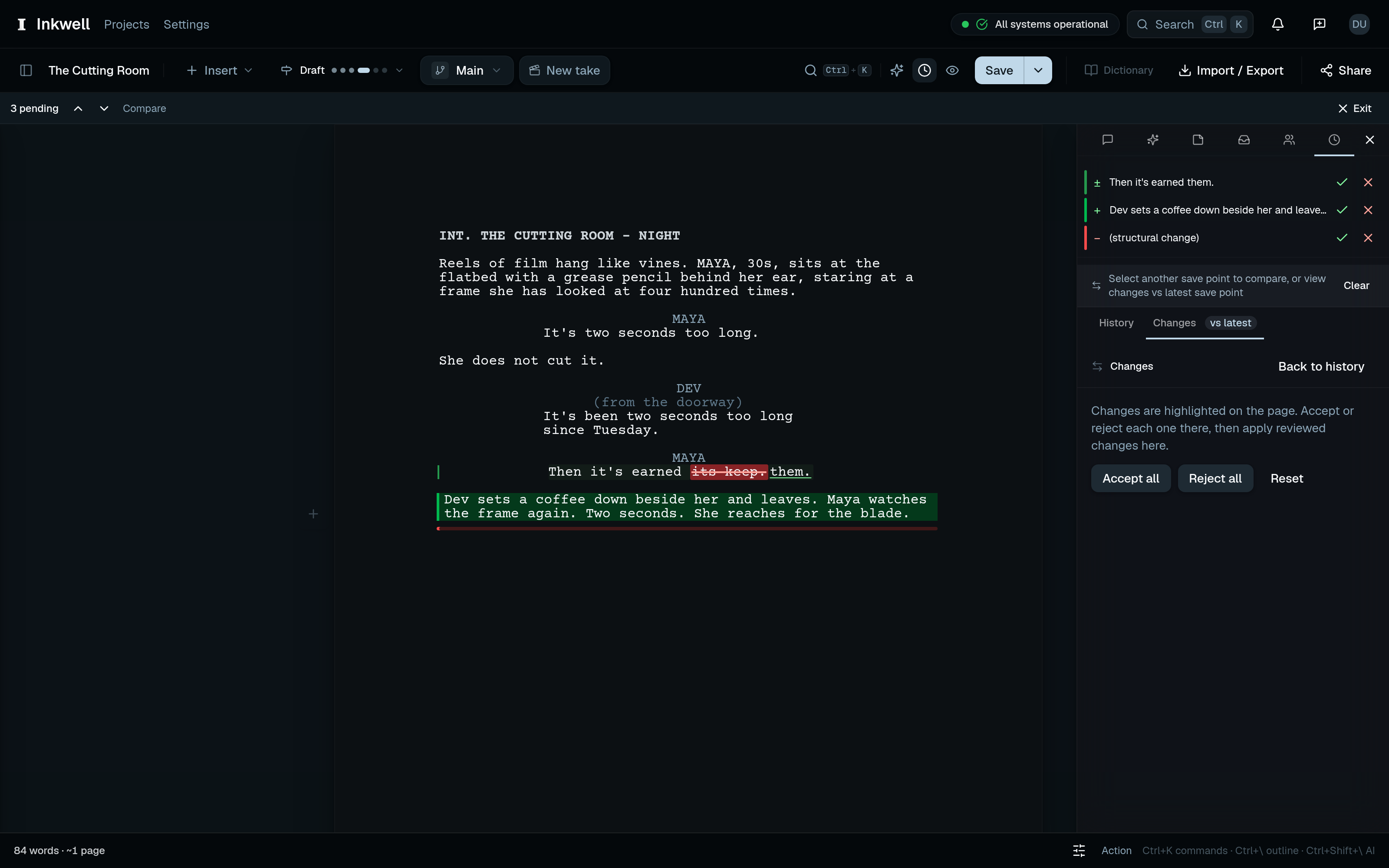
Explore another direction and compare the results. Save points preserve named versions before a rewrite or a round of notes. Draft lines let you develop alternate scenes, structures, or endings in parallel, compare what changed, and bring selected revisions into another draft.
Work with AI directly in the document. Ask questions about your screenplay, revise a selected passage, run a focused editing pass, or give Agent Mode a scene or act to work on. Review the proposed edits where they belong in the draft and choose what to keep.
Write together and prepare the handoff. Collaborate with co-writers, track revisions, and prepare scripts with production locking, revision colors, breakdowns, and cast lists. Export to PDF or Final Draft when it’s time to share the work.
A free plan is available.
Competitors: Final Draft (screenplay editor, FDX), WriterDuet (real-time screenwriting), Arc Studio Pro: script, beats, Fade In (screenwriting software), Highland (screenwriting app)
Follow Inkwell: X (Twitter) · LinkedIn
Key Features
- Suggests the next phrase as you type, accepted with Right Arrow or dismissed with Escape
- Asks questions about a scene and runs craft skills such as dialogue passes
- Runs Agent Mode toward a scene or act goal, with every change left for your review
- Creates named save points so you can restore earlier drafts without duplicate files
- Keeps alternate takes in draft lines that sit alongside the main screenplay
Use Cases
- Draft a pilot or feature in Inkwell and name key moments with save points, like 'Table read draft', so you can return to any version you chose to keep
- Build an alternate ending or rewritten act in a draft line beside your main script, instead of saving copies like Screenplay_FINAL_v3
- Run a skill pass such as Dialogue pass on one scene, then accept or reject each suggested line before your draft changes
- Select a single scene's lines and use Edit selection for targeted rewrites, reviewing each proposed change before it lands
- Export pages as FDX, PDF, or plain text for producers or readers who expect Final Draft files, since your scripts stay portable
From the founder
About me
“I’m Morgan, a writer and the founder of Inkwell. My background spans screenwriting, copywriting, commercial video, growth and performance marketing, and building software, and I wanted the version control I used in development for my writing too: a way to try another direction, compare drafts, and choose which changes to keep.”
Who it is for
Screenwriters and writing teams who want to explore different versions of a story, keep track of revisions, and work with AI directly in their drafts. Inkwell brings writing, feedback, version control, and agentic AI into one workspace, from first outline through production.
- Screenwriters exploring alternate scenes, endings, and screenplay drafts
- Writing teams collaborating on scripts, feedback, and revisions
- Filmmakers developing outlines and treatments into production-ready scripts
- Writers who want agentic AI edits they can review directly in their drafts
- Writers moving between Word documents, Final Draft files, and AI tools
Pricing
Start with a free plan for writing, save points, parallel drafts, and a monthly AI allowance. Writer is $19/month, Pro is $39/month, and Team is $39/seat/month. Paid plans expand version control, AI capabilities, collaboration, and production tools. Enterprise pricing is available by arrangement.
Verdict
Inkwell makes the rewrite a central part of the writing process. A writer can save the table-read draft, try a different opening on a parallel draft line, compare the results, and bring back the changes that work. AI participates in that same workflow, proposing edits directly in the document for the writer to review. Plot connects the stages that often span Word documents, screenplay files, and separate AI conversations. Outlines, treatments, and series bibles can develop alongside formatted scenes. Writers can import existing work, collaborate on revisions, and prepare PDF or Final Draft files for the next handoff. For screenwriters and teams who regularly explore alternatives, respond to notes, or revisit earlier decisions, the appeal is practical: the writing and its revision history stay connected. The free plan provides a starting point, with paid plans adding more capacity, advanced AI, and production tools.
FAQ
What is Inkwell?
Inkwell is an AI-native writing platform that combines structured documents, version control, collaboration, and agentic AI. Plot is its screenwriting product, supporting the work from an outline or treatment through screenplay revisions and production.
Who is Inkwell for?
Screenwriters and writing teams who want to explore different versions of a story, keep track of revisions, and work with AI directly in their drafts. Inkwell brings writing, feedback, version control, and agentic AI into one workspace, from first outline through production. • Screenwriters and writing teams who want to explore different versions of a stor
How does version control work in Inkwell?
Save points preserve named snapshots of a draft. Draft lines let writers explore parallel versions, compare changes, and bring selected revisions into another draft. Writers can keep an earlier version while developing a different scene, structure, or ending.
How does Inkwell use AI?
AI works directly within the draft through inline suggestions, selected-text edits, focused editing skills, and Agent Mode. Writers can ask for help with a passage, scene, or act and review the proposed changes before deciding what to keep.
Can I write an outline or treatment before the screenplay?
Yes. Plot supports outlines, treatments, and prose alongside screenplay sections. Writers can develop a story in prose, turn a beat into script, and continue shaping the remaining material as the draft grows.
Does Inkwell work with Final Draft or Microsoft Word files?
Yes. Plot supports both Final Draft (FDX) and Microsoft Word (docx) import and export, so writers can bring in existing screenplays, treatments, and hand revised scripts back to collaborators. PDF export is also available for reading and sharing.
Can writing teams collaborate in Inkwell?
Yes. Inkwell supports real-time co-writing and shared drafts. Team workspaces add role-based permissions, a shared skills library, pooled AI credits, and an activity log for coordinating work across a writing room.
Can Inkwell replace Microsoft Word and Final Draft?
Inkwell Plot brings prose writing and screenwriting into one workspace. Write outlines, treatments, and series bibles, then develop them into formatted screenplays for film, television, or the stage. Import Word drafts and Final Draft screenplays, explore alternate versions, and review AI edits directly in the document. Canvas, in early access, extends Inkwell’s version control and AI tools to general long-form documents.
Alternatives
 m.ai.neNovel writing app where an AI reads your entire manuscript, flags where pacing sags, and leaves every rewrite decision to you, so drafts get sharper without losing your voice.
 ScreenWeaverFor filmmakers: ScreenWeaver keeps scripts, storyboards, and shot lists in one project so you write, plan, and produce films without losing creative control.
More in Writing
New on Launch Llama
Launched this week · This month's launches · All products A–Z
Featured in
- The 12 Best Writing Assistants in 2026 (Compared) — ranked #12
- The 14 Best Writing Tools in 2026 (Compared) — ranked #14
Ask AI about Inkwell
Supporters
1 founder
1 founder contributed 1 upvote to Inkwell on Launch Llama.

For bots & AI agents
Machine-readable versions of Inkwell and Launch Llama. Fetch these instead of parsing this page.
This listing (.md) llms.txt llms-full.txt ai.txt Full catalog (.md) Endpoint index API docs MCP server MCP manifest Developer docs