
FreePrintTestPage.com
Under reviewFree printer test pages to print or download as PDF
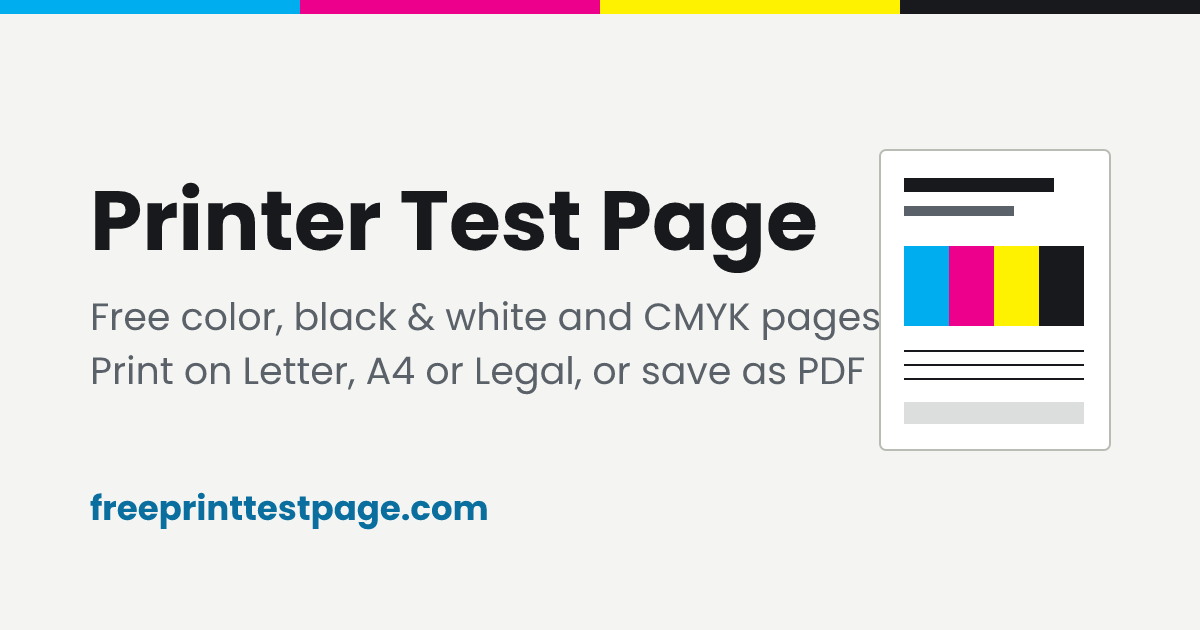
Print or download 14 free printer test pages, including color, black and white, CMYK and alignment, on Letter, A4 or Legal to check for faded ink, missing colors and streaks.
Built by xiao y · Productivity · Free
Coming soon on Launch Llama Tools
FreePrintTestPage.com is a Community listing on Launch Llama with 0 total upvotes, founded by xiao y who joined in Nov 2026, compared against 4 alternatives.
Community listing
Listing status
0upvotes
Community score
xiao y (Joined Nov 2026)
Founder
Compared against 4 alternatives
Market comparison
Print or download 14 free printer test pages, including color, black and white, CMYK and alignment, on Letter, A4 or Legal to check for faded ink, missing colors and streaks.
About
FreePrintTestPage.com has 14 printer test pages: full color, black and white, CMYK, grayscale, gradient, lines, text, alignment, a fine-line nozzle pattern, margin and ruler, and single-ink pages for cyan, magenta, yellow and black. Each one prints on Letter, A4 or Legal paper straight from your browser, or downloads as a PDF. It works with any printer your computer or phone can already print to, including HP, Canon, Epson and Brother. There is no sign-up, nothing to install and no limit on prints, and nothing is uploaded: the pages are drawn in your browser.
Key Features
- Prints color, black-and-white, CMYK, grayscale, gradient and alignment test pages
- Offers 14 test patterns, including single-ink pages for cyan, magenta, yellow and black
- Sets paper size to Letter, A4 or Legal before printing
- Downloads any test page as a PDF to print later
- Draws pages in the browser so no files are uploaded
- Matches common print problems to likely causes and what to try next
Use Cases
- Checking whether a color inkjet is missing a cyan, magenta, yellow or black ink before a print run
- Diagnosing faded prints, white streaks or blurry text by comparing a printout with the on-page preview
- Saving a test page as a PDF to print later from a computer or phone
From the founder
Who it's for
“Anyone checking a home or office printer, inkjet or laser, any brand: when prints come out faded, streaky or with a missing color, or after a head cleaning or a new cartridge.”
About me
“I built FreePrintTestPage.com so anyone can check a printer with a free test page in the browser, with nothing to install and no sign-up.”
Who it is for
- Home and office users with inkjet or laser printers that produce faded or streaky prints
- People who need to check printer alignment or nozzle health before printing an important document
Pricing
FreePrintTestPage.com is free to use. See the website for details.
FAQ
What is a printer test page?
A printer test page is a sheet of known patterns: solid colors, tints, fine lines, gradients and text. Because you know what each part should look like, faults show up quickly. Faded blocks, streaks, gaps or a missing color tell you which part of the printer to look at.
Is this test page free? Is there a limit?
Yes, it is free, and there is no paid version. There is no sign-up, nothing to install and no limit on how many pages you print or PDFs you download. The page is drawn in your browser, so you can print it straight away or save it as a PDF and print it later.
Is it safe? Does the site upload my files?
You don't upload anything. The test page is drawn in your browser from built-in patterns, and the printout and the PDF stay on your device. There is no software to install, and the site doesn't ask for an account, an email address, your printer's network address or any browser permission. The site sets one statistics cookie to count visits; the Privacy Policy explains it.
Should I print the color or the black-and-white test page?
Start with the full color page if you have a color printer. It covers every ink in one sheet. Print the black-and-white page for a mono laser or inkjet printer, or when only black text looks wrong. The CMYK page and the single-color pages under More test pages help you check one ink at a time.
Does it work with HP, Canon, Epson and Brother printers?
Yes. The page prints through your normal print dialog and printer driver, so it works with any printer your computer or phone can already print to, whatever the brand. Names of the printer's own maintenance menus differ by brand and model. We are not affiliated with any printer maker.
How do I print a test page from Windows, a Mac or a phone?
Windows 11: Start > Settings > Bluetooth & devices > Printers & scanners, select your printer, select Printer properties, then Print Test Page on the General tab. Windows 10: Start > Settings > Devices > Printers & scanners, select your printer, then Manage > Printer properties > Print Test Page. Mac: open Print Center, select the printer, then choose Printer > Print Test Page. On a phone, open this page in the phone's browser and select Print test page, or download the PDF and print the file. The phone has to be able to reach the printer, for example over the same Wi-Fi with AirPrint on an iPhone, or with Mopria or the printer maker's app on Android.
Is this the same as my printer's nozzle check?
No. A nozzle check is built into the printer and prints a pattern straight from its own memory, usually from a Maintenance menu. Menu names differ by model. This site's pages go through your computer and printer driver like a normal document, so they test the whole print path.
The test page prints but my documents don't. What does that mean?
If a test page from your browser prints cleanly, the printer, its ink or toner and its connection to your computer are working. The problem is more likely in the app you print from or the document itself, so try printing the document from a different app or saving it as a PDF first.
Alternatives
 Printery - Print for FigmaFor designers: Printery converts Figma files to print-ready PDFs with CMYK, bleed, and crop marks so you skip rebuilding in InDesign.
More in Productivity
New on Launch Llama
Launched this week · This month's launches · All products A–Z
Ask AI about FreePrintTestPage.com
For bots & AI agents
Machine-readable versions of FreePrintTestPage.com and Launch Llama. Fetch these instead of parsing this page.
This listing (.md) llms.txt llms-full.txt ai.txt Full catalog (.md) Endpoint index API docs MCP server MCP manifest Developer docs