Tellie · The Mac Teleprompter That Follows Your Voice
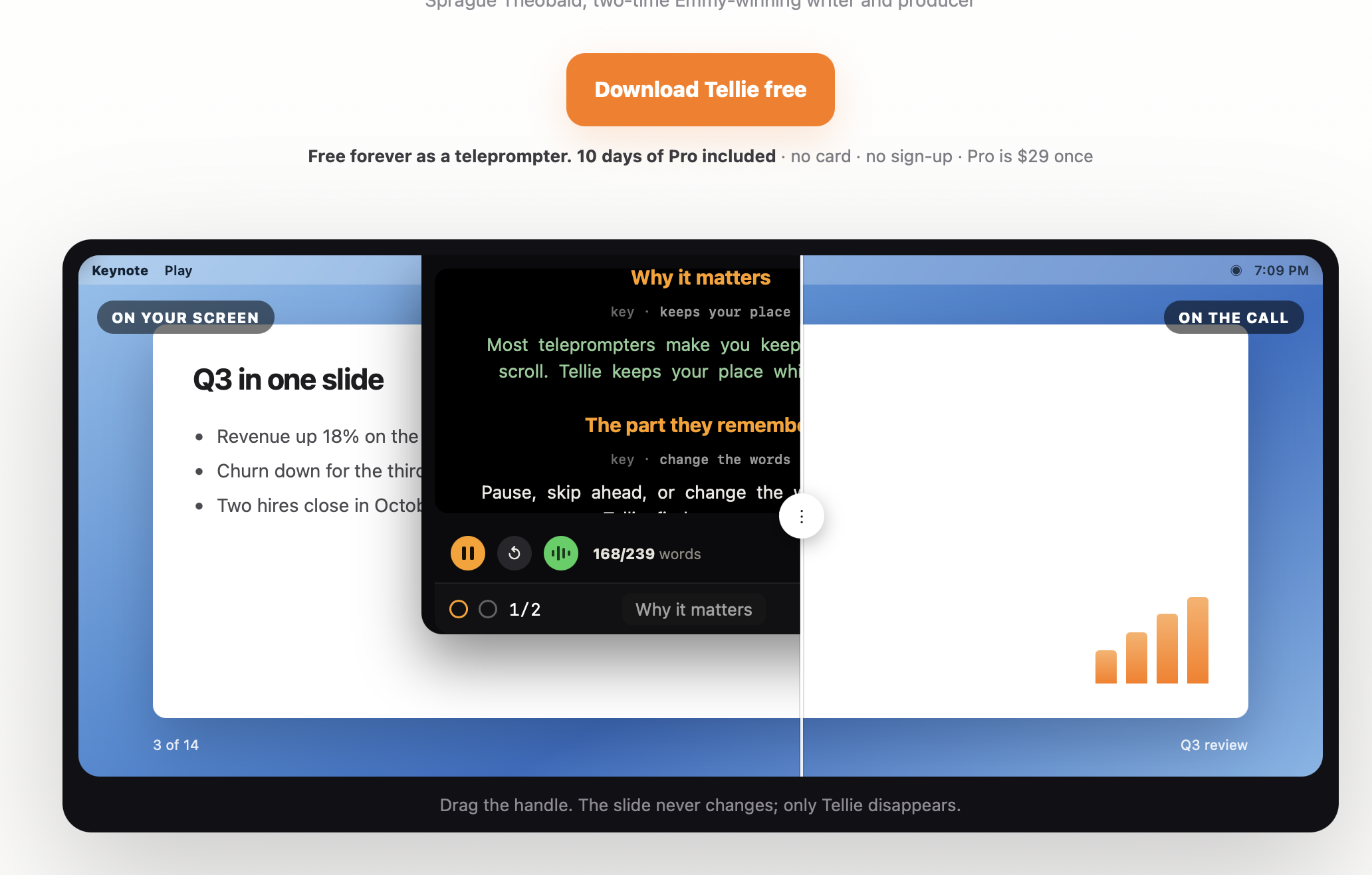
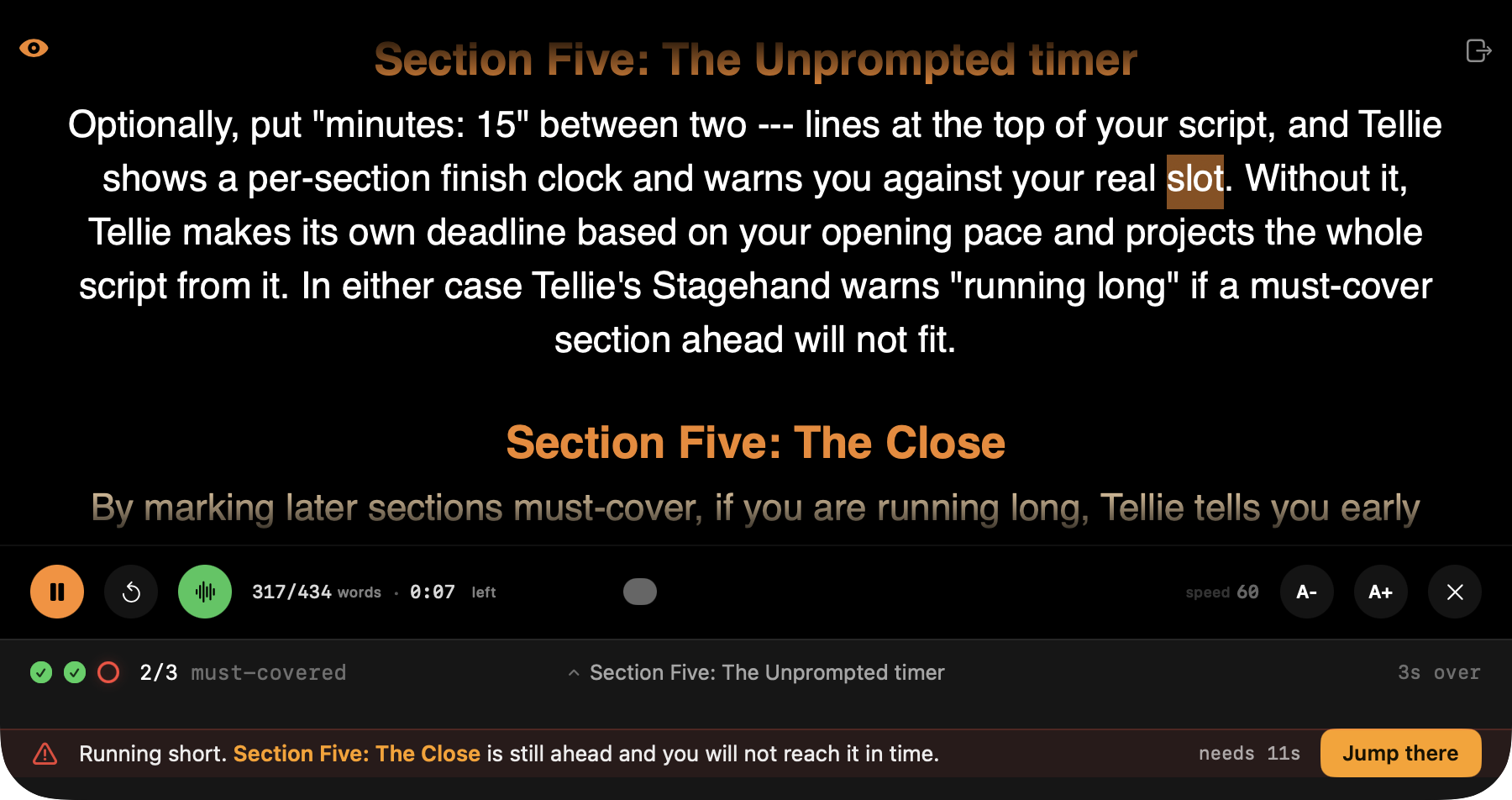
For presenters: Tellie scrolls your script as you speak, changes slides, and hides notes in your notch so you maintain eye contact with your camera.
Built by Steve Chazin · Productivity · Design Tools · Freemium
In category: #501 of 1455 · Productivity
Tellie · The Mac Teleprompter That Follows Your Voice is a Community listing on Launch Llama with 30 total upvotes, founded by Steve Chazin who joined in Jun 2026, compared against 6 alternatives.
Community listing
Listing status
30upvotes
Community score
Steve Chazin (Joined Jun 2026)
Founder
Compared against 6 alternatives
Market comparison
Launched on Launch Llama Jun 17, 2026 · #6 of 35 that day
Tellie · The Mac Teleprompter That Follows Your Voice demo video
About
Look at your camera and not your notes: Tellie listens and scrolls your script, changes your slides, and gives you a secret screen only you can see tucked into the MacBook notch. Free to download.
Use Cases
- Keeping eye contact with the camera while delivering a Zoom presentation or quarterly review, with a hidden script that follows your voice
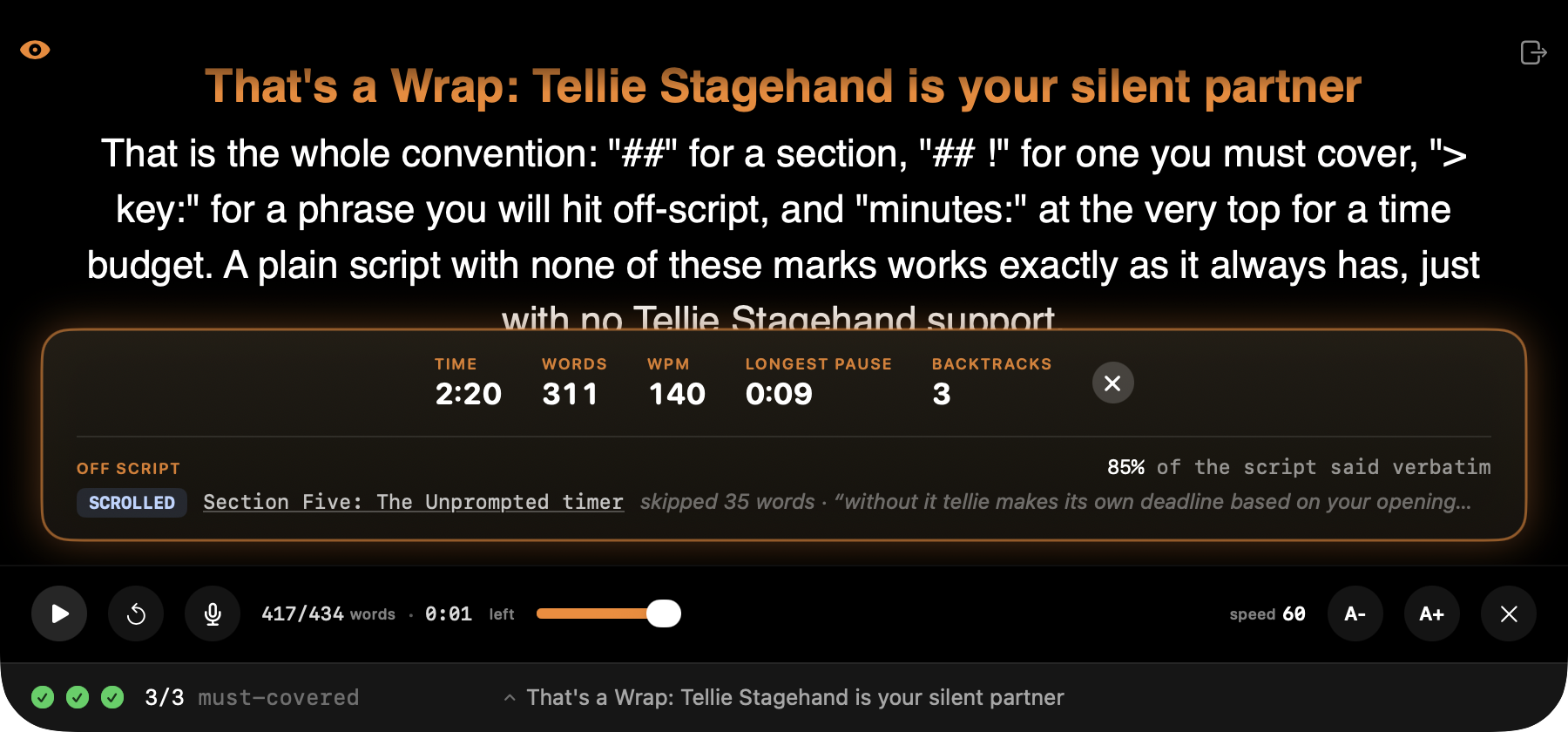
- Recording YouTube videos or auditions where a teleprompter tracks your actual spoken words and skips, pauses, or ad-libs without losing your place
- Hearing your next line through AirPods during live presentations or job interviews, with notes hidden from screen-share viewers
Who it is for
Anyone who talks while reading: investors, actors, teachers, presenters, salespeople, job interviewers
- YouTube creators and filmmakers recording on-camera scripts
- Actors and live performers preparing for auditions or stage work
- Sales, executive, and business presenters running Zoom meetings and keynotes
Pricing
Free to download with 10 days of Pro features included. Pro is a one-time $29 payment with no subscription, valid for up to 3 Macs.
View Tellie · The Mac Teleprompter That Follows Your Voice pricing →
FAQ
Who is Tellie for?
Anyone who has to talk while looking at something other than their words: a camera, a room, or a face on a call. In practice that means video creators and YouTubers , actors recording self-tapes, speakers and presenters , teachers , salespeople , anyone on a video call , and developers running AI agents , who use the same notch as a status surface.
How do I install Tellie?
1. Download Tellie from tellieapp.com. A Tellie installer file ending in .dmg lands in your Downloads folder. 2. Double-click that .dmg file. A window opens showing the orange Tellie icon, an arrow and an Applications folder. 3. Inside that window, double-click the orange Tellie icon (the icon in the window, not the .dmg file itself). 4. Tellie asks Move Tellie to Applications? Click Move to Applications. It moves itself there and opens. (Or drag the icon onto the Applications folder, then open Tellie from Applications.) The first time, macOS may ask "Are you sure you want to open it?" because Tellie came from the internet. Click Open. (Tellie is notarized by Apple, so this is a one-time prompt.) The welcome window ends on Try Tellie Now. Click it and macOS asks for two permissions, one after the other: Speech Recognition, then Microphone. Allow both so Tellie can follow your voice. Both run entirely on your Mac. Tellie needs an Apple silicon Mac (M1 or later) with macOS 14 or later.
Tellie keeps showing the "Move Tellie to the Applications folder" window. What do I do?
That window is the installer, so it means the installer file (or a shortcut to it) was copied to Applications instead of the app. 1. Open your Applications folder and drag to the Trash any Tellie file ending in .dmg and any Tellie icon with a small curved arrow on it. 2. In Finder's sidebar, click the eject button next to Tellie if it appears under Locations. 3. Double-click the Tellie .dmg file in your Downloads folder (or download it again from tellieapp.com). 4. In the window that opens, drag the orange Tellie icon onto the Applications folder. 5. Open Applications and double-click Tellie.
Does Tellie need an Apple Silicon Mac?
Yes. Tellie requires an Apple Silicon Mac (M1 or later) running macOS 14 or later. It does not run on Intel Macs.
Where does Tellie live on my screen?
At the top-center of your main screen: tucked around the notch on MacBooks that have one, in the same spot just below the menu bar on a Mac without one. Open a document and the prompter expands below it; drag the edges to resize.
Do I need a Mac with a notch? Does Tellie work on a Mac mini, iMac, or older MacBook?
Yes. Tellie works on any Mac running macOS 14 or later, notch or no notch: MacBook, iMac, Mac mini, Mac Studio, or an external display. Without a notch it sits at the top-center of your screen, exactly where a notch would be. Same features, same experience.
How do I open Tellie's menu or Settings? The prompter covers my menu bar icon.
Click Tellie’s menu bar icon, or just right-click anywhere on the prompter: the same menu pops up at your cursor, even if something is covering the icon.
How can I be sure I'm on the latest version?
Simply click the menu bar icon → Check for Updates…
What file formats can I open?
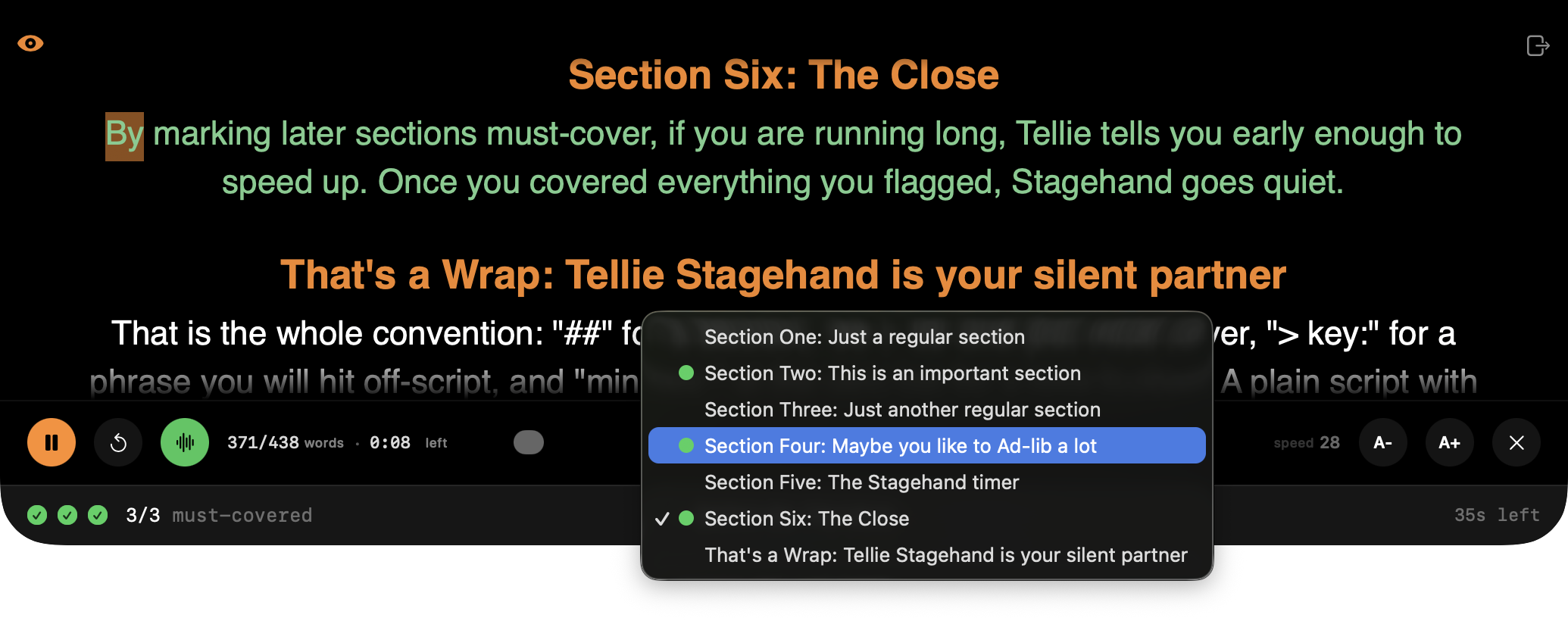
Plain text, Markdown, Rich Text, Word, PDF, and Apple Pages. Your bold, italics, and headings come through, and the headings become sections you can jump to. Scanned PDFs are the one exception: if a PDF is photographs of pages rather than text, there are no words for Tellie to read.
Can I line up several documents in a row?
Yes. Choose Open Document… ( ⌘⇧O ) from the menu bar icon and pick a folder: every document in it becomes a playlist. The → and ← keys step between them, and a small counter in the notch shows where you are.
Alternatives
 GhostPrompterFor presenters: GhostPrompter displays your script in a click-through overlay so you read naturally without losing eye contact during recordings, webinars, or live presentations.
More in Productivity
New on Launch Llama
Launched this week · This month's launches · All products A–Z
Ask AI about Tellie · The Mac Teleprompter That Follows Your Voice
Supporters
2 founders
2 founders supported Tellie · The Mac Teleprompter That Follows Your Voice on Launch Llama.

Reviews
1 review
I'm biased since I'm the creator of Tellie, but I think you will love it if you give it a try. It's free, about 2MBs and the onboarding tutorial will show you how the voice tracking works.
Third-party sources
- Show HN: Tellie – the Mac teleprompter that follows the words you say
Hacker News · July 21, 2026 · 2 points
For bots & AI agents
Machine-readable versions of Tellie · The Mac Teleprompter That Follows Your Voice and Launch Llama. Fetch these instead of parsing this page.
This listing (.md) llms.txt llms-full.txt ai.txt Full catalog (.md) Endpoint index API docs MCP server MCP manifest Developer docs