
Tensai
For developers: Tensai syncs context between Claude and ChatGPT on tab switch so you maintain conversation continuity without manual copy-paste.
Built by Lalit Kumar · Artificial Intelligence · Productivity · Developer Tools · Free
In category: #536 of 1985 · Artificial Intelligence
Tensai is a Community listing on Launch Llama with 39 total upvotes, founded by Lalit Kumar who joined in Jul 2026, compared against 6 alternatives.
Community listing
Listing status
39upvotes
Community score
Lalit Kumar (Joined Jul 2026)
Founder
Compared against 6 alternatives
Market comparison
Launched on Launch Llama Jul 27, 2026 · #30 of 128 that day
About
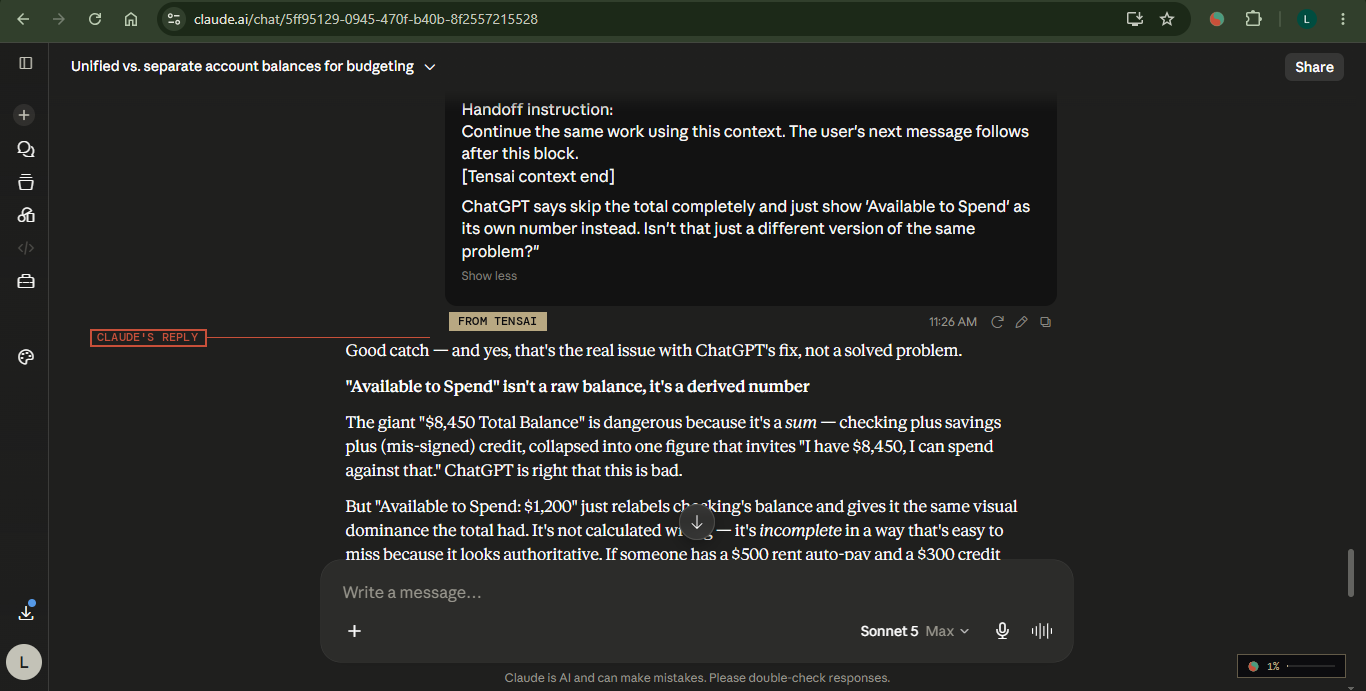
Tensai is a local-first Chrome extension that automatically bridges context between Claude and ChatGPT on tab switch.
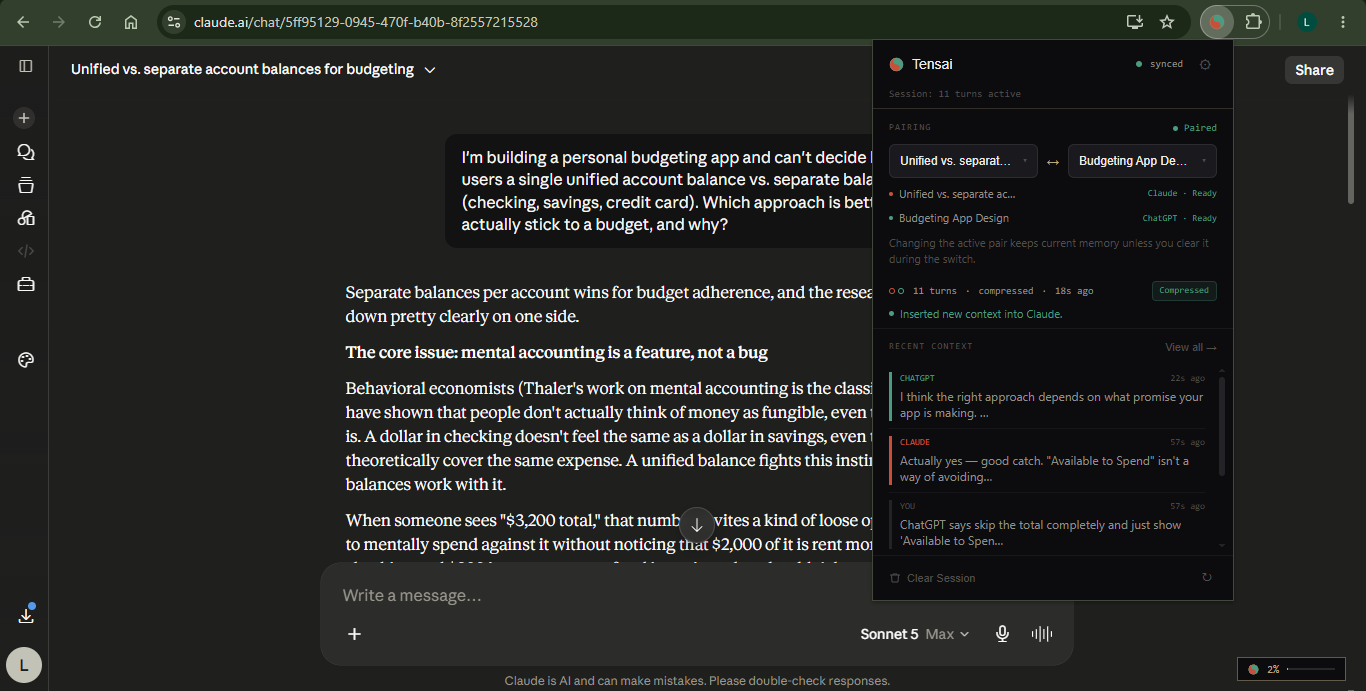
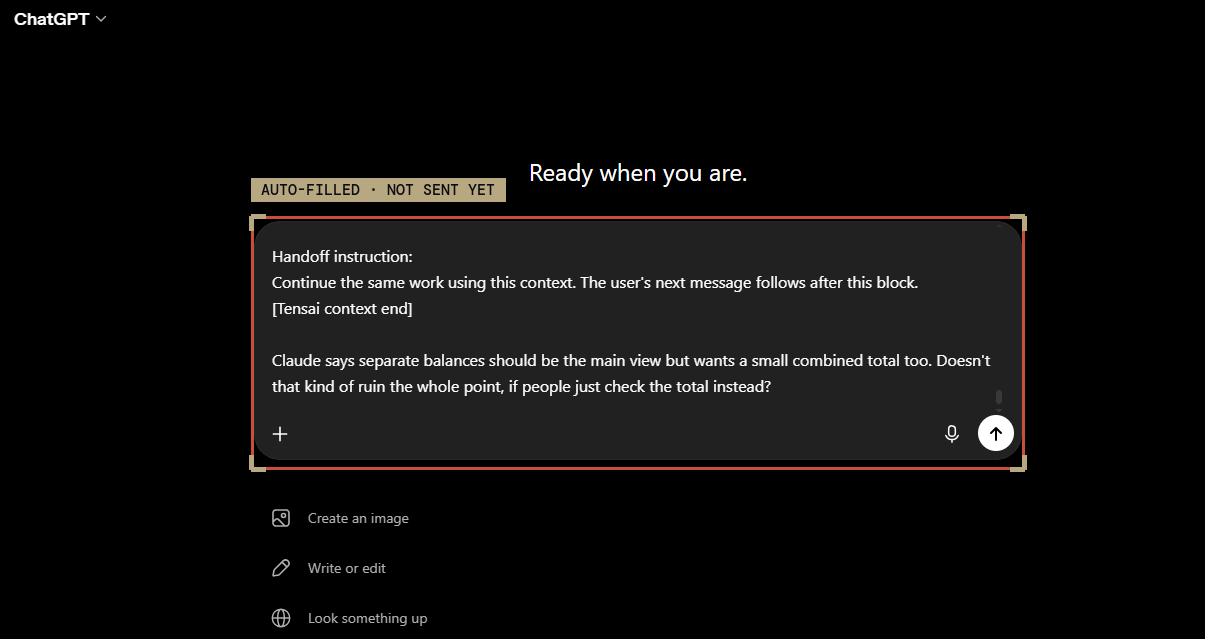
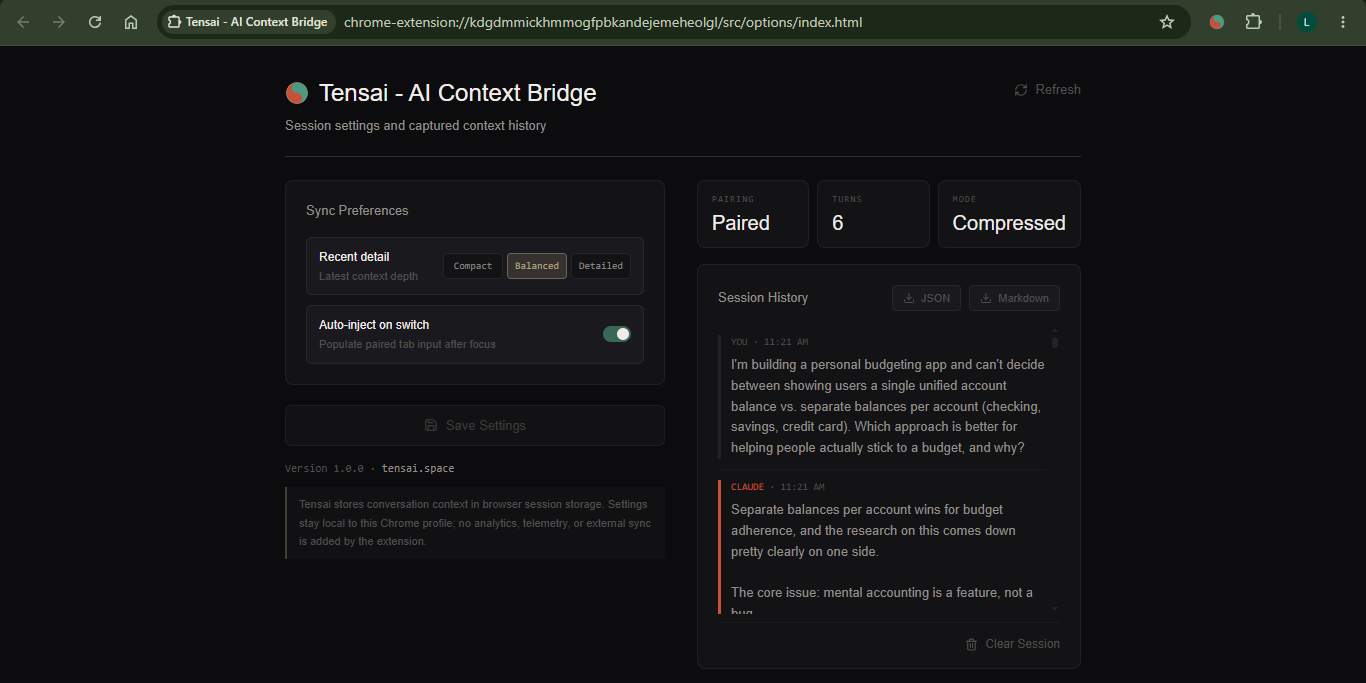
When you switch tabs, Tensai captures your active session history, compresses it locally, and automatically pre-fills the target's prompt box with a structured handoff.
Key Features:
- Automatic Sync: Instantly structures and pre-fills your target model's input field upon tab switch.
- Structured Handoffs: Syncs your current objective, key decisions, open questions, and latest code blocks.
- Local-First: 100% on-device compression and storage. No databases, no external server relays, and zero telemetry.
- Zero Cost: Works instantly without requiring any Anthropic or OpenAI API keys.
- Context Ceiling Alerts: Displays persistent token indicators and toolbar badge changes (60% -> 85% -> red "!") to let you know when to switch models.
- User In Control: Tensai pre-fills your prompt editor; it never auto-submits, keeping you in final charge.
Key Features
- Automatic context sync between Claude and ChatGPT when switching browser tabs
- Local compression and storage with no external servers or telemetry
- Pre-fills prompt boxes with structured handoffs including objectives, decisions, and code
- Token usage indicators with visual alerts at 60%, 85%, and critical thresholds
- Works without requiring API keys from Anthropic or OpenAI
- Manual control over submissions - pre-fills only, never auto-executes prompts
Use Cases
- Think through positioning in Claude, draft the pitch in ChatGPT
- Keep pricing decisions consistent across every AI-drafted doc
- Compare how Claude and ChatGPT approach the same problem by seamlessly passing your full conversation history between tabs to evaluate different solutions
- Debug code faster by jumping between models when one gets stuck, automatically carrying your entire codebase and error logs to the other without copy-pasting
- Accelerate development by having both AI models work on different aspects of a project simultaneously
Who it is for
- Software engineers comparing Claude and ChatGPT for coding tasks
- AI researchers testing model behaviors across multiple assistants
- Content creators iterating between models for different writing styles
- Product managers prototyping features with multiple AI tools simultaneously
- Technical writers switching between models to verify code examples
Pricing
Tensai is free to use. See the website for details.
Verdict
Tensai fixes the real cost of running Claude and ChatGPT in parallel: re-explaining context every time you switch tabs. Instead of raw copy-paste, it builds a structured handoff - objective, decisions made, open questions, latest code - so the second model picks up aligned, not guessing. What makes it credible: 100% local. No servers, no API keys, no telemetry. Compression runs client-side in under 5ms, and state lives in chrome.storage.session - gone when you close the browser. That's an architectural commitment, not a privacy tagline. Verdict: if you already bounce between the two models, this removes the one genuinely annoying part of that habit. Free, local, worth the two minutes to install.
FAQ
What does Tensai do?
Tensai captures your conversation on Claude or ChatGPT, compresses it locally, and fills the other AI's draft box with a structured briefing when you switch tabs. You review it and press Send - Tensai never submits anything on your behalf.
How much does Tensai cost?
Completely free, no account, no API key. You just need a logged-in Claude tab and a logged-in ChatGPT tab - compression runs locally inside the extension.
Does Tensai send my conversation data anywhere?
No. Everything stays in chrome.storage.session, inside your browser, and clears when Chrome closes. No servers, no analytics, no network requests with your data.
Does it work in both directions - ChatGPT to Claude too?
Yes, fully bidirectional. Tensai captures turns from whichever AI you're talking to and can inject context in either direction - Claude to ChatGPT, or ChatGPT to Claude.
What happens when Claude hits its context limit?
Tensai detects the limit automatically and fires a one-time handoff into your paired ChatGPT tab - your objective, decisions, open questions, and code - before you even switch. A toast on Claude shows a Switch now action.
Why does Chrome show a warning when installing?
If Enhanced Protection is enabled, Chrome shows this notice for new extensions until store reputation builds. Tensai is 100% local and serverless - simply click 'Continue to install'.
Alternatives
 NavVaultFor AI power users: Search, organize, and export conversations across ChatGPT, Claude, Gemini, and Grok from one sidebar.
Ask AI about Tensai
Supporters
16 founders
16 founders supported Tensai on Launch Llama.


