On Launch Llama

TeraConvert
For privacy-conscious users: TeraConvert converts files locally on your device so sensitive documents never upload to external servers.
Built by Yogendra Singh
Productivity Developer Tools Freemium
Visit website → Upvotes · 8
In category: #1297 of 1867 · Productivity
TeraConvert is a Instant Launch listing on Launch Llama with 8 total upvotes across 5 founder supporters, founded by Yogendra Singh who joined in Jul 2026, compared against 6 alternatives.
Instant Launch listing
Listing status
8upvotes
Community score
Yogendra Singh (Joined Jul 2026)
Founder
Compared against 6 alternatives
Market comparison
Real numbers
90d
-
79
Views
-
27
Visitors
-
0
Clicks
Public Launch Llama traffic for this listing.
Key Features
- Files never leave your device
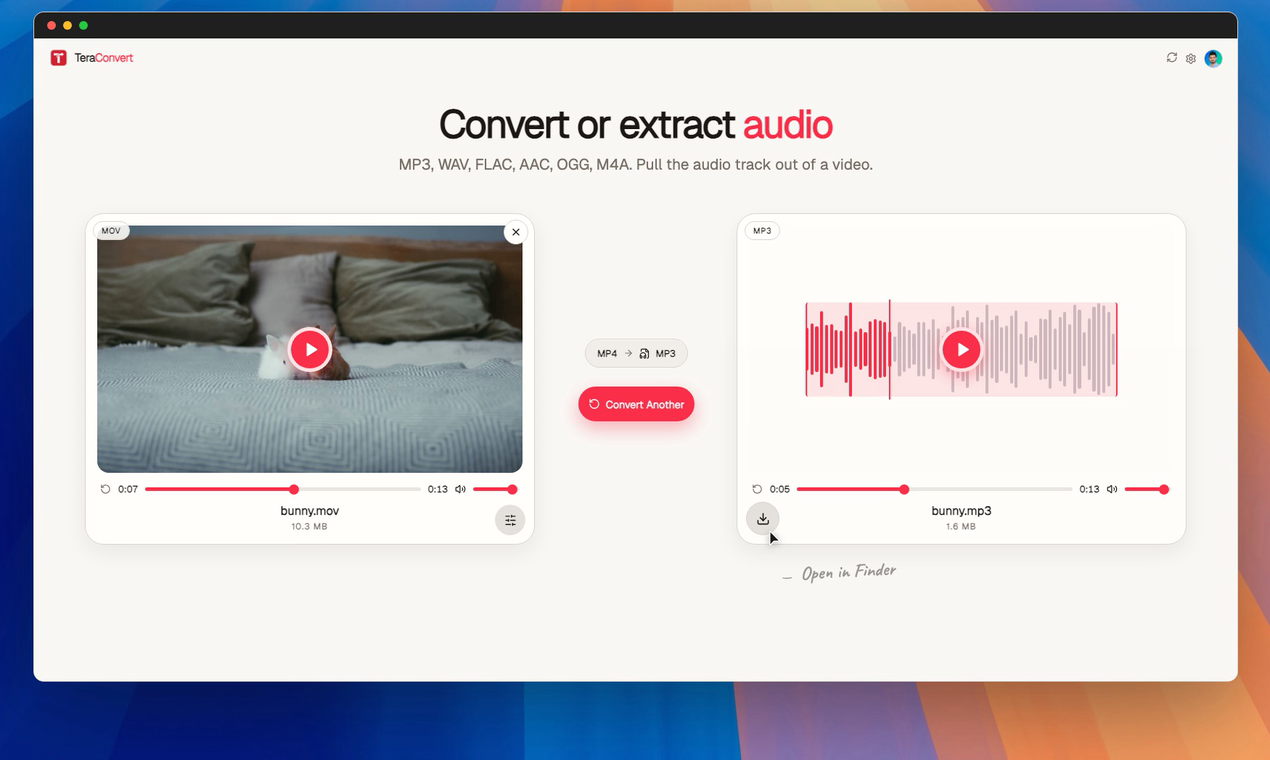
- Convert images, video, audio, PDFs, documents, and archives
- MacOS app for advanced conversions
- OCR for scanned documents
About
Most file converters ask you to upload your files to a server. I never liked that. Whether it’s a passport, signed contract, tax return, family photo, or work document, many of the files we convert are private. Uploading them shouldn’t be the default. That’s why I built TeraConvert. Instead of sending your files to a server, TeraConvert converts them directly on your own device. You can even disconnect from Wi-Fi and continue converting files. Use it free in your browser to convert images, videos, audio, PDFs, documents and more. When you need larger files, batch conversion, OCR, or advanced formats, there’s also a native macOS app powered by trusted conversion engines all running locally on your Mac. No uploads. No subscriptions. Just fast, private file conversion.
Who it is for
TeraConvert is designed for anyone who values privacy and wants to convert files without uploading them to a server.
- TeraConvert is built for anyone who wants fast file conversion without giving up
- People who don’t want to upload private files to a server
- Students converting assignments, PDFs, and documents
- Professionals working with contracts, invoices, and reports
- Creators converting images, audio, and video
Use Cases
- Convert screenshots and assets for product launches
- Prepare videos and images for social media
- Convert PDFs and documents without sharing sensitive files
- Batch-process media locally on macOS
- Keep customer files private during everyday work
Pricing
The browser version is free to use. The macOS app includes a free trial, with an optional one-time Pro upgrade for advanced features like batch conversion and OCR. No subscription required.
FAQ
What is TeraConvert?
TeraConvert is a local file converter for images, videos, audio, and documents. The web app converts in your browser tab, the desktop app converts with native engines on your Mac, and neither one uploads your files anywhere.
What's the difference between the browser and the desktop app?
The browser converter handles the most common formats (PNG, JPG, MP4, MP3, PDF, DOCX, and more) right in the tab, one file at a time. The desktop app adds HEIC, RAW, EPUB, AVI, FLV, XLSX, and hundreds of other pairs, plus batch conversion.
What formats does it support?
800+ supported conversions across images (PNG, JPG, HEIC, AVIF, WebP, SVG, TIFF, RAW), video (MP4, MOV, MKV, AVI, WebM, FLV), audio (MP3, WAV, FLAC, AAC, OGG, M4A), documents (PDF, DOCX, MD, HTML, EPUB), spreadsheets (XLSX, CSV, ODS), and presentations (PPTX, PPT).
How does it run locally without uploading my files?
The web app converts directly in the browser tab using WebCodecs, Canvas, and WebAssembly. The desktop app ships its own builds of FFmpeg, Tesseract, qpdf and pdfium for video, audio, OCR and PDFs, uses Apple's built in tools where available (sips, textutil, qlmanage), and calls out to engines like LibreOffice or Calibre for the less common formats, which it offers to install through Homebrew the first time a file needs one. Files stay on your device in both cases.
Can I use it for NDA, confidential, or other sensitive files?
Yes. Because conversions run on your machine, files never touch our servers or any third party. Many users run it on isolated work laptops for exactly this reason. If you operate under a compliance regime such as HIPAA, you remain responsible for your own organization's policies and infrastructure.
Does it work fully offline?
Yes for conversions. The desktop app activates once with an internet connection to verify your license, and from then on every conversion runs locally with no network calls.
Can it clean up text pasted from ChatGPT?
Not the converter, no. That is a different problem, so it has its own free tool. The AI text cleaner strips em dashes, curly quotes and the characters you cannot see out of anything you paste. It runs in your browser, needs no account, and is not part of the Mac app.
Is it TeraConvert or Tera Convert?
One word, TeraConvert. People also write Tera Convert, Tera Converter, or Terra Convert with a double r, and every spelling gets you to the same app; the terraconvert.com misspelling redirects here as well. If someone told you about us out loud, any of these will find it.
My format isn't supported. Can I request it?
Yes. Format additions are prioritized by user requests. Reach out through the contact page with your input and desired output format and we'll look at the routing.
A conversion failed. What now?
First press Retry, since most failures are a tool that was still installing. Open Technical details on the error card to see which engine ran, then check that its tool is installed under Settings. If it fails again with the same file, the source may be corrupt, so try another file to narrow it down.
Alternatives
- AhaConvert - Free Online File Converter
For anyone: AhaConvert converts 300+ file formats instantly so you transform videos, images, audio, and documents without installing software.
- Converrtany
For privacy-conscious users: ConverrtAny converts 200+ file formats offline on your computer—no cloud uploads, faster and more secure than web converters.
- Convertim
For privacy-conscious users: Convertim converts images locally on Windows without uploading so your files stay private and processing stays fast.
- File Converter Free
For anyone: File Converter Free converts 215+ file formats and handles PDFs and images in-browser so you skip signup and get results fast.
- FileOnTap
Free browser-based file converter for images and PDFs. Convert HEIC, WebP, PNG, and JPG formats locally without uploading files or creating an account.
- FileLume
For privacy-conscious users: FileLume compresses, converts, and merges files in your browser so your data never leaves your device.
Supporters
5 founders5 founders contributed 8 upvotes to TeraConvert on Launch Llama.


Ask AI
ChatGPT Claude Perplexity Grok
For agents
llms.txt · llms-full.txt · ai.txt · Live fact sheet · Full catalog (.md) · Endpoint index · API spec · REST access · Agent server · Server manifest · Server discovery