Snapr
For content creators: Snapr captures, records, annotates and edits screenshots and video in one app with 4K 60fps recording and polished export options.
Built by Sangwon Lee · Productivity · Design Tools · Analytics · Freemium
In category: #250 of 1428 · Productivity
Snapr is a Product Hunt listing on Launch Llama with 87 total upvotes, +1 in the week of Oct 29–Nov 4, 2026, founded by Sangwon Lee who joined in May 2026, compared against 6 alternatives.
Product Hunt listing
Listing status
87upvotes
+1 · Oct 29–Nov 4, 2026
Community score
Sangwon Lee (Joined May 2026)
Founder
Compared against 6 alternatives
Market comparison
Launched on Launch Llama May 1, 2026 · #13 of 19 that day


About
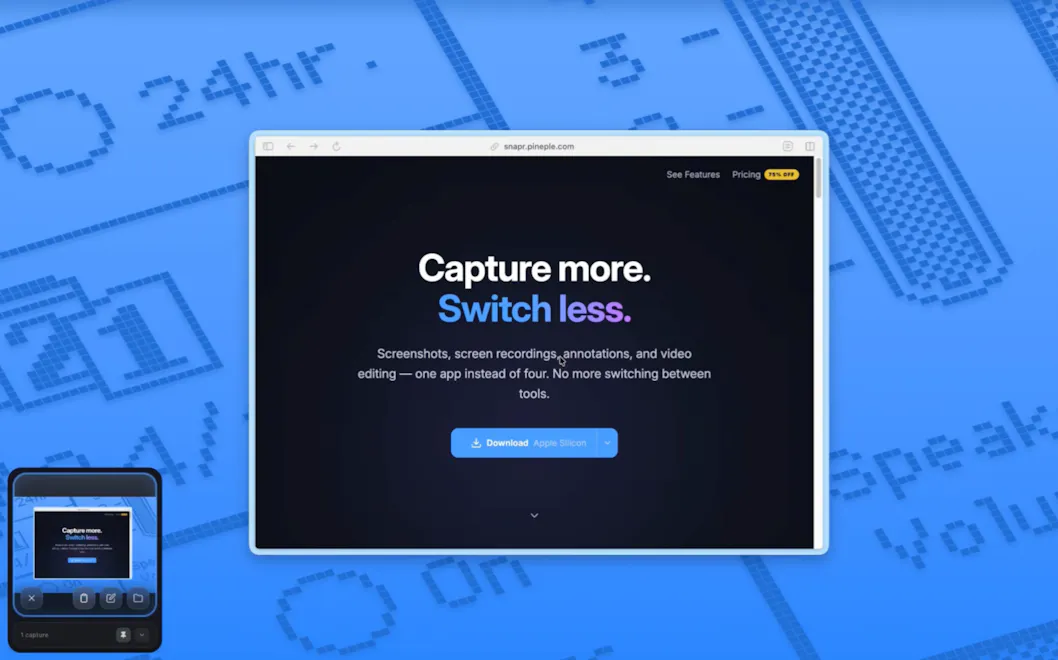
Stop switching apps to capture your screen. Snapr combines screenshots, recording, annotation, and video editing in one app for macOS & Windows. • Fast, handy annotation tools built in • Scroll capture for long pages • 60fps 4K recording with system audio + mic • Record iPhone/iPad from Mac • Style captures with backgrounds, shadows for polished output • Export presets: 4K, 1080p, 720p, GIF • Clean desktop mode Pay once, use forever. Free version available - no watermarks, no time limits.
Launch Llama's Take
Based on Launch Llama data as of
Snapr has 87 upvotes, including the votes it received on Product Hunt, which ranks it #250 of 1,428 Productivity tools on Launch Llama by upvotes, in the top quarter. It has been listed on Launch Llama since May 2026. 1 Launch Llama member has upvoted it, it gained 1 upvote in the last 7 days and it has no reviews yet.
Snapr combines screenshots, recording, annotation, and video editing in one app for macOS & Windows, while Glisio is a native Mac app for product demos with Windows on a waitlist.
Snapr vs Glisio
Snapr combines screenshots, recording, annotation, and video editing in one app for macOS & Windows, while Glisio is a native Mac app for product demos with Windows on a waitlist.
| Snapr | Glisio | Zoomr | TapCraft | |
|---|---|---|---|---|
| What it does | For content creators: Snapr captures, records, annotates and edits screenshots and video in one app with 4K 60fps recording and polished… | For product teams: Glisio records cinematic demos on Mac with smart auto-zoom and built-in editing so you ship polished product videos wi… | For creators and developers: Zoomr records your screen with live zoom and drawing tools, then exports polished MP4s instantly so you skip… | For app developers: TapCraft wraps screen recordings in real device frames with tap ripples and auto-zoom so App Store previews convert f… |
| Pricing | Freemium | Freemium | Freemium | Freemium |
| Free plan | Yes, free plan | Yes, free plan | Yes, free plan | Yes, free plan |
| Category | Design Tools | Screenshots and screen recording apps | Productivity | Video editing |
| Upvotes on Launch Llama | 87 | 114 | 22 | 86 |
| Listed on Launch Llama | May 2026 | August 2026 | August 2026 | September 2026 |
Key Features
- Capture screenshots, recordings, and iOS device screens from one shortcut
- Automatically scroll and stitch full-length pages into seamless images
- Annotate captures with arrows, boxes, text, numbering, and pixelation
- Apply cinematic zoom effects that automatically follow cursor movement
- Record at 4K 60fps with hardware-accelerated GPU encoding
- Style captures with wallpapers, gradients, shadows, and custom cursors
Use Cases
- Tutorial creators who need cinematic zoom and click effects for demos
- Teams communicating bugs and feedback with annotated screenshots
- Educators capturing long pages and documentation for course materials
Who it is for
- Content creators producing tutorials, courses, and product demos
- QA testers and developers filing bug reports and documenting iOS app behavior
- Team members who need to annotate and share screenshots and recordings for feedback
Pricing
Snapr offers a free plan plus paid tiers. See the website for current pricing.
Snapr at a glance
- 01What it is
- Snapr: For content creators: Snapr captures, records, annotates and edits screenshots and video in one app with 4K 60fps recording and polished export options.
- 02Pricing
- Snapr pricing: Freemium.
- 03Best for
- Snapr is best for content creators producing tutorials, courses, and product demos, qA testers and developers filing bug reports and documenting iOS app behavior and team members who need to annotate and share screenshots and recordings for feedback.
Alternatives
 SnapDubPaste a long video, get vertical clips that keep the speaker in frame
More in Productivity
New on Launch Llama
Launched this week · This month's launches · All products A–Z
Featured in
Ask AI about Snapr
Supporters
1 founder
1 founder supported Snapr on Launch Llama.
Reviews
1 comment
Snapr's page describes a single app for screenshots, scroll capture, annotation and 4K screen recording, with a free version and a pay-once option. Looks like a handy, straightforward tool for content creators.
For bots & AI agents
Machine-readable versions of Snapr and Launch Llama. Fetch these instead of parsing this page.
This listing (.md) llms.txt llms-full.txt ai.txt Full catalog (.md) Endpoint index API docs MCP server MCP manifest Developer docs