Updated 2026-11-16 · 15 of 16 Photo & Video tools on Launch Llama compared
Quick answer: The best Photo & Video tools in 2026, by Launch Llama community upvotes, are Glam AI, Pixero AI, AutoEdit. If you want to start free, AutoEdit has a free plan. We compared 15 of the 16 Photo & Video tools listed on Launch Llama on pricing, features and use cases.
Our picks at a glance
- Best overall: Glam AI — the most upvoted Photo & Video tool on Launch Llama
- Best free option: AutoEdit — free plan; paid from $9.99/month
- Best to see in action: Secure Folder: Privacy Vault — has a demo video you can watch below
- Most features listed: Pixero AI — 5+ features on its listing
The 15 best Photo & Video tools in 2026
1. Glam AI — best for influencers and content creators who need to generate viral content quickly

Pricing: Free plan + paid tiers · Free plan: Yes · Upvotes: 561
In Glam AI's words
Glam AI keeps your content on-trend without the effort. Browse ready-to-use trend templates, upload your photo or product shot, and generate high-quality visuals in minutes - no prompts, no complex workflows. Built for creators, influencers, and brands who need to move fast, with all major image and video models in one subscription.
Key features
- Transform photos into AI videos with trending effects
- Access over 400 trending styles and effects
- Generate high-quality visuals from photos in minutes
- Try hairstyles and looks before committing to changes
- Create multiple photo variations from a single image
Use cases
- Influencers and content creators who need to generate viral content quickly
- Brands needing to stay on-trend without manual design effort
2. Pixero AI — best for E-commerce brands needing Meta ad campaigns built and managed end-to-end without manual setup

Pricing: Paid · Free plan: No · Upvotes: 351
In Pixero AI's words
Hey Product Hunt! We built Pixero, an agent that runs Meta ad campaigns end to end. Drop your URL and our AI agent takes it from there. It scrapes your brand and builds the strategy, creates ads using the latest generation models, then deploys and manages your campaigns directly in Meta Ads. Drop your URL and get a full Meta ad campaign live in 9 minutes. Built by engineers at Google
Key features
- Research brand and write organic social posts
- Find and brief influencers and creators
- Launch and manage paid ad campaigns
- Generate ad creatives for campaigns
- Plan advertising strategy automatically
Use cases
- E-commerce brands needing Meta ad campaigns built and managed end-to-end without manual setup.
- Marketing teams automating content creation, influencer outreach, and paid campaign management.
3. AutoEdit — best for youTubers who want to remove dead air and repeated takes from long recordings

Pricing: Free plan; paid from $9.99/month · Free plan: Yes · Upvotes: 314
In AutoEdit's words
AutoEdit helps content creators edit their videos 10x faster by turning raw footage into a clean rough cut in minutes. It works directly inside Adobe Premiere Pro as an AI Plugin. Claude AI understands content, automatically removing silences, filler words, bad takes, restarts, and repeated sections while generating captions and structuring timelines. Editors stay in control of creative decisions while AutoEdit handles the repetitive, boring work.
Key features
- Remove silences, filler words, and repeated takes automatically
- Generate captions without leaving Premiere Pro
- Switch podcast camera angles automatically for multicam
- Resize videos to vertical format without manual keyframing
- Build rough cuts directly inside Premiere Pro
Use cases
- YouTubers who want to remove dead air and repeated takes from long recordings
- Podcasters editing long-form spoken-word content with multiple speakers
- Content creators publishing short-form videos weekly across social platforms
Pricing details: Free plan available with 4 basic tools. Paid plans start at $9.99/month (Lite) up to $199/month, billed annually with discounts.
4. ElevenLabs — best for audiobook and podcast creators who want expressive narration voices
Pricing: Free plan + paid tiers · Free plan: Yes · Upvotes: 292
In ElevenLabs's words
ElevenLabs is an AI voice generator and voice agents platform that creates lifelike speech. It provides access to thousands of voices across many languages with APIs and SDKs for developers. The platform helps creators, developers, and enterprises build audio and conversational AI products.
Key features
- Generate expressive speech in 70+ languages
- Clone voices or design custom voices from prompts
- Generate studio-quality music in any genre or style
- Create or edit images and turn ideas into videos
- Deploy conversational agents across voice and chat channels
Use cases
- Audiobook and podcast creators who want expressive narration voices
- Customer support teams who want to deploy multilingual voice agents
Pricing details: Enterprise and contact-sales options are mentioned.
5. VIDEO AI ME — best for E-commerce sellers testing multiple ad variants weekly instead of hiring freelance creators

Pricing: From $19/month · Free plan: No · Upvotes: 205
In VIDEO AI ME's words
VIDEO AI ME generates professional videos with AI actors from a single selfie or photo. It helps brands and marketers create ads and content in over 70 languages without hiring creators or editors. Users get full commercial rights to all generated videos included in their subscription.
Key features
- Create AI video clones from a single photo or selfie
- Produce content in 70+ languages with native lip-sync
- Automatically add captions, trim dead air, and insert B-roll
- Clone voices from audio samples or select from voice library
Use cases
- E-commerce sellers testing multiple ad variants weekly instead of hiring freelance creators.
- Agencies producing client deliverables and product videos with distinct spokespeople.
Pricing details: VIDEO AI ME starts at $19/month billed annually (4 months free) or $29/month billed monthly.
6. Snapr — best for tutorial creators who need cinematic zoom and click effects for demos

Pricing: Free plan + paid tiers · Free plan: Yes · Upvotes: 87
In Snapr's words
Stop switching apps to capture your screen. Snapr combines screenshots, recording, annotation, and video editing in one app for macOS & Windows. • Fast, handy annotation tools built in • Scroll capture for long pages • 60fps 4K recording with system audio + mic • Record iPhone/iPad from Mac • Style captures with backgrounds, shadows for polished output • Export presets: 4K, 1080p, 720p, GIF • Clean desktop mode Pay once, use forever. Free version available - no watermarks, no time limits.
Key features
- Capture screenshots, recordings, and iOS device screens from one shortcut
- Automatically scroll and stitch full-length pages into seamless images
- Annotate captures with arrows, boxes, text, numbering, and pixelation
- Apply cinematic zoom effects that automatically follow cursor movement
- Record at 4K 60fps with hardware-accelerated GPU encoding
Use cases
- Tutorial creators who need cinematic zoom and click effects for demos
- Teams communicating bugs and feedback with annotated screenshots
- Educators capturing long pages and documentation for course materials
7. Ripple.convert — best for compress a large video or image to a smaller file before sending it to someone, then share it via an expiring link
Pricing: Free · Free plan: Yes · Upvotes: 26
In Ripple.convert's words
Drop a file into the browser, pick an output format, and tune settings such as quality, target file size, resize width, or audio bitrate before converting. Files stay on your device unless you create a share link for the original or converted file. The free tier includes 20 credits per day, and share links expire automatically. We are trying to make it quicker and easier for anyone to convert files on the go.
Key features
- Convert images between JPG, PNG, WEBP, AVIF, and GIF formats
- Compress or convert videos to MP4, MOV, WEBM, AVI, or MKV
- Set audio bitrate from 128 to 320 kbps for MP3, AAC, OGG, or FLAC
- Convert TTF, OTF, WOFF, WOFF2, and EOT fonts for web or desktop use
- Create expiring share links for original or converted files
Use cases
- Compress a large video or image to a smaller file before sending it to someone, then share it via an expiring link.
- Convert audio between MP3, WAV, AAC, OGG, and FLAC with bitrate control without installing software.
- Convert TTF, OTF, or WOFF fonts into WOFF2 or other web font formats for a website.
8. PrismPoster — best for content creators making short-form videos for social media platforms
Pricing: Free plan + paid tiers · Free plan: Yes · Upvotes: 13
In PrismPoster's words
PrismPoster is one AI studio for images, video, and music, with a real editor at the end. Make stills in the Image Studio, clips up to 4K in the Video Studio, and full songs in 35 languages in the Music Studio, then cut it together in a browser editor whose timeline generates new footage in place. Storyboard turns sketches into film sequences. Creator Cast gives streamers a consented likeness fans can create with. No model picker anywhere, the studio picks the engine per job. Free to start.
Key features
- Convert photos into videos with motion and sound
- Generate videos from text descriptions up to 30 seconds
- Create original songs with lyrics in 35 languages
- Edit and assemble clips with a browser-based timeline editor
- Generate AI images for use in projects
Use cases
- Content creators making short-form videos for social media platforms
- Streamers creating content with AI-generated likenesses for their audience
Pricing details: Free plan offers 200 starter credits. Creator costs €19/month with 1,300 monthly credits. Pro costs €49/month with 3,400 monthly credits. Credit packs available separately starting at €2.99.
9. ImageTo100 — best for shrink a passport or visa application photo to a 100KB cap so the government form portal accepts the upload
Pricing: See website · Free plan: Yes · Upvotes: 4
In ImageTo100's words
ImageTo100 shrinks a photo or scan to an exact KB limit (100KB, 50KB, 20KB) entirely in your browser using the MozJPEG encoder in a local Web Worker. No upload, no account, no watermark. Results download as JPG, including batches up to 20 files.
Use cases
- Shrink a passport or visa application photo to a 100KB cap so the government form portal accepts the upload.
- Compress a scanned signature or document image to a set KB limit for exam registration or application forms.
- Batch-compress up to 20 photos to the same KB target for multiple form submissions in one go.
Pricing details: Free to use, with no account or watermark.
10. Piknova — best for cutting a large photo into tiles for an Instagram grid or LinkedIn carousel post
Pricing: Free · Free plan: Yes · Upvotes: 3
In Piknova's words
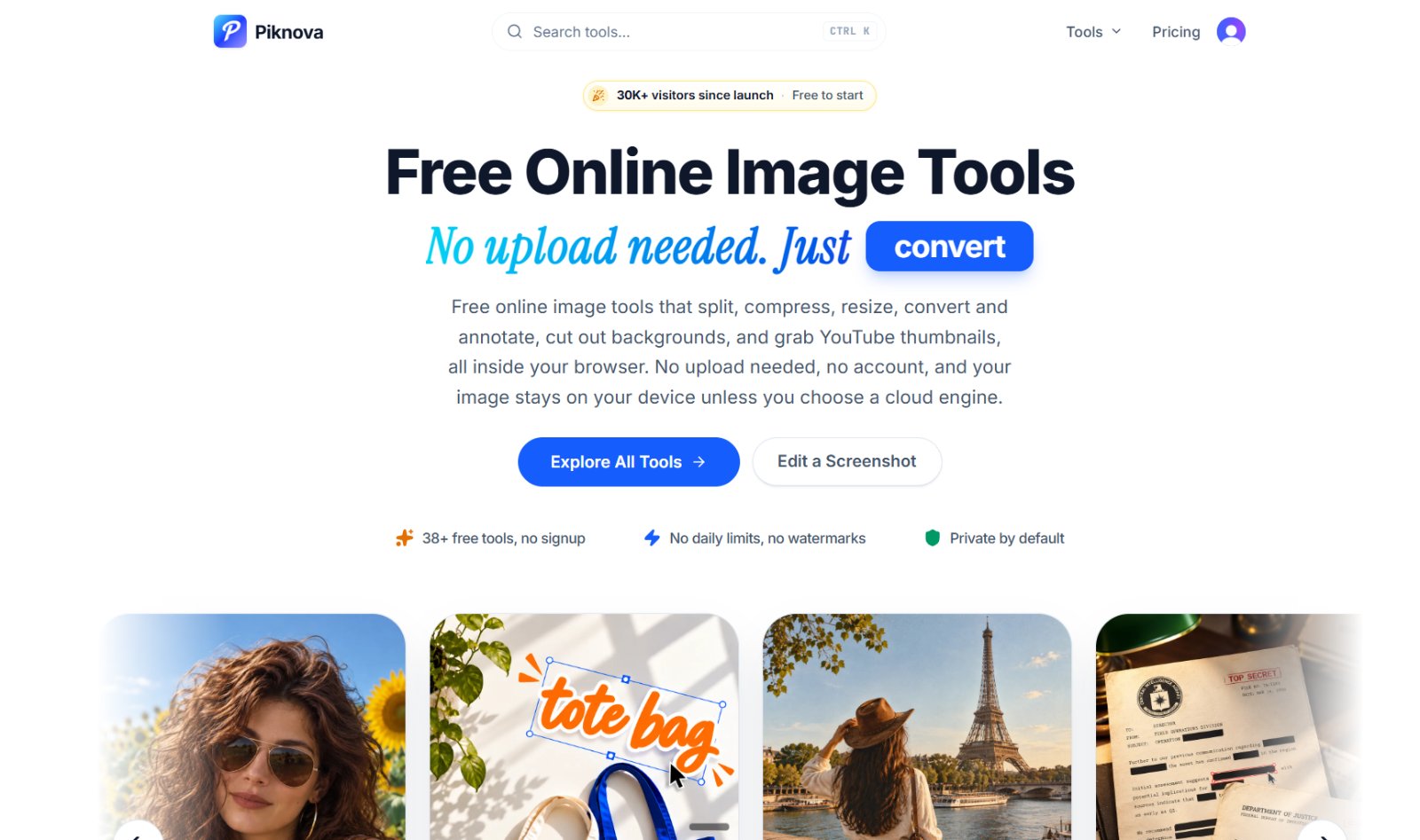
Each tool opens straight onto a file picker, and the AI background remover downloads its model to your browser so the cutout happens locally. Cloud processing is only used if you explicitly choose a cloud engine. The toolset also covers an Image Merger for collage layouts, a Redacted Text Generator that turns text into copyable black bars, a Screenshot Editor for annotations, and downloaders for YouTube thumbnails, banners, profile pictures and Shorts thumbnails.
Key features
- Split large images into tiles for Instagram grids, X posts and LinkedIn carousels
- Compress images to an exact target size in KB, such as 25 KB or 100 KB
- Remove image backgrounds and download transparent PNGs in the browser
- Resize images by pixels, cm, mm or inches with the aspect ratio locked
- Download YouTube thumbnails, banners, profile pictures and Shorts thumbnails at full size
Use cases
- Cutting a large photo into tiles for an Instagram grid or LinkedIn carousel post.
- Compressing an image to an exact file size like 100 KB before submitting it to a form.
- Blacking out sensitive text in a screenshot before sharing it.
11. VaultShield — best for moving private photos and videos out of the Photos library into a locked vault on your iPhone
Pricing: Free · Free plan: Yes · Upvotes: 3
In VaultShield's words
Vault keys are derived with Argon2id from the unlock you set, and media is sealed with XChaCha20-Poly1305 before it is stored in a SQLCipher database. Optional encrypted iCloud backup can only be restored with a one-time recovery phrase, and vault folders are kept out of iCloud Backup. The in-app camera saves shots directly into the vault, and free on-device tools remove location data from photos and convert HEIC files.
Key features
- Encrypts photos and videos on the iPhone before they are stored in the vault
- Removes imported originals from Photos and moves them to Recently Deleted
- Unlocks with a drawn pattern, with optional Face ID added on top
- Locks itself as soon as you leave the app
- Sorts media into folders with their own locks and a disguised Calculator or Level icon
Use cases
- Moving private photos and videos out of the Photos library into a locked vault on your iPhone.
- Keeping passports, receipts and leases in the same locked vault as your photos.
- Sharing a family vault with a trusted person while keeping your other vaults private.
12. Bug Identifier — best for identifying an unknown insect, spider, or tick from a photo taken with the phone camera
Pricing: Free plan + paid tiers · Free plan: Yes · Upvotes: 2
In Bug Identifier's words
Found a bug and want to know what it is, right now? Point your iPhone at it. Bug Identifier uses AI image recognition to identify insects, spiders, ticks, centipedes and other small creatures from one photo, and it reads bite and sting marks on skin to suggest the likely culprit.
Every result comes with a colour-coded danger level, so you know at a glance whether it is harmless, a nuisance, or one of the few that need attention: black widow, brown recluse, funnel-web, ticks, bed bugs. You also get the species profile: habitat, diet, size, seasonality, look-alikes, prevention tips and first aid for bites and stings.
Use cases
- Identifying an unknown insect, spider, or tick from a photo taken with the phone camera.
- Checking whether a bug is dangerous and getting bite or sting guidance on what to do next.
- Logging spotted species with GPS on a personal discovery map and collection.
13. Secure Folder: Privacy Vault — best for keeping private photos, videos, and documents on an iPhone without uploading them to cloud storage
Pricing: Free plan + paid tiers · Free plan: Yes · Upvotes: 2
In Secure Folder: Privacy Vault's words
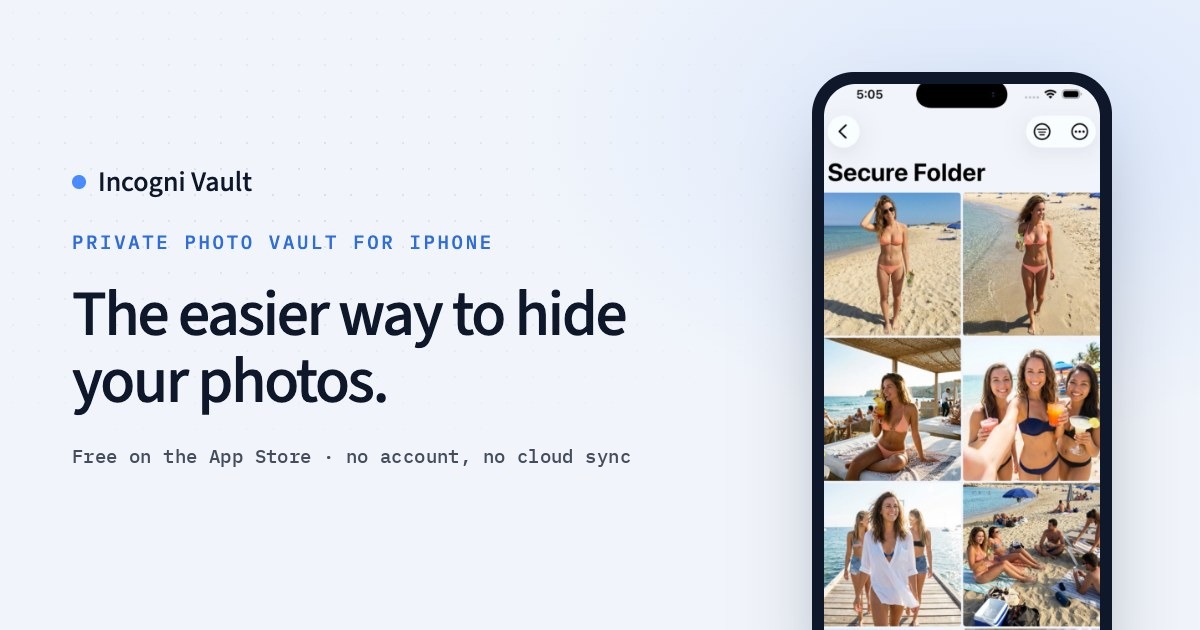
Secure Folder: Privacy Vault is an independently developed iPhone privacy app. It gives private photos, videos, files, and notes a place outside the main photo library. Photos and videos are stored locally on the iPhone, and nothing is uploaded. No account is required. The vault opens with a PIN or with Face ID. A second PIN opens a decoy vault that shows harmless content while the real vault stays closed. Alternative home-screen icons, including a calculator, help the app sit beside ordinary utilities. A wrong PIN can save a local photo and a timestamp inside the vault. The app is on the App Store at https://apps.apple.com/app/id6755857874 and is operated by Mehmet Ali Kisacik, an individual independent developer.
Key features
- Store photos and videos locally on the iPhone, with nothing uploaded
- Open the vault with a PIN or Face ID
- Open a decoy vault with a second PIN
- Use an alternative home-screen icon, including a calculator
- Keep a local record of wrong-PIN attempts
Use cases
- Keeping private photos, videos, and documents on an iPhone without uploading them to cloud storage.
- Showing a harmless decoy vault when someone pressures you to unlock the app.
- Reviewing the intruder log to see who kept entering wrong PINs and when.
Pricing details: Premium: a subscription or a one-time purchase
See Secure Folder: Privacy Vault pricing, reviews and alternatives →
14. ImageText Tools — best for changing a sale price like 20% to 30% on a photographed sign without Photoshop or source design files
Pricing: Free plan; paid from $4.99 · Free plan: Yes · Upvotes: 2
In ImageText Tools's words
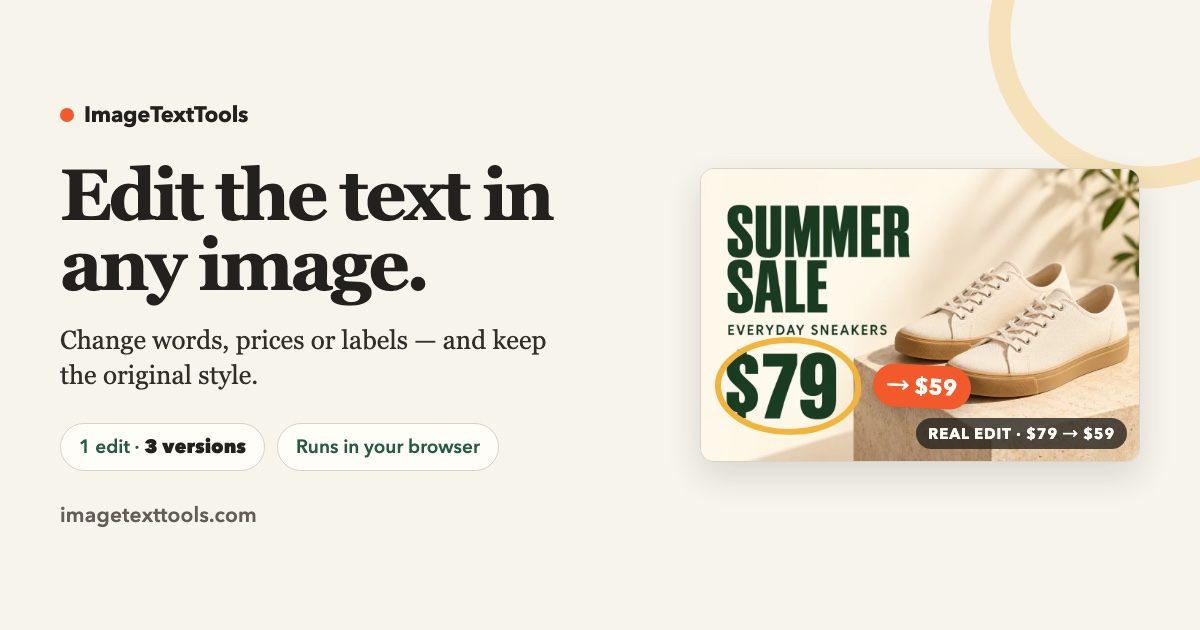
You upload a JPG, PNG or WebP image, and the editor detects the text lines in it. You retype the lines you want changed, and the AI generates three versions of the edited image to compare before you choose one. The tool uses your image as a visual reference for lettering, colour and texture, so no Photoshop, design file or font file is needed. Results may not match the original pixels exactly, so the page recommends checking all three versions for unwanted changes.
Key features
- Detects text lines in your image so you can choose which to change
- Replaces words, prices, and dates in photos, signs and posters
- Generates three versions per edit to compare before downloading
- Handles printed prices, handwriting, decorative lettering and busy menus
- Downloads HD results after Google sign-in, with no design software needed
Use cases
- Changing a sale price like 20% to 30% on a photographed sign without Photoshop or source design files.
- Updating an event date on a poster, such as changing 18 JULY 2026 to 25 JULY 2026.
- Editing a price on a busy menu photo, such as changing a cappuccino price from 430 to 450.
Pricing details: Free HD download; extra edits from $4.99
15. Passport Photo Box — best for preparing a US or UK passport photo from a phone picture with the correct 2x2 inch or 35x45 mm size and background
Pricing: Free · Free plan: Yes · Upvotes: 1
In Passport Photo Box's words
You upload a photo or check an existing one, then pick a country or application profile such as a US 2x2 inch visa, a UK 35x45 mm passport, or a UPSC exam photo. Alignment guides help you crop, and the tool prepares the background and checks face position and dimensions before you download. Output includes 300 DPI files and 4R print layouts, and the page says photos are processed privately on your device.
Key features
- Crops and resizes photos to passport, visa and application sizes in mm, inches or pixels
- Checks face position, dimensions and visible quality against the selected profile
- Changes or cleans the background to meet white or light grey photo rules
- Compresses photos to exact KB limits for exam and portal uploads
- Builds 4R, A4 and Letter print sheets from a single passport photo
Use cases
- Preparing a US or UK passport photo from a phone picture with the correct 2x2 inch or 35x45 mm size and background.
- Creating UPSC or SSC exam photo, signature and thumb uploads that fit the required pixel and KB limits.
- Printing a 4R sheet of passport photos at a photo studio or application desk.
Comparison table
| # | Tool | Upvotes | Price |
|---|---|---|---|
| 1 | Glam AI Influencers and content creators who need to generate viral content quickly |
▲ 561 | Free plan+ paid plans |
| 2 | Pixero AI E-commerce brands needing Meta ad campaigns built and managed end-to-end without manual setup |
▲ 351 | Paid |
| 3 | AutoEdit YouTubers who want to remove dead air and repeated takes from long recordings |
▲ 314 | Free planthen from $9.99/mo |
| 4 | ElevenLabs Audiobook and podcast creators who want expressive narration voices |
▲ 292 | Free plan+ paid plans |
| 5 | VIDEO AI ME E-commerce sellers testing multiple ad variants weekly instead of hiring freelance creators |
▲ 205 | from $19/mo |
| 6 | Snapr Tutorial creators who need cinematic zoom and click effects for demos |
▲ 87 | Free plan+ paid plans |
| 7 | Ripple.convert Compress a large video or image to a smaller file before sending it to someone, then share it via an expiring link |
▲ 26 | Free plan |
| 8 | PrismPoster Content creators making short-form videos for social media platforms |
▲ 13 | Free plan+ paid plans |
| 9 | ImageTo100 Shrink a passport or visa application photo to a 100KB cap so the government form portal accepts the upload |
▲ 4 | Free plan |
| 10 | Piknova Cutting a large photo into tiles for an Instagram grid or LinkedIn carousel post |
▲ 3 | Free plan |
| 11 | VaultShield Moving private photos and videos out of the Photos library into a locked vault on your iPhone |
▲ 3 | Free plan |
| 12 | Bug Identifier Identifying an unknown insect, spider, or tick from a photo taken with the phone camera |
▲ 2 | Free plan+ paid plans |
| 13 | Secure Folder: Privacy Vault Keeping private photos, videos, and documents on an iPhone without uploading them to cloud storage |
▲ 2 | Free plan+ paid plans |
| 14 | ImageText Tools Changing a sale price like 20% to 30% on a photographed sign without Photoshop or source design files |
▲ 2 | Free planthen from $4.99 |
| 15 | Passport Photo Box Preparing a US or UK passport photo from a phone picture with the correct 2x2 inch or 35x45 mm size and background |
▲ 1 | Free plan |
How we compared them
This is a comparison built from listing data, not a hands-on review: we have not tested these tools ourselves. Every product here is listed on Launch Llama, and the ranking uses what founders and their users have put on the record.
Tools are ordered by community upvotes. Duplicate listings are merged, and listings without a real description are left out. Pricing, features and use cases come from each product's listing and can change, so check the product's own site before you buy.
How to choose
- Choose Glam AI for influencers and content creators who need to generate viral content quickly.
- Choose Pixero AI for E-commerce brands needing Meta ad campaigns built and managed end-to-end without manual setup.
- Choose AutoEdit for youTubers who want to remove dead air and repeated takes from long recordings.
- Choose ElevenLabs for audiobook and podcast creators who want expressive narration voices.
- Choose VIDEO AI ME for E-commerce sellers testing multiple ad variants weekly instead of hiring freelance creators.
- Choose Snapr for tutorial creators who need cinematic zoom and click effects for demos.
Still comparing? Browse every tool in Photo & Video or see the best tools in other categories.
Frequently asked questions
What is the best Photo & Video tool in 2026?
Glam AI is the most upvoted Photo & Video tool on Launch Llama. For creators and brands: Glam AI generates on-trend visual content from your photos in minutes using pre-built templates, no prompts required. Pixero AI and AutoEdit round out the top three.
Is there a free Photo & Video tool?
Yes. 13 of the 15 tools in this comparison list a free plan, including Glam AI, AutoEdit, ElevenLabs.
How were these Photo & Video tools ranked?
By community upvotes on Launch Llama, after merging duplicate listings and dropping listings without a real description. We have not tested these tools hands-on; pricing and features come from each product's listing.
How many Photo & Video tools are listed on Launch Llama?
16 Photo & Video tools with full listings at the time of writing. This page compares the top 15; the rest are on the Photo & Video category page.