
SeatCanvas
Drag-and-drop seating charts for weddings, quinceañeras and events. Import your guest list from Excel, export print-ready PDFs. Free up to 40 guests, no signup.
Built by Jaime Gonzalez · Productivity · SaaS · Freemium
In category: #1053 of 1443 · Productivity
SeatCanvas is a Community listing on Launch Llama with 2 total upvotes, founded by Jaime Gonzalez who joined in Sep 2026, compared against 5 alternatives.
Community listing
Listing status
2upvotes
Community score
Jaime Gonzalez (Joined Sep 2026)
Founder
Compared against 5 alternatives
Market comparison
Launched on Launch Llama Sep 28, 2026 · #121 of 143 that day
About
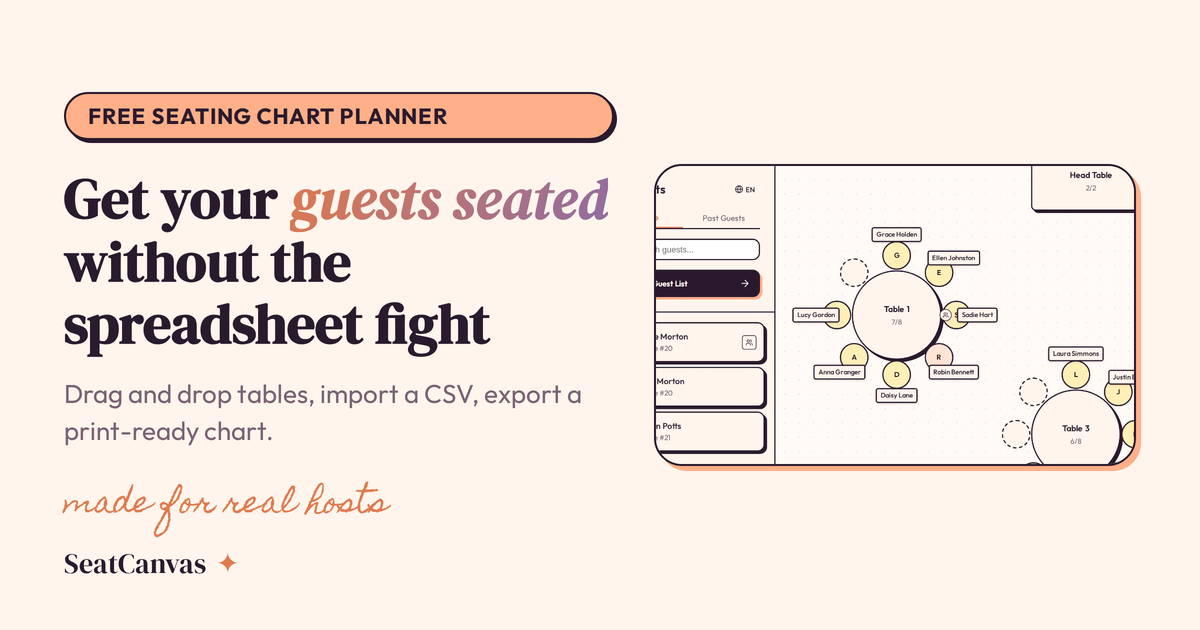
I built SeatCanvas while planning my own wedding, when our seating chart became a mess of spreadsheets. It is for couples, quinceañera families and planners who want a real floor plan, not a list. Draw your venue, drop in tables, import guests from Excel or CSV, set who can't sit together, and export a PDF for the venue. English and Spanish. Free up to 40 guests with no account; a one-time Event Pass unlocks unlimited guests. No subscription.
Competitors: TablePlanner, Weddinwire, The Knot, Aisle Planner
Follow SeatCanvas: X (Twitter)
Key Features
- Draw custom venue floor plans and position tables visually
- Import guest lists from Excel or CSV files
- Set seating constraints to keep incompatible guests apart
- Export seating arrangements as print-ready PDFs
- Use free tier for up to 40 guests without creating an account
- Access interface in English and Spanish
Use Cases
- Create a visual seating chart for a wedding venue instead of managing spreadsheets
- Plan quinceañera guest seating with drag-and-drop table placement
- Import a guest list and enforce separation rules between conflicting attendees
- Generate a PDF seating chart to hand to venue staff on event day
- Test seating arrangements for events under 40 guests at no cost
Who it is for
- Wedding and quinceañera planners organizing seating for guest lists
- Event coordinators running corporate events, galas and birthday or baby showers
- Hosts who want to replace sticky notes and spreadsheets with a visual seating chart
Pricing
Free plan seats up to 40 guests with the full canvas, guest import and PDF/PNG exports. A one-time $19.99 Event Pass unlocks unlimited guest seating, Smart Seat for every guest, and all exports.
FAQ
Is SeatCanvas free?
Yes. SeatCanvas is a free seating chart maker for up to 40 seated guests, with the full canvas, guest import and exports, plus a preview of Smart Seat, the AI seating assistant. For larger events, or to let Smart Seat seat every guest, a one-time Event Pass is $19.99.
What do I get with the Event Pass?
Unlimited guest seating, Smart Seat AI seating for every guest, full exports, and access until 30 days after your event date. No subscriptions.
What if the tool doesn't work for me?
We offer refunds within 7 days if the tool doesn't work as described. Test with 40 guests before paying.
How long can I access my seating chart?
Your data is available until 30 days after your event date, then stored for 30 more days before deletion.
Can I import my guest list from a spreadsheet?
Yes. Export your spreadsheet as a CSV file, upload it, and SeatCanvas maps your columns — names, dietary needs, table preferences, all of it. Guests appear in the sidebar ready to drag onto tables.
What types of tables can I create?
Round tables and rectangular tables, each with adjustable seat counts. Mix both in the same layout. Most venues use rounds for 8–10 and rectangles for head tables or long banquet setups.
Does SeatCanvas work for events besides weddings?
Absolutely. The seating chart creator works the same for quinceañeras, corporate dinners, galas, baby showers, and birthday parties. Any event with assigned seating.
How do I share my seating chart with vendors?
Export as PDF for a printable summary with your layout and full guest list. Use PNG for a high-resolution image. CSV gives your caterer or coordinator the raw guest data in spreadsheet format.
Do I need to download a program?
No. SeatCanvas runs in your browser — there is nothing to install and no program to download. It works on any laptop or tablet with an internet connection.
Why $19.99?
We keep pricing simple and fair for one-time events. Instead of a subscription, you pay once and get full access to plan your seating without ongoing fees.
Alternatives
 SeatChart.ioFor event planners: SeatChart.io organizes guest seating with drag-and-drop simplicity and QR codes so you eliminate manual coordination and print-ready chaos.
 TickettedFor event organizers: Ticketted powers ticketing with lowest fees, AI setup, instant QR codes, and analytics—free for free events.
 ClientPlotFor freelancers: ClientPlot replaces spreadsheets with a workspace for clients, projects, and tasks so you manage everything in one place.
More in Productivity
New on Launch Llama
Launched this week · This month's launches · All products A–Z
Ask AI about SeatCanvas
Supporters
1 founder
1 founder supported SeatCanvas on Launch Llama.
For bots & AI agents
Machine-readable versions of SeatCanvas and Launch Llama. Fetch these instead of parsing this page.
This listing (.md) llms.txt llms-full.txt ai.txt Full catalog (.md) Endpoint index API docs MCP server MCP manifest Developer docs