
ScreenDub
For product teams: ScreenDub converts screen recordings into polished demo videos with AI narration in 70+ languages so you ship faster.
Built by ScreenDub · Artificial Intelligence · Productivity · Freemium
In category: #970 of 2042 · Artificial Intelligence
ScreenDub is a Community listing on Launch Llama with 17 total upvotes, founded by ScreenDub who joined in Jul 2026, compared against 4 alternatives.
Community listing
Listing status
17upvotes
Community score
ScreenDub (Joined Jul 2026)
Founder
Compared against 4 alternatives
Market comparison
Launched on Launch Llama Jun 27, 2026 · #1 of 8 that day
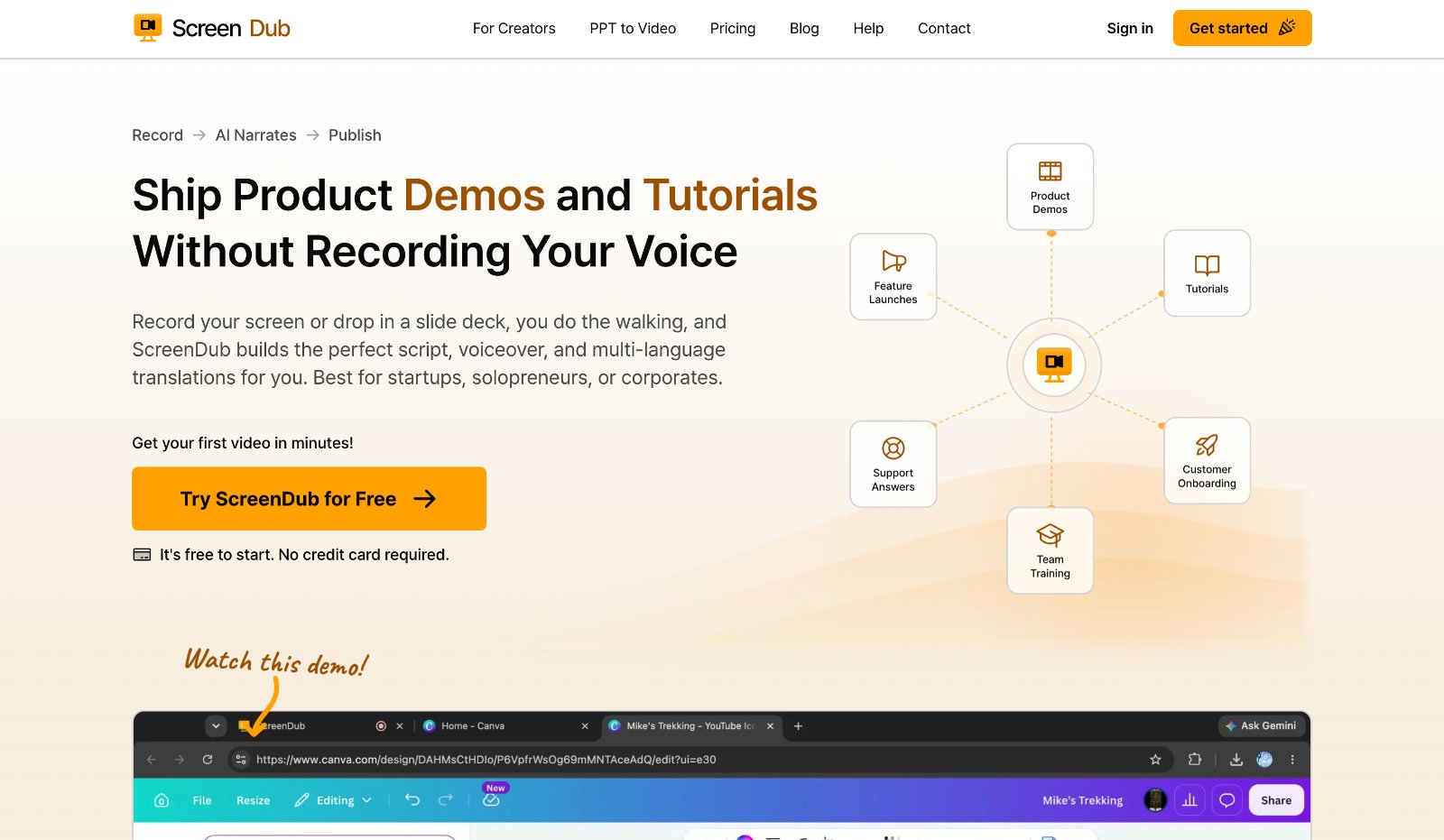
About
ScreenDub automatically converts screen recordings and slide decks into polished product demos, tutorials, and video documentation. The platform writes scripts, generates studio-grade narration, and exports videos in 70+ languages without manual voiceover recording or editing. It's designed for startups, teams, and creators to produce professional videos in minutes.
Use Cases
- Turning a silent screen recording of a software workflow into a narrated demo video with an AI-written script
- Producing localized tutorial videos in multiple languages without re-recording the voice-over for each one
- Generating a step-by-step PDF guide automatically from a recorded product walkthrough
Who it is for
- Training, enablement, support, and docs teams of any size
- Product teams shipping feature launches and SaaS onboarding videos
- Creators producing YouTube how-tos and university course content
Pricing
Start creating with 8 free minutes; no credit card required.
FAQ
Can we try it before paying?
Yes. The Free plan gives you 8 minutes of narration with no credit card and no sales call. Enough to produce a real demo or onboarding guide on your own content. Recordings run up to 6 minutes on Free, and up to 15 minutes on paid plans. Up to 2K resolution, so what you evaluate is the real thing. Free exports carry a small watermark; every paid plan removes it.
Is the narration polished enough to put in front of customers?
Yes. The voices are studio-grade and the narration lands on the exact moment each action happens on screen. A range of accents, genders and tones to match your brand. Preview any voice before committing, and switch later without re-recording. Prefer your own voice? Record with your microphone instead. Many teams use their own voice for flagship content and AI narration for the high-volume videos.
How much control do we have over the result?
Full control. Every recording becomes a structured, editable script. Rewrite any line to match your terminology. Trim, split or delete steps, then regenerate the narration in seconds. Set backgrounds, titles and captions, plus your own logo and brand color. Nothing is published until it reads and looks the way your team wants.
How does ScreenDub work for a team or a larger organization?
There is nothing for IT to install or provision, so a new teammate can ship their first video the same day they get access. Recording runs in the browser, with no download and no admin rights. Every plan has a monthly pool of minutes that refreshes automatically. Move tiers instantly when a launch spikes demand. Shared workspaces let a team work on the same projects. The workspace owner controls who is in it and can remove someone at any time. For larger organizations we scope custom plans around your usage and rollout.
Can we deliver the same content to a global audience?
Yes. One source recording translates and re-narrates into 80+ languages with a single click. No re-shooting, no subtitling by hand, no voice talent to hire per market. Each version keeps the same visuals and timing. A guide made once in English ships to every region on the same day.
What is ScreenDub?
ScreenDub is an AI product demo maker and tutorial video maker that turns a screen recording or slide deck into a narrated video. Record in the browser, or upload an MP4, WebM, MOV, PDF or PowerPoint. ScreenDub detects each on-screen action and writes the script for it. It voices the script naturally and syncs the narration to the video. Every project exports as a polished MP4 and a step-by-step PDF guide, with a screenshot for every step.
How much does ScreenDub cost?
ScreenDub has four plans, billed by narration minutes: Free at $0 with 8 free minutes, Creator at $14.99 per month for 50 minutes, Pro at $29.99 per month for 120 minutes, and Teams at $59.99 per month for 250 minutes. Annual plans cost $149, $299 and $599, which is about two months free. You pay for the video you ship, not the number of seats, and the Free plan needs no credit card.
Can I start for free?
Yes. The Free plan includes 8 free narration minutes with no credit card, which is enough to produce a real product demo, software tutorial, or piece of video documentation and run it past your team before you spend a dollar.
What do I get on Free, and what do paid plans add?
Free includes all 25 script styles, every voice and accent, and translation into 80+ languages. It adds a small watermark to exports, allows 3 exports per video and 5 written guides a month, has no custom branding or shared workspace, and every edit uses minutes. Paid plans remove the watermark, make exports and guides unlimited, add your own branding and a shared workspace, and make the first edit to each line free.
Which plan should I pick?
Creator suits one person who wants branded videos with no watermark: 50 minutes a month and room for 3 team members. Pro suits teams that publish every week: 120 minutes and up to 6 team members. Teams is for heavier output: 250 minutes and up to 10 team members. You can change tiers at any time.
Alternatives
 Pane studio For product teams: Pane Studio records your screen and edits videos with auto zoom and transcripts, so you ship polished demos and tutorials fast.
 video2docsFor teams creating documentation: Convert screen recordings into step-by-step guides with screenshots and auto-translation. Export as Markdown, PDF, or HTML.
More in Artificial Intelligence
New on Launch Llama
Launched this week · This month's launches · All products A–Z
Ask AI about ScreenDub
Supporters
11 founders
11 founders supported ScreenDub on Launch Llama.


For bots & AI agents
Machine-readable versions of ScreenDub and Launch Llama. Fetch these instead of parsing this page.
This listing (.md) llms.txt llms-full.txt ai.txt Full catalog (.md) Endpoint index API docs MCP server MCP manifest Developer docs