
Resus
Under reviewOne shortcut for 170+ offline Windows tools
Runs 170+ offline document and media operations, 60 FPS auto-zoom capture, and form autofill from one Ctrl+Alt+Space bar, so you can drop paid utilities.
Built by Faraz Rasool · Productivity · Desktop Apps · Freemium
Coming soon on Launch Llama Tools
Resus is a Community listing on Launch Llama with 0 total upvotes, founded by Faraz Rasool who joined in Nov 2026, compared against 2 alternatives.
Community listing
Listing status
0upvotes
Community score
Faraz Rasool (Joined Nov 2026)
Founder
Compared against 2 alternatives
Market comparison
Runs 170+ offline document and media operations, 60 FPS auto-zoom capture, and form autofill from one Ctrl+Alt+Space bar, so you can drop paid utilities.
About
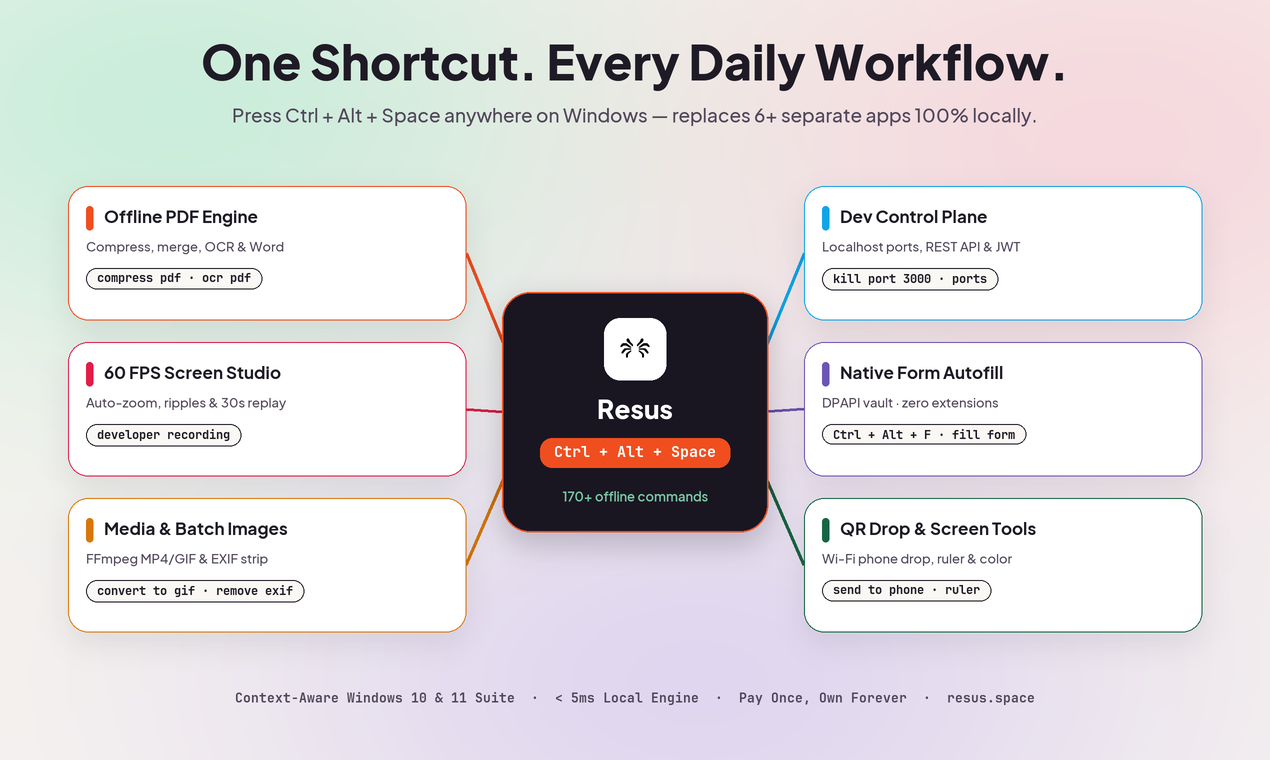
Resus is a native Windows app that opens from a single global hotkey and adapts its command bar to what you are doing. Its file, PDF, and media tools run entirely on your own machine, so there are no uploads or cloud subscriptions involved. Developers can inspect localhost ports and send REST requests from the same app, and a QR code handles phone transfer through Windows Hello.
Follow Resus: X (Twitter)
Key Features
- Open a context-aware command bar anywhere with Ctrl+Alt+Space
- Run 170+ offline PDF and media tools without uploading files
- Record screens with 60 FPS auto-zoom Screen Studio
- Inspect localhost ports and test REST APIs in a built-in client
- Autofill web forms without browser extensions
Use Cases
- Compress, merge, or convert PDFs and media files offline instead of using a cloud tool
- Record polished screen demos with automatic 60 FPS zoom on Windows 10 or 11
- Check which localhost ports are in use and send REST requests to a local service while debugging
From the founder
Who it's for
“Windows developers, indie makers, and power users tired of juggling 6 apps, cloud uploads, and monthly subscriptions”
About me
“I'm Faraz (@farazbuildsai), an indie software engineer building fast, local-first tools for windows. I created Resus after getting tired of juggling bloated apps, cloud PDF sites just to get everyday work done.”
Who it is for
- Windows users who want to replace several bloated utilities and cloud subscriptions
- Developers testing localhost services and REST APIs on Windows
Pricing
$7.50
FAQ
What is Resus?
Runs 170+ offline document and media operations, 60 FPS auto-zoom capture, and form autofill from one Ctrl+Alt+Space bar, so you can drop paid utilities.
How does Resus work?
Resus is a native Windows app that opens from a single global hotkey and adapts its command bar to what you are doing. Its file, PDF, and media tools run entirely on your own machine, so there are no uploads or cloud subscriptions involved. Developers can inspect localhost ports and send REST requests from the same app, and a QR code handles phone transfer through Windows Hello.
Who is Resus for?
Resus is designed for a range of users, including: • Windows users who want to replace several bloated utilities and cloud subscriptions • Developers testing localhost services and REST APIs on Windows
What can you do with Resus?
With Resus you can: • Compress, merge, or convert PDFs and media files offline instead of using a cloud tool. • Record polished screen demos with automatic 60 FPS zoom on Windows 10 or 11. • Check which localhost ports are in use and send REST requests to a local service while debugging.
Is Resus free?
Yes. Resus offers a free plan plus paid tiers. See the website for current pricing.
Alternatives
More in Productivity
New on Launch Llama
Launched this week · This month's launches · All products A–Z
Ask AI about Resus
For bots & AI agents
Machine-readable versions of Resus and Launch Llama. Fetch these instead of parsing this page.
This listing (.md) llms.txt llms-full.txt ai.txt Full catalog (.md) Endpoint index API docs MCP server MCP manifest Developer docs