In category: #702 of 1134 · SaaS
QueryInbox is a Community listing on Launch Llama with 4 upvotes from 4 founders, founded by QueryInbox who joined in Oct 2026, compared against 5 alternatives.
Community listing
Listing status
4upvotes
Community score
QueryInbox (Joined Oct 2026)
Founder
Compared against 5 alternatives
Market comparison
Launched on Launch Llama Oct 12, 2026 · #102 of 197 that day
About
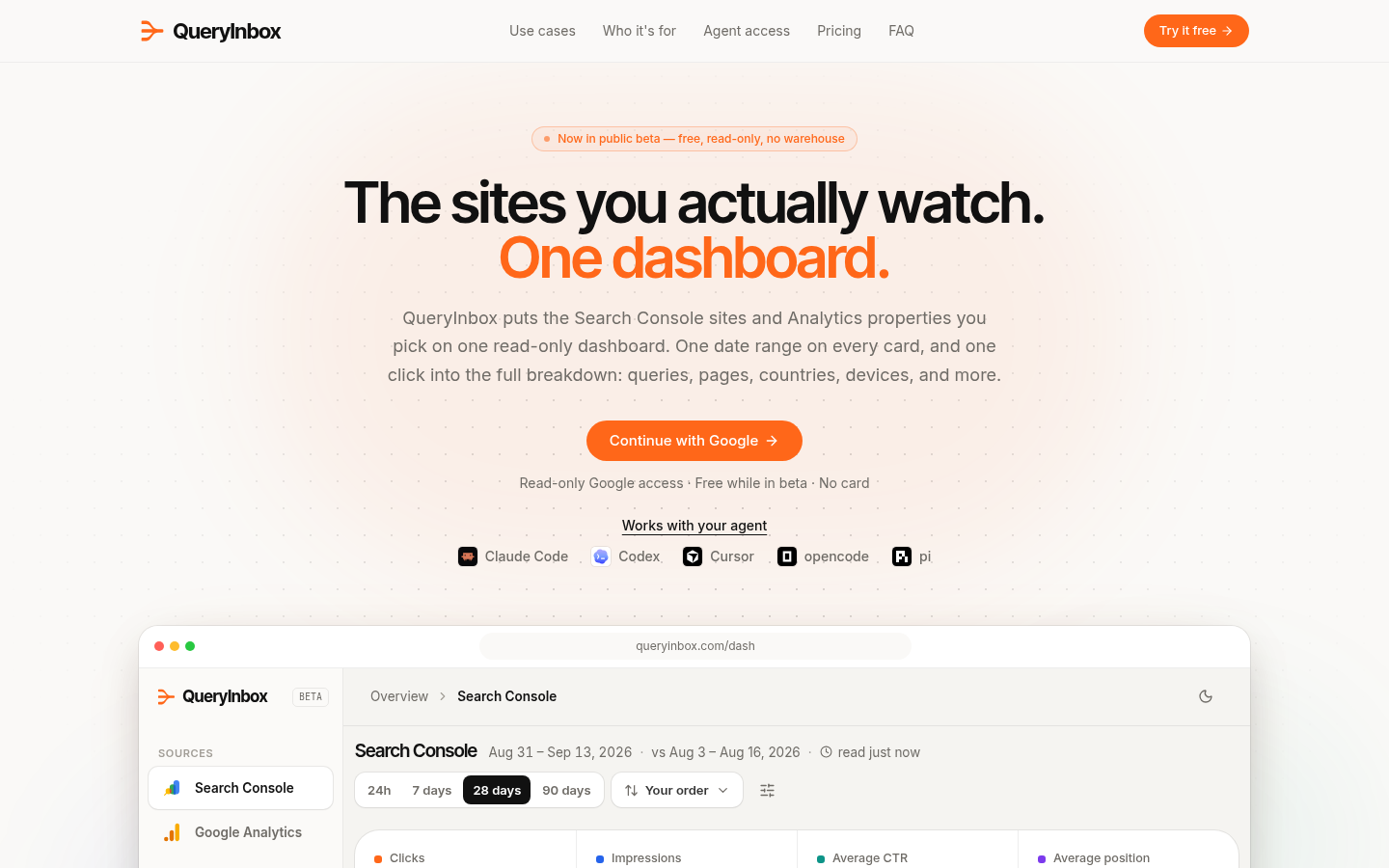
QueryInbox puts Google Search Console and Google Analytics side by side in one read-only dashboard. Pick the sites you watch, set one date range that applies to every card, and dig into queries, pages, countries and devices without switching tools. Built for founders, SEOs and marketers who monitor multiple sites.
Use Cases
- Run a morning check of Search Console and Google Analytics across every site you watch, on one dashboard with a shared date range
- Compare traffic dips across several properties side by side, such as a docs site versus a blog, using the same date range on every card
- Find which page or query lost clicks in a chosen period without building a manual comparison in Google's native tools
Who it is for
- Solo SEOs who manage several sites and want one portfolio view.
- Freelancers and consultants who need to answer client traffic questions quickly without screen-sharing native Search Console.
- Small agencies that manage multiple client properties and want them on one dashboard before client calls or reports.
Pricing
Free while in beta, read-only, with no card required.
FAQ
What does QueryInbox actually do?
It shows the Search Console sites and Google Analytics properties you pick as one dashboard of cards. Every card uses the same date range: clicks, impressions, average CTR, and average position for Search Console; users, sessions, bounce rate, and key events for Analytics. Open a title for the full query, page, country, device, search-appearance, landing, or source table.
Can my AI agent read this data too?
Yes. Every account can mint read-only keys in Settings → Agent access and point them at any MCP client; there is also a plain REST API and an installable skill for agents that only run shell commands. A key carries the same read-only Google scopes you granted QueryInbox, and you can revoke it at any time.
Which Google permissions does it request?
Read-only Search Console access, read-only Google Analytics access, and your email address so we know who is signed in. QueryInbox cannot change anything in your Google account.
Do you store my Search Console or Analytics data?
No report data is stored. We keep exactly one thing for you: the list of sites and properties you picked, so the dashboard knows what to draw. Every number is read from the Google APIs at request time and never copied into a warehouse. A report is re-read from Google after 5 to 15 minutes (realtime every minute), so repeat views are instant in between — that is a cache, not a history, and Refresh re-reads Google. Logging out ends the browser session. Disconnect Google in Settings removes the stored tokens (and any agent keys); your site list stays.
Why can't I see both sources at once?
They do not share metrics. Search Console counts queries and pages; Analytics counts landings and sessions. Putting them in the same columns would invite false comparisons, so the dashboard shows one source at a time and redraws when you switch.
How many properties can I watch?
As many as you want. You choose your sites on first sign-in, and Settings is where you add or remove them later. There is no per-source limit in the beta.
How fresh is the data?
It comes straight from the Google APIs when the dashboard loads, so Google's own reporting lag applies. On Search Console the 24-hour view is rolling: it shows the latest 24 hours Google has data for, so the newest hours keep filling in as they finalize. Analytics reports by the day, so its shortest view is today.
Is it really free?
Yes, while QueryInbox is in public beta. No card and no trial countdown. When the beta ends, a paid plan will be introduced and beta accounts will hear about it before anything changes.
How do I disconnect?
Logging out only ends the browser session. To remove the stored Google access and revoke every agent key, use Disconnect Google in Settings, or revoke access for QueryInbox from your Google account permissions page. Either way, QueryInbox stops reading your data immediately.
Alternatives
 HyperGSCAnalyze Google Search Console performance through AI assistants using remote MCP and OAuth. Free and paid plans available.
 UpSearchFor marketers: UpSearch unifies Search Console, GA4, and SERP data so you prioritize SEO work and climb rankings faster.
More in SaaS
New on Launch Llama
Launched this week · This month's launches · All products A–Z
Ask AI about QueryInbox
Supporters
4 founders
4 founders contributed 4 upvotes to QueryInbox on Launch Llama.



For bots & AI agents
Machine-readable versions of QueryInbox and Launch Llama. Fetch these instead of parsing this page.
This listing (.md) llms.txt llms-full.txt ai.txt Full catalog (.md) Endpoint index API docs MCP server MCP manifest Developer docs