PixDazzle
Free browser-based photo effects, no uploads
Transform photos with 15 creative effects and 11 image tools—cartoonize, sketch, mosaic, pixelate, and more—all processed privately in your browser with zero signup required.
Built by Yuyu · Design Tools · Free
In category: #283 of 447 · Design Tools
PixDazzle is a Community listing on Launch Llama with 3 upvotes from 3 founders, founded by Yuyu who joined in Oct 2026, compared against 4 alternatives.
Community listing
Listing status
3upvotes
Community score
Yuyu (Joined Oct 2026)
Founder
Compared against 4 alternatives
Market comparison
Launched on Launch Llama Oct 5, 2026 · #101 of 165 that day
About
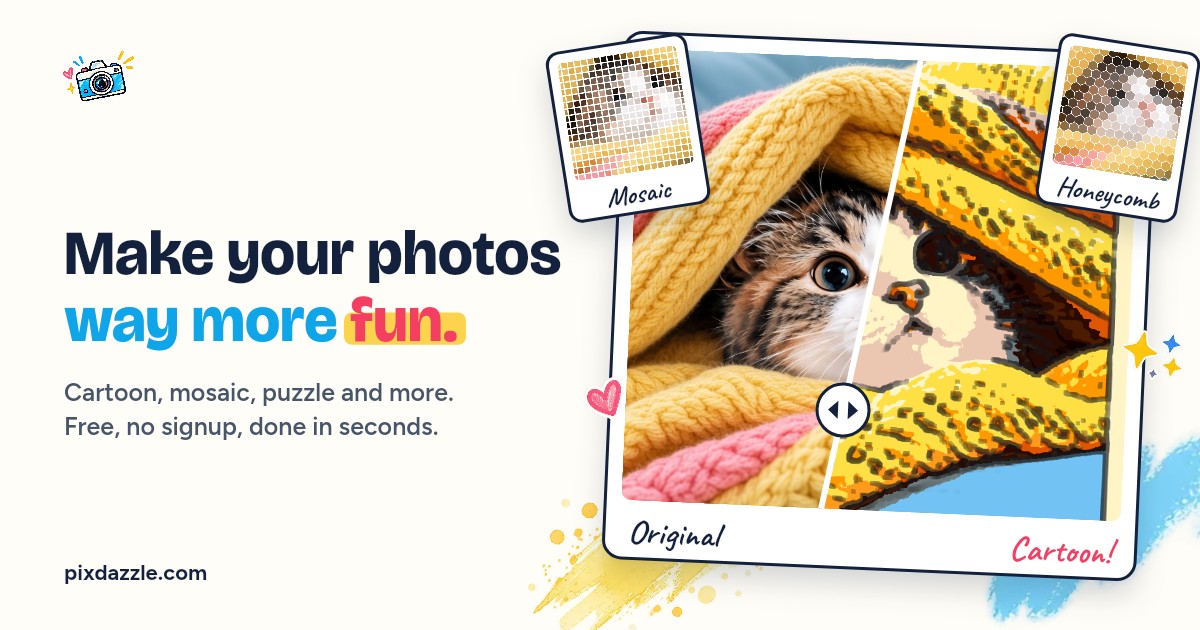
PixDazzle runs entirely client-side, meaning your images never leave your device. Choose from effects like Cartoonize, Watercolor, Sketch, Pop Art, and Pixel Art, then adjust with live preview before exporting as PNG, JPEG, or WebP. The platform also includes practical image tools for resizing, compressing, converting formats, blurring, and converting to line art—all with instant visual feedback.
Key Features
- Apply 15 creative effects (cartoonize, watercolor, sketch, pop art, mosaic, pixel art, light leak, a
- Access 11 image tools including resize, compress, blur, pixelate, crop, and format conversion (PNG/J
- Process all images locally in your browser, no uploads, no server storage, 100% private
- Export edited photos in PNG, JPEG, or WebP format at custom dimensions
- Use without signup, login, or account creation required
Use Cases
- Turning a personal photo into a cartoon, watercolor, or sketch-style image without installing software
- Creating mosaic, pixel art, or puzzle-style versions of photos for social posts or gifts
- Resizing, compressing, or converting image formats such as PNG, JPG, and WebP directly in the browser
Who it is for
- Hobbyists and social media users who want quick creative effects on their photos.
- People who need to shrink, crop, or convert images but prefer not to upload files to a server.
- Artists and parents looking for line art or coloring-page style outlines from photos.
Pricing
PixDazzle is free to use. See the website for details.
FAQ
Is PixDazzle free to use?
Yes. Core effects and tools are free in your browser with no account required. Optional paid features may arrive later for power users.
Does PixDazzle upload my photos?
For local effects, your image stays on your device. PixDazzle does not receive your photo bytes for those flows.
What image formats can I use?
JPEG, PNG, and WebP are supported at launch. If a file cannot be decoded in your browser, we show a clear error instead of failing silently.
Can I use PixDazzle on my phone?
Yes. The editor is built mobile-first so you can upload, preview, and download from modern mobile browsers.
How do I get started?
Pick an effect or tool, upload a photo on that page, adjust the controls, then download your result. The homepage highlights popular starting points.
What is PixDazzle?
Transform photos with 15 creative effects and 11 image tools—cartoonize, sketch, mosaic, pixelate, and more—all processed privately in your browser with zero signup required.
Alternatives
 NoUploadConverterHelps privacy-minded users convert, compress, and edit images, PDFs, videos, and audio in the browser, with files processed in device memory and never sent to a server.
More in Design Tools
New on Launch Llama
Launched this week · This month's launches · All products A–Z
Ask AI about PixDazzle
Supporters
3 founders
3 founders contributed 3 upvotes to PixDazzle on Launch Llama.


Reviews
1 comment
Lets go man, nice little app.
For bots & AI agents
Machine-readable versions of PixDazzle and Launch Llama. Fetch these instead of parsing this page.
This listing (.md) llms.txt llms-full.txt ai.txt Full catalog (.md) Endpoint index API docs MCP server MCP manifest Developer docs