Piknova
Free image tools that keep your photos on your device
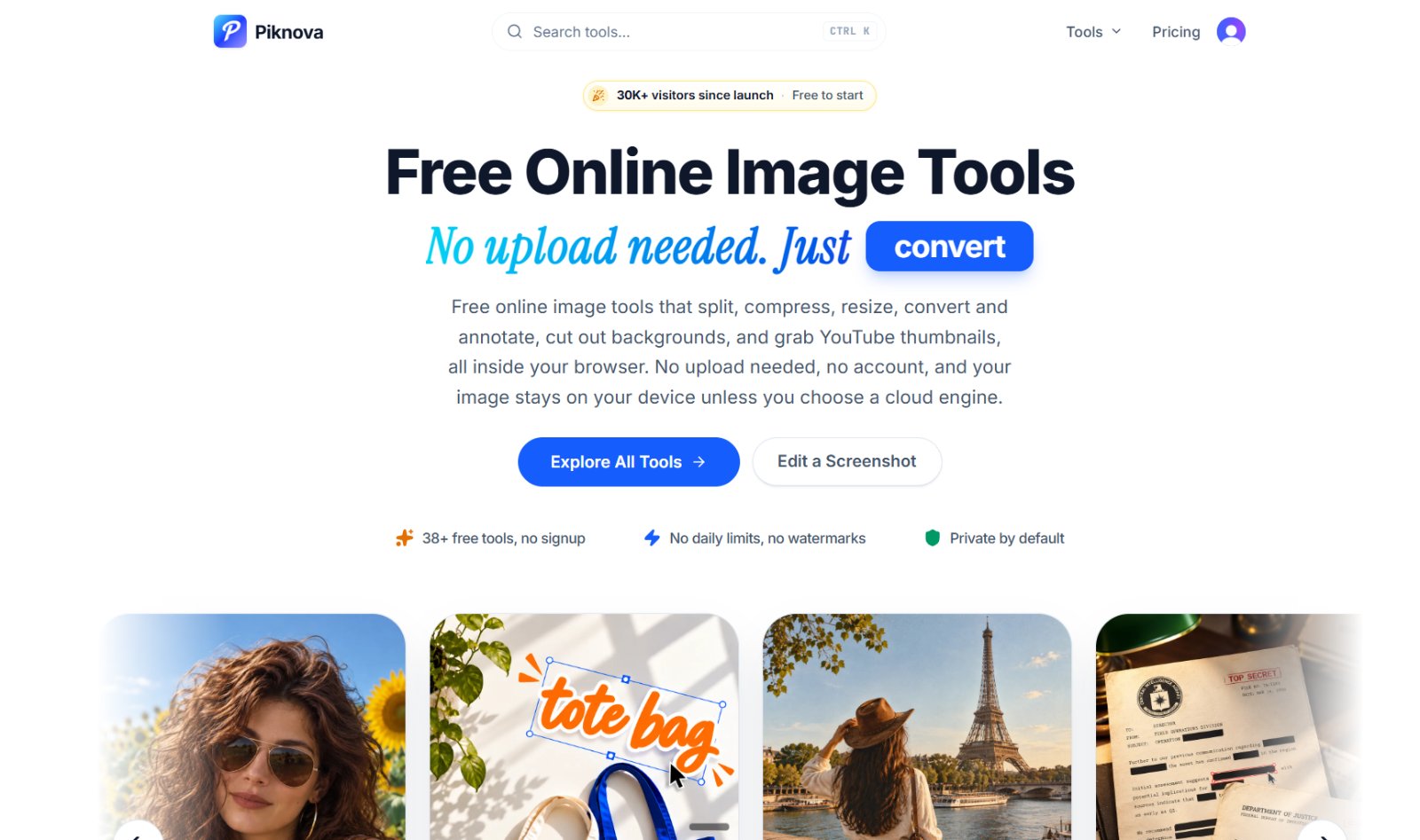
Lets creators and privacy-minded users split, compress, resize and convert images in the browser without uploading files, so they skip watermarks and sign-up.
Built by Sahil Lamba · Photo & Video · Free
In category: #10 of 15 · Photo & Video
Piknova is a Community listing on Launch Llama with 3 total upvotes, +2 in the week of Nov 4–Nov 10, 2026, founded by Sahil Lamba who joined in Nov 2026, compared against 5 alternatives.
Community listing
Listing status
3upvotes
+2 · Nov 4–Nov 10, 2026
Community score
Sahil Lamba (Joined Nov 2026)
Founder
Compared against 5 alternatives
Market comparison
Launched on Launch Llama Nov 2, 2026 · #62 of 84 that day
About
Each tool opens straight onto a file picker, and the AI background remover downloads its model to your browser so the cutout happens locally. Cloud processing is only used if you explicitly choose a cloud engine. The toolset also covers an Image Merger for collage layouts, a Redacted Text Generator that turns text into copyable black bars, a Screenshot Editor for annotations, and downloaders for YouTube thumbnails, banners, profile pictures and Shorts thumbnails.
Key Features
- Split large images into tiles for Instagram grids, X posts and LinkedIn carousels
- Compress images to an exact target size in KB, such as 25 KB or 100 KB
- Remove image backgrounds and download transparent PNGs in the browser
- Resize images by pixels, cm, mm or inches with the aspect ratio locked
- Download YouTube thumbnails, banners, profile pictures and Shorts thumbnails at full size
Use Cases
- Cutting a large photo into tiles for an Instagram grid or LinkedIn carousel post
- Compressing an image to an exact file size like 100 KB before submitting it to a form
- Blacking out sensitive text in a screenshot before sharing it
Who it is for
- Social media creators preparing Instagram grids, X posts, LinkedIn carousels and YouTube thumbnails
- People who do not want their images uploaded to third-party servers
Pricing
Piknova is free to use. See the website for details.
FAQ
What is Piknova?
Lets creators and privacy-minded users split, compress, resize and convert images in the browser without uploading files, so they skip watermarks and sign-up.
How does Piknova work?
Each tool opens straight onto a file picker, and the AI background remover downloads its model to your browser so the cutout happens locally. Cloud processing is only used if you explicitly choose a cloud engine.
Who is Piknova for?
Piknova is designed for a range of users, including: • Social media creators preparing Instagram grids, X posts, LinkedIn carousels and YouTube thumbnails • People who do not want their images uploaded to third-party servers
What can you do with Piknova?
With Piknova you can: • Cutting a large photo into tiles for an Instagram grid or LinkedIn carousel post. • Compressing an image to an exact file size like 100 KB before submitting it to a form. • Blacking out sensitive text in a screenshot before sharing it.
Is Piknova free?
Yes. Piknova is free to use. See the website for details.
Alternatives
 ToolbantuGives developers and everyday users image, text and JSON tools that run locally, keeping files and data on-device for quick, private results.
More in Photo & Video
New on Launch Llama
- 10ML Perfume Finder
- SunDots
- Image to Video 2.0
- Cascade Scout
- AgentCraft
- Secure Folder: Privacy Vault
- 1ai.tools
- Fix42
Launched this week · This month's launches · All products A–Z
Featured in
- The 14 Best Photo Editing Tools in 2026 (Compared) — ranked #5
- The 14 Best Photo & Video Tools in 2026 (Compared) — ranked #10
Ask AI about Piknova
Supporters
2 founders
2 founders supported Piknova on Launch Llama.
For bots & AI agents
Machine-readable versions of Piknova and Launch Llama. Fetch these instead of parsing this page.
This listing (.md) llms.txt llms-full.txt ai.txt Full catalog (.md) Endpoint index API docs MCP server MCP manifest Developer docs