On Launch Llama

Pokey
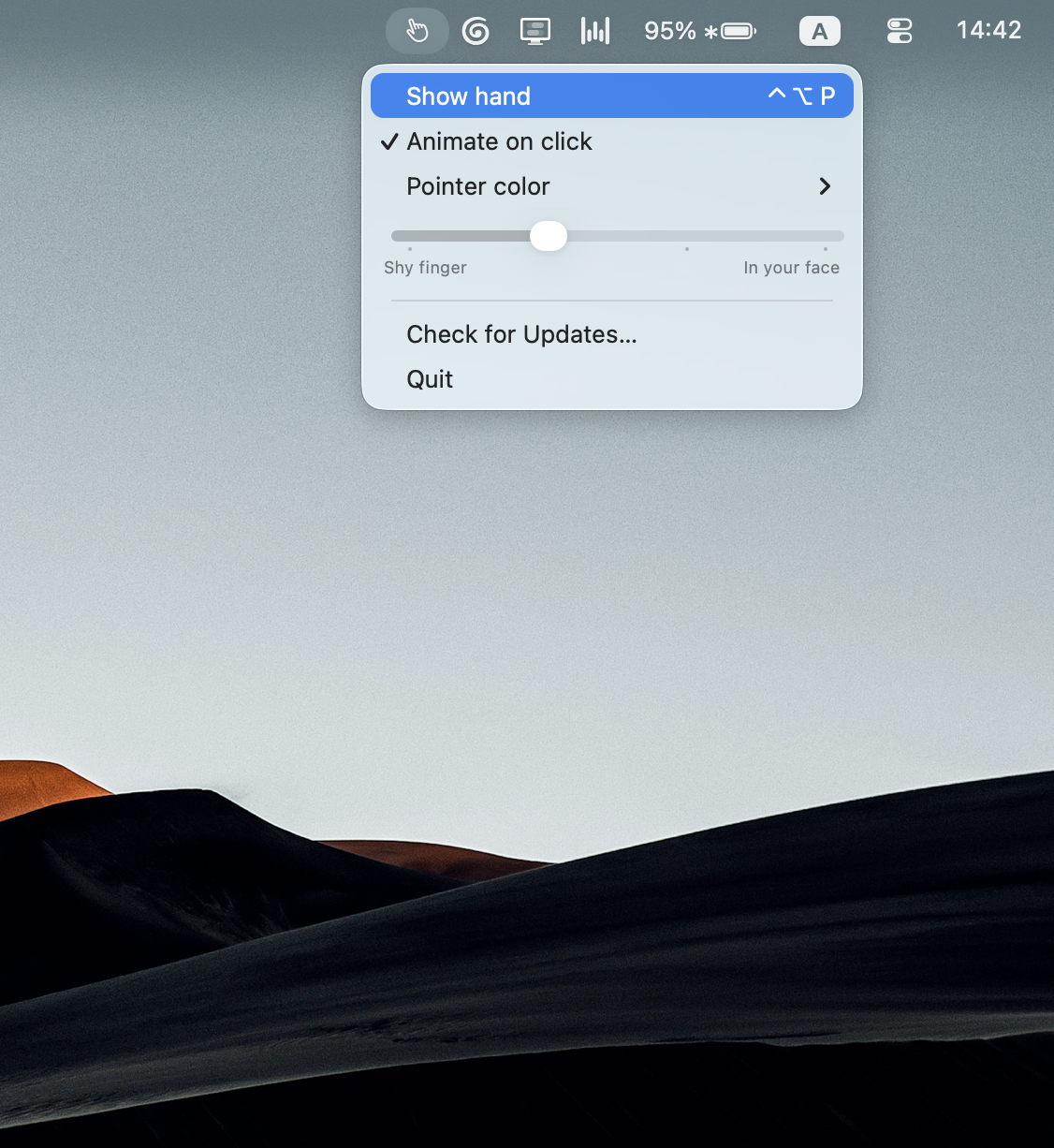
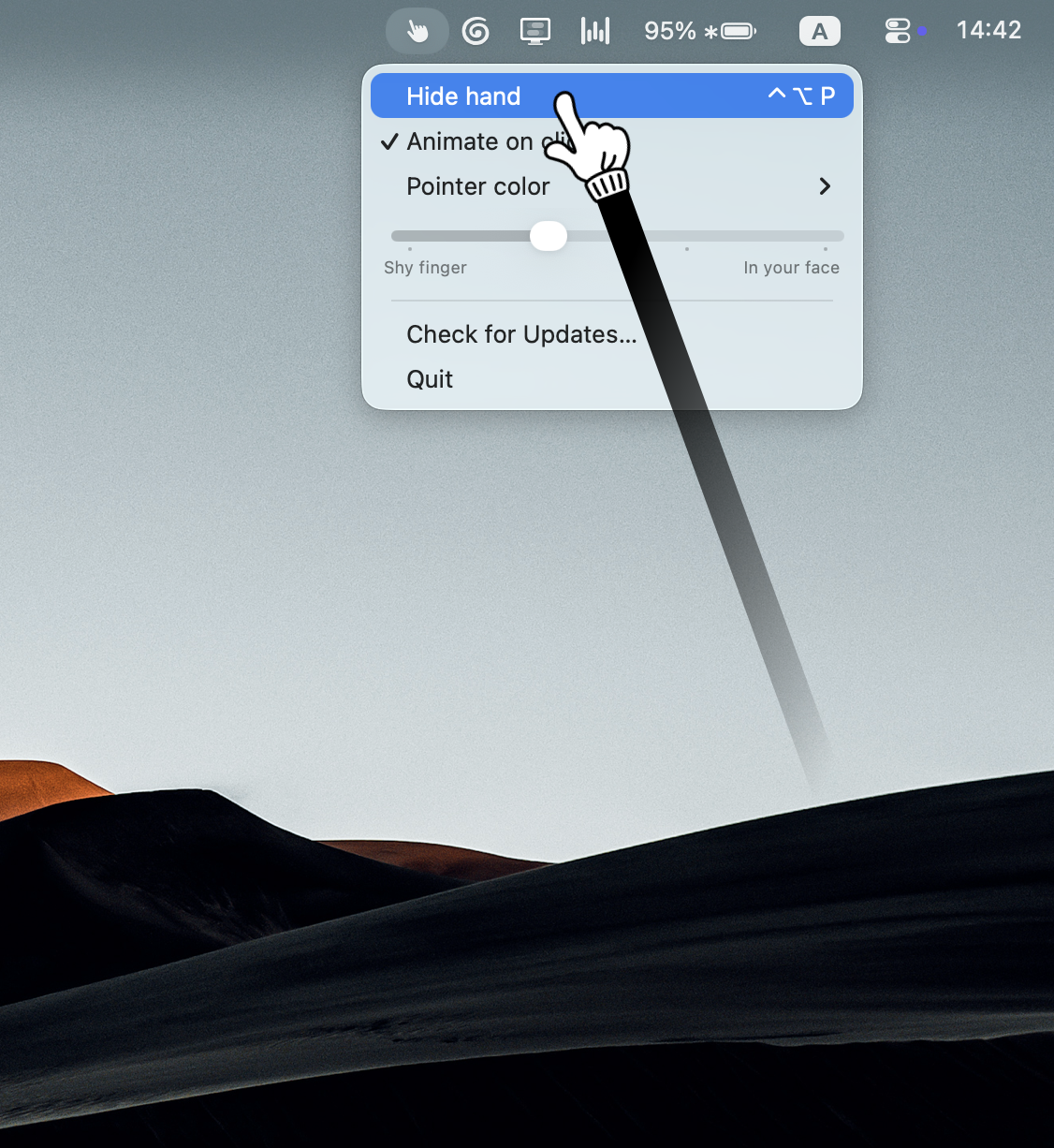
For remote presenters: Pokey animates your cursor into an expressive hand pointer so your audience stays engaged during Zoom and Meet calls.
Built by Mike Kosenkov
Productivity Design Tools Freemium
Visit website → Upvotes · 98
In category: #739 of 1867 · Productivity
Pokey is a Instant Launch listing on Launch Llama with 98 total upvotes across 93 founder supporters, founded by Mike Kosenkov who joined in Jul 2026, compared against 6 alternatives.
Instant Launch listing
Listing status
98upvotes
Community score
Mike Kosenkov (Joined Jul 2026)
Founder
Compared against 6 alternatives
Market comparison

Real numbers
90d
-
9,840
Views
-
31
Visitors
-
0
Clicks
Public Launch Llama traffic for this listing.
Key Features
- Delivers keep your audience engaged and make remote calls actually fun
- Surfaces Fully visible during live calls and video recordings
- Surfaces Taps along dynamically, matching your clicking energy
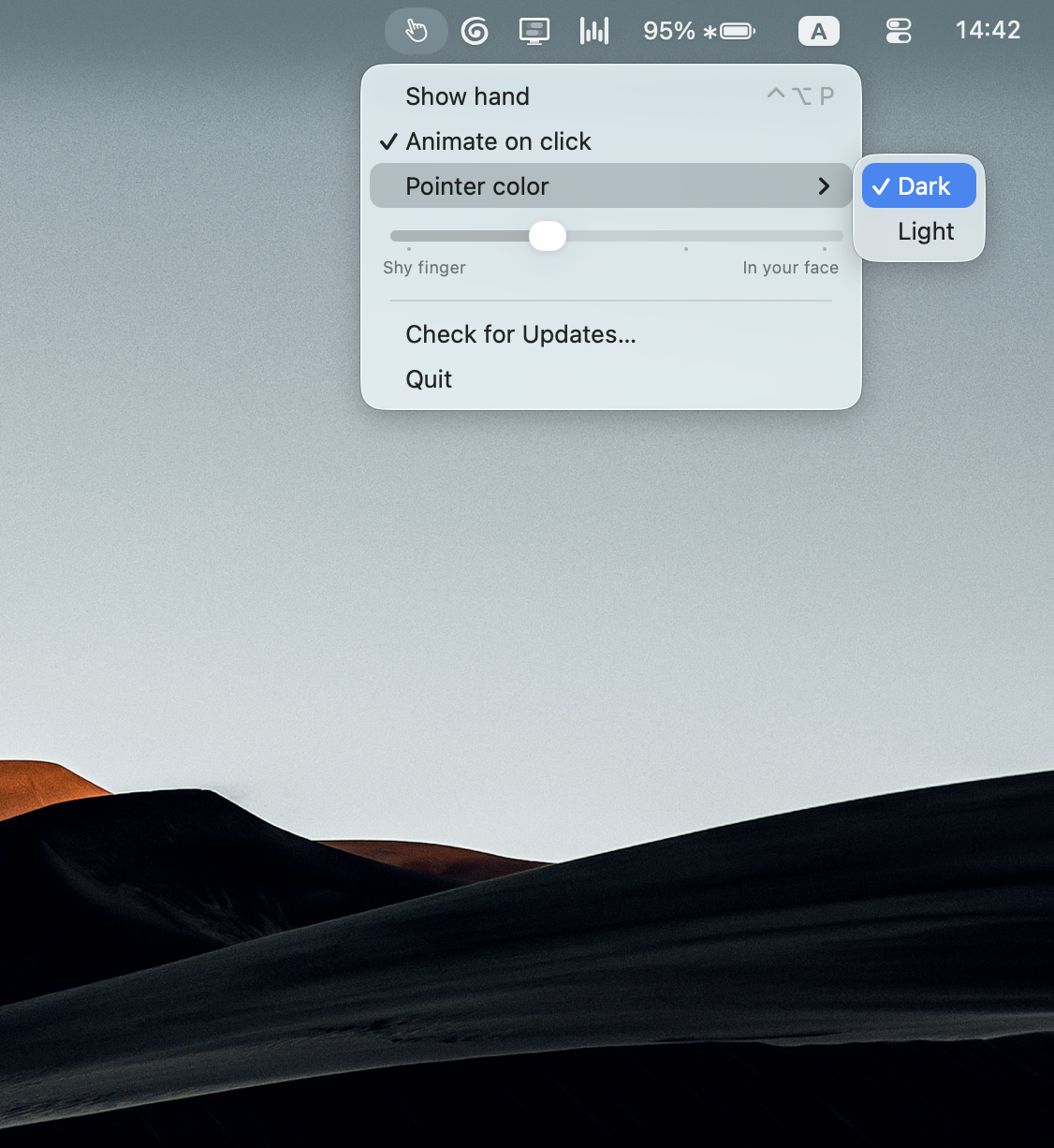
- Surfaces Comes with both light and dark versions of the pointer to fit your style
About
Keep your audience engaged and make remote calls actually fun. Pokey turns your Mac cursor into an animated, attention-grabbing hand pointer that taps whenever you click. Perfect for Zoom, Google Meet, and Loom. It emotionally taps along and grows more expressive as you click faster, matching your energy in real time.
Who it is for
Perfect for anyone who spends their day presenting on Zoom, recording tutorials, or sharing their screen
- Pokey is for anyone working remotely
Use Cases
- Deliver unforgettable product demos and pitches that close deals
Pricing
Free with a watermark. A one-time $9.99 purchase removes it completely.
Verdict
In the competitive productivity space, Pokey stands out as a solid option. It's gaining traction among users who value simplicity and results. Keep your audience engaged and make remote calls actually fun. If an animated, expressive cursor pointer for your remote calls is a priority for your team, it's worth giving Pokey a closer look.
FAQ
What is Pokey?
Keep your audience engaged and make remote calls actually fun. Pokey turns your Mac cursor into an animated, attention-grabbing hand pointer that taps whenever you click. Perfect for Zoom, Google Meet, and Loom. It emotionally taps along and grows more expressive as you click faster, matching your energy in real time.
Who is Pokey for?
Perfect for anyone who spends their day presenting on Zoom, recording tutorials, or sharing their screen • Pokey is for anyone working remotely
What problem does Pokey solve?
Pokey is built around this outcome: For remote presenters: Pokey animates your cursor into an expressive hand pointer so your audience stays engaged during Zoom and Meet calls. Use the site demo or docs to confirm it matches the bottleneck you are trying to remove.
What are the main features of Pokey?
Pokey includes: • Keep your audience engaged and make remote calls actually fun • Screen Share & Recording Ready: Fully visible during live calls and video recordings • Expressive Animations: Taps along dynamically, matching your clicking energy • Light & Dark Styles: Comes with both light and dark versions of the pointer to fit your style
Is Pokey free to start?
Free with a watermark. A one-time $9.99 purchase removes it completely. Most freemium tools let you validate the workflow before upgrading — check what the free tier unlocks for your use case.
How much does Pokey cost?
Free with a watermark. A one-time $9.99 purchase removes it completely.
What are the best alternatives to Pokey?
People comparing options often look at Cursor Pro, Mousepose, Presentation Assistant, Pointer Focus. Pick based on workflow fit, pricing, and how painful migration would be — not just feature checklists.
Is Pokey worth trying?
It promises: For remote presenters: Pokey animates your cursor into an expressive hand pointer so your audience stays engaged during Zoom and Meet calls. A concrete use case founders care about: Deliver unforgettable product demos and pitches that close deals. It has 98 community upvotes on Launch Llama, which is a signal of interest — not a guarantee it fits you. Worth trying if that problem is painful for you this week; skip it if you only need a one-off workaround you already have.
How do I try Pokey?
Open the official Pokey website from this page, run the smallest real task you care about (not a toy demo), and decide in one session whether it removes friction. Check pricing and data/privacy terms before you put production work into it.
Alternatives
- Touchy
For iPhone users: Touchy answers quick questions via voice AI so you stay present without staring at your screen Touchy keeps the workflow clear so you ship outcomes with less busywork.
- Presentify
For presenters: Presentify annotates your screen, highlights your cursor, and zooms in on key areas so your audience stays focused during Zoom calls and slide decks.
- Twistly
For presenters: Twistly generates PowerPoint slides from text automatically so you create polished decks in minutes instead of hours.
- Assistly
For meeting participants: Assistly overlays real-time guidance during calls with zero bot joins so you stay focused and get private notes after.
- GhostPrompter
For presenters: GhostPrompter displays your script in a click-through overlay so you read naturally without losing eye contact during recordings, webinars, or live presentations.
- Tellie · The Mac Teleprompter That Follows Your Voice
For presenters: Tellie scrolls your script as you speak, changes slides, and hides notes in your notch so you maintain eye contact with your camera.
Supporters
93 founders93 founders contributed 98 upvotes to Pokey on Launch Llama.


Reviews
5.0 · Based on 21 reviews
Pokey Breakdown has great potential! A few improvements could make it even better. I'd love to share my feedback and suggestions. WhatsApp: https://wa.me/447307349530 Telegram: t.me/rforrank
So much fun!
An interesting app
Super app. Recommended!
Nice 👍
Mike the best 🫶
Make a pointer. Put a big finger on 🔥
Be a teacher with a long pointer!
Well, my colleagues were surprised. Like it!
It’s siiiick 😀
very very good !
Pretty cool little tool
Ask AI
ChatGPT Claude Perplexity Grok
For agents
llms.txt · llms-full.txt · ai.txt · Live fact sheet · Full catalog (.md) · Endpoint index · API spec · REST access · Agent server · Server manifest · Server discovery