NoUploadConverter
100% In-Browser File Converter with Zero Server Uploads
Helps privacy-minded users convert, compress, and edit images, PDFs, videos, and audio in the browser, with files processed in device memory and never sent to a server.
Built by Agenda Creativa · Free
NoUploadConverter is a Community listing on Launch Llama with 2 upvotes from 2 founders, founded by Agenda Creativa who joined in Oct 2026, compared against 4 alternatives.
Community listing
Listing status
2upvotes
Community score
Agenda Creativa (Joined Oct 2026)
Founder
Compared against 4 alternatives
Market comparison
Launched on Launch Llama Oct 26, 2026 · #112 of 114 that day
About
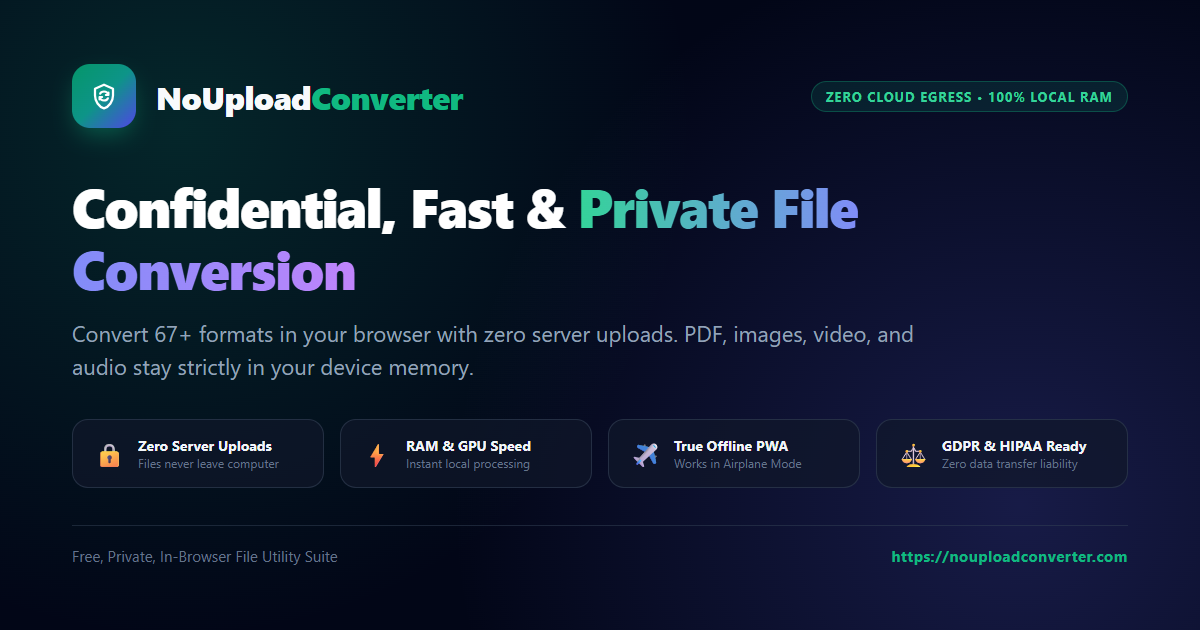
The site groups 67 tools into image, PDF, video, audio, GIF, and archive categories, including WebP to JPG, HEIC to PNG, PDF merge and split, and MP4 to MP3. It can be installed as a PWA on desktop or mobile and keeps working offline once loaded, because processing runs on the device's own hardware. The tools are free, with unlimited file size and no paid plans shown on the page.
Key Features
- Converts WebP, HEIC, JFIF, and SVG images to JPG, PNG, or SVG formats
- Compresses PDFs up to 85% and images up to 80% with live preview
- Merges, splits, rotates, and reorders PDF pages directly in the browser
- Processes files in device memory so nothing is uploaded to a server
- Installs as a PWA with offline access to its full set of 67 tools
Use Cases
- Converting iPhone HEIC photos to JPG or PNG without sending personal photos to a cloud service
- Shrinking a heavy PDF or photo to meet an upload size limit for a form or email
- Merging several PDFs into one document and removing unwanted pages before sharing
Who it is for
- People who want to avoid uploading sensitive personal or work files to third-party converter sites
- iPhone users converting HEIC photos to universally supported formats
Pricing
NoUploadConverter is free to use. See the website for details.
FAQ
What is NoUploadConverter?
Helps privacy-minded users convert, compress, and edit images, PDFs, videos, and audio in the browser, with files processed in device memory and never sent to a server.
How does NoUploadConverter work?
The site groups 67 tools into image, PDF, video, audio, GIF, and archive categories, including WebP to JPG, HEIC to PNG, PDF merge and split, and MP4 to MP3. It can be installed as a PWA on desktop or mobile and keeps working offline once loaded, because processing runs on the device's own hardware. The tools are free, with unlimited file size and no paid plans shown on the page.
Who is NoUploadConverter for?
NoUploadConverter is designed for a range of users, including: • People who want to avoid uploading sensitive personal or work files to third-party converter sites • iPhone users converting HEIC photos to universally supported formats
What can you do with NoUploadConverter?
With NoUploadConverter you can: • Converting iPhone HEIC photos to JPG or PNG without sending personal photos to a cloud service. • Shrinking a heavy PDF or photo to meet an upload size limit for a form or email. • Merging several PDFs into one document and removing unwanted pages before sharing.
Is NoUploadConverter free?
Yes. NoUploadConverter is free to use. See the website for details.
Alternatives
 FilevaleOffers 108 free tools for HEIC photos, PDF merging and signing, Word and Excel conversion, video compression and QR codes, all processed locally in the browser for privacy-minded users.
 File Converter FreeFor anyone: File Converter Free converts 215+ file formats and handles PDFs and images in-browser so you skip signup and get results fast.
New on Launch Llama
Launched this week · This month's launches · All products A–Z
Featured in
- The 9 Best PDF Editor Tools in 2026 (Compared) — ranked #7
Ask AI about NoUploadConverter
Supporters
2 founders
2 founders contributed 2 upvotes to NoUploadConverter on Launch Llama.


Third-party sources
- NoUploadConverter – In-browser file converter running 100% in RAM
Hacker News · October 25, 2026 · 2 points
For bots & AI agents
Machine-readable versions of NoUploadConverter and Launch Llama. Fetch these instead of parsing this page.
This listing (.md) llms.txt llms-full.txt ai.txt Full catalog (.md) Endpoint index API docs MCP server MCP manifest Developer docs