PhotoToSTL
Under reviewAI image to STL converter: photos into 3D prints
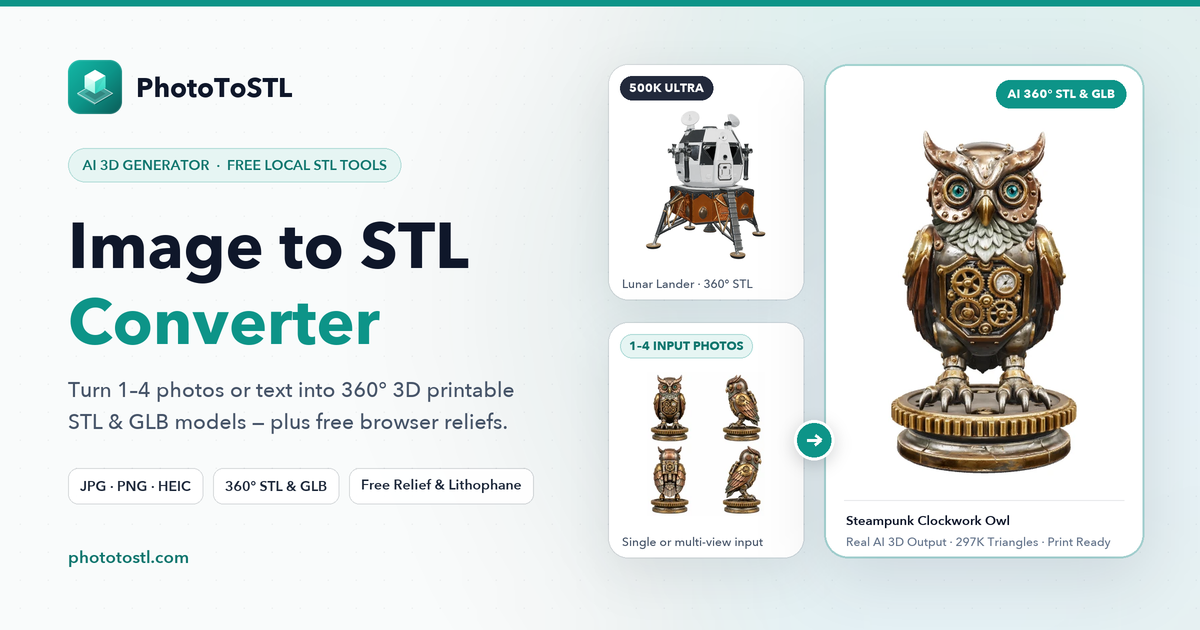
Helps makers, hobbyists, and 3D printing fans turn 1–4 photos or a text prompt into 360° printable STL and GLB models with AI, or use free browser tools for reliefs and cookie cutters.
Built by Blanky Zanchez · Design Tools · Freemium
Coming soon on Launch Llama Tools
PhotoToSTL is a Community listing on Launch Llama with 0 total upvotes, founded by Blanky Zanchez who joined in Nov 2026, compared against 4 alternatives.
Community listing
Listing status
0upvotes
Community score
Blanky Zanchez (Joined Nov 2026)
Founder
Compared against 4 alternatives
Market comparison
Helps makers, hobbyists, and 3D printing fans turn 1–4 photos or a text prompt into 360° printable STL and GLB models with AI, or use free browser tools for reliefs and cookie cutters.
About
Users upload one photo or up to four angles, including phone shots sent through a private QR transfer, then choose Draft, Standard, or Ultra detail and a mesh detail level. The AI reconstructs a full volumetric mesh rather than a flat heightmap, and the result can be inspected in color, matte clay, wireframe, and X-ray views before export. Finished models download as binary STL for slicers like Bambu Studio, PrusaSlicer, or Cura, or as textured GLB files. Separate free browser tools create reliefs, lithophanes, cookie cutters, and logo keychains with no sign-up, and photos stay on the user's device.
Key Features
- Reconstructs full 360° volumetric meshes up to 500K triangles from photos
- Accepts 1, 4 angles, including phone photos via private QR transfer
- Offers Draft, Standard, and Ultra quality tiers with mesh detail presets
- Previews models in textured, matte clay, wireframe, normals, and X-ray views
- Exports binary STL for Bambu Studio, PrusaSlicer, or Cura, plus GLB files
- Provides free browser tools for reliefs, lithophanes, cookie cutters, and logo badges
Use Cases
- Turning a photo of a sculpture or mechanical object into a printable STL file
- Generating a 3D model from a text prompt for printing
- Creating a backlit lithophane or cookie cutter STL from a photo in the browser with no sign-up
From the founder
Who it's for
“3D printing hobbyists, makers, and small product studios who want to turn everyday photos (or 1-4 multi-view angles) into printable 360° STL meshes, reliefs, lithophanes, cookie cutters, or logo badges without spending hours learning CAD software.”
About me
“We built PhotoToSTL after seeing how frustrating it is to turn a real photo into a watertight, slicer-ready STL. Most browser tools only make flat heightmaps, so we combined full 360° volumetric AI 3D reconstruction with four 100% free local browser STL tools.”
Who it is for
- 3D printing hobbyists who want to turn photos into printable models
- Makers who slice models in Bambu Studio, PrusaSlicer, or Cura
Pricing
Free browser STL tools, AI plans from $9.50/mo
FAQ
How does AI Image to STL work?
Upload one clear photo (or up to four angles of the same subject) and our AI reconstructs a complete 3D mesh with depth and back-side geometry. You can rotate and inspect the result immediately in the browser before downloading STL or GLB.
Which image formats are supported?
You can upload JPG, PNG, WebP, GIF, BMP, and iPhone HEIC files up to 20 MiB per image. Outputs can be exported as binary STL for 3D printing slicers or textured GLB for 3D software.
Should I upload one photo or multiple angles?
A single well-lit front photo is enough to start. Adding optional Left, Back, and Right angles—easily captured via Phone upload—gives the AI more visual reference for symmetry and hidden sides.
Are generated STL files ready to 3D print immediately?
Always open your downloaded STL in a slicer such as Bambu Studio, PrusaSlicer, or Cura first to scale it to your target millimeters, orient it on the build plate, and add supports where overhangs require them.
Can I try AI 3D generation before subscribing?
Yes. Sign up and verify your email to receive 5 free welcome credits so you can generate and inspect a 3D model preview right away. Paid plans and 2-year credit packs unlock STL/GLB downloads, higher quality tiers, and larger generation volumes.
Do you still offer free browser-based relief, lithophane, and cookie cutter tools?
Yes! All six parametric local STL modes are completely free with unlimited downloads—open Photo to Relief STL, Lithophane Maker, Cookie Cutter Generator, or Logo to STL from the Free Tools menu. Those tools run 100% locally in your browser with no signup required.
What is the difference between AI Image to STL and free Photo to Relief tools?
AI Image to STL reconstructs a complete 360-degree volumetric 3D model—including back and side geometry—from 1 to 4 photos or text. Our free browser tools (Photo to Relief, Lithophane Maker, Cookie Cutter Generator, and Logo to STL) convert image tones or silhouettes into 2.5D reliefs and extrusions locally with unlimited free downloads.
Are my uploaded photos kept private?
Our four free local STL tools process images 100% inside your browser without uploading them to a server. For AI Image to STL, selected photos are sent only when you explicitly start a generation job, and Phone QR upload uses temporary private storage solely to transfer the photo to your computer.
Alternatives
 PictoSTLFor makers and designers: AI-powered JPG to STL converter that transforms 2D images into 3D printable models with adjustable quality levels and interactive preview.
More in Design Tools
New on Launch Llama
Launched this week · This month's launches · All products A–Z
Ask AI about PhotoToSTL
For bots & AI agents
Machine-readable versions of PhotoToSTL and Launch Llama. Fetch these instead of parsing this page.
This listing (.md) llms.txt llms-full.txt ai.txt Full catalog (.md) Endpoint index API docs MCP server MCP manifest Developer docs