Speaky Box
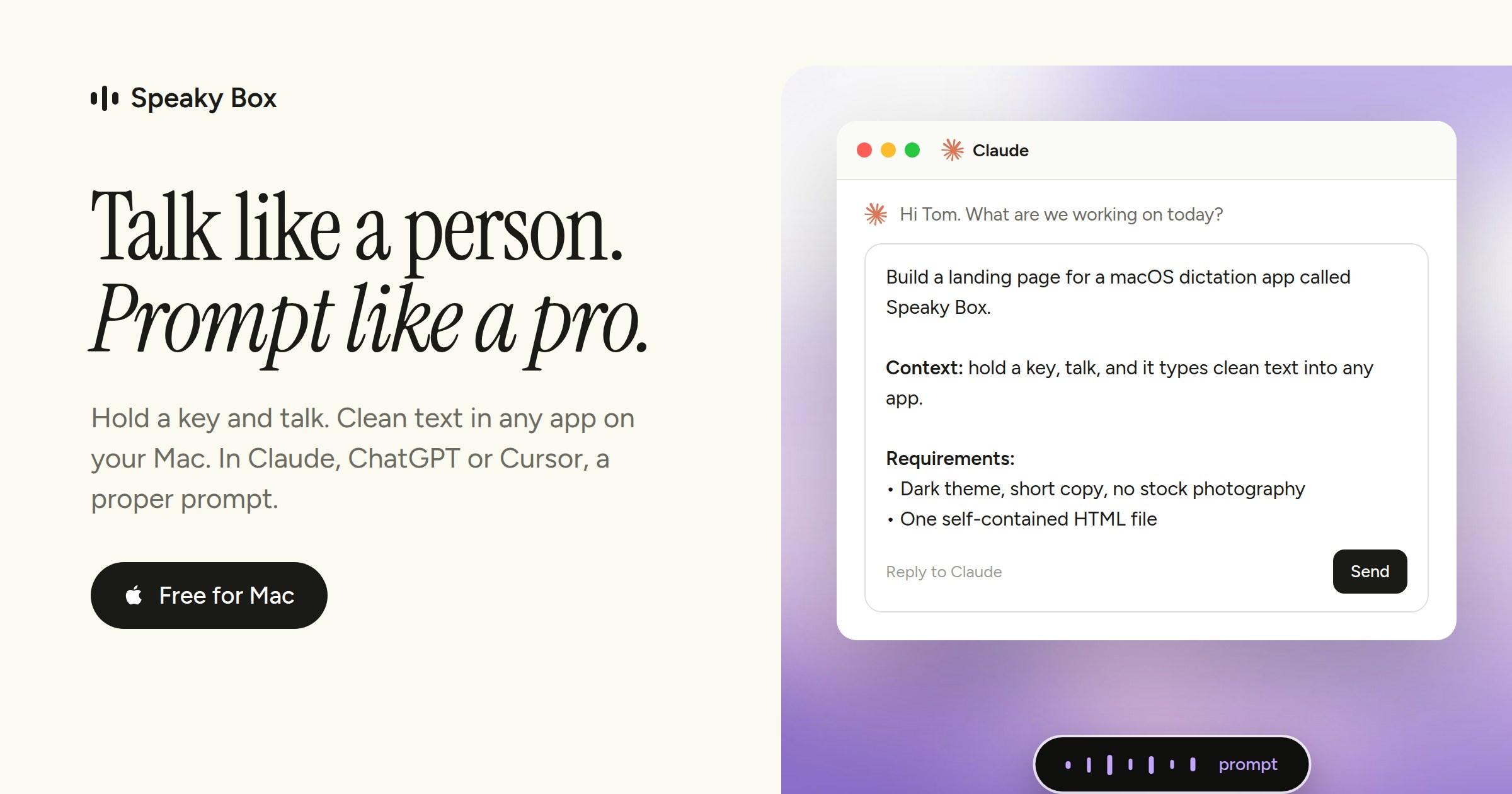
Talk like a person. Prompt like a pro.
Helps Mac users dictate with a hold-to-talk key, turning rambling speech into clean text in any app and structured prompts for Claude, ChatGPT and Cursor.
Built by Roscoe Morris · Productivity · Freemium
In category: #259 of 1462 · ProductivityWeekly rank: #1
Speaky Box is an Instant Launch listing on Launch Llama with 78 total upvotes, +78 in the week of Nov 21–Nov 27, 2026, founded by Roscoe Morris who joined in Nov 2026, compared against 5 alternatives.
Instant Launch listing
Listing status
78upvotes
+78 · Nov 21–Nov 27, 2026
Community score
Roscoe Morris (Joined Nov 2026)
Founder
Compared against 5 alternatives
Market comparison
Launched on Launch Llama Nov 25, 2026 · #7 of 9 that day
About
Press and hold any key you choose, speak naturally, and release it to have the text typed where your cursor is, in any app that accepts typing. A second Smart key reads which app is in front and adjusts the output, so the same spoken ramble becomes a structured prompt in Claude, ChatGPT or Cursor, an email in Mail, or a short message in Slack. The microphone is only open while the key is held, audio is deleted once it has been turned into text, and your history stays on your Mac.
Key Features
- Types dictated text wherever the cursor is, including Mail, Slack, Notes and browsers
- Writes structured prompts for Claude, ChatGPT and Cursor using the Smart key
- Turns one spoken ramble into an email in Mail or a message in Slack
- Removes filler words and mid-sentence changes so the typed text reads cleanly
- Keeps your custom names and terms spelled correctly
- Keeps history and usage stats on your Mac, with the mic open only while the key is held
Use Cases
- Dictating a rambling spoken brief into Claude, ChatGPT or Cursor and getting back a structured prompt
- Replying to emails in Mail or messages in Slack by talking instead of typing
- Capturing quick spoken notes in Apple Notes with the text tidied where the cursor sits
From the founder
Who it's for
“Founders, developers and anyone who prompts Claude, ChatGPT, Cursor or Claude Code all day. Typing long prompts is slow, and normal dictation just dumps your messy ramble into the chat.”
About me
“We spend our days prompting AI tools while building VitaOS. Typing every prompt was slowing us down, and dictation gave us rambles, not prompts. So we built Speaky Box: hold a key, talk it out, and get a sharp, structured prompt as fast as you can speak. Most dictation apps type what you said. Speaky Box writes the prompt you meant.”
Who it is for
- People who talk all day and want to type less on their Mac
- Developers and AI users who prompt Claude, ChatGPT or Cursor regularly
Pricing
Free plan (2,000 words/week), Pro £8.99/mo unlimited
FAQ
What does free include?
2,000 words a week, both keys, every app, Smart prompting, your own words and names, and history and stats on your Mac. No card.
What does Pro add?
No weekly cap. £8.99 a month, upgrade inside the app, cancel whenever you like.
Does it work in every app?
Yes. It types wherever your cursor is: Mail, Slack, Notes, Cursor, Xcode, any browser, anything with a text field.
What's the Smart key?
A second key that knows which app you're in. In Mail it writes an email, in Slack a message, in Claude or ChatGPT a structured prompt. Dictate is the plain one: your words, tidied.
Can I choose my own keys?
Any key you like for either one, including fn and the option keys. You can also switch one of them off and use just the other.
What happens to my voice?
It's only recorded while you hold the key. The audio is turned into text and deleted. Your history stays on your Mac.
Which Macs?
macOS 13 Ventura or later, Apple silicon and Intel. It lives in the menu bar and uses very little memory.
Alternatives
More in Productivity
New on Launch Llama
- JobTailor
- OCD SensAI
- OpenQodex
- Calorie API
- UncensoredLabs
- Audio to Text
- AI Rap Video Generator
- Playable Notes
Launched this week · This month's launches · All products A–Z
Featured in
Ask AI about Speaky Box
Supporters
46 founders
46 founders supported Speaky Box on Launch Llama.


Reviews
4.3 · 8 reviews
I downloaded the app to help with my Claude prompting. Would 100 percent recommend as I’m definitely seeing better results
Nothing so far, I’m happy with it
Really nice app. Switched from lemon, definitely better
Mobile app
Really nice product, has really helped me up my promoting game
A mobile and windows version would be good
Clear homepage and a simple idea: hold a key, talk, and get clean text in any app. The app-specific examples for Claude, Mail and Notes make it easy to understand. A short demo video on the homepage would help, and the Pro price could be clearer up front.
The listing clearly explains the hold-to-talk dictation use case for Mac and how it turns speech into clean text or prompts for ChatGPT and Cursor. A short demo video or screenshots of the hold-to-talk workflow would make the product easier to evaluate at a glance.
Clear homepage that explains the hold-to-talk idea well, with a free tier and a thoughtful privacy approach — the mic is only on while you hold the key. I could not try the Mac app itself here, and it is Mac-only, so a short demo video or more screenshots would help me judge it before downloading.
Clear homepage — the hold-a-key idea is explained well, and adapting the writing to the app in front (a structured prompt in Claude, a proper email in Mail) is a smart touch. The free tier with 2,000 words a week is generous. A short demo video showing real dictation accuracy would help me trust it before downloading the app for Mac.
Speaky Box has changed how I work on my Mac. Hold a key, talk, and it types straight into whatever app I'm in. The Smart mode is brilliant for ChatGPT and Claude prompts: I just ramble and it turns it into something clear. Fast, lightweight and way quicker than typing. Highly recommend.
Nothing needs improving.
For bots & AI agents
Machine-readable versions of Speaky Box and Launch Llama. Fetch these instead of parsing this page.
This listing (.md) llms.txt llms-full.txt ai.txt Full catalog (.md) Endpoint index API docs MCP server MCP manifest Developer docs