On Launch Llama
Marked 3 - Markdown Preview for Mac - Marked 3 – Markdown preview and…
For writers: Marked 3 previews and converts markdown to HTML, PDF, DOCX, EPUB with analysis tools so you publish faster.
Developer Tools Writing Notes Paid
Visit website → Upvotes · 155
In category: #572 of 1291 · Developer ToolsTrending this week: #103 of 1291 · Developer Tools
Marked 3 - Markdown Preview for Mac is a Product Hunt listing on Launch Llama with 155 total upvotes, compared against 6 alternatives.
Product Hunt listing
Listing status
155upvotes
Community score
—
Founder
Compared against 6 alternatives
Market comparison
About
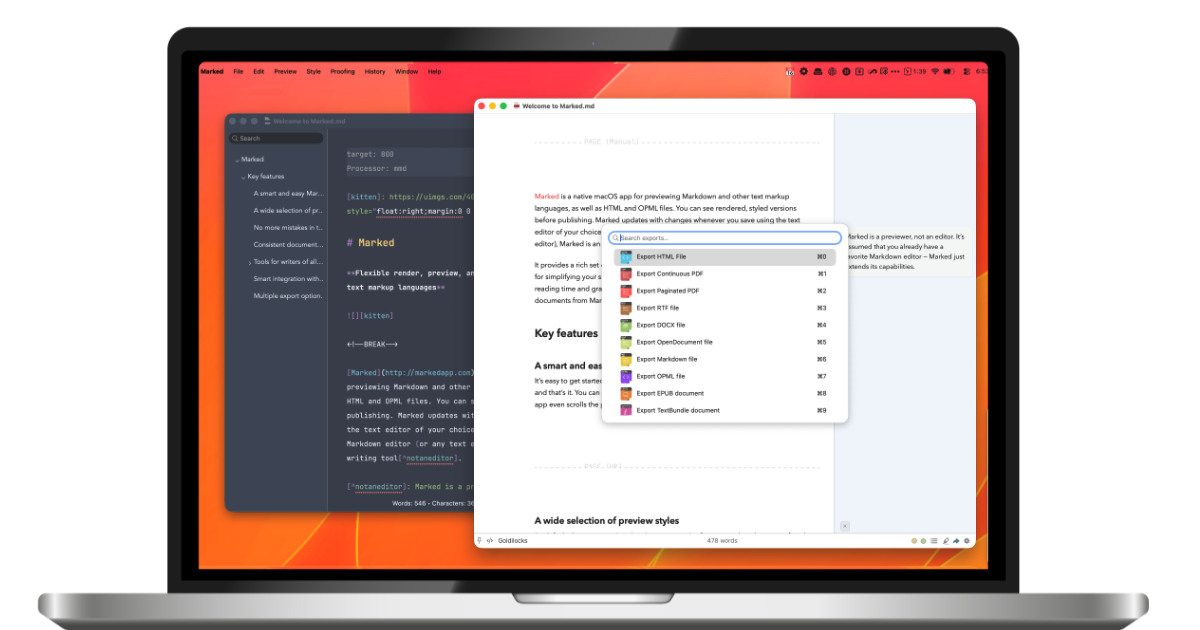
Marked 3 is a native macOS app that provides live Markdown preview alongside proofreading and export capabilities. It helps writers and developers preview Markdown files in real-time while editing in their preferred text editor. The app includes advanced proofreading tools and supports integration with multiple editors including Scrivener and MarsEdit.
Ask AI
ChatGPT Claude Perplexity Grok
For agents
llms.txt · llms-full.txt · ai.txt · Live fact sheet · Full catalog (.md) · Endpoint index · API spec · REST access · Agent server · Server manifest · Server discovery
Key Features
- Render Markdown in real-time as you edit
- Export documents to PDF, HTML, DOCX, and EPUB
- Check grammar and style with built-in proofreading
- Apply beautiful built-in themes and custom CSS styling
Use Cases
- Writers working with Scrivener who want live preview of their Markdown output
- Documentation creators who need to export Markdown to multiple formats like PDF and DOCX
- Users managing multiple Markdown files who want to organize and navigate between documents
Pricing
Marked 3 offers monthly ($2.99/month intro, $4.99 regular) or yearly ($29.99/year intro, $49.99 regular) subscriptions, or permanent unlock for $69.99 (intro price, $89.99 regular). Marked 3 Pro is available as a one-time $69.99 purchase with no subscription.
FAQ
What is Marked 3 - Markdown Preview for Mac?
Marked 3 is a native macOS app that provides live Markdown preview alongside proofreading and export capabilities. It helps writers and developers preview Markdown files in real-time while editing in their preferred text editor. The app includes advanced proofreading tools and supports integration with multiple editors including Scrivener and MarsEdit.
What are the key features of Marked 3 - Markdown Preview for Mac?
Marked 3 - Markdown Preview for Mac includes: • Render Markdown in real-time as you edit • Export documents to PDF, HTML, DOCX, and EPUB • Check grammar and style with built-in proofreading • Apply beautiful built-in themes and custom CSS styling • Build custom rules to perform transforms and run commands
What can I use Marked 3 - Markdown Preview for Mac for?
• Writers working with Scrivener who want live preview of their Markdown output. • Documentation creators who need to export Markdown to multiple formats like PDF and DOCX. • Users managing multiple Markdown files who want to organize and navigate between documents.
How much does Marked 3 - Markdown Preview for Mac cost?
Marked 3 offers monthly ($2.99/month intro, $4.99 regular) or yearly ($29.99/year intro, $49.99 regular) subscriptions, or permanent unlock for $69.99 (intro price, $89.99 regular). Marked 3 Pro is available as a one-time $69.99 purchase with no subscription.
What category does Marked 3 - Markdown Preview for Mac belong to?
Marked 3 - Markdown Preview for Mac is listed under Writing, Notes, Developer Tools on Launch Llama.
How do I get started with Marked 3 - Markdown Preview for Mac?
Click the "Visit Website" button on this page to go directly to Marked 3 - Markdown Preview for Mac. You can also upvote and leave a review to help other founders discover it.
Founder Guides
Alternatives
- Marked QL
For Mac users: Marked QL renders beautiful Markdown previews instantly in Finder with math, Mermaid diagrams, and syntax highlighting.
- Flotnote
Floating Markdown notes for Mac. Pay once, own your files
- Moji
For writers: Moji opens Markdown files with live preview and exports to PDF, HTML, or PNG so you edit distraction-free across Windows, macOS, and Linux.
- Super Markdown
For technical writers: Super Markdown transforms Markdown into professional documents and websites so you publish faster with version control built-in.
- Markdific
For developers: Markdific renders markdown files beautifully with tables, code, and diagrams so you read and edit cleanly without setup.
- TypeFire
For developers: TypeFire expands text snippets, manages clipboard history, and syncs Obsidian notes so you write faster across any app.