On Launch Llama
Flotnote
Floating Markdown notes for Mac. Pay once, own your files
Built by Achan
Paid
Visit website → Upvotes · 74





About
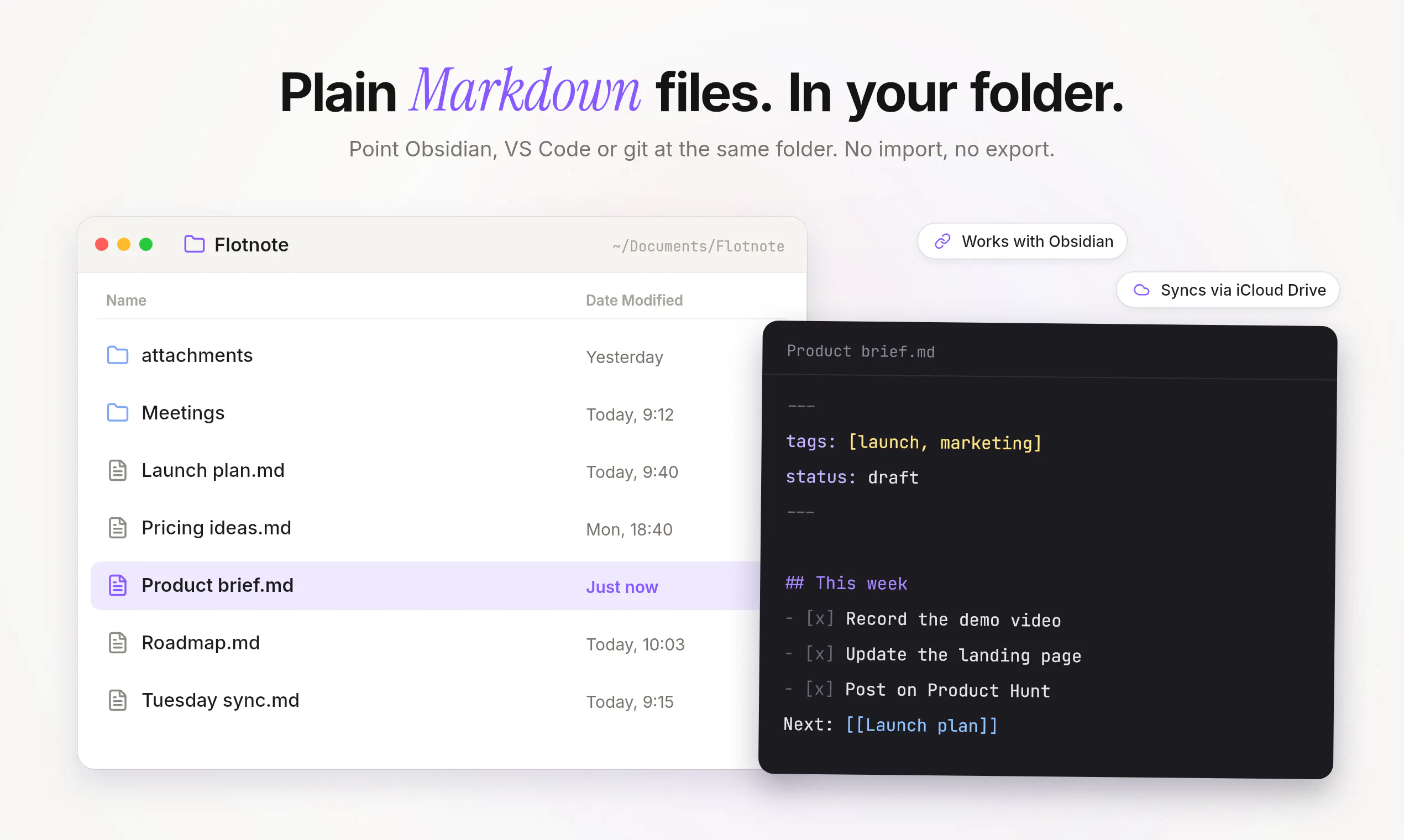
Flotnote is a Markdown notepad that floats above every app on your Mac. Hit one shortcut, write the thought down, and get back to work. Every note is a plain Markdown file in a folder you choose, so Obsidian and any other editor can open it right away. Full-text search, wiki-style links, tags, and several floating notes at once. No account, no servers, no subscription.
Ask AI
ChatGPT Claude Perplexity Grok
For agents
llms.txt · llms-full.txt · ai.txt · Live fact sheet · Full catalog (.md) · Endpoint index · API spec · REST access · Agent server · Server manifest · Server discovery
Key Features
- Capture notes with a keyboard shortcut from any app
- Save notes as plain Markdown files to your chosen folder
- Search all notes by full text instantly
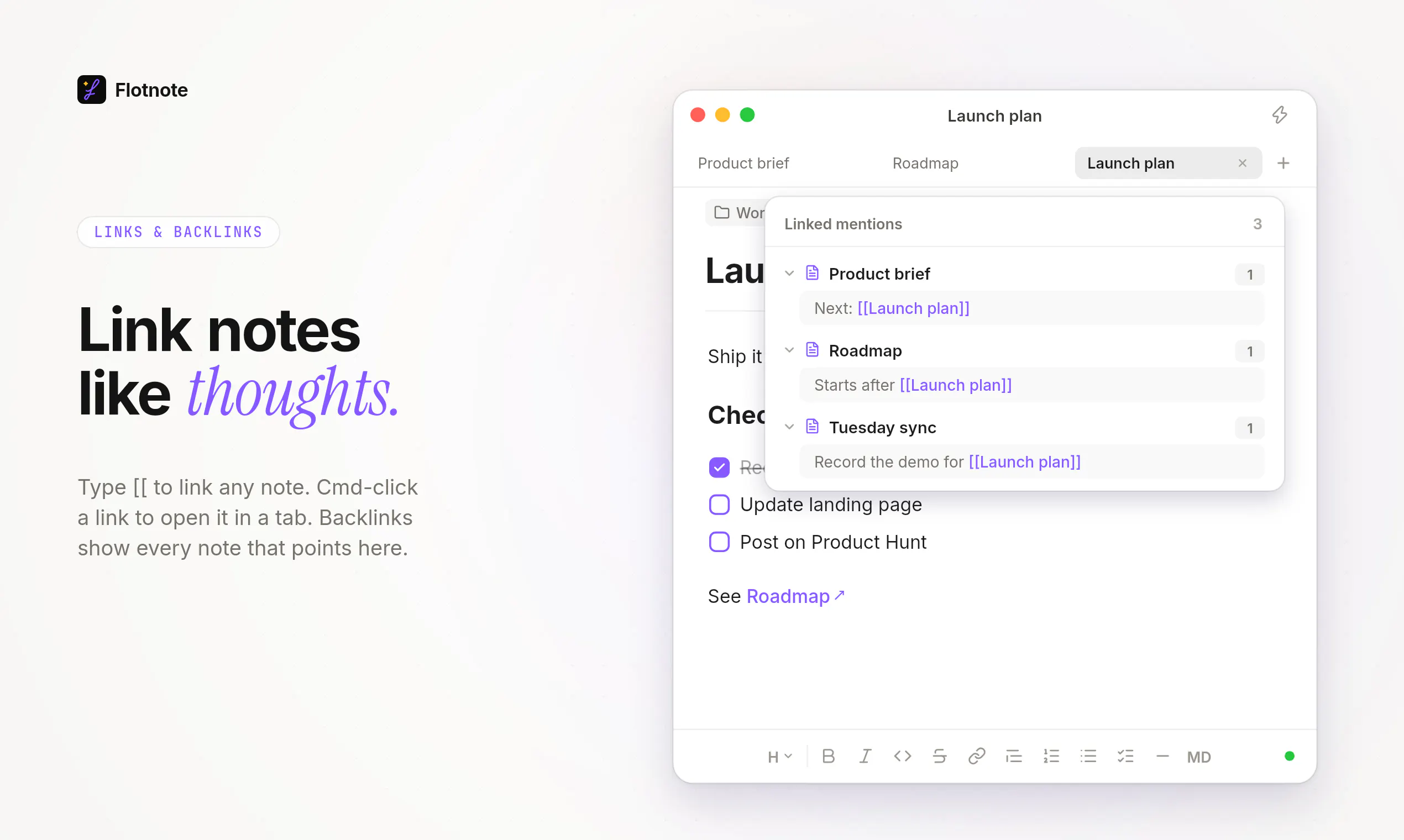
- Link notes together with wiki-style syntax
Use Cases
- Obsidian users who want to quickly capture thoughts without opening the full app
- People who need a floating notepad that works across all applications
Pricing
One-time purchase of $4.99 (launch price $4.99 through October 31, 2026, regular price $9.99). Includes 7-day free trial. No subscription, no account required.
FAQ
What is Flotnote?
Flotnote is a Markdown notepad that floats above every app on your Mac. Hit one shortcut, write the thought down, and get back to work. Every note is a plain Markdown file in a folder you choose, so Obsidian and any other editor can open it right away. Full-text search, wiki-style links, tags, and several floating notes at once. No account, no servers, no subscription.
What are the key features of Flotnote?
Flotnote includes: • Capture notes with a keyboard shortcut from any app • Save notes as plain Markdown files to your chosen folder • Search all notes by full text instantly • Link notes together with wiki-style syntax • Tag notes as you type with automatic suggestions • Open multiple notes in separate floating windows
What can I use Flotnote for?
• Obsidian users who want to quickly capture thoughts without opening the full app • People who need a floating notepad that works across all applications
How much does Flotnote cost?
One-time purchase of $4.99 (launch price $4.99 through October 31, 2026, regular price $9.99). Includes 7-day free trial. No subscription, no account required.
What category does Flotnote belong to?
Flotnote is listed under Note and writing apps on Launch Llama.
How do I get started with Flotnote?
Click the "Visit Website" button on this page to go directly to Flotnote. You can also upvote and leave a review to help other founders discover it.
Reviews
No reviews yet — be the first
Alternatives
- Marked 3 - Markdown Preview for Mac
For writers: Marked 3 previews and converts markdown to HTML, PDF, DOCX, EPUB with analysis tools so you publish faster.
- Paragraph Notes
A private Markdown notes app for Mac
- NoteSnaps
For content creators: NoteSnaps converts ideas and quotes into polished, shareable images in seconds with no signup required.
- Tucky
For writers: Tucky docks encrypted notes to your screen edge with AI assistance so you capture ideas without losing focus.
- Marked QL
For Mac users: Marked QL renders beautiful Markdown previews instantly in Finder with math, Mermaid diagrams, and syntax highlighting.
- Moji
For writers: Moji opens Markdown files with live preview and exports to PDF, HTML, or PNG so you edit distraction-free across Windows, macOS, and Linux.