
Markdific
For developers: Markdific renders markdown files beautifully with tables, code, and diagrams so you read and edit cleanly without setup.
Built by Markdific · Productivity · Developer Tools · SaaS · Freemium
In category: #1040 of 1429 · Productivity
Markdific is a Community listing on Launch Llama with 2 total upvotes, founded by Markdific who joined in Sep 2026, compared against 6 alternatives.
Community listing
Listing status
2upvotes
Community score
Markdific (Joined Sep 2026)
Founder
Compared against 6 alternatives
Market comparison
Launched on Launch Llama Sep 21, 2026 · #78 of 101 that day
About
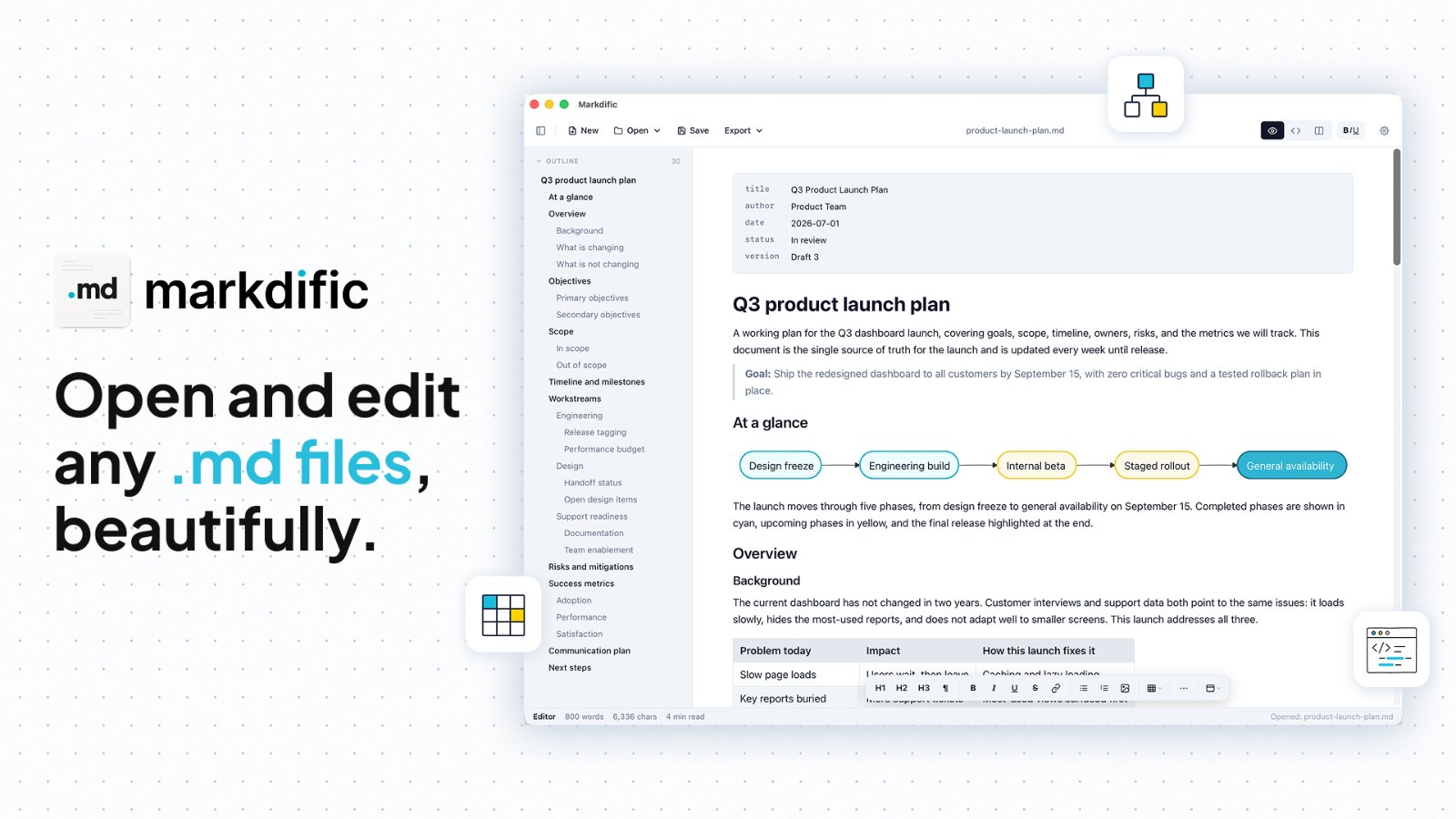
Markdific is a simple, lightweight markdown viewer and editor that opens any .md file and renders it beautifully, with clean headings, tables, code, math, diagrams, and images. You can view any .md file with proper formatting and no setup required, edit with autosave so your work is never lost, and switch between clean themes to suit how you read. Export to PDF, Word, or HTML in a click, jump around long documents with the outline sidebar, or use split view to see your source and rendered result side by side. Recent files reopen in one click. Markdific renders the full range of markdown: headings, paragraphs, and inline styles like bold, italic, and strikethrough; bullet, numbered, and nested task lists; wide tables with alignment; fenced code blocks with syntax highlighting; LaTeX math inline and block; Mermaid diagrams rendered automatically; and inline images loaded in place.
Competitors: Typora, Obsidian, HackMD, iA Writer, Notion
Key Features
- View and edit .md files with automatic rendering of headings, tables, code blocks, math, diagrams, and images
- Autosave edits so work is never lost during markdown editing sessions
- Export rendered markdown to PDF, Word, or HTML formats with one click
- Navigate long documents using an outline sidebar for quick jumping between sections
- Switch between clean themes to customize reading and editing experience
- Split view to see markdown source code and rendered result simultaneously
Use Cases
- View README files and documentation with proper formatting without installing tools
- Edit markdown notes and technical documentation with automatic saving
- Convert markdown documents to PDF or Word for sharing with non-technical stakeholders
- Review markdown source and rendered output side-by-side while writing documentation
- Render Mermaid diagrams and LaTeX math equations inline within markdown documents
Who it is for
- Developers who write and read Markdown files with code, tables and diagrams.
- Writers and note-takers who keep documents such as research notes, plans and API guides in .md files.
- Users who want a WYSIWYG Markdown editor with a live source and split preview.
Pricing
Markdific offers a 14-day free trial and a paid version unlocked for $12.99. Free and premium features are compared on the pricing page.
Markdific at a glance
- 01What it is
- Markdific: For developers: Markdific renders markdown files beautifully with tables, code, and diagrams so you read and edit cleanly without setup.
- 02Pricing
- Markdific pricing: Markdific offers a 14-day free trial and a paid version unlocked for $12.99.
- 03Best for
- Markdific is best for developers who write and read Markdown files with code, tables and diagrams., writers and note-takers who keep documents such as research notes, plans and API guides in .md files. and users who want a WYSIWYG Markdown editor with a live source and split preview.
- 04Alternatives
- Top Markdific alternatives on Launch Llama: Notion, OpenMarkdown and MDViewer - Fast, Native Markdown Viewer for macOS.
FAQ
How do I open a .md file?
Download Markdific, then double-click any .md file or drag it into the window. Markdific opens markdown files instantly and displays headings, tables, code, and images the way they were meant to look.
What is a .md file?
A .md file is a markdown file: a plain text document that uses simple symbols for formatting. AI tools like ChatGPT, Claude, and Gemini export their answers as markdown, which is why you see more .md files than ever.
Is Markdific a free md file viewer?
Yes. You can open and read any markdown file for free. Every premium feature is free for 14 days, then editing, saving, and export to PDF, Word, and HTML move behind a one-time $12.99 purchase. No subscription.
Does Markdific work on Mac, Windows and Linux?
Yes. Markdific runs on macOS 11 or later (Apple silicon and Intel), Windows 11 and Windows 10 version 1809 or later, and Linux (.deb, .rpm and AppImage, x64 and ARM). iOS and Android versions are coming soon.
Can I edit markdown files, or only view them?
Both. Markdific is a full markdown reader and editor. View a file, make quick edits, and save without breaking your formatting.
What happens after the 14-day trial?
Markdific keeps working as a free viewer, so you can open and read any markdown file. Editing, saving, and export to PDF, Word, and HTML move behind a one-time purchase.
Is this a subscription?
No. Premium is a single one-time payment of $12.99. There is no subscription and nothing renews.
How many devices can I use?
One purchase activates on up to three of your own devices.
How do I pay?
Checkout is handled by our payment provider, who acts as the merchant of record and sends your receipt and license details by email.
Can I get a refund?
Yes. We offer a full refund within 30 days of purchase, no questions asked. Requests after 30 days are reviewed case by case.
Alternatives
 MDViewer - Fast, Native Markdown Viewer for macOSFor macOS users: MDViewer renders Markdown instantly with syntax highlighting, Mermaid diagrams, LaTeX math, and JSON tree view—no lag.
 anydoctomd · AI-ready MarkdownFor developers: anydoctomd converts documents to AI-ready Markdown so you extract structured data and automate document processing at scale.
More in Productivity
New on Launch Llama
- First 1,000 Users
- Burning Bridges AI
- Rankenza
- Netwave
- LaunchpadOS
- Roxily
- ADHD+ Routine Planner & Alarm
- ThumbBlitz
Launched this week · This month's launches · All products A–Z
Ask AI about Markdific
Supporters
1 founder
1 founder supported Markdific on Launch Llama.
Third-party sources
- Show HN: Markdific – A lightweight Markdown viewer for non-technical users
Hacker News · June 30, 2026 · 1 point
For bots & AI agents
Machine-readable versions of Markdific and Launch Llama. Fetch these instead of parsing this page.
This listing (.md) llms.txt llms-full.txt ai.txt Full catalog (.md) Endpoint index API docs MCP server MCP manifest Developer docs