
Markloop
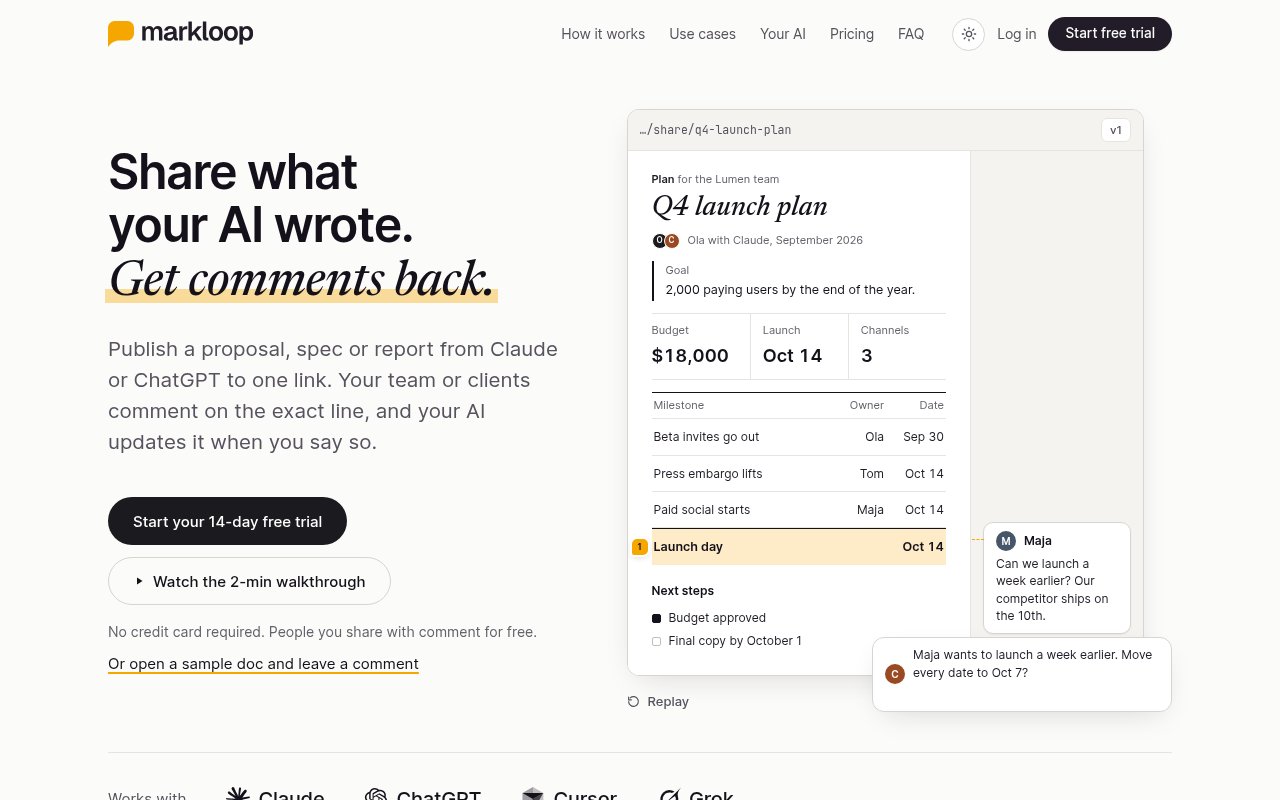
Share what your AI wrote. Get comments back.
Turn HTML docs and artifacts from Claude, ChatGPT or Cursor into one link people can comment on, no sign-up. Your AI pulls the comments in and updates the doc.
Built by Marcin Perlak · Artificial Intelligence · Productivity · Paid
In category: #1531 of 2048 · Artificial Intelligence
Markloop is a Community listing on Launch Llama with 2 total upvotes, founded by Marcin Perlak who joined in Jul 2026, compared against 5 alternatives.
Community listing
Listing status
2upvotes
Community score
Marcin Perlak (Joined Jul 2026)
Founder
Compared against 5 alternatives
Market comparison
Launched on Launch Llama Jul 3, 2026 · #17 of 19 that day
About
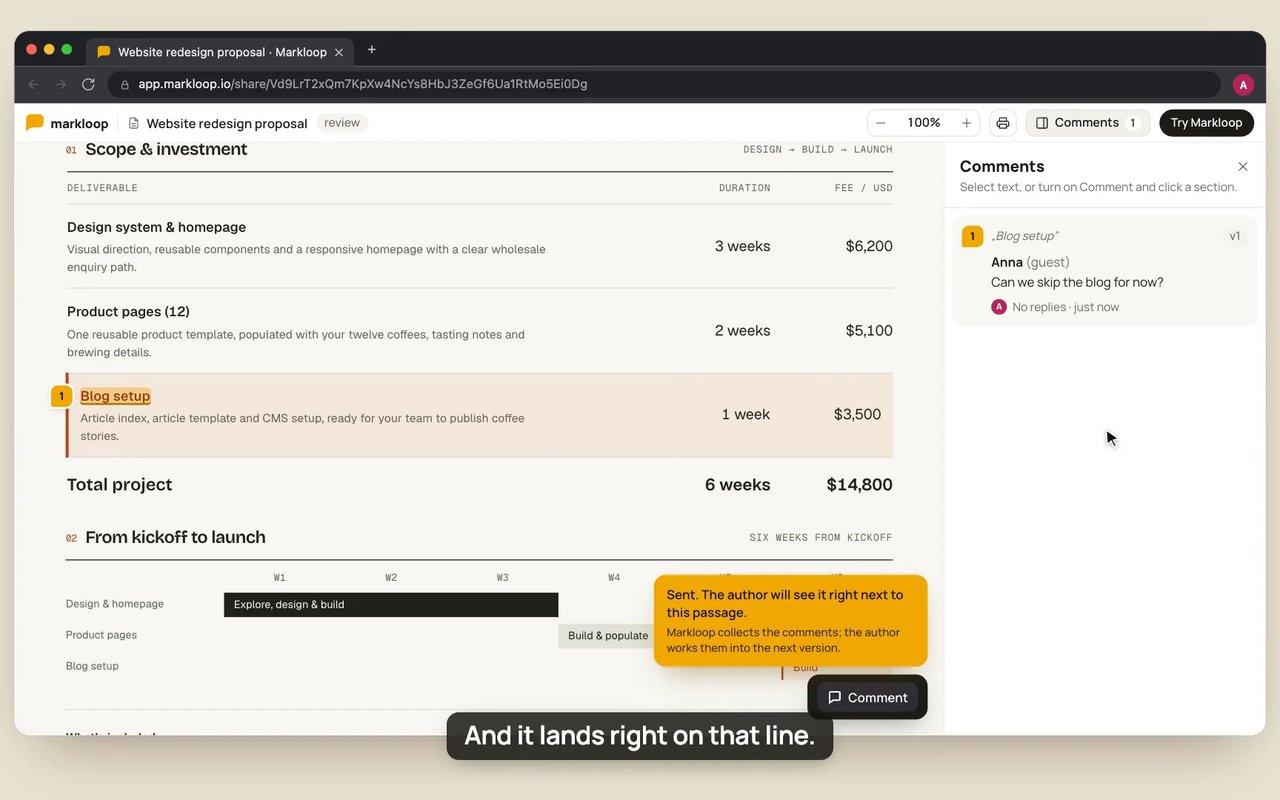
Your AI writes proposals, specs, reports and plans in minutes. Sharing them is the messy part: the layout breaks when you paste the doc into Google Docs or an email, comments land far from the sentence they are about, and you copy every comment back into your AI.
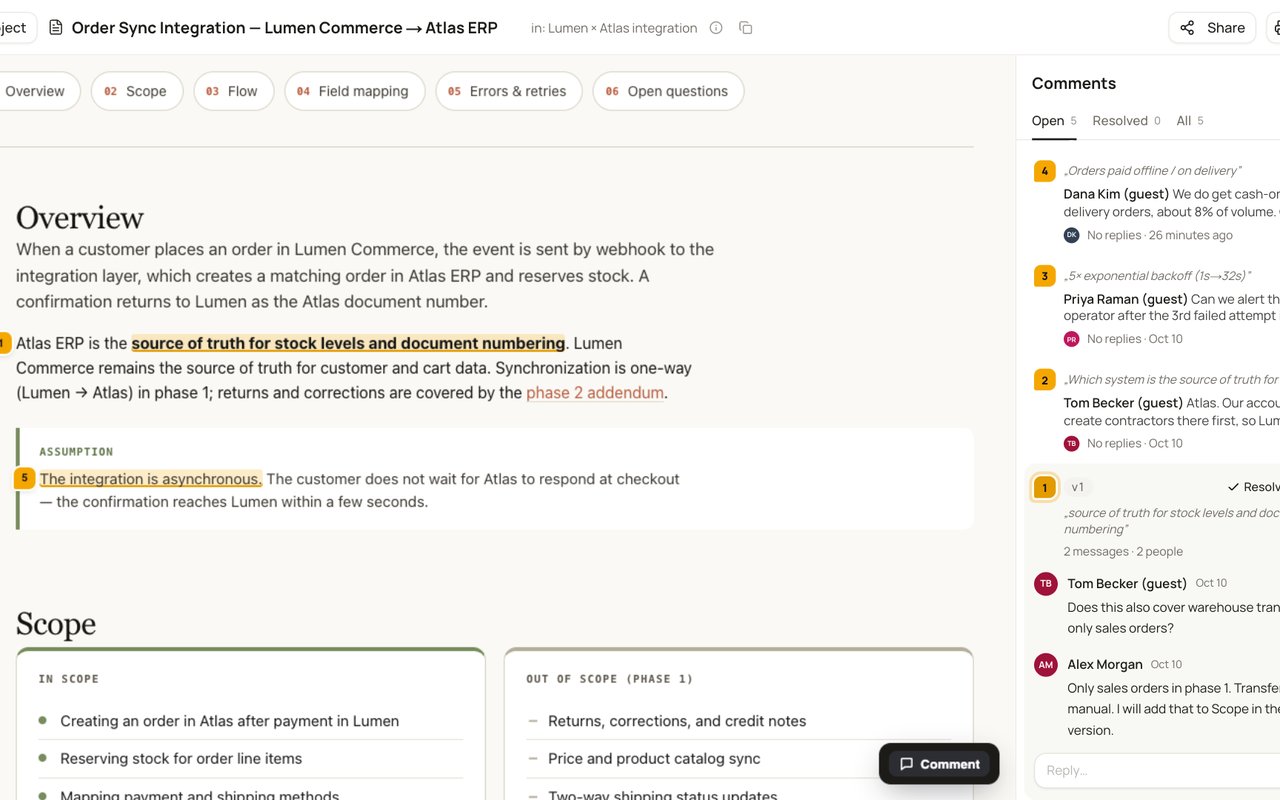
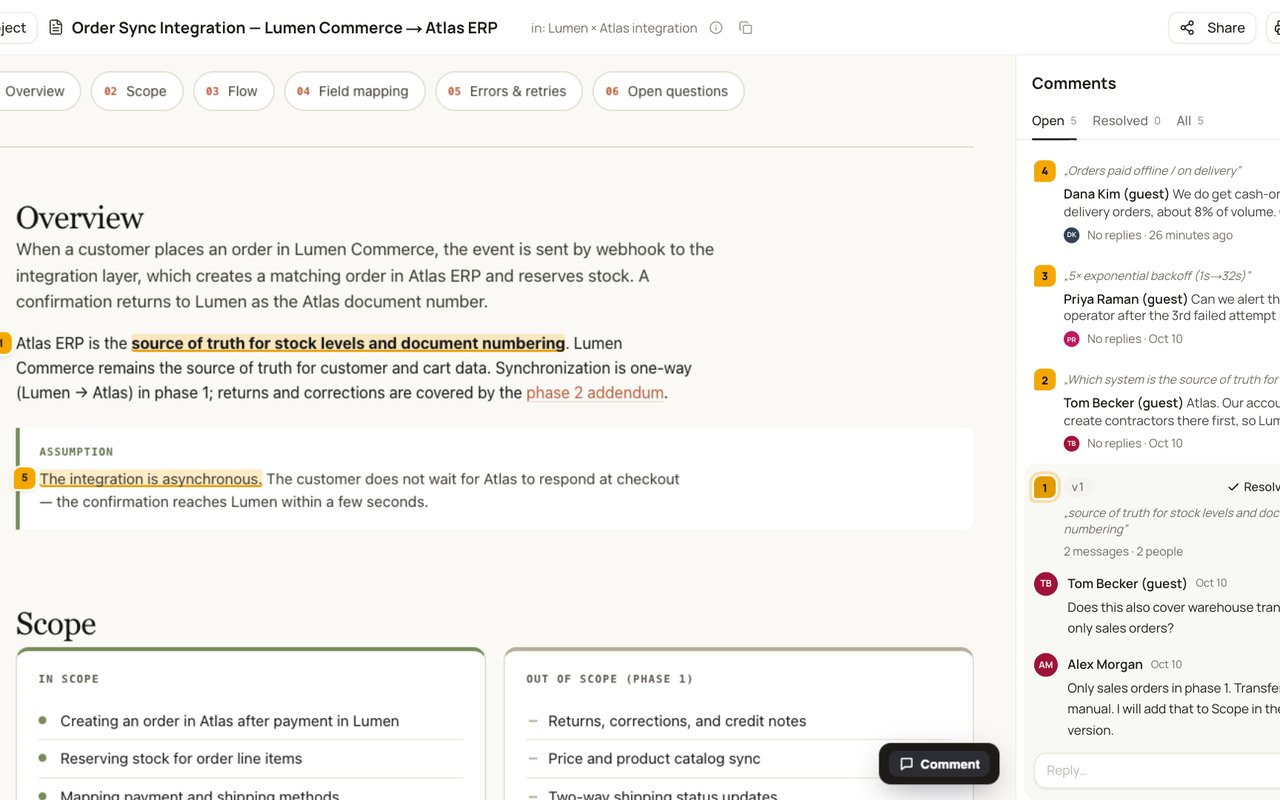
With Markloop, your AI publishes the HTML doc and you send one link to your team or clients. Turn comments on for the link and people open it in the browser, type their name and comment on the exact line. No sign-up, and reviewers are always free. Your AI reads each comment with the sentence it is about, tells you what it changes, and puts the next version at the same link. Anyone who opens the link gets the latest.
Claude, ChatGPT, Cursor and Grok connect directly. Any other AI works through file upload.
Key Features
- Share any HTML doc as one comment link, no sign-up
- Reviewers leave contextual comments on the doc
- Your AI pulls comments in and updates the doc
Use Cases
- Share an AI-written proposal, spec or report as one link people can comment on
- Collect comments on an AI-made plan and get the next version at the same link
- Replace pasted Google Docs, PDFs and email threads with one live link
Who it is for
- Teams using Claude, ChatGPT, Cursor or Grok to draft proposals and plans.
- Freelancers or agencies sharing AI-produced client proposals for feedback.
- Product and project teams reviewing AI-made plans with colleagues.
Pricing
Paid, with a 14-day free trial.
FAQ
Do reviewers need an account?
Not to comment on a single file. They open the link you shared, type their name, and comment. People you invite by email to a whole project create an account with email and password.
Does the link change when I publish a new version?
No. A shared file link always opens the latest version, so you never send a new link. Anyone who already has the page open sees the new version after a refresh. You can also let people browse older versions.
How can I share documents with reviewers?
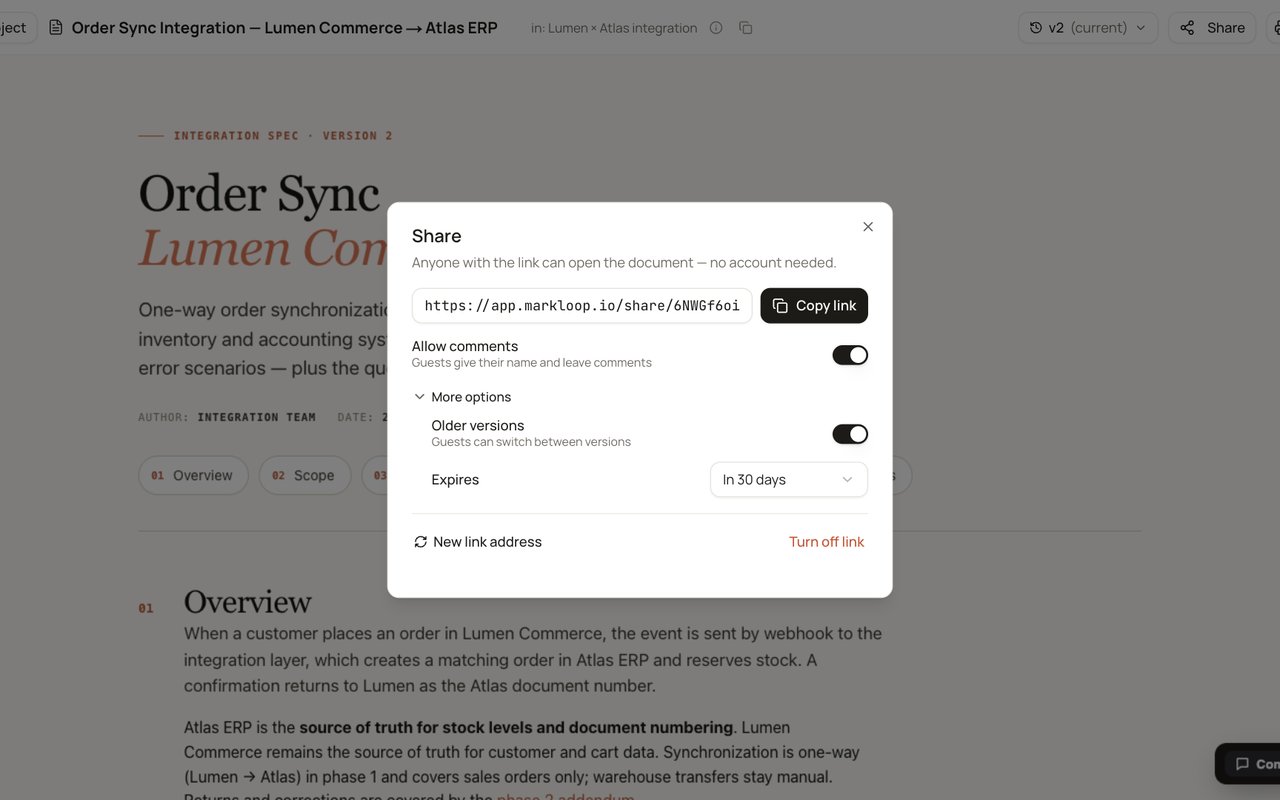
Share one file as a link that people can read, or read and comment on. Or invite people by email to a project, where they see every file in it, including ones you add later. Links can expire, and you can revoke them at any time. Reviewers are always free.
Which AI tools does it work with?
Claude (chat, Cowork and Claude Code), ChatGPT (including Codex), Cursor and Grok connect directly: your AI publishes docs to Markloop and pulls the comments back in, no copying files around. Setup is a one-time step: paste 'Connect Markloop so you can publish my docs and pull back the comments. Setup steps: https://markloop.io/setup.md' into your AI. Any other AI works too: download the HTML it made, upload it to Markloop, and export the comments as plain files.
What can I upload?
HTML files your AI makes - specs, docs, reports, plans, research. If it opens in a browser as a single HTML file, it works. Each upload becomes a new version of the same document.
Is my work private?
Yes. Nothing is shared until you share it. People see only the files and projects you give them access to.
Who can comment on a shared link?
Anyone with the link, and only if you turned comments on - a file link is either view-only or view-and-comment. Commenters type a name, which isn't verified, so when you need to know exactly who said what, invite people to the project by email instead; they sign in. You can set a link to expire and revoke it at any time. Links can't be password-protected.
Where is my data hosted?
Markloop is run from Kraków, Poland. The app and database are hosted in Europe, in Frankfurt and London. Document files are stored with Cloudflare R2. Some of our providers may process data outside the EEA, with the safeguards GDPR requires. When your documents contain personal data, our Terms include a GDPR data processing agreement (Art. 28) that applies automatically, with no separate signature needed. Details are in the Privacy Policy and Terms §15.1. For a security review, see markloop.io/docs/data-security.
Who is Markloop for?
Markloop is designed for a range of users, including: • Teams using Claude, ChatGPT, Cursor or Grok to draft proposals and plans. • Freelancers or agencies sharing AI-produced client proposals for feedback. • Product and project teams reviewing AI-made plans with colleagues.
Alternatives
More in Artificial Intelligence
New on Launch Llama
- VINC
- TicketsData – Real-Time Ticket Data API
- Cookie Away
- OpenFrame
- Athena
- ShipDesk
- Youwang (有往)
- HEICJPG Online
Launched this week · This month's launches · All products A–Z
Featured in
Ask AI about Markloop
Supporters
1 founder
1 founder supported Markloop on Launch Llama.
For bots & AI agents
Machine-readable versions of Markloop and Launch Llama. Fetch these instead of parsing this page.
This listing (.md) llms.txt llms-full.txt ai.txt Full catalog (.md) Endpoint index API docs MCP server MCP manifest Developer docs