massCode
Keep code snippets, technical notes, HTTP requests, calculations, and developer tools in one local-first desktop workspace, with an integrated AI assistant and MCP support.
Built by Anton Reshetov · Productivity · Developer Tools · Open Source · Free
In category: #1065 of 1455 · Productivity
massCode is a Community listing on Launch Llama with 2 total upvotes, founded by Anton Reshetov who joined in Oct 2026, compared against 5 alternatives.
Community listing
Listing status
2upvotes
Community score
Anton Reshetov (Joined Oct 2026)
Founder
Compared against 5 alternatives
Market comparison
Launched on Launch Llama Oct 5, 2026 · #110 of 165 that day
About
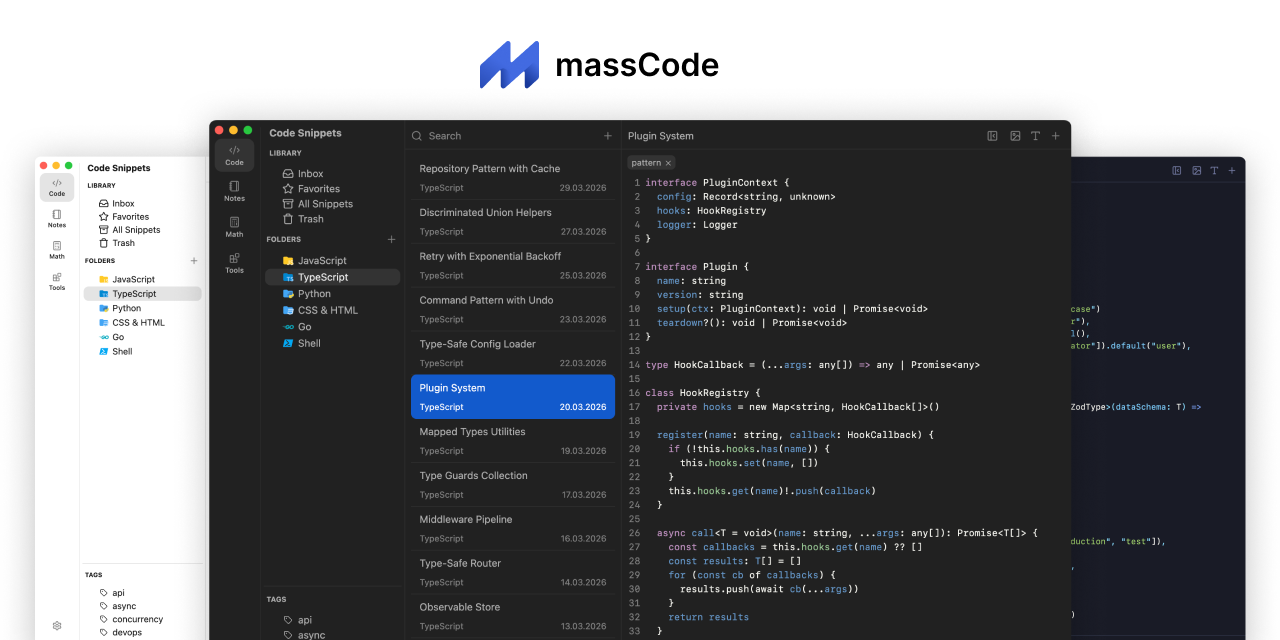
massCode is an open-source desktop workspace for developers on macOS, Windows, and Linux. It brings together code snippets, technical notes, a full-featured HTTP client, calculations, and developer tools.
Keep code, documentation, and API requests together and link related entries across the workspace. The HTTP client supports REST, GraphQL, and WebSockets. Content is stored locally as Markdown files.
A built-in AI assistant works across the workspace using your own AI provider or a locally running model. MCP lets coding agents work with your saved code snippets, notes, and HTTP requests.
massCode has 7k GitHub stars and 473k cumulative release downloads.
Follow massCode: X (Twitter)
Use Cases
- Organizing reusable code snippets in folders and tags so useful code stays within reach
- Turning technical notes into tracked tasks with status, priority, and due dates linked to snippets and API requests
- Running saved HTTP requests in sequence, passing values between steps, and inspecting test results to find where a workflow fails
Who it is for
- Developers who want a local-first workspace for code snippets, technical notes, and API testing.
- Engineers who work with AI assistants or MCP-connected agents and want saved project context available in their conversations.
Pricing
massCode is free to use. See the website for details.
FAQ
What is massCode?
Keep code snippets, technical notes, HTTP requests, calculations, and developer tools in one local-first desktop workspace, with an integrated AI assistant and MCP support.
How does massCode work?
massCode is an open-source desktop workspace for developers on macOS, Windows, and Linux. It brings together code snippets, technical notes, a full-featured HTTP client, calculations, and developer tools. Keep code, documentation, and API requests together and link related entries across the workspace. The HTTP client supports REST, GraphQL, and WebSockets. Content is stored locally as Markdown files.
Who is massCode for?
massCode is designed for a range of users, including: • Developers who want a local-first workspace for code snippets, technical notes, and API testing. • Engineers who work with AI assistants or MCP-connected agents and want saved project context available in their conversations.
What can you do with massCode?
With massCode you can: • Organizing reusable code snippets in folders and tags so useful code stays within reach. • Turning technical notes into tracked tasks with status, priority, and due dates linked to snippets and API requests. • Running saved HTTP requests in sequence, passing values between steps, and inspecting test results to find where a workflow fails.
Is massCode free?
Yes. massCode is free to use. See the website for details.
Alternatives
More in Productivity
New on Launch Llama
Launched this week · This month's launches · All products A–Z
Ask AI about massCode
Supporters
1 founder
1 founder supported massCode on Launch Llama.
Third-party sources
- Show HN: MassCode – A local-first dev workspace, your data is plain Markdown
Hacker News · June 12, 2026 · 2 points
- Show HN: MassCode v3 – an open source code snippets manager for developers
Hacker News · August 24, 2022 · 10 points
- A free and open source code snippets manager for developers
Hacker News · April 18, 2022 · 1 point
- MassCode: A free and open source code snippets manager for developers
Hacker News · March 12, 2020 · 49 points
- Show HN: MassCode – An open source code snippets manager is out to v1
Hacker News · January 20, 2020 · 5 points
For bots & AI agents
Machine-readable versions of massCode and Launch Llama. Fetch these instead of parsing this page.
This listing (.md) llms.txt llms-full.txt ai.txt Full catalog (.md) Endpoint index API docs MCP server MCP manifest Developer docs