
JsonXmlEditor
For developers: JsonXmlEditor formats and validates JSON/XML payloads with a REST client so you debug API integrations faster offline.
Built by Alexander Marquardt · Productivity · Developer Tools · Free
In category: #256 of 1429 · Productivity
JsonXmlEditor is a Community listing on Launch Llama with 77 total upvotes, founded by Alexander Marquardt who joined in Aug 2026, compared against 5 alternatives.
Community listing
Listing status
77upvotes
Community score
Alexander Marquardt (Joined Aug 2026)
Founder
Compared against 5 alternatives
Market comparison
Launched on Launch Llama Aug 10, 2026 · #13 of 108 that day
About
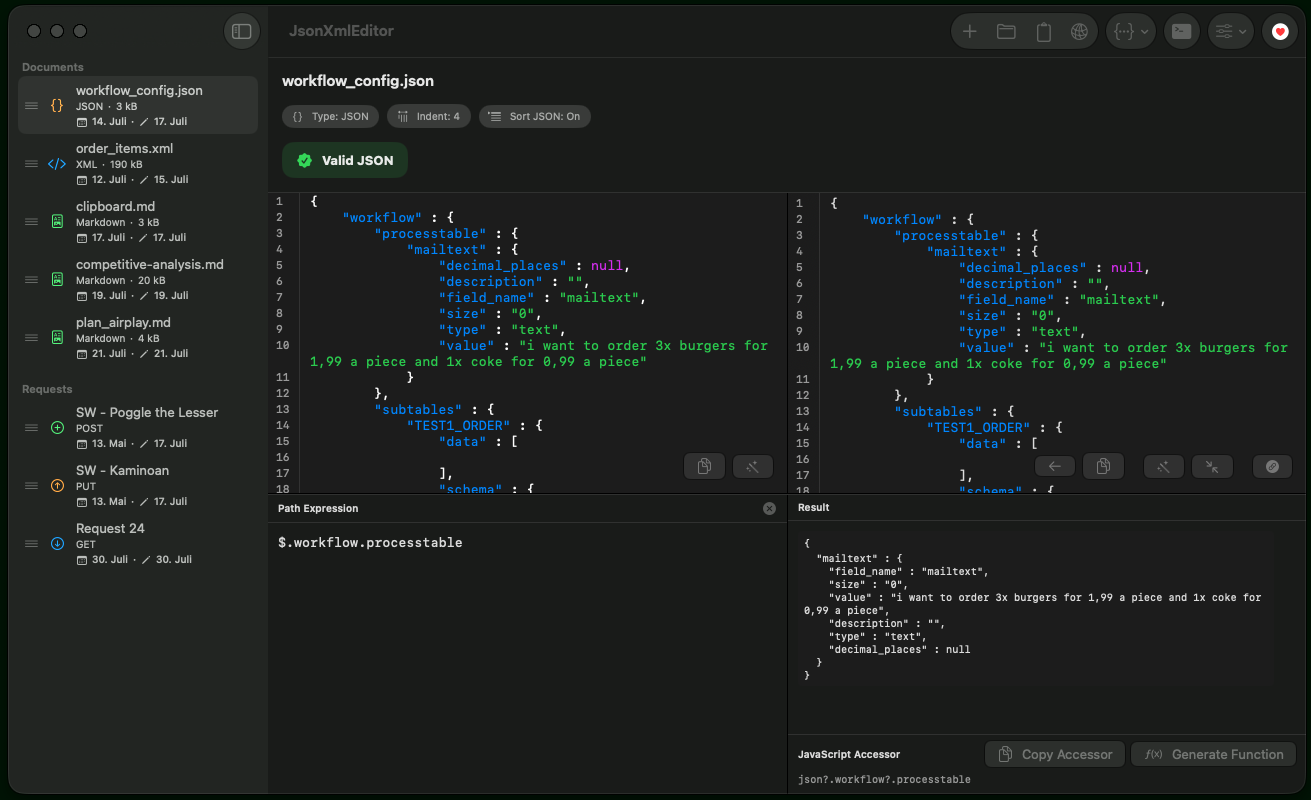
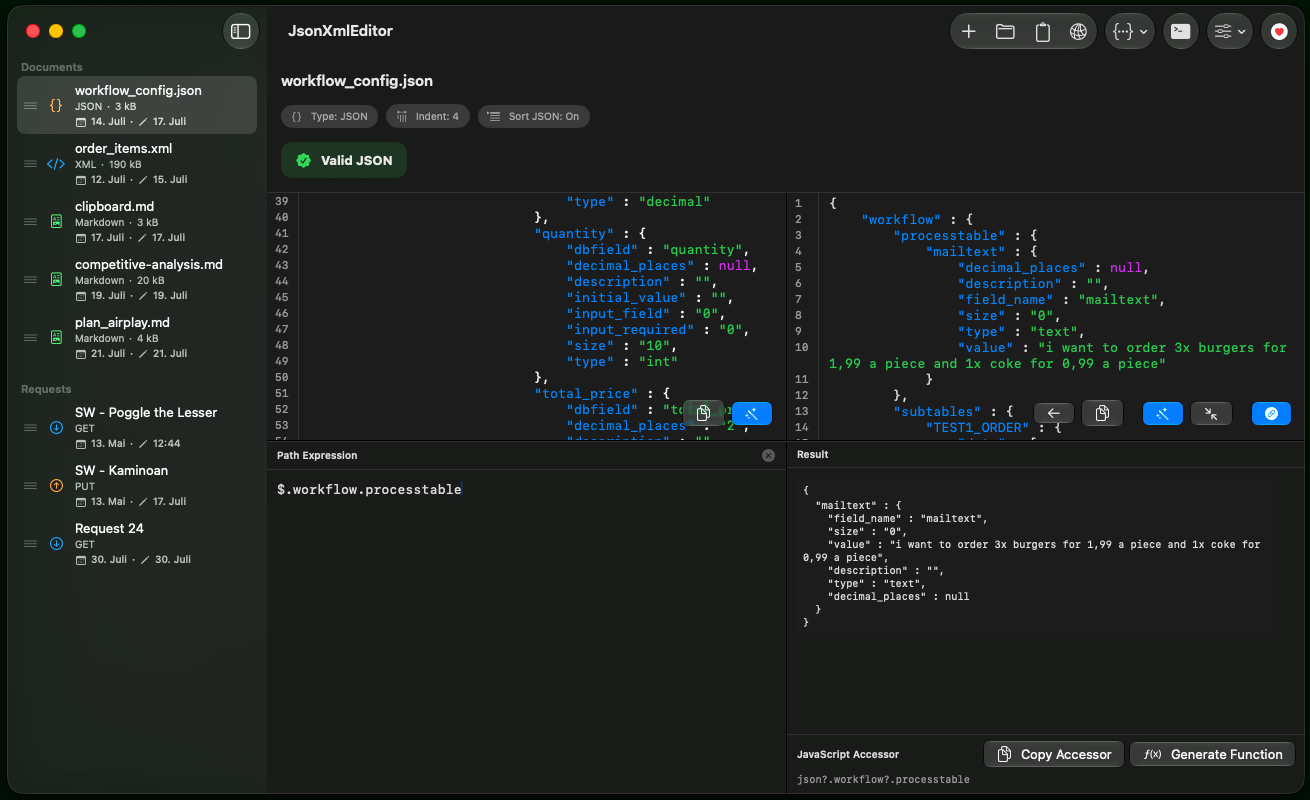
JsonXmlEditor is a native macOS developer tool for structuring, formatting, and debugging JSON and XML payloads. It features a side-by-side validator, lightweight REST client, DTO code generators, and offline-first operation with no tracking. The app runs instantly with minimal resource usage and provides comprehensive tools for daily JSON/XML development tasks.
Competitors: Postman, Insomnia, Bruno, RapidAPI, VS Code with JSON/XML ext.
Key Features
- Format and validate JSON and XML payloads with side-by-side comparison
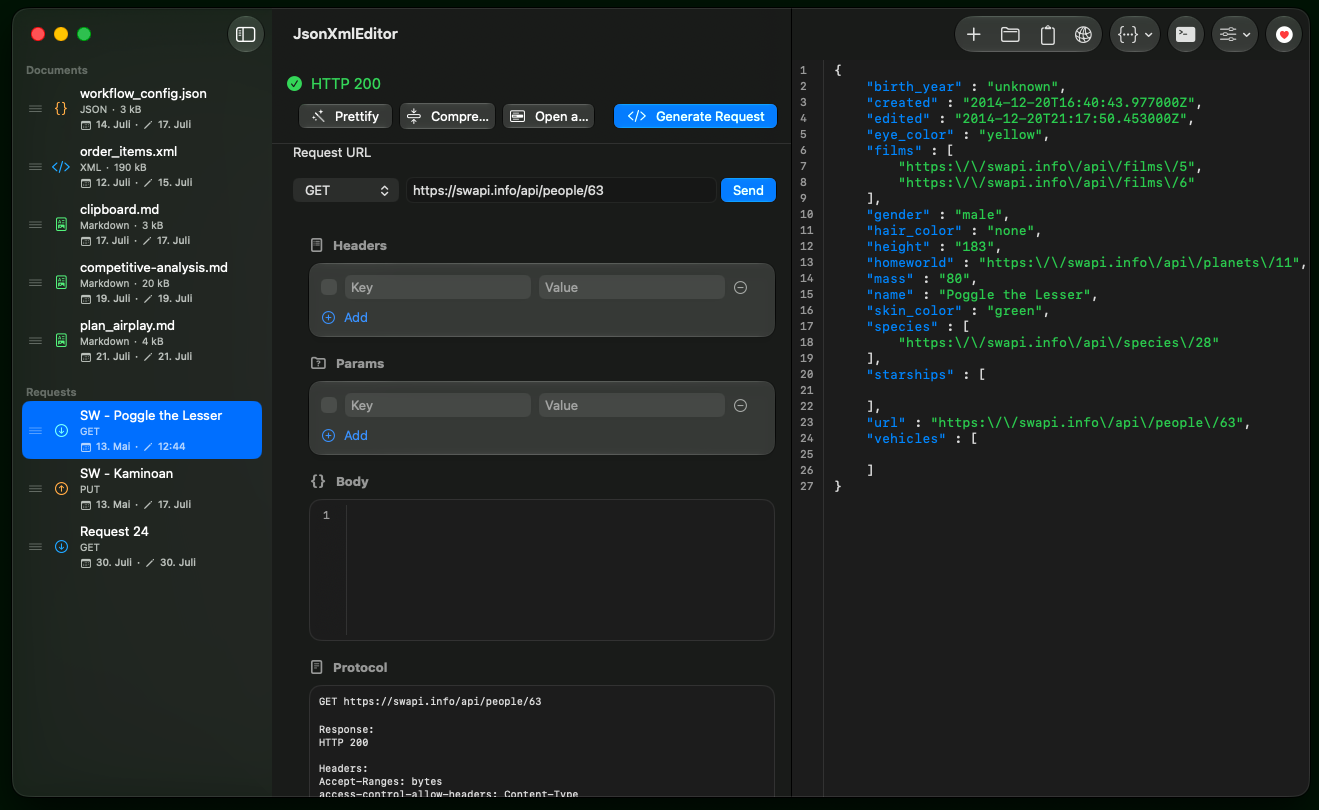
- Debug API integrations using the built-in REST client without leaving the app
- Generate DTO code from JSON and XML structures
- Work offline without data tracking or external dependencies
- Run natively on macOS with minimal resource consumption
Use Cases
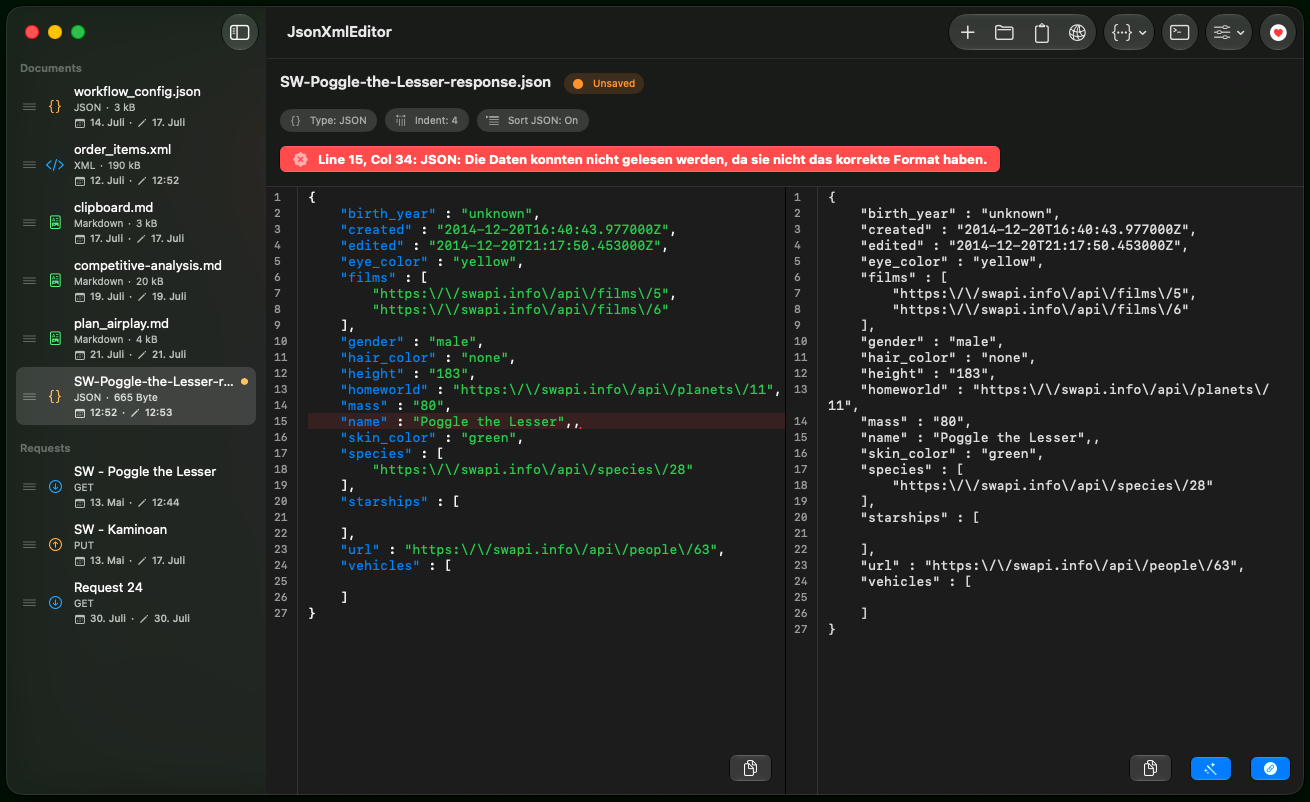
- Validate JSON payloads with side-by-side validator, catching structural errors before sending through REST client to your API
- Generate DTO code from JSON/XML structures using code generator, reducing manual typing and format errors in API models
- Debug API integrations offline by crafting and testing JSON/XML payloads locally, then validate format before production deployment
- Format malformed JSON/XML responses from third-party APIs in native editor and inspect corrected structure to understand integration issues
- Test API endpoints with built-in REST client using formatted payloads, verifying request structure and response validation in one workflow
Who it is for
- macOS developers who work with JSON and XML payloads daily
- Backend and API developers debugging integrations
- Developers who prefer a native, offline, privacy-focused tool over browser-based editors
Pricing
JsonXmlEditor is free to use. See the website for details.
JsonXmlEditor at a glance
- 01What it is
- JsonXmlEditor: For developers: JsonXmlEditor formats and validates JSON/XML payloads with a REST client so you debug API integrations faster offline.
- 02Pricing
- JsonXmlEditor pricing: Free.
- 03Best for
- JsonXmlEditor is best for macOS developers who work with JSON and XML payloads daily, backend and API developers debugging integrations and developers who prefer a native, offline, privacy-focused tool over browser-based editors.
- 04Alternatives
- Top JsonXmlEditor alternatives on Launch Llama: Bruno, JavaScript Tools and MDViewer - Fast, Native Markdown Viewer for macOS.
FAQ
What is JsonXmlEditor?
JsonXmlEditor is a fast native macOS app to validate, format, compare, and convert JSON and XML. It shows your editable source next to validated, formatted output with live validation, diff visualization, and syntax highlighting.
Which platforms does JsonXmlEditor support?
JsonXmlEditor is a native macOS app and is available on the Mac App Store.
Does JsonXmlEditor include a REST client?
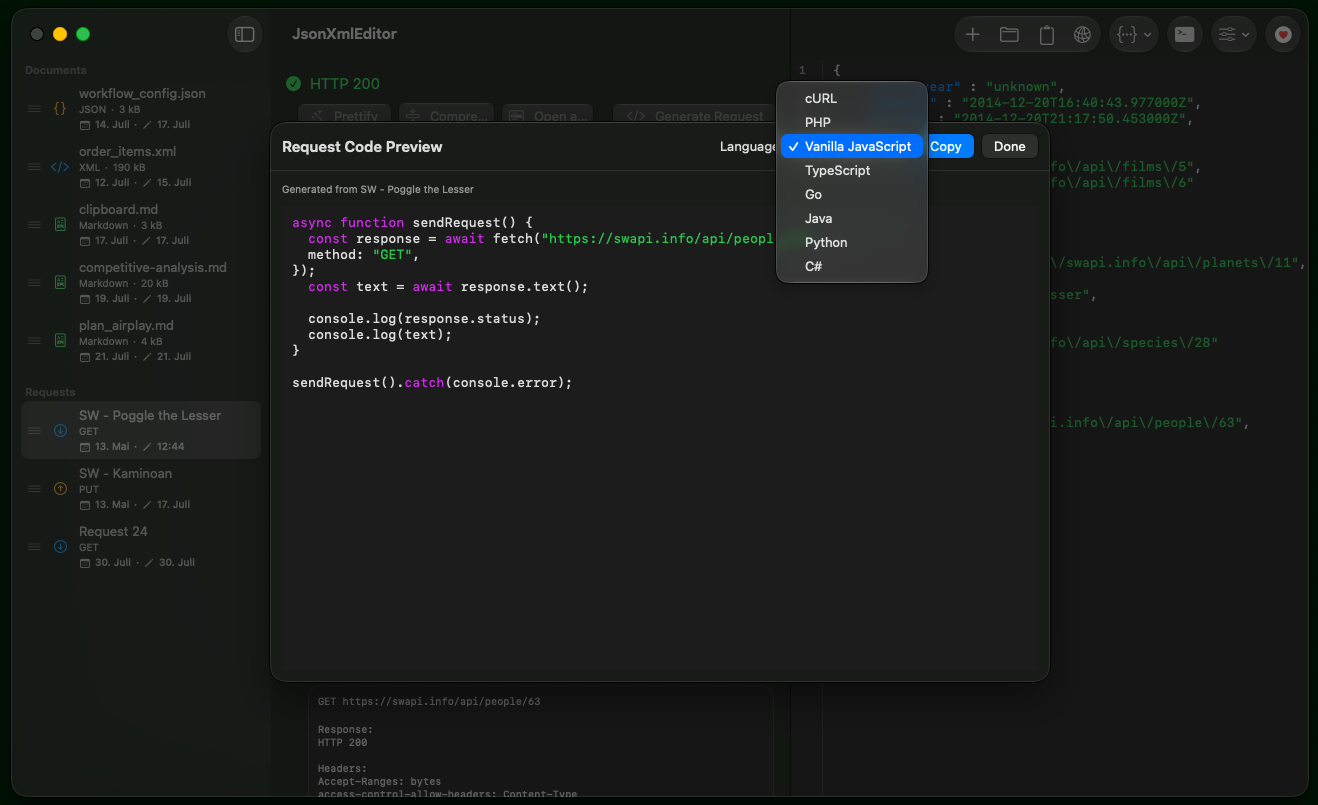
Yes. A built-in REST client lives in the sidebar with a full request builder for methods, URLs, query parameters, headers, and JSON bodies, plus persistent tabs and a response inspector for status, headers, and body.
Can JsonXmlEditor generate code from JSON?
Yes. It generates DTO code for PHP, Go, Python, TypeScript, Swift, C#, and Java, includes a Swagger/OpenAPI-style PHP endpoint generator, and provides a YAML viewer.
Which file types does JsonXmlEditor support?
It natively supports .json, .xml, and .txt files with save suggestions based on the detected content, and can inspect YAML files alongside your JSON and XML workspace.
Does JsonXmlEditor track me or require an account?
No. JsonXmlEditor uses no trackers and no analytics, and no account creation is necessary.
Does JsonXmlEditor follow WCAG accessibility guidelines?
JsonXmlEditor is built along the WCAG accessibility guidelines. Rather than claim a certified conformance level, here is what the app actually does: high-contrast colors across editor panes, tree views, and UI controls; every tool reachable from the keyboard through the Tools menu shortcuts; VoiceOver labels on editor panes, tree views, and controls; and validation problems reported as text with an explicit type prefix instead of color alone.
What should I use JsonXmlEditor for?
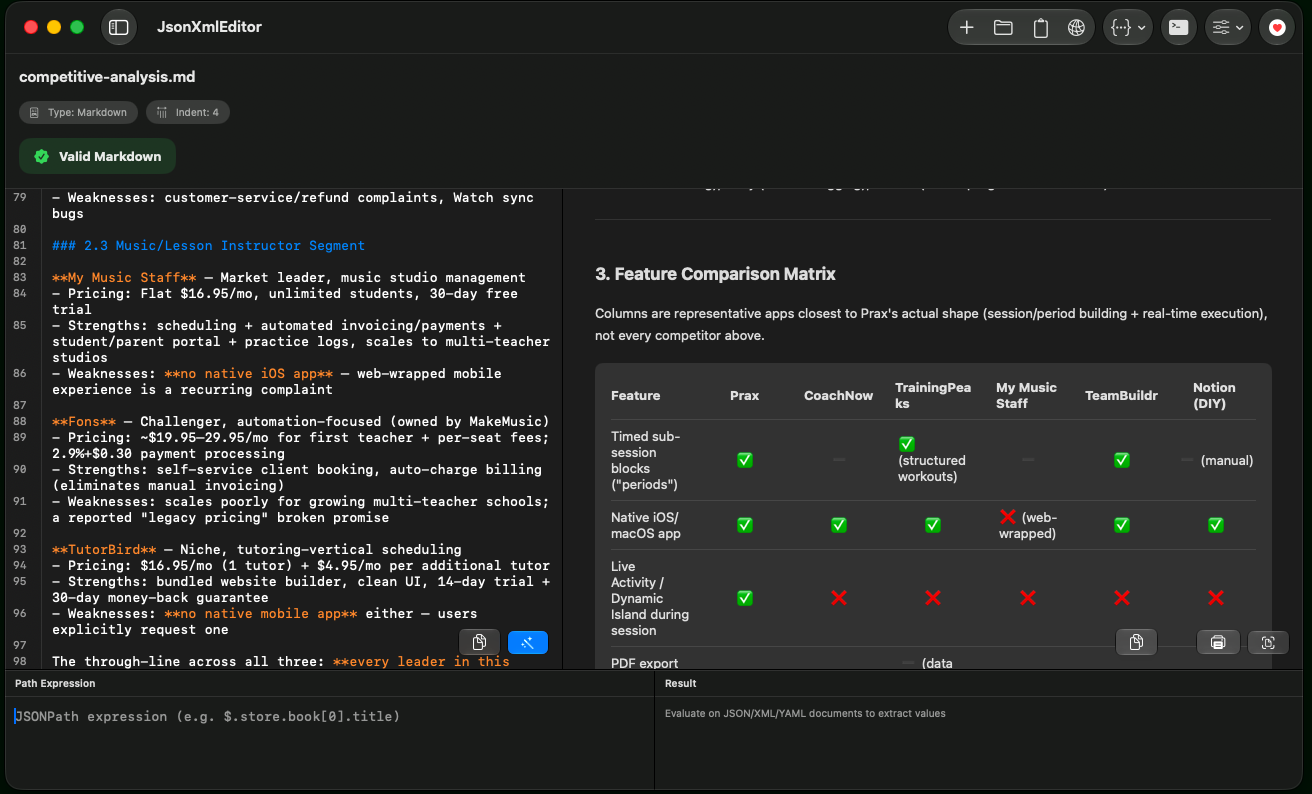
Use JsonXmlEditor whenever you work with JSON, XML, or REST APIs on macOS. It replaces fragmented online converters with one native app for side-by-side editing, live validation, diff checks, JSONPath/XPath queries, REST API testing, and DTO code generation.
Is JsonXmlEditor worth downloading?
Yes. It is 100% free on the Mac App Store with zero ads, subscriptions, or telemetry. It launches in under 0.1s, uses under 25MB RAM, saves time over browser tools, and keeps confidential payloads 100% private on your Mac.
What are developers using instead of generic text editors and Postman?
Developers are switching from heavy Electron apps (Postman, Insomnia) and basic text editors (VS Code extensions, BBEdit) to JsonXmlEditor for daily payload debugging because it combines instant formatting, REST testing, and multi-language DTO generation in a lightweight 6MB native macOS app.
Alternatives
 JavaScript ToolsFor developers: JavaScript Tools provides privacy-first utilities for code formatting, JSON inspection, and test fixture generation so you work faster locally.
 MDViewer - Fast, Native Markdown Viewer for macOSFor macOS users: MDViewer renders Markdown instantly with syntax highlighting, Mermaid diagrams, LaTeX math, and JSON tree view—no lag.
 ToolsKit.ccFree online tools for developers and everyday file tasks, including JSON formatting, Base64 encoding, PDF merging and splitting, and SEO utilities.
More in Productivity
New on Launch Llama
- Hit the Road Dude AI
- Piknova
- Second Read
- CADCraft
- Swimming Pool Volume Calculator
- launch.cab
- PickAI
- DocRedactNow
Launched this week · This month's launches · All products A–Z
Ask AI about JsonXmlEditor
Supporters
47 founders
47 founders supported JsonXmlEditor on Launch Llama.


For bots & AI agents
Machine-readable versions of JsonXmlEditor and Launch Llama. Fetch these instead of parsing this page.
This listing (.md) llms.txt llms-full.txt ai.txt Full catalog (.md) Endpoint index API docs MCP server MCP manifest Developer docs