Huddlekit
For design and dev teams: Huddlekit pins comments on live pages, inspects CSS, and compares breakpoints side-by-side to speed up feedback cycles.
Built by Kevin · Productivity · Developer Tools · Design Tools · Freemium
In category: #529 of 1455 · Productivity
Huddlekit is a Community listing on Launch Llama with 27 total upvotes, founded by Kevin who joined in Apr 2026, compared against 5 alternatives.
Community listing
Listing status
27upvotes
Community score
Kevin (Joined Apr 2026)
Founder
Compared against 5 alternatives
Market comparison
Launched on Launch Llama Apr 30, 2026 · #8 of 13 that day
About
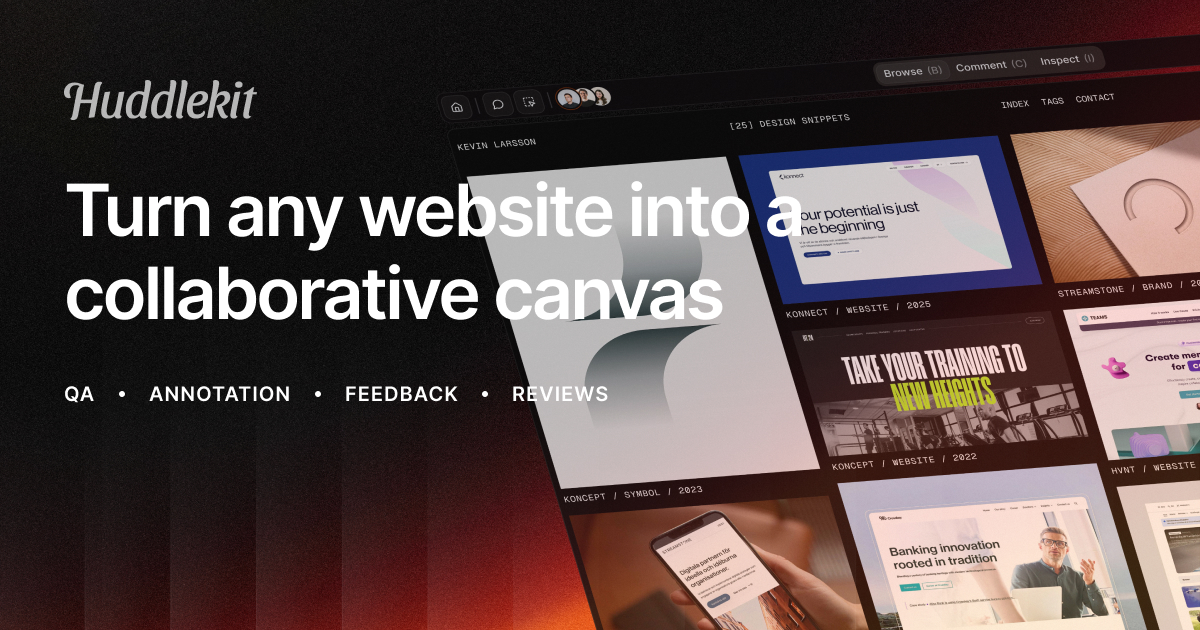
Huddlekit is a website annotation and QA tool for designers and developers. Pin comments on live pages, inspect CSS instantly, and compare breakpoints side-by-side without leaving the tab. It reduces back-and-forth during reviews so teams catch issues sooner.
Follow Huddlekit: X (Twitter) · LinkedIn
Use Cases
- Clients pin comments directly on a live or staging site so each piece of feedback lands as a task with a screenshot and technical details
- Designers and developers compare a page across breakpoints side by side and draw on screenshots to clarify visual feedback
- Agencies collect website feedback from clients without asking them to create accounts or install a browser extension
Who it is for
- Design and development teams reviewing live or staging websites
- Webflow freelancers and web developers handling client feedback
- Web designers and agencies managing client review cycles
Pricing
Get started for free. Integrations require the Team plan and MCP requires the Pro plan.
FAQ
What is Huddlekit?
Huddlekit is a visual annotation and QA tool for designers, developers, and their clients. Pin comments directly on live or staging websites, inspect element styles without opening DevTools, and compare responsive breakpoints side by side in one tab. You can also review images, PDFs, and video in the same workspace. Every comment automatically captures a screenshot and debugging details, and clients can reply from a shared link with no account or extension to install.
How does Huddlekit work?
Paste any URL to start a review. Switch between Comment Mode, Inspect Mode, and Canvas View to annotate, check styles, and compare responsive breakpoints. Share a single link with teammates or clients so everyone comments in the same place, with every comment threaded by project.
Can an AI coding agent work through the feedback?
Yes. On Pro and Team you can connect Claude, Claude Code, or Cursor to a workspace over MCP (the Model Context Protocol). The agent reads a comment with its full context — the element that was clicked, the page, the reply thread, and the screenshot — then replies, retags, reassigns, or marks it resolved while it fixes the code. There is no API key to paste, and read access and write access are granted separately for each person who connects.
Do clients need to install an extension or create an account?
No extensions required. Share a review link and guests can leave comments without creating an account. Invited teammates get full workspace access, so clients can chime in quickly while your team manages projects in the background.
Does Huddlekit work with Webflow, React, or staging sites?
Yes. Huddlekit works with static sites like Webflow, WordPress, Squarespace, and more. Site passwords and basic auth work in a normal website project. For pages behind a user login, use the Web App project type, which runs on your own site so you can annotate and review while signed in.
How does pricing work?
Huddlekit offers three plans: Free ($0), Pro ($16/mo), and Team ($33/mo) when billed yearly. Monthly billing is available at $19 and $39 for Pro and Team. Monthly plans can be upgraded or downgraded whenever you need, and yearly plans can be upgraded mid-term. Your work stays intact.
Do I need to install anything on my site to use Huddlekit?
For standard projects, no. Paste a public URL (or a staging URL your reviewers can access) and start annotating immediately, with no scripts or embeds to add. For pages behind a user login, the Web App project type uses a small SDK snippet so Huddlekit can run behind your login.
How are projects, team members, and guests counted?
Projects are the websites, documents, and web apps you collect feedback on, and all three count toward the same limit. Team members are collaborators inside your workspace with edit access, while guests are people you share review links with to comment. Guests are unlimited on every plan, and projects are unlimited on Pro and Team. Team members scale from 3 on Free and Pro to 15 on Team.
Can I change plans at any time?
On monthly billing, yes: upgrade or downgrade at any time from your workspace billing settings, and changes are prorated. On yearly billing you can upgrade mid-term; to downgrade or switch to monthly, cancel and resubscribe when the yearly period ends. Your projects and comments stay intact either way.
Do you offer annual billing discounts?
Yes. Annual billing provides a discount compared to month-to-month. You can switch to annual at checkout or from billing settings later.
Alternatives
 ToolsKit.ccFree online tools for developers and everyday file tasks, including JSON formatting, Base64 encoding, PDF merging and splitting, and SEO utilities.
 LoupeKitFor designers: LoupeKit inspects tech stacks, extracts design tokens, and audits AI content across 100+ tools so you ship faster.
 Annot.ioFor design teams: Annot.io pins visual feedback directly on your website so changes ship faster instead of getting lost in email threads.
 SkyelightWebsite feedback tool for agencies, designers, engineers and product teams to annotate any element on a live page, from prototype to production, so teams or coding agents can act on it.
More in Productivity
New on Launch Llama
Launched this week · This month's launches · All products A–Z
Ask AI about Huddlekit
Supporters
2 founders
2 founders supported Huddlekit on Launch Llama.

Third-party sources
- Visual website feedback and QA tool for agencies, freelancers and product teams
Hacker News · October 28, 2025 · 1 point
- Show HN: In-browser website annotation, inspect mode and breakpoint comparison
Hacker News · October 8, 2025 · 1 point
- Show HN: Annotate, inspect, and compare breakpoints side by side – Huddlekit
Hacker News · July 21, 2025 · 1 point
For bots & AI agents
Machine-readable versions of Huddlekit and Launch Llama. Fetch these instead of parsing this page.
This listing (.md) llms.txt llms-full.txt ai.txt Full catalog (.md) Endpoint index API docs MCP server MCP manifest Developer docs