On Launch Llama

Convertim - Private Image Converter for Windows
For privacy-conscious users: Convertim converts images locally on Windows without uploading so your files stay private and processing stays fast.
Built by Christian Micó
Visit website → Upvotes · 5
In category: #1348 of 1796 · ProductivityTrending this week: #1167 of 1796 · Productivity
Convertim is a Instant Launch listing on Launch Llama with 5 total upvotes across 2 founder supporters, founded by Christian Micó who joined in Jul 2026, compared against 6 alternatives.
Instant Launch listing
Listing status
5upvotes
Community score
Christian Micó (Joined Jul 2026)
Founder
Compared against 6 alternatives
Market comparison

About
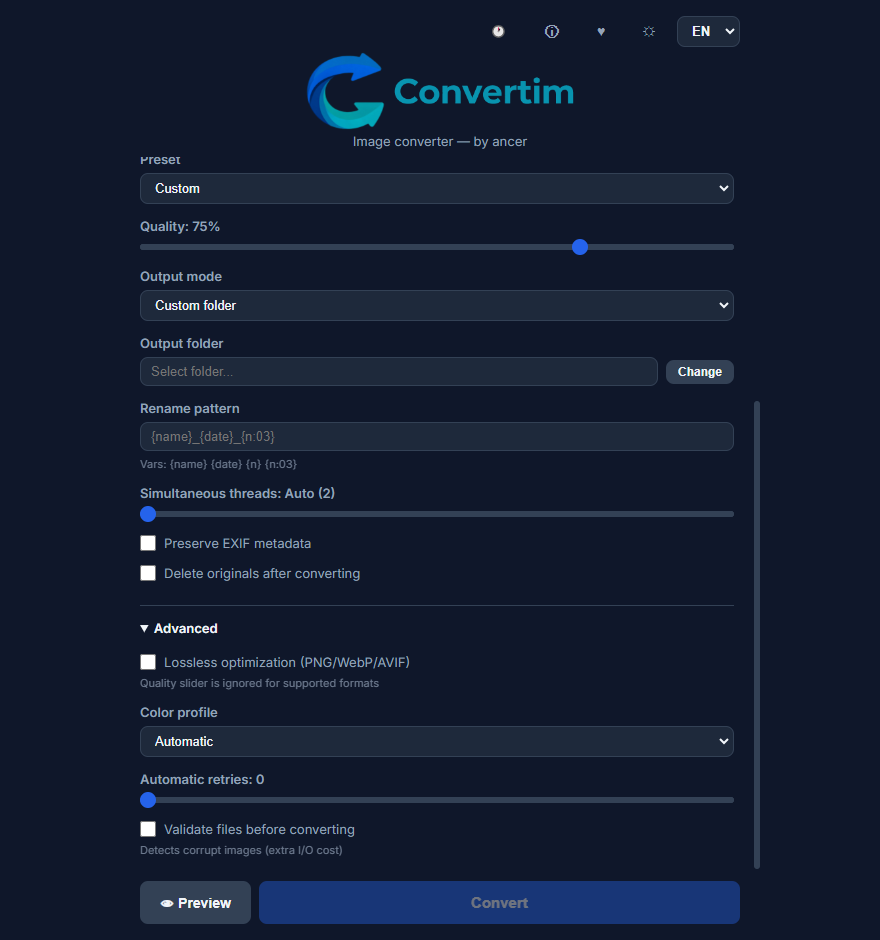
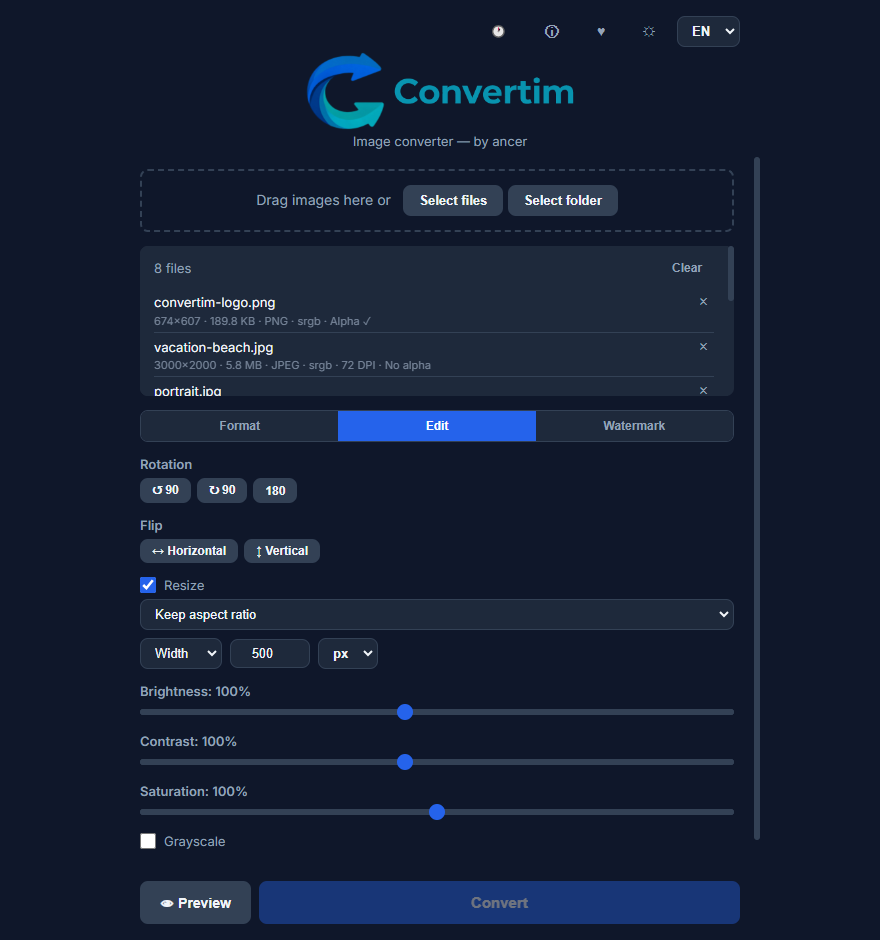
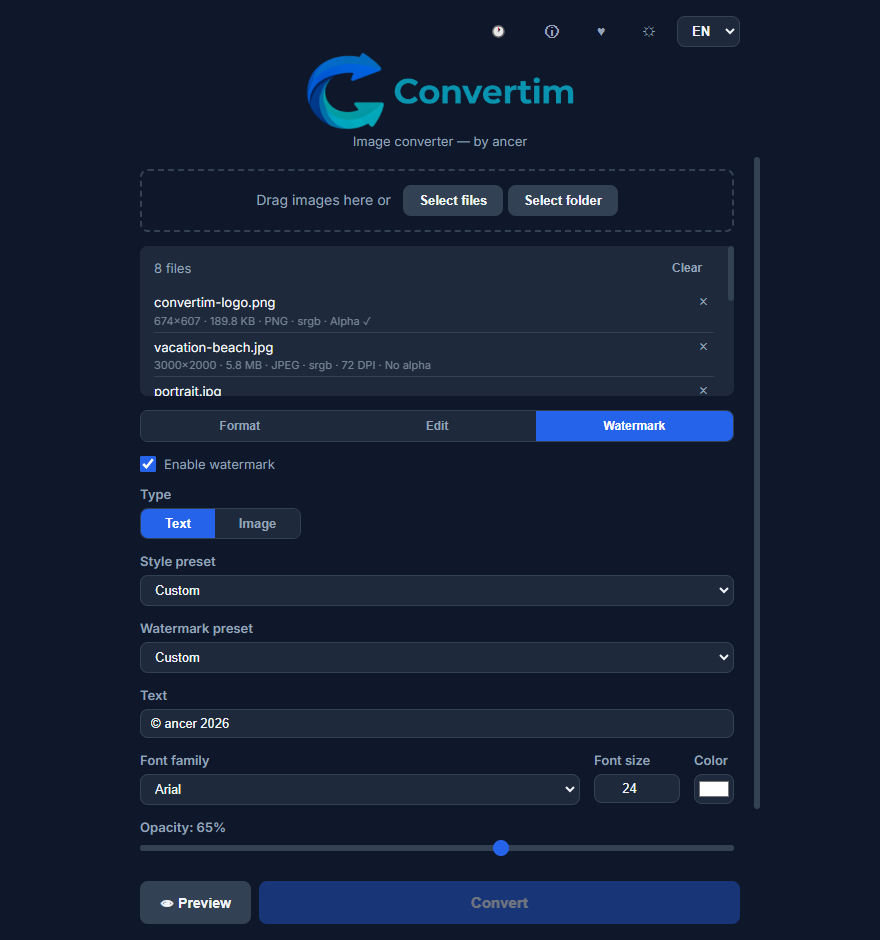
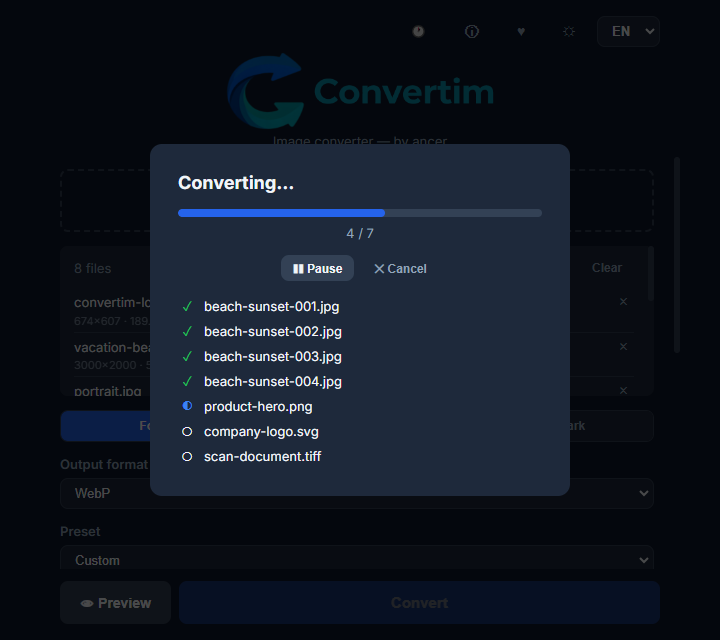
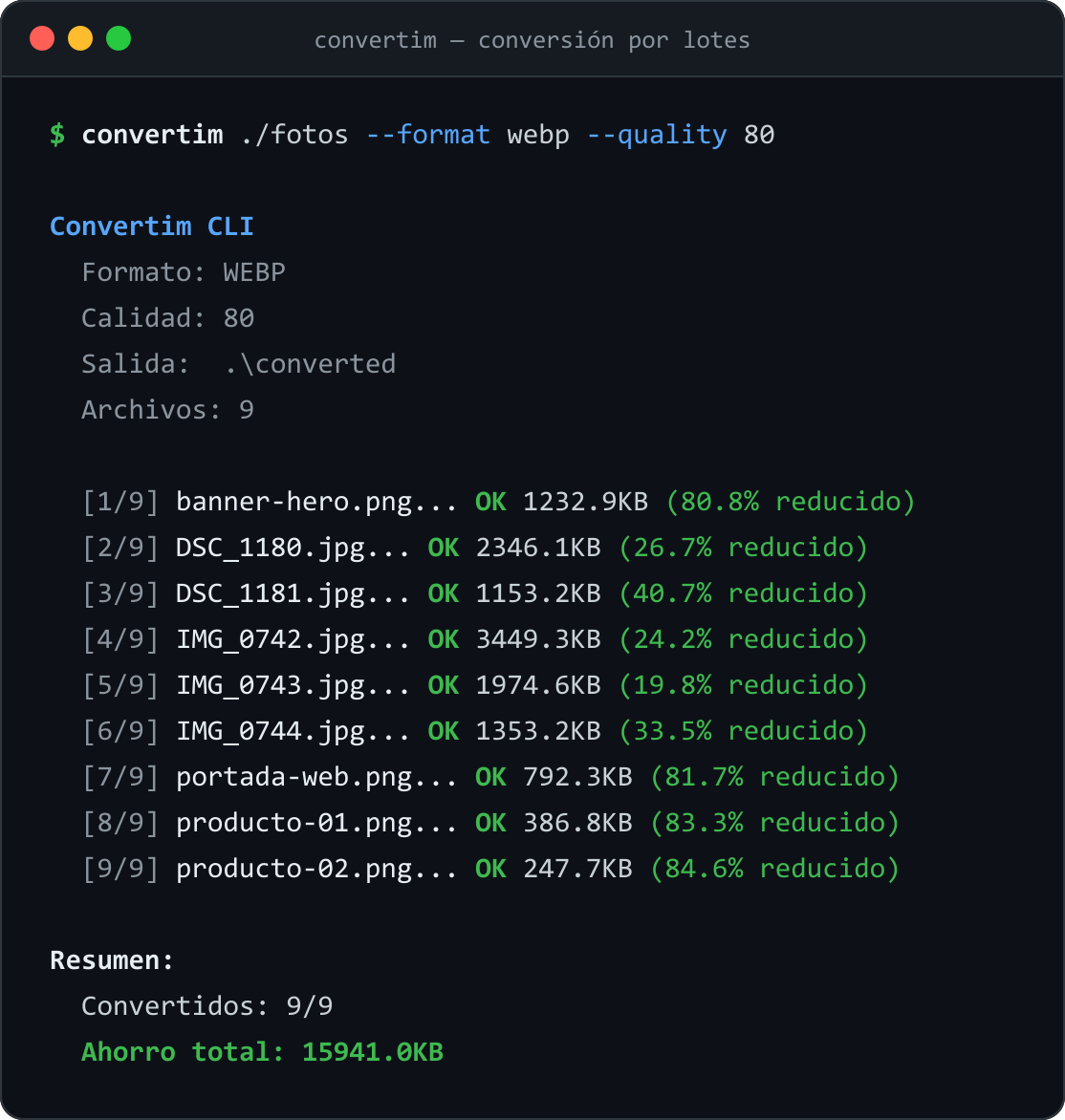
Convertim is a free, portable image converter for Windows designed around privacy, simplicity and local workflows. Convert images between popular formats including JPG, PNG, WebP, AVIF, HEIC, TIFF, GIF and SVG without uploading your files to external servers. Unlike many online converters, Convertim runs completely on your device. No cloud processing, no accounts, no ads and no unnecessary steps. It supports everyday image conversion tasks like batch processing, resizing, optimization and adding watermarks while keeping the experience simple and focused. For advanced users and automated workflows, Convertim also includes a command line interface (CLI), allowing the same tool to be used both visually and inside scripts. Built by ancer, Convertim follows a simple idea: good software should solve a problem, respect the user and stay out of the way. Key features: • Local image conversion • Batch processing • Multiple image formats • Resize and optimization tools • Watermark support • GUI and CLI workflows • Portable Windows application • No installation required • No accounts • No ads • No file uploads Convertim is built for anyone who wants a straightforward way to convert images without depending on online tools or giving up control over their files.
Ask AI
ChatGPT Claude Perplexity Grok
For agents
llms.txt · llms-full.txt · ai.txt · Live fact sheet · Full catalog (.md) · Endpoint index · API spec · REST access · Agent server · Server manifest · Server discovery
Who it is for
Convertim is designed for people who want a fast, private and simple way to convert images without relying on online tools.
- People who need a simple way to convert images without uploading files online.
- Developers and creators who care about privacy, speed and local workflows.
- Users who want a lightweight alternative to ad-heavy online converters.
Key Features
- Local image conversion
- Multiple format support
- No installation required
- Built-in optimization tools
Use Cases
- Quickly prepare images for websites, products, documentation or marketing content
- Automate image conversion workflows using the built-in command line interface
- Convert and optimize assets locally without adding cloud tools to your workflow
Pricing
Convertim is free to use. See the website for details.
Verdict
Convertim is a great fit for anyone looking for a straightforward image conversion tool that respects privacy and avoids the usual friction of online alternatives. By running locally on your device, it removes the need to upload personal or work files to third-party services while still providing the features needed for common image workflows. Its combination of a graphical interface and command line support makes it flexible enough for different users: from someone converting a few images occasionally to developers automating larger workflows. Convertim does not try to replace professional image editing software. Instead, it focuses on doing one thing well: converting, optimizing and preparing images quickly with fewer distractions. A lightweight, privacy-focused alternative for users who prefer simple tools that stay out of the way.
FAQ
What is Convertim?
Convertim is a free, portable image converter for Windows designed around privacy, simplicity and local workflows. Convert images between popular formats including JPG, PNG, WebP, AVIF, HEIC, TIFF, GIF and SVG without uploading your files to external servers. Unlike many online converters, Convertim runs completely on your device. No cloud processing, no accounts, no ads and no unnecessary steps. It supports everyday image conversion tasks like batch processing, resizing, optimization and adding watermarks while keeping the experience simple and focused. For advanced users and automated workflows, Convertim also includes a command line interface (CLI), allowing the same tool to be used both visually and inside scripts. Built by ancer, Convertim follows a simple idea: good software should solve a problem, respect the user and stay out of the way. Key features: • Local image conversion • Batch processing • Multiple image formats • Resize and optimization tools • Watermark support • GUI and CLI workflows • Portable Windows application • No installation required • No accounts • No ads • No file uploads Convertim is built for anyone who wants a straightforward way to convert images without depending on online tools or giving up control over their files.
Who is Convertim for?
Convertim is designed for people who want a fast, private and simple way to convert images without relying on online tools. • People who need a simple way to convert images without uploading files online. • Developers and creators who care about privacy, speed and local workflows. • Users who want a lightweight alternative to ad-heavy online converters.
What are the key features of Convertim?
Convertim includes: • Local image conversion • Batch processing • Multiple format support • No installation required • Built-in optimization tools • GUI and CLI workflows
What can I use Convertim for?
• Quickly prepare images for websites, products, documentation or marketing content. • Automate image conversion workflows using the built-in command line interface. • Convert and optimize assets locally without adding cloud tools to your workflow.
How much does Convertim cost?
Convertim is free to use. See the website for details. You can discover and review Convertim for free on Launch Llama.
What category does Convertim belong to?
Convertim is listed under Developer Tools, Productivity on Launch Llama.
How do I get started with Convertim?
Click the "Visit Website" button on this page to go directly to Convertim. You can also upvote and leave a review to help other founders discover it.
Is Convertim free?
Yes. Convertim is free to use with no subscriptions, accounts or hidden limits.
Does Convertim upload my images?
No. Convertim runs locally on your device, so your images are processed without being uploaded to external servers.
Can Convertim convert multiple images at once?
Yes. Convertim supports batch processing, allowing multiple images to be converted in a single workflow.
Does Convertim support command line usage?
Yes. Convertim includes CLI support for users who want to automate image conversion tasks or integrate it into scripts.
Supporters
2 founders2 founders contributed 5 upvotes to Convertim on Launch Llama.
Reviews
2 comments
Thanks! 👋 Convertim actually started from a small frustration: many image converters require uploading your files, installing large apps or dealing with unnecessary steps. I wanted to build something simpler: a portable tool that runs locally, respects your files and just does the job.
Hey, love seeing this here! 👋 What inspired you to build this? Would love to hear the story behind it.
Alternatives
- TeraConvert
For privacy-conscious users: TeraConvert converts files locally on your device so sensitive documents never upload to external servers.
- Converrtany
For privacy-conscious users: ConverrtAny converts 200+ file formats offline on your computer—no cloud uploads, faster and more secure than web converters.
- MyTooslBench
For designers: MyTooslBench converts images between JPG, PNG, WebP, AVIF and more in your browser with no uploads so you work faster offline.
- File Converter Free
For anyone: File Converter Free converts 215+ file formats and handles PDFs and images in-browser so you skip signup and get results fast.
- EasyPixelShift
For developers and designers: Convert images, video, and PDFs in-browser with zero server uploads. Keep sensitive assets private.
- FileOnTap
Free browser-based file converter for images and PDFs. Convert HEIC, WebP, PNG, and JPG formats locally without uploading files or creating an account.