MyTooslBench
For designers: MyTooslBench converts images between JPG, PNG, WebP, AVIF and more in your browser with no uploads so you work faster offline.
Built by Bhk 345 · Productivity · Developer Tools · Design Tools · Free
In category: #1038 of 1429 · Productivity
MyTooslBench is a Community listing on Launch Llama with 2 upvotes from 2 founders, founded by Bhk 345 who joined in Sep 2026, compared against 6 alternatives.
Community listing
Listing status
2upvotes
Community score
Bhk 345 (Joined Sep 2026)
Founder
Compared against 6 alternatives
Market comparison
Launched on Launch Llama Sep 14, 2026 · #110 of 125 that day
MyTooslBench at a glance
- What it is
- MyTooslBench: For designers: MyTooslBench converts images between JPG, PNG, WebP, AVIF and more in your browser with no uploads so you work faster offline.
- Pricing
- MyTooslBench pricing: Free.
- Best for
- MyTooslBench is best for designers who need to convert and resize images offline and quickly., social media managers preparing images at exact platform sizes. and sellers on Etsy, eBay or Shopify who need correctly sized product photos.
- Alternatives
- Top MyTooslBench alternatives on Launch Llama: UseFreeTools, Toolbantu and PDF & Image Tools.
About
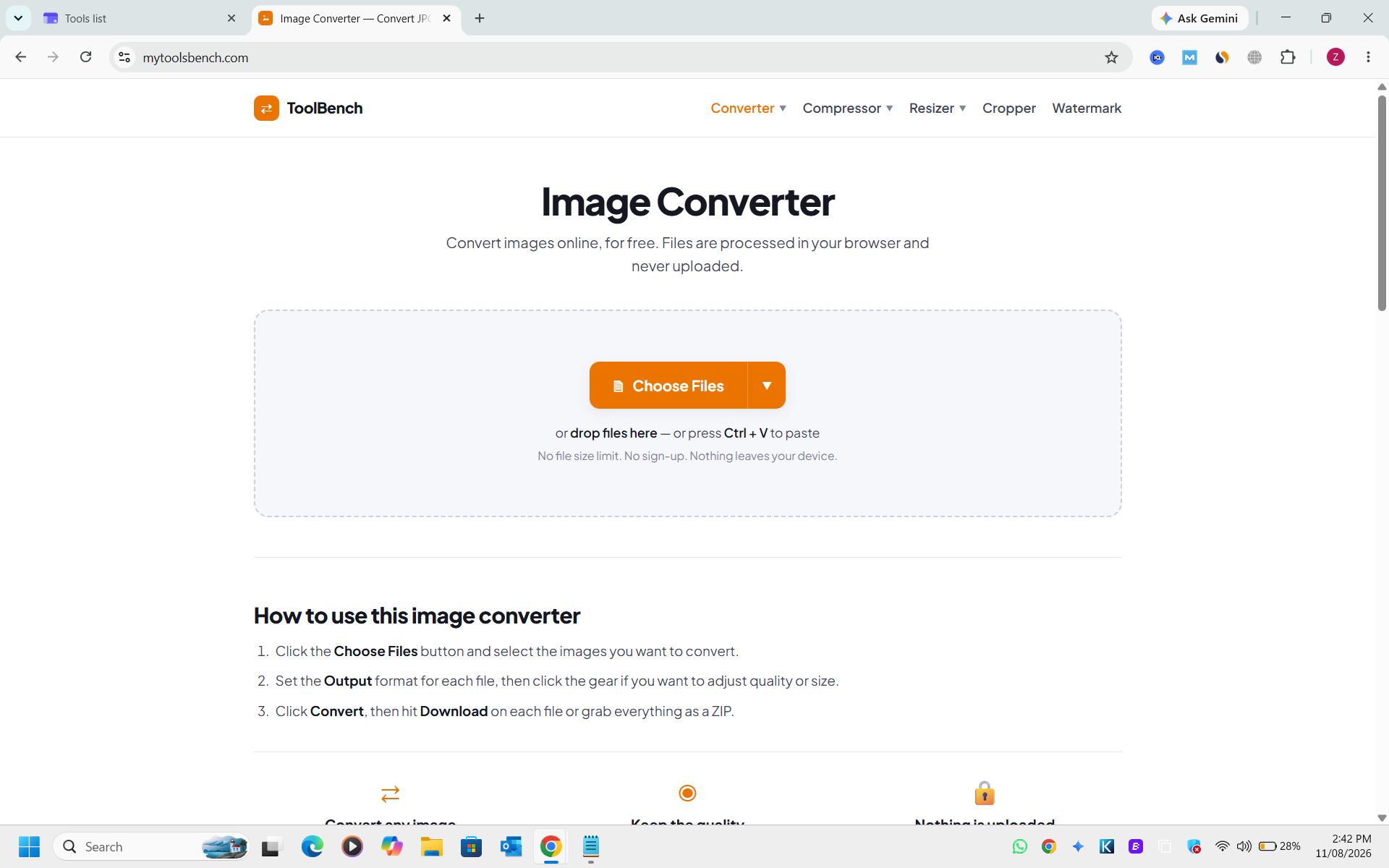
ToolBench is a free online image converter that processes files entirely in your browser with no uploads, sign-ups, or file size limits. Convert between multiple formats including JPG, PNG, WebP, AVIF, GIF, BMP, TIFF, ICO, HEIC, and PDF with per-file quality and size controls. The tool also includes image compression, resizing, cropping, and watermarking capabilities, all running locally on your device for complete privacy.
Use Cases
- Converting a batch of mixed images (JPG, PNG, HEIC, AVIF) to a single target format without uploading them anywhere
- Compressing an image to an exact target file size such as 500 KB or 60 KB without changing its format
- Resizing and cropping images to platform-specific dimensions like Instagram, YouTube thumbnails or LinkedIn banners
Who it is for
- Designers who need to convert and resize images offline and quickly.
- Social media managers preparing images at exact platform sizes.
- Sellers on Etsy, eBay or Shopify who need correctly sized product photos.
Pricing
MyTooslBench is free to use. See the website for details.
FAQ
What size should my images be for social media?
Every platform wants different pixels. Our social media image sizes guide (https://mytoolsbench.com/social-media-image-sizes) lists the exact sizes and aspect ratios for Instagram, Facebook, YouTube, X, LinkedIn, TikTok, Pinterest and WhatsApp. Convert your image here first, then resize it to the size the guide gives.
Are my images uploaded to a server?
No. Conversion happens inside your browser using the Canvas API. Nothing is transmitted, stored or logged. You can disconnect from the internet after the page loads and it will still work.
Is there a file size or file count limit?
No. Most converters cap you at 1 GB or 20 files because they pay for server processing. There is no server here, so there is no cap. Very large images may simply take a moment on slower devices.
Which output format should I choose?
WebP is the best default for the web — typically 25–35% smaller than JPG at matching quality, with support in every modern browser. AVIF is smaller still. JPG is the most universally compatible. PNG is for transparency and flat graphics.
What happens to transparency when I convert to JPG?
JPG cannot store transparent pixels, so anything transparent has to be filled with a solid colour. This tool fills with white, which is what most people expect. If you need to keep transparency, convert to PNG, WebP or AVIF instead.
Why are some formats greyed out?
Browsers can read many formats but can only write a limited set. EPS, PSD, SVG and TGA would need server-side processing, which would mean uploading your files. We chose privacy instead.
Is JPG the same as JPEG?
Yes, identical. The two names exist only because older systems limited file extensions to three characters.
Alternatives
 ToolbantuGives developers and everyday users image, text and JSON tools that run locally, keeping files and data on-device for quick, private results.
 NoUploadConverterHelps privacy-minded users convert, compress, and edit images, PDFs, videos, and audio in the browser, with files processed in device memory and never sent to a server.
 File Converter FreeFor anyone: File Converter Free converts 215+ file formats and handles PDFs and images in-browser so you skip signup and get results fast.
New on Launch Llama
Launched this week · This month's launches · All products A–Z
Ask AI about MyTooslBench
Supporters
2 founders
2 founders contributed 2 upvotes to MyTooslBench on Launch Llama.

For bots & AI agents
Machine-readable versions of MyTooslBench and Launch Llama. Fetch these instead of parsing this page.
This listing (.md) llms.txt llms-full.txt ai.txt Full catalog (.md) Endpoint index API docs MCP server MCP manifest Developer docs