CADProps
92 formats. Ethan Tan, CTO. Natives on CADProps servers.
Built for engineers and machine shops: open SolidWorks, STEP, CATIA and other CAD files, then check dimensions, volume and weight without installing desktop CAD software. Disclosure: Ethan Tan, CTO.
Built by cadprobs cadprobs · Design Tools
In category: #446 of 447 · Design Tools
CADProps is a Community listing on Launch Llama with 0 total upvotes, founded by cadprobs cadprobs who joined in Nov 2026, compared against 5 alternatives.
Community listing
Listing status
0upvotes
Community score
cadprobs cadprobs (Joined Nov 2026)
Founder
Compared against 5 alternatives
Market comparison
Launched on Launch Llama Nov 16, 2026 · #56 of 98 that day
About
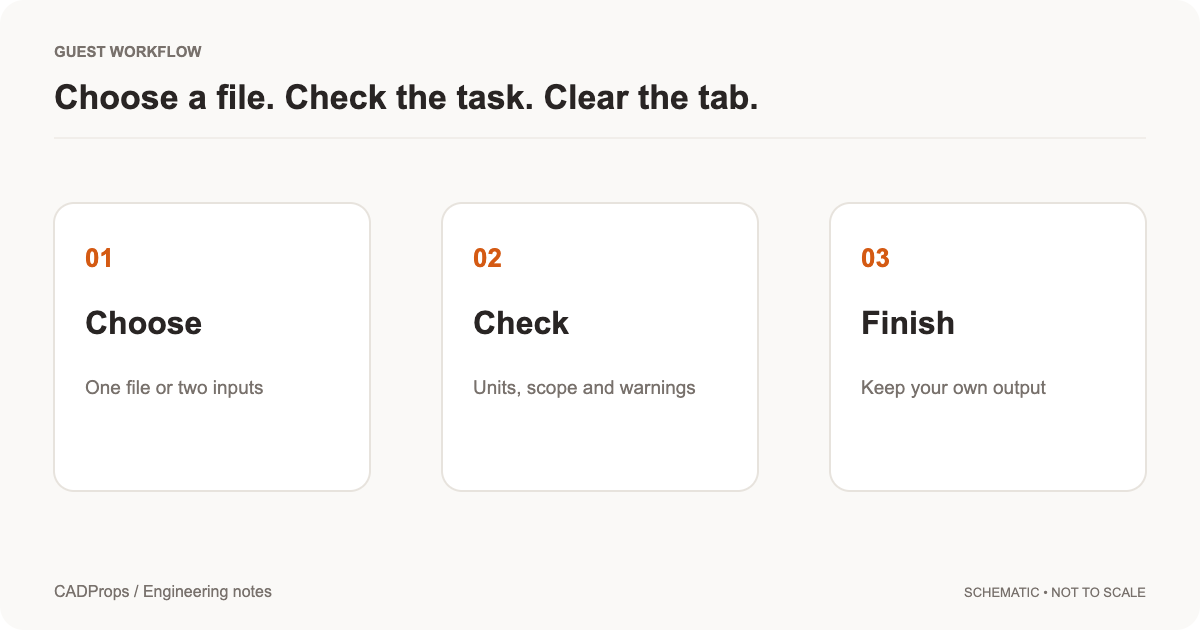
Exact dimensions and surface area come from readable B-Rep geometry in formats such as STEP and Parasolid, while mesh formats like STL, OBJ and GLB are measured approximately and marked as such. Guest uploads stay private to the session and are deleted after 60 minutes, and a share link exists only when you create one. Signing in unlocks file conversion, saved files and share links that recipients can open without an account.
Native files are processed on CADProps servers. The free tier covers 92 file extensions. Disclosure: Ethan Tan, CTO of CADProps.
Key Features
- Open SolidWorks, Inventor, CATIA, NX and Parasolid files without desktop CAD software
- Measure X/Y/Z bounding extents, dimensions and surface area from supported geometry
- Calculate solid volume and estimate weight from a chosen material density
- Convert supported CAD models to STEP and download property CSV files
- Share models by link with an optional password for recipients without accounts
Use Cases
- Checking STEP part dimensions and units before using them in an engineering decision
- Estimating part weight from solid volume and a chosen material density
- Sending a 3D model to a supplier or shop through a password-protected share link
Who it is for
- Engineers who need to view or measure SolidWorks, Inventor, CATIA or NX files without installing those programs.
- Shops and buyers who receive CAD files and need quick dimensions, volume or weight.
Pricing
See the CADProps website for current pricing.
FAQ
Which CAD file formats can I view online?
CADProps supports 55+ CAD file formats and extensions. CADProps opens STEP/STP, IGES/IGS, STL, OBJ, 3MF, static GLB/glTF and supported DWG/DXF files, and reads native CAD files in-house. Parasolid X_T/X_B and ACIS SAT/SAB are read as B-Rep. SolidWorks SLDPRT, Autodesk Inventor IPT and CATIA V5 CATPart give exact geometry and exact STEP export when the part's B-Rep is read completely; otherwise they show the display triangles saved in the file. SolidWorks SLDASM, Inventor IAM, Siemens NX (UG NX) PRT, JT, Rhino 3DM and Solid Edge PAR/PSM show saved or tessellated display geometry with approximate properties, and their STEP export contains triangles. Autodesk Fusion F3D designs show their current bodies placed by component as an approximate display, without area, volume or exact STEP. CATIA CATProduct shows only the thumbnail saved in the file; Solid Edge ASM shows supported saved assembly scenes as an approximate preview, otherwise its thumbnail. Package assembly references in ZIP; incom
Can I measure a STEP or STP file online?
Yes. Upload a STEP or STP file to inspect its 3D geometry and overall X, Y and Z dimensions. Point-to-point distances picked in the viewer are approximate. Switch display units between metric and imperial without changing the source geometry.
How are CAD volume, surface area and weight calculated?
STEP and IGES properties are calculated from B-Rep geometry. Volume requires valid closed solids; calculated mass is volume multiplied by your chosen material density. Check the model units, loaded parts and density before using the results.
Can I measure STL files and other mesh models?
You can inspect supported STL, OBJ, 3MF and static GLB/GLTF models. Mesh dimensions and surface properties come from triangle geometry; volume and density-based mass are approximate and require a closed, consistent mesh. Validated conversions are downloadable. 2D DWG/DXF files use the drawing workflow; detected 3D ACIS solids are shown through a separate mesh-preview path and are explicitly identified as previews.
Do I need to install CAD software or create an account?
No installation or account is required to view and measure. Register or sign in to convert, save files across devices or create a share link. Guest files expire after the displayed retention period. Shared models can be viewed without an account.
Are my CAD files kept on your server?
Files are processed on CADProps servers over HTTPS (TLS 1.2 or 1.3). Guest files are automatically deleted about one hour after upload, including previews and results. You can delete them earlier. Signed-in uploads are saved to My files (200 MB, up to 100 files) and automatically deleted after 90 days without use. You can delete them anytime; their share links will stop working. Original CAD files are not sent to external CAD processing services or used to train AI.
What is the largest CAD file CADProps can open?
Each file can be up to 95 MiB, and a ZIP package can expand to 200 MiB. Assemblies can have up to 2,000 bodies, and a preview can show up to 1,000,000 triangles. Most previews finish within 10 seconds.
Who is CADProps built for?
CADProps is built for machining and quoting staff, purchasing and supply-chain engineers, and inspection staff who need a part's dimensions, volume, estimated weight or assembly contents without installing CAD software. It works in desktop and mobile browsers.
Alternatives
 CADCraftBuilt for architects, engineers and students who want AutoCAD-style drawing with no license fee, plus DWG and DXF support.
 GIS ToolboxHelps GIS analysts, surveyors, and mappers reproject WGS84, UTM, and EPSG data, convert Shapefile, GeoJSON, KML, and CSV, and measure map distances and areas directly in the browser.
 zCAD AIAI 3D that creates real parts, not just shapes
 NestMaxxTrue-shape nesting for plasma, laser and router parts that packs real outlines tight and exports DXF or SVG for CAD/CAM, with no install or subscription.
More in Design Tools
New on Launch Llama
Launched this week · This month's launches · All products A–Z
Ask AI about CADProps
For bots & AI agents
Machine-readable versions of CADProps and Launch Llama. Fetch these instead of parsing this page.
This listing (.md) llms.txt llms-full.txt ai.txt Full catalog (.md) Endpoint index API docs MCP server MCP manifest Developer docs