
bank convert
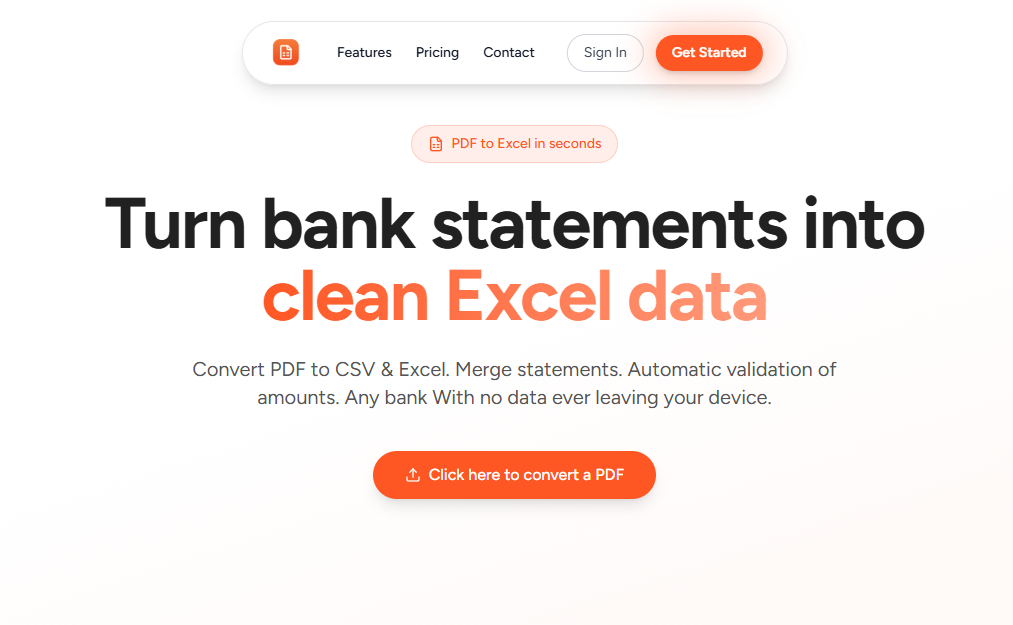
For finance teams: BankConvert converts PDF bank statements to Excel/CSV automatically with 99.9% accuracy, eliminating manual data entry and reconciliation errors.
Built by beard networks · Productivity · SaaS · Paid
In category: #493 of 1454 · Productivity
bank convert is a Community listing on Launch Llama with 31 total upvotes, founded by beard networks who joined in Apr 2026, compared against 3 alternatives.
Community listing
Listing status
31upvotes
Community score
beard networks (Joined Apr 2026)
Founder
Compared against 3 alternatives
Market comparison
Launched on Launch Llama Apr 26, 2026 · #7 of 16 that day
About
BankConvert is a SaaS platform designed to automate one of the most tedious workflows in finance and operations: converting PDF bank statements into structured, analysis-ready data formats like Excel (XLSX) and CSV. Instead of manually copying transactions line-by-line—a process that is slow, error-prone, and not scalable—BankConvert leverages advanced parsing and extraction logic to process complex bank statement layouts with high accuracy (up to 99.9%).
The platform is built to handle real-world variability across thousands of bank formats globally, including inconsistent layouts, multi-page statements, scanned PDFs, and different transaction structures. It intelligently detects tables, extracts transaction data, normalizes formats (dates, amounts, descriptions), and outputs clean datasets that are immediately usable for accounting, auditing, reconciliation, or financial analysis.
From a security and privacy standpoint, BankConvert is designed with data sensitivity in mind. Financial documents are processed securely, ensuring that users can confidently upload bank statements without exposing sensitive information.
The product is particularly valuable for:
Accountants & bookkeepers managing multiple clients and large volumes of financial records
Small businesses that still rely on manual bookkeeping workflows
Finance teams needing fast reconciliation and reporting
Freelancers and individuals organizing personal finances
In addition to raw conversion, BankConvert reduces operational friction by eliminating hours of manual work, minimizing human errors, and accelerating downstream workflows such as reporting, tax preparation, and financial audits.
At its core, BankConvert is not just a converter—it’s a productivity layer for financial data processing, turning unstructured documents into actionable insights in seconds.
Use Cases
- Converting PDF bank statements into Excel or CSV files without manually copying transactions
- Reconciling bank transactions by turning messy statement PDFs into clean spreadsheets for review
- Previewing a statement conversion in the browser with no signup, using the free conversions allowance
Who it is for
- Finance teams that handle bank statements and need transaction data in spreadsheets.
- Accounting and bookkeeping staff who reconcile bank activity and want to avoid manual data entry errors.
Pricing
Paid plans are offered, and new customers can get 50% off with a limited-time code for the first 500 customers. A free tier includes 5 free conversions, and previewing requires no signup.
FAQ
What is bank convert?
For finance teams: BankConvert converts PDF bank statements to Excel/CSV automatically with 99.9% accuracy, eliminating manual data entry and reconciliation errors.
How does bank convert work?
BankConvert is a SaaS platform designed to automate one of the most tedious workflows in finance and operations: converting PDF bank statements into structured, analysis-ready data formats like Excel (XLSX) and CSV.
Who is bank convert for?
bank convert is designed for a range of users, including: • Finance teams that handle bank statements and need transaction data in spreadsheets. • Accounting and bookkeeping staff who reconcile bank activity and want to avoid manual data entry errors.
What can you do with bank convert?
With bank convert you can: • Converting PDF bank statements into Excel or CSV files without manually copying transactions. • Reconciling bank transactions by turning messy statement PDFs into clean spreadsheets for review. • Previewing a statement conversion in the browser with no signup, using the free conversions allowance.
How much does bank convert cost?
Paid plans are offered, and new customers can get 50% off with a limited-time code for the first 500 customers. A free tier includes 5 free conversions, and previewing requires no signup.
Alternatives
 ScanPilotFor finance teams: ScanPilot converts PDFs to Excel automatically so you extract invoices, statements, and reports into structured data without manual setup.
More in Productivity
New on Launch Llama
Launched this week · This month's launches · All products A–Z
Featured in
Ask AI about bank convert
Supporters
18 founders
18 founders supported bank convert on Launch Llama.


Reviews
4.8 · 6 reviews · 1 comment
will recommend to my friends in brazil, nice product
C'est une excellente initiative ! Launching a fintech tool like BankConvert requires a tone that balances professional reliability with modern simplicity.
Generous free tier for users
Try it and they are very generous with their free tier
Nice UI mate !!
the excel file shows red and green for ins and outs. Creative I must say well done
Nice design and product.
For bots & AI agents
Machine-readable versions of bank convert and Launch Llama. Fetch these instead of parsing this page.
This listing (.md) llms.txt llms-full.txt ai.txt Full catalog (.md) Endpoint index API docs MCP server MCP manifest Developer docs