
Updated 2026-11-19 · 10 of 10 AI bookkeeping software on Launch Llama compared
Quick answer: The best AI bookkeeping software in 2026, by Launch Llama community upvotes, are Receiptor AI, GreenBar Systems, bank convert. If you want to start free, bank convert has a free plan. We compared all 10 AI bookkeeping software listed on Launch Llama on pricing, features and use cases.
Our picks at a glance
- Best overall: Receiptor AI — the most upvoted AI bookkeeping software on Launch Llama
- Best free option: bank convert — lists a free plan
- Best to see in action: GreenBar Systems — has a demo video you can watch below
- Most features listed: Dynamite Docs - AI Powered Document Extraction — 5+ features on its listing
The 10 best AI bookkeeping software in 2026
1. Receiptor AI — best for business owners wanting to reduce weekly administrative work and clean records for accountants

Pricing: Free plan; paid from $0.012 · Free plan: Yes · Upvotes: 522
In Receiptor AI's words
Receiptor AI is an agentic bookkeeping assistant that runs your receipt workflow end-to-end: it collects receipts from your inbox and your mobile, organizes them in your cloud or accounting software, and matches them to your bank transactions. It works quietly in the background with 99% accuracy, and only asks questions when it needs more context. The result: clean books and organized receipt data you can query from anywhere: the app, WhatsApp, or right inside Claude and ChatGPT.
Key features
- Capture receipts and invoices from email, WhatsApp, iMessage, and bulk uploads
- Categorize documents against your chart of accounts automatically
- Publish documents to Xero, QuickBooks, or other destinations with originals attached
- Ask focused questions when uncertain instead of guessing on categorization
- Match documents to multiple legal entities automatically
Use cases
- Business owners wanting to reduce weekly administrative work and clean records for accountants
- Accountants and bookkeepers who need cleaner records with original documents attached
Pricing details: Freemium model with free 14-day trial. Ongoing subscription plans start at $29/month for new emails; separate one-time Retroactive Scan for past emails priced from $0.012/email. Enterprise custom pricing available.
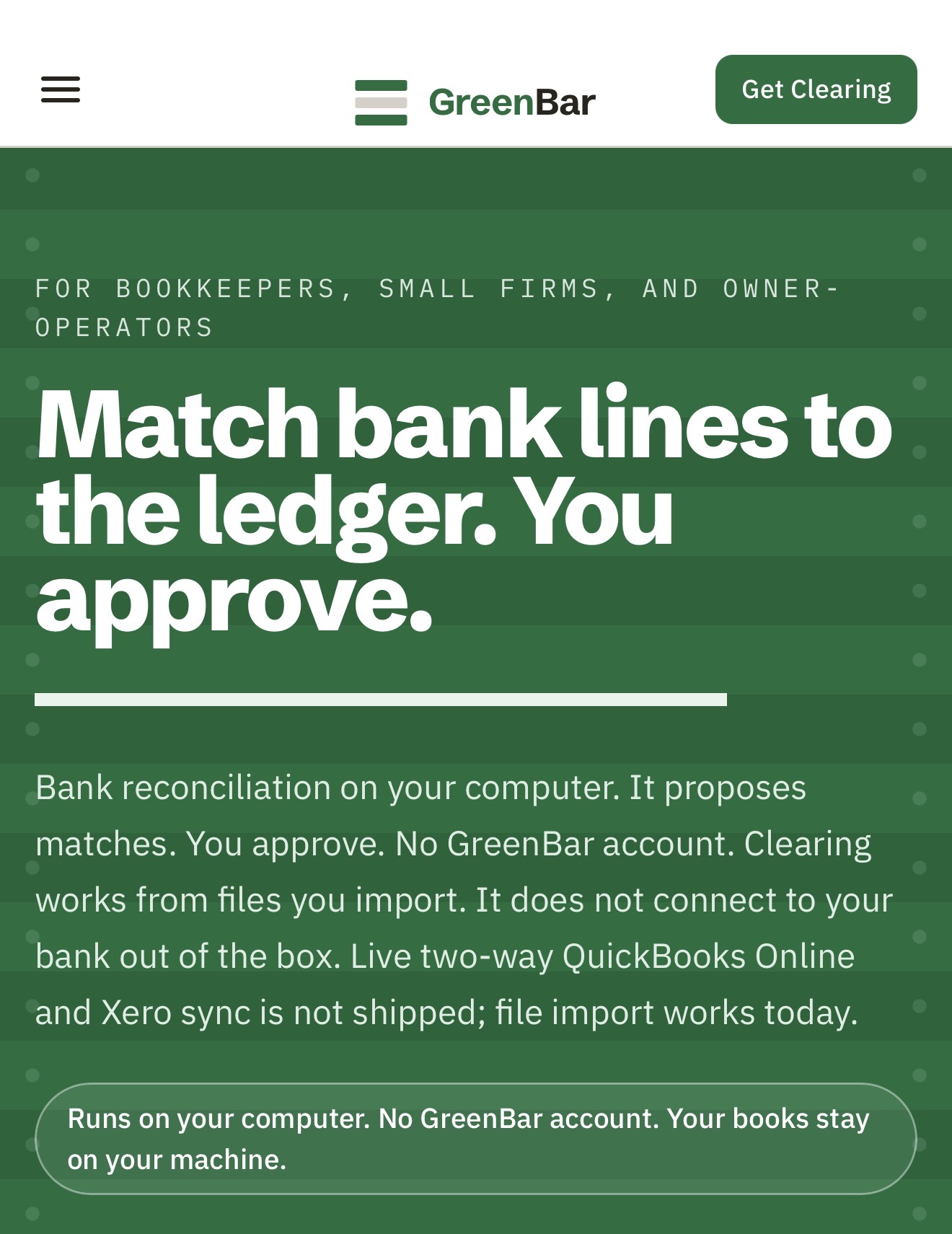
2. GreenBar Systems — best for export closed bank months from QB Desktop/Online as CSV, import into Clearing Solo ($199/year), reconcile locally, sign off with audit trail for QB transitions
Pricing: Paid · Free plan: No · Upvotes: 337 · Rating: 4.4/5 from 24 reviews
In GreenBar Systems's words
Clearing is desktop bank reconciliation for bookkeepers, small CPA firms and owner operators.
The books stay on the machine. This is not a cloud product.
Key features
- Import CSV or Excel bank and ledger files to reconcile closed months on your desktop
- Propose matches with confidence scores and reasoning signals so you review before approving
- Flag exceptions and unusual items in plain English for manual resolution
- Create tamper-evident audit trails showing what matched, what changed, and who signed off
- Learn from repeated resolution patterns to improve match suggestions over time
Use cases
- Export closed bank months from QB Desktop/Online as CSV, import into Clearing Solo ($199/year), reconcile locally, sign off with audit trail for QB transitions.
- Import CSV/Excel bank and ledger exports each month, let Clearing flag exceptions (amount mismatches, timing gaps, duplicates) that need review, approve
- Use Clearing Pro ($499/year) for preparer–reviewer workflow: reconcile, propose matches, review, lock period with tamper-evident audit trail for compliance.
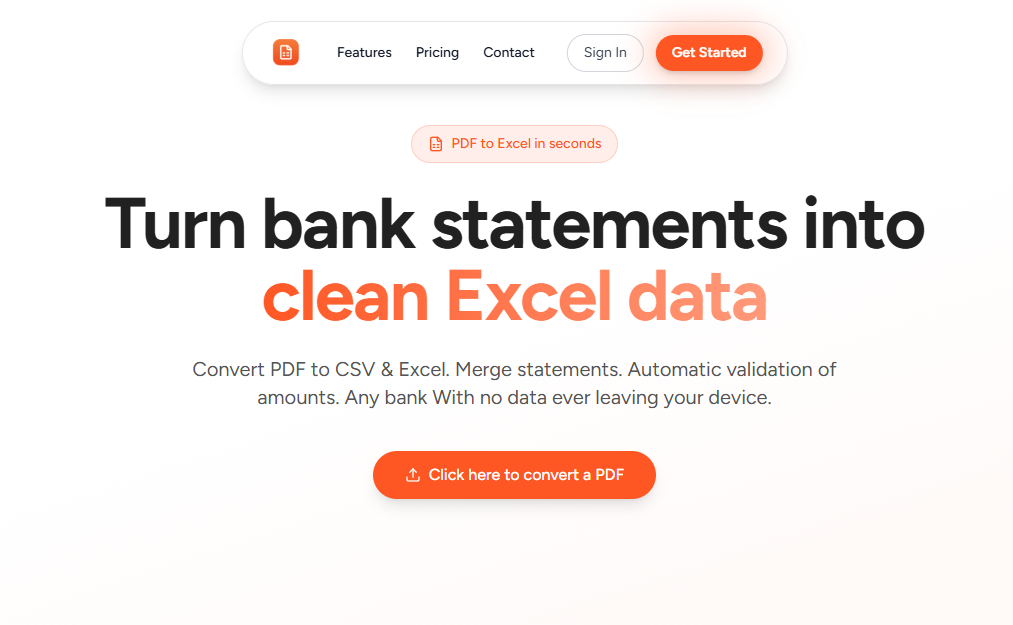
3. bank convert — best for converting PDF bank statements into Excel or CSV files without manually copying transactions
Pricing: Paid · Free plan: Yes · Upvotes: 31 · Rating: 4.8/5 from 6 reviews
In bank convert's words
BankConvert is a SaaS platform designed to automate one of the most tedious workflows in finance and operations: converting PDF bank statements into structured, analysis-ready data formats like Excel (XLSX) and CSV. Instead of manually copying transactions line-by-line—a process that is slow, error-prone, and not scalable—BankConvert leverages advanced parsing and extraction logic to process complex bank statement layouts with high accuracy (up to 99.9%).
Use cases
- Converting PDF bank statements into Excel or CSV files without manually copying transactions.
- Reconciling bank transactions by turning messy statement PDFs into clean spreadsheets for review.
- Previewing a statement conversion in the browser with no signup, using the free conversions allowance.
Pricing details: Paid plans are offered, and new customers can get 50% off with a limited-time code for the first 500 customers.
4. FinTract — best for extracting transactions and balances from bank statements into validated JSON without manual entry

Pricing: Free plan; paid from $0.05 · Free plan: Yes · Upvotes: 14 · Rating: 5/5 from 1 review
In FinTract's words
FinTract is a financial document extraction API. Upload a PDF bank statement, invoice, balance sheet, income statement, or cash-flow statement; get back structured JSON with a source citation on every critical field.
Unlike generic OCR, Fintract validates the financial logic in every document before returning results: transactions must reconcile against opening and closing balances, balance sheets must balance, totals must match line items. If a document fails validation, the API returns an error instead of silently wrong numbers — and you aren't billed for it.
Use cases
- Extracting transactions and balances from bank statements into validated JSON without manual entry.
- Pulling line items, due dates, and totals from invoices for accounts payable processing.
- Converting receipts and financial statements into structured data with reconciliation checks.
Pricing details: Usage-based at $0.05 per page for all supported document types, with $2.00 of free credit to start and no credit card required.
5. SnapTax — best for estimating quarterly federal and state tax payments as a 1099 freelancer so you know what to set aside before each IRS deadline
Pricing: Free plan; paid from $4.99/month · Free plan: Yes · Upvotes: 9
In SnapTax's words
SnapTax is a tax planning platform built specifically for freelancers and 1099 independent contractors. It combines AI-powered expense categorization, real-time P&L reporting, dynamic quarterly tax projections, asset depreciation tracking with Section 179 wizard, mobile receipt capture, and GPS mileage tracking — giving solo business owners a complete picture of their tax liability all year long without accounting software or a bank connection required.
Use cases
- Estimating quarterly federal and state tax payments as a 1099 freelancer so you know what to set aside before each IRS deadline.
- Uploading bank statements and having AI sort transactions into Schedule C expense categories for tax prep.
- Tracking business mileage with IRS-compliant logs and exporting Schedule C data to TurboTax or a CPA.
Pricing details: Free plan with quarterly tax estimates and deadline reminders at $0.
6. AccountGo

Pricing: Paid · Free plan: No · Upvotes: 6
In AccountGo's words
AccountGo is an offline accounting system designed for business independence. It allows you to manage books, issue professional invoices, and track expenses directly on your mobile device without an internet connection or cloud dependency. By keeping financial data stored locally, it protects sensitive information from third-party breaches. The platform includes features for generating quotes, processing payments, and exporting full databases or reports to Excel.
7. Claremo — best for automating bookkeeping from Stripe and Shopify so a founder gets investor-ready financials without a full-time bookkeeper

Pricing: Free · Free plan: Yes · Upvotes: 4 · Rating: 5/5 from 1 review
In Claremo's words
Claremo is an AI-native finance operating system built for startup and ecommerce founders who don't have (or want) a full-time bookkeeper.
It connects directly to Stripe, Plaid, QuickBooks, and Shopify to automatically reconcile transactions, categorize expenses, and keep your books accurate in real time — no manual data entry.
Use cases
- Automating bookkeeping from Stripe and Shopify so a founder gets investor-ready financials without a full-time bookkeeper.
- Sending branded invoices as payment links and tracking bills with automatic reminders before due dates.
- Generating a board update from live financials with revenue, burn, runway, and risks drafted for investors.
8. Dynamite Docs - AI Powered Document Extraction — best for turning a batch of vendor invoices into reviewed Excel rows for accounts payable
Pricing: Free plan; paid from $13/month · Free plan: Yes · Upvotes: 3
In Dynamite Docs - AI Powered Document Extraction's words
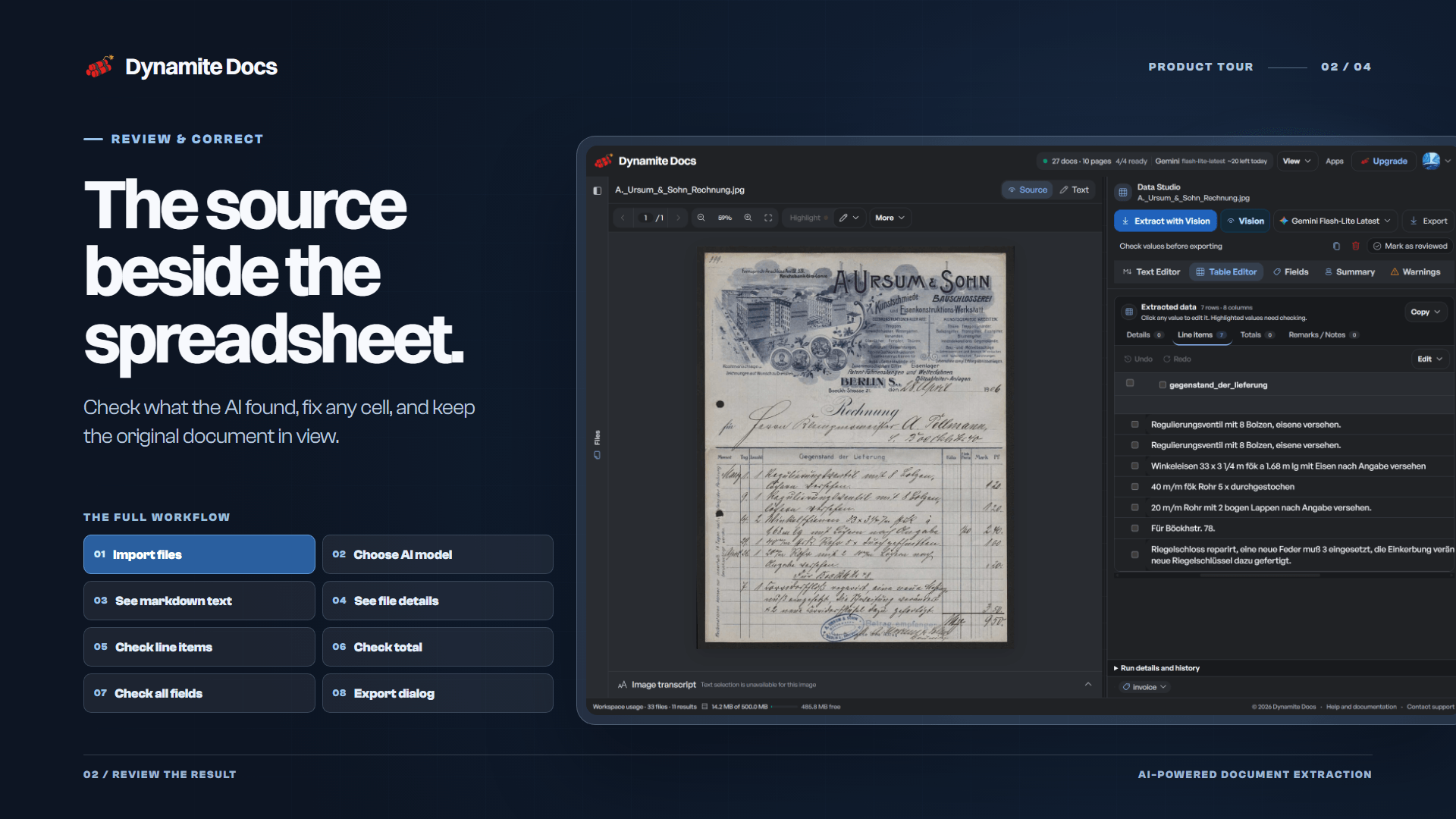
Upload a PDF, scan, or photo and the AI extracts fields and line items, with each value shown beside the original document for review. Invoice references and parties stay as document fields, products become line-item rows, and tax and totals are kept separate. Reviewed results can be exported to Excel, CSV, or JSON, or sent onward through webhooks and automation tools.
Key features
- Extract invoice fields and line items from PDFs, scans, and photos
- Review every extracted value beside the original document before export
- Convert bank statements and receipts into Excel-ready rows
- Export reviewed data to Excel, CSV, or JSON
- Run extractions with your own AI keys or locally through Ollama
Use cases
- Turning a batch of vendor invoices into reviewed Excel rows for accounts payable.
- Converting a monthly bank statement into spreadsheet rows for reconciliation.
- Pulling merchant, tax, and tip details from a receipt photo for expense reports.
Pricing details: Starter: $13/mo, Pro: $59/mo, Scale: $259/mo
See Dynamite Docs - AI Powered Document Extraction pricing, reviews and alternatives →
9. Flitz.ai — best for booking supplier and customer invoices automatically with AI, including Swiss VAT (MWST) calculation and quarterly VAT reports

Pricing: Paid · Free plan: Yes · Upvotes: 2
In Flitz.ai's words
Flitz.ai is an all-in-one AI business platform built for Swiss SMEs (KMU) and others that consolidates more than ten separate tools into a single workspace.
Use cases
- Booking supplier and customer invoices automatically with AI, including Swiss VAT (MWST) calculation and quarterly VAT reports.
- Replacing separate accounting, time tracking, ticketing, CRM and chat subscriptions with one platform that avoids per-user fees.
- Letting employees build internal dashboards and ask natural-language questions over live company data without waiting for a data engineer.
Pricing details: A free plan is available, and a Create Free Account option is offered.
10. Accomation — best for automating data entry of bank statements, including high-volume UPI transactions, into accounting software
Pricing: Paid · Free plan: No · Upvotes: 2
In Accomation's words
Accomation automates pre-accounting workflows through AI-powered data capture and processing. It handles bank statement automation, multi-format document ingestion, and seamless integration with accounting software like Tally, Saral, and Falcon. Users drag-and-drop Excel files or bank data to process invoices and entries in seconds rather than hours, with role-based access controls and before-after reconciliation features.
Key features
- Automate data entry and invoice processing with 98.37% accuracy
- Parse bank statements and UPI transactions automatically
- Integrate with Tally, Saral, Falcon, and Munimji accounting software
- Manage documents with drag-and-drop file uploads and before-after comparisons
- Control access with user role management and data protection
Use cases
- Automating data entry of bank statements, including high-volume UPI transactions, into accounting software.
- Processing invoices and expense records automatically to reduce monthly bookkeeping time.
- Closing GST and TDS compliance cycles faster by automating data capture for tax filings.
Comparison table
| # | Tool | Rating | Upvotes | Price |
|---|---|---|---|---|
| 1 | Receiptor AI Business owners wanting to reduce weekly administrative work and clean records for accountants |
No reviews yet | ▲ 522 | Free planthen from $0.012 |
| 2 | GreenBar Systems Export closed bank months from QB Desktop/Online as CSV, import into Clearing Solo ($199/year), reconcile locally, sign off with audit trail for QB transitions |
Rated 4.4 out of 5 from 24 reviews4.4(24) | ▲ 337 | Paid |
| 3 | bank convert Converting PDF bank statements into Excel or CSV files without manually copying transactions |
Rated 4.8 out of 5 from 6 reviews4.8(6) | ▲ 31 | Free plan+ paid plans |
| 4 | FinTract Extracting transactions and balances from bank statements into validated JSON without manual entry |
Rated 5 out of 5 from 1 review5(1) | ▲ 14 | Free planthen from $0.05 |
| 5 | SnapTax Estimating quarterly federal and state tax payments as a 1099 freelancer so you know what to set aside before each IRS deadline |
No reviews yet | ▲ 9 | Free planthen from $4.99/mo |
| 6 | AccountGo Simplify bookkeeping and keep finances organized in one plac |
No reviews yet | ▲ 6 | Paid |
| 7 | Claremo Automating bookkeeping from Stripe and Shopify so a founder gets investor-ready financials without a full-time bookkeeper |
Rated 5 out of 5 from 1 review5(1) | ▲ 4 | Free plan |
| 8 | Dynamite Docs - AI Powered Document Extraction Turning a batch of vendor invoices into reviewed Excel rows for accounts payable |
No reviews yet | ▲ 3 | Free planthen from $13/mo |
| 9 | Flitz.ai Booking supplier and customer invoices automatically with AI, including Swiss VAT (MWST) calculation and quarterly VAT reports |
No reviews yet | ▲ 2 | Free plan+ paid plans |
| 10 | Accomation Automating data entry of bank statements, including high-volume UPI transactions, into accounting software |
No reviews yet | ▲ 2 | Paid |
How we compared them
This is a comparison built from listing data, not a hands-on review: we have not tested these tools ourselves. Every product here is listed on Launch Llama, and the ranking uses what founders and their users have put on the record.
We read the Launch Llama listings that mention AI bookkeeping software and kept only the products whose listing shows that is what they do. They are ordered by community upvotes; duplicate listings are merged, and listings without a real description are left out. Pricing, features and use cases come from each product's listing and can change, so check the product's own site before you buy.
How to choose
- Choose Receiptor AI for business owners wanting to reduce weekly administrative work and clean records for accountants.
- Choose GreenBar Systems for export closed bank months from QB Desktop/Online as CSV, import into Clearing Solo ($199/year), reconcile locally, sign off with audit trail for QB transitions.
- Choose bank convert for converting PDF bank statements into Excel or CSV files without manually copying transactions.
- Choose FinTract for extracting transactions and balances from bank statements into validated JSON without manual entry.
- Choose SnapTax for estimating quarterly federal and state tax payments as a 1099 freelancer so you know what to set aside before each IRS deadline.
- Choose Claremo for automating bookkeeping from Stripe and Shopify so a founder gets investor-ready financials without a full-time bookkeeper.
Still comparing? Browse every tool in Financial planning or see the best tools in other categories.
Frequently asked questions
What is the best AI bookkeeping software in 2026?
Receiptor AI is the most upvoted AI bookkeeping software on Launch Llama. For accountants: Receiptor AI collects and organizes receipts from email and mobile with 99% accuracy so your books stay clean without manual data entry. GreenBar Systems and bank convert round out the top three.
What is AI bookkeeping software?
AI bookkeeping software takes the manual work out of keeping your books: it collects receipts, reads invoices and bank statements, reconciles transactions and categorises expenses. Some are full accounting apps, others plug into the tools your accountant already uses.
What should I look for in AI bookkeeping software?
Compare integrations with your bank, Stripe, Shopify or accounting software; how it handles receipts that arrive by email and photo; review steps before anything is posted to your books; and support for your country’s tax rules.
Is there free AI bookkeeping software?
Yes. 7 of the 10 tools in this comparison list a free plan, including Receiptor AI, bank convert, FinTract.
How were these AI bookkeeping software ranked?
By community upvotes on Launch Llama, after merging duplicate listings and dropping listings without a real description. We have not tested these tools hands-on; pricing and features come from each product's listing.
How many AI bookkeeping software are listed on Launch Llama?
10 AI bookkeeping software with full listings at the time of writing, and this page compares all of them. Browse the Financial planning category for related tools.