BankFlow
For accountants: BankFlow converts bank statements to Excel and CSV with AI categorization so you skip manual data entry and close books faster.
Built by Alan Mark · Analytics · Freemium
In category: #50 of 335 · Analytics
BankFlow is a Community listing on Launch Llama with 43 total upvotes, founded by Alan Mark who joined in Sep 2026, compared against 6 alternatives.
Community listing
Listing status
43upvotes
Community score
Alan Mark (Joined Sep 2026)
Founder
Compared against 6 alternatives
Market comparison
About
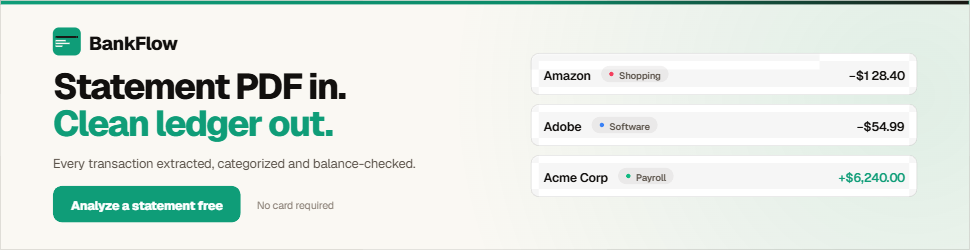
BankFlow is a bank statement converter and analyzer that transforms PDF, CSV, XLSX, and JSON statements into structured, categorized data. It automatically extracts transactions, categorizes spending, provides cashflow insights, and exports to Excel, CSV, JSON, OFX, or API integration. No bank login or manual data entry required.
Key Features
- Convert PDF, CSV, XLSX, and JSON bank statements to Excel, CSV, JSON, OFX formats
- Automatically extract and categorize transactions from bank statements
- Generate cashflow insights from categorized transaction data
- Export processed data via API integration without manual entry
- Support multiple file formats for import and export
Use Cases
- Import monthly bank statements to analyze spending patterns and cashflow trends
- Convert bank data to QBO format for accounting software reconciliation
- Extract categorized transactions for financial reporting without manual data entry
- Feed structured transaction data into analytics tools via API
Pricing
BankFlow offers a free plan plus paid tiers. See the website for current pricing.
FAQ
Can I keep each client separate?
Yes. Give each client a workspace of their own: their statements, categories, rules and books never mix with another client's, and you switch between clients from the sidebar. One plan covers every workspace. Clients do not need a Bankflow account; they only forward statements to their workspace's import address or send you files the way they already do.
Do I need to link my bank account?
No, and you never will. Bankflow does not connect to your bank, ask for credentials, or use an aggregator. You upload only the files you choose, and you can delete them at any time.
How accurate is the parsing?
Dates, amounts, descriptions, balances, totals, vendors and line items are read from the document itself. Statement balances are checked where there is enough data, and every result stays reviewable and correctable before export.
Which documents and file formats can I upload?
Bank and credit card statements as PDF, CSV, XLSX, or JSON, including scanned and password-protected PDFs, from a broad range of banks. Also invoices and receipts (PDFs or photos), loan statements, pay stubs, tax forms, and payout reports from Stripe, PayPal, Shopify, or Square.
Can I convert a photo of a receipt or invoice to Excel?
Yes. Take a clear photo of the receipt or invoice with your phone and upload the image. Bankflow extracts details such as the vendor, date, line items, and totals so you can review them and export to Excel, CSV, or JSON. Keep the whole document in frame and make sure the text is readable.
Can invoices and receipts go straight into QuickBooks or Xero?
Yes, with one click, into QuickBooks Online, Xero, Zoho Books or Sage. A supplier invoice becomes a bill and a receipt an expense, with the original file attached. Each vendor is coded to the expense account it went to last time, and you can change any before sending. A document already in the books, or a copy of one a client sent twice, is not sent again. A workflow can send each one as it arrives.
What does it cost?
The free tier includes 50 credits, roughly one credit per standard page or one question in Ask, with no card required. Paid plans are priced by monthly page volume, and every plan includes every feature.
Can I ask questions about my statements?
Yes. Ask a question in plain English and Bankflow answers from your own statements, with the chart and the underlying transactions alongside the figure, so you can check any number against the rows it came from. It can also export a filtered slice, such as every charge from one merchant across every statement. It answers questions about your data; it does not give financial advice.
Is my financial data secure?
Yes. Documents are stored privately on Cloudflare R2, encrypted at rest, and every connection uses TLS. Saved PDF passwords and connection tokens are encrypted with AES-256-GCM. Bankflow runs on SOC 2 Type II audited providers, though it has no SOC 2 audit of its own yet. You can have documents deleted as soon as they are read, and we never sell your data.
How are credits counted?
One credit covers one standard page - 1 credit ≈ 1 A4 page - or one question in Ask. A typical monthly bank statement is only a few pages, so a small allowance goes a long way. Two things cost more than one credit per sheet. Oversized paper (A3, tabloid) holds about twice the content of an A4 page and is billed as the A4 pages it would print to, and so are mobile-app exports that render a whole statement as one very long page. Separately, a small number of documents are far more expensive for us to read than their size suggests - dense scans, or unusual layouts that need several passes - and those are billed closer to what they actually cost, capped so a charge can never run away from the page count.
Alternatives
 bank convertFor finance teams: BankConvert converts PDF bank statements to Excel/CSV automatically with 99.9% accuracy, eliminating manual data entry and reconciliation errors.
 ScanPilotFor finance teams: ScanPilot converts PDFs to Excel automatically so you extract invoices, statements, and reports into structured data without manual setup.
Ask AI about BankFlow
Supporters
29 founders
29 founders supported BankFlow on Launch Llama.