
Updated 2026-11-22 · 15 of 95 Desktop Apps on Launch Llama compared
Quick answer: The best Desktop Apps in 2026, by Launch Llama community upvotes, are Goldfish, Glaze by Raycast, kuku. If you want to start free, Glaze by Raycast has a free plan. We compared 15 of the 95 Desktop Apps listed on Launch Llama on pricing, features and use cases.
Our picks at a glance
- Best overall: Goldfish — the most upvoted Desktop App on Launch Llama
- Best free option: Glaze by Raycast — free plan; paid from $10/month
- Most features listed: kuku — 5+ features on its listing
The 15 best Desktop Apps in 2026
1. Goldfish — best for email and message writers who need contextual help drafting replies quickly
Pricing: Free · Free plan: Yes · Upvotes: 690
In Goldfish's words
Most AI tools make you explain the context before they can help. Goldfish already has it. It privately remembers what you’ve been working on across your Mac, then helps you write better from any app. Press Option in a text field to draft replies, summarize threads, rewrite sentences, or recall important details from your recent work without copying, pasting, or re-explaining the whole backstory.
Key features
- Reply to messages with one click
- Write and summarize in your tone
- Remember your recent work across Mac apps
- Recall details without copying and pasting
Use cases
- Email and message writers who need contextual help drafting replies quickly
- Mac users working across multiple apps who need writing assistance
Pricing details: Free during alpha.
2. Glaze by Raycast — best for developers who want to build internal tools for their team
Pricing: Free plan; paid from $10/month · Free plan: Yes · Upvotes: 581
In Glaze by Raycast's words
Glaze is the easiest way to go from an idea to a Mac app. Describe what you want, and it builds a real app that lives in your dock, launches instantly, works offline, and taps into the full power of your computer. Software that's finally personal, shaped around you. From the makers of Raycast.
Key features
- Build desktop apps by describing what you want in plain language
- Run apps locally on your Mac without internet connection required
- Access files, tools, and operating system features directly
- Share apps with your team or publish to public store
- Edit apps by annotating changes and sending to your agent
Use cases
- Developers who want to build internal tools for their team
- Anyone creating personal utilities and workflow automations
Pricing details: Free plan with welcome credits and access to Claude subscription.
3. kuku — best for researchers who want to organize notes with wikilinks and instantly surface related content
Pricing: Free plan; paid from $10/month · Free plan: Yes · Upvotes: 520
In kuku's words
Kuku is a truly native, local-first markdown editor for macOS — built with Tauri, not Electron. Notes are stored as plainmd files with wikilinks, backlinks, and graph view. Its AI agent doesn’t just chat — it searches, edits, and links your files, with every change shown as Cursor-style diffs you can review. Fast, lightweight, offline-first. No cloud. No lock-in. Obsidian + Cursor, without Electron.
Key features
- Edit Markdown with wikilinks, backlinks, and graph view
- Search and retrieve answers from your notes in under a second
- AI edits files with reviewable diffs for approval
- Run offline without sending data to the cloud
- Sync notes across devices with encrypted sync workspaces
Use cases
- Researchers who want to organize notes with wikilinks and instantly surface related content
- Knowledge workers who need AI to draft and edit documents while maintaining full control
Pricing details: Currently in public beta with full Pro-tier access free.
4. Wispr Flow — best for professionals who need to compose messages quickly without typing
Pricing: Free plan; paid from $12/user · Free plan: Yes · Upvotes: 450
In Wispr Flow's words
Now on Android: smart voice-to-text that turns rambling speech into clean, ready-to-send text. Wispr Flow works seamlessly in any app, continues across app switches, and cleans up filler words, course corrections, punctuation, and formatting automatically. Free and unlimited for a limited time only!
Key features
- Convert speech to text in any application
- Remove filler words and add punctuation automatically
- Learn and remember user vocabulary and names
- Support over 100 languages with automatic detection
- Create and expand text snippets by voice
Use cases
- Professionals who need to compose messages quickly without typing
- People who find writing long emails tiring and need quick note-taking
Pricing details: Free plan available. Pro starts at $12/user/month. Growth plan at $18/user/month. Enterprise with custom pricing.
5. Invoko — best for ask Invoko questions about content in your current app without switching windows or copying text manually
Pricing: Free plan; paid from $19.90/month · Free plan: Yes · Upvotes: 444
In Invoko's words
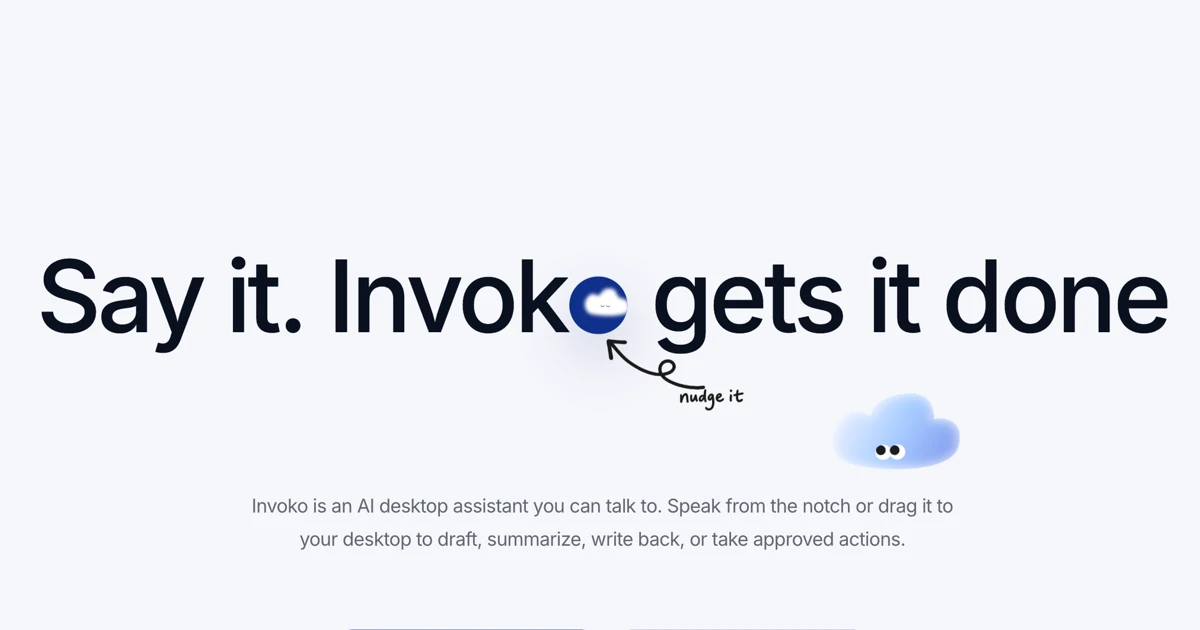
Invoko is an AI desktop helper you can talk to while you work. Bring it beside anything on your screen, ask it questions, or let it handle tasks across your apps.
Key features
- Answer questions about content on screen without switching windows
- Execute tasks across multiple applications via voice commands
- Keep AI assistant visible alongside your current work
- Process spoken requests while maintaining focus on active app
- Access AI help without interrupting your workflow
Use cases
- Ask Invoko questions about content in your current app without switching windows or copying text manually.
- Use voice commands to have Invoko perform tasks across multiple applications while you stay focused on your work.
- Keep Invoko in a sidebar while writing, coding, or designing to get instant answers without breaking your workflow.
Pricing details: Free plan with 200 monthly credits. Pro costs $19.90/month with 2,000 credits. Max costs $49.90/month with 5,000 credits.
6. Moonshot — best for display Artemis II mission phases and countdown timers directly in the macOS menu bar for quick reference without opening a browser or app

Pricing: Free · Free plan: Yes · Upvotes: 441
In Moonshot's words
A macOS menu bar app built with SwiftUI that tracks NASA’s Artemis II mission in real time, showing mission phases, countdowns to key lunar flyby and return events, mission elapsed time, crew, live telemetry context, and a space-themed Earth-Moon-Orion timeline. Uses publicly available NASA mission data and timeline updates.
Key features
- Display live countdowns to major mission events
- Show mission phases including outbound, lunar flyby, and return
- Track mission elapsed time and crew information
- Display live telemetry context in menu bar
Use cases
- Display Artemis II mission phases and countdown timers directly in the macOS menu bar for quick reference without opening a browser or app.
- Monitor live telemetry data and mission elapsed time in real time to stay informed on current mission status throughout the day.
- Access crew information and mission details through the menu bar app to share mission milestones with colleagues or family interested in the Artemis II program.
7. Tempo — best for people who want to reduce email notifications and control when they process their inbox

Pricing: Free plan + paid tiers · Free plan: Yes · Upvotes: 395
In Tempo's words
Tempo is an email client for Mac and iOS that helps users focus by minimizing distractions and building healthy email habits. It reduces email anxiety by giving users control over when they receive notifications and process their inbox. Tempo does not access user emails or sell personal data, instead relying on subscription fees to operate.
Key features
- Deliver email in batches on a customizable schedule
- Organize inbox with To do and archive functions
- Separate newsletters into a dedicated tab
- Set reminders for emails to revisit later
- Enter Focus Mode to reply without distractions
Use cases
- People who want to reduce email notifications and control when they process their inbox.
- Users seeking a calming email experience that supports their well-being and focus.
- Gmail and Google Workspace users on Mac or iOS looking for a focused email client.
Pricing details: Free 14-day trial available. After trial, €10/month or €99/year.
8. HyNote for Mac — best for students who need to summarize lecture recordings and generate study materials

Pricing: Free plan; paid from $6.66/month · Free plan: Yes · Upvotes: 382
In HyNote for Mac's words
HyNote is your all-in-one AI note-taking solution, supporting multiple platforms and document formats. It captures every key detail from your meetings and work files, instantly delivering summaries to turn scattered information into actionable insights. Start using HyNote for free now!
Key features
- Transcribe audio from meetings, calls, and recordings
- Summarize documents, PDFs, audio, and video content
- Extract action items and key points from notes
- Capture audio, video, PDFs, images, and web content
- Export notes to Google Docs, Notion, PDF, or TXT
Use cases
- Students who need to summarize lecture recordings and generate study materials
- Business professionals capturing meeting notes with action items automatically extracted
- Content creators summarizing videos, PDFs, and audio files for production
Pricing details: Free plan available with basic features. Pro starts at $6.66/month or $79.99/year. Teams plan costs $15 per seat per month, billed annually.
9. Sider Omni Sidebar — best for summarize PDFs, contracts, and articles without leaving the document

Pricing: See website · Upvotes: 377
In Sider Omni Sidebar's words
An AI agent beside any Mac app. Sider Omni sidebar sees what's on your screen and acts on it directly, right where you're working. Watch the result, ask for the next change. Nothing to copy, nothing to upload. Built on GPT-6 Astra, and it can run on your existing ChatGPT or Codex credits.
Key features
- Dock to any application window without switching apps
- Coordinate tasks across multiple windows when needed
- Keep conversations and artifacts stored locally on Mac
Use cases
- Summarize PDFs, contracts, and articles without leaving the document
- Extract action items and owners from meeting notes
- Summarize email threads and draft replies in Mail or Outlook
10. ClaudeUsageBar — best for claude API users who want to avoid unexpectedly hitting rate limits
Pricing: Free · Free plan: Yes · Upvotes: 344
In ClaudeUsageBar's words
ClaudeUsageBar is a macOS menu bar app that tracks Claude and Claude Code usage limits in real time. It helps users avoid unexpectedly hitting rate limits with notifications and a lightweight native interface. The app stores all usage data locally on the user's machine with no data collection or analytics.
Key features
- Display current Claude usage at a glance
- Send notifications at usage thresholds
- Show live Claude service status
- Use keyboard shortcut to open from anywhere
- Run lightweight with minimal system resources
Use cases
- Claude API users who want to avoid unexpectedly hitting rate limits.
- Claude Code users who need to monitor weekly usage limits.
Pricing details: Free and open-source forever.
11. PopTask — best for macOS users who need to quickly capture tasks without precise formatting

Pricing: Free plan; paid from $9.99 · Free plan: Yes · Upvotes: 329
In PopTask's words
PopTask is a lightweight macOS menu bar task manager for quickly capturing tasks. Just type naturally even if the input is messy, shorthand, or full of slang and PopTask understands it and schedules it automatically. It supports 7 languages, shows smart countdown alerts, and includes AI powered scheduling and task breakdown. Everything runs on device on macOS 26 and later, with cloud support for earlier macOS versions.
Key features
- Capture tasks from natural language input
- Schedule tasks automatically using AI
- Show smart countdown alerts for tasks
- Access tasks from macOS menu bar
- Support multiple languages for task input
Use cases
- macOS users who need to quickly capture tasks without precise formatting
- Users who want automatic task scheduling without manual date entry
Pricing details: Pop, the voice assistant, comes with a subscription that includes everything in Pro: free for a week with 20 minutes, then $9.99 a month.
12. Tamamon — best for developers who code with Claude and want a living companion that grows with their work

Pricing: Free · Free plan: Yes · Upvotes: 313
In Tamamon's words
Tamamon is a macOS desktop pet that lives on top of your screen and grows the more you build with Claude Code. What it does: - 20 species to collect through a weekly gacha, each with its own evolved forms and quirks - Feed it, play (ball, bubbles), and decorate its habitat - Reacts to real time and weather — when it rains or night falls, your pet heads home to rest - Nothing leaves your Mac. No account, no sign-in, no tracking, nothing uploaded.
Key features
- Grows as you code with Claude
- Reads Claude usage without accessing your code
- Collect multiple species with evolved forms
- Reacts to real time and weather conditions
- Feed, play, and decorate your pet's habitat
Use cases
- Developers who code with Claude and want a living companion that grows with their work.
- Programmers seeking privacy, with code staying completely local on their machine.
- Users who want to collect multiple pet species through gameplay.
Pricing details: Completely free. Optional tipping available on Ko-fi.
13. Supaste — best for designers who want to keep colors, icons, and visual assets organized and searchable

Pricing: Free plan + paid tiers · Free plan: Yes · Upvotes: 302
In Supaste's words
Supaste is a clipboard and screenshot history app for Mac that saves copied text, links, images, files, code, colors, and screenshots in a searchable timeline. It helps users find and reuse anything they've copied without switching apps or breaking their workflow.
Key features
- Search clipboard history by app, content type, or keyword
- Automatically recognize text inside screenshots and images
- Combine multiple items into one clip card
- Create keyboard shortcuts to instantly paste saved content
- Set reminders on saved clips with custom dates
Use cases
- Designers who want to keep colors, icons, and visual assets organized and searchable.
- Developers who need to save and quickly find code snippets and API responses.
- Sales teams who want to reuse email templates and customer replies without searching old conversations.
14. bytemail — best for mac users who want one window for Gmail, iCloud, Outlook and other email accounts
Pricing: See website · Upvotes: 298
In bytemail's words
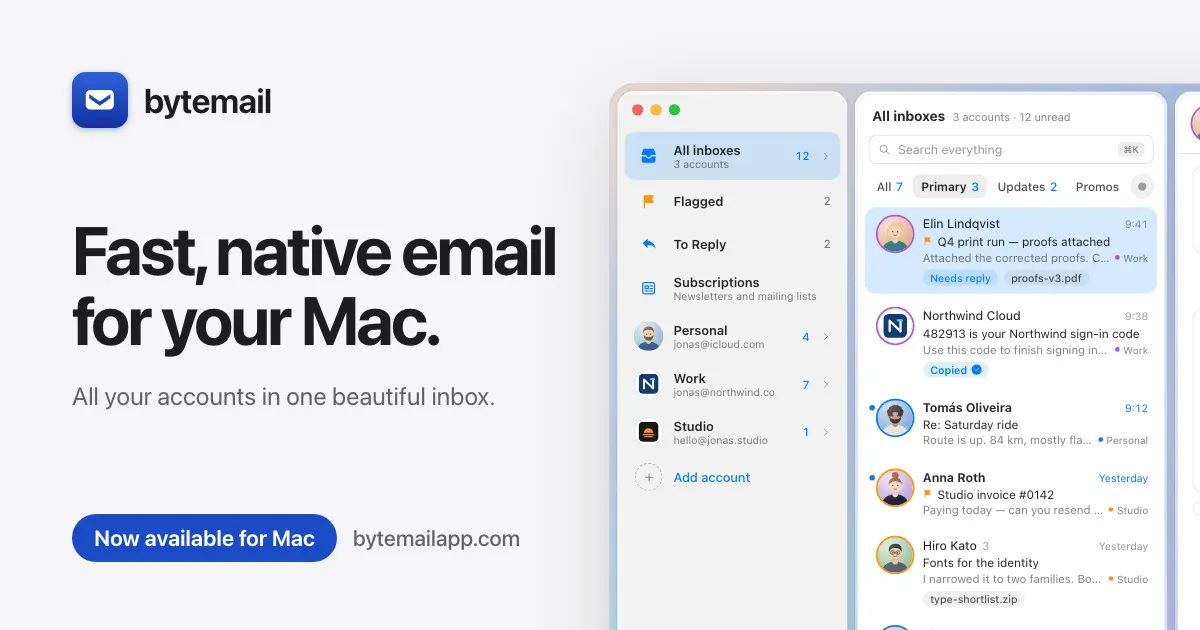
bytemail is a native Mac email app built in Swift. Gmail, iCloud, Outlook, Yahoo, Fastmail and any IMAP account in one fast window. New mail and sign-in codes grow out of your MacBook's notch, Undo Send flies a paper plane through it, and desktop widgets show what's unread. Tracking pixels are blocked, look-alike senders flagged, and your mail never touches our servers. Snooze, rules, one-click unsubscribe, and an MCP server for Claude and other AI apps. iPhone beta included. 7-day free trial.
Key features
- View Gmail, iCloud, Outlook, Yahoo, Fastmail and IMAP mail in one window.
- Block tracking pixels in incoming email.
- Flag look-alike sender addresses.
- Snooze messages, apply rules, and unsubscribe with one click.
- Connect to Claude and other AI apps through an MCP server.
Use cases
- Mac users who want one window for Gmail, iCloud, Outlook and other email accounts.
- Users who want tracking pixels blocked and look-alike senders flagged in their inbox.
- People who use Claude or other AI apps and want to connect their email to them.
Pricing details: A 7-day free trial is offered. No paid plan price is stated in the source.
15. LookAway — best for remote professionals who want to prevent tension headaches and eye strain during long workdays

Pricing: From $19 · Free plan: No · Upvotes: 279
In LookAway's words
LookAway is a smart break reminder for Mac that helps reduce eye strain and screen fatigue. It combines break, blink, and posture reminders with context awareness and iPhone sync, so your breaks stay in sync across devices and never interrupt you at the wrong time.
Key features
- Send screen break reminders that adapt to your work
- Pause automatically during meetings, calls, and focused work
- Sync breaks to iPhone and iPad during Mac breaks
- Customize timers, sounds, backgrounds, and break messages
- Run automations with AppleScripts or Shortcuts on break events
Use cases
- Remote professionals who want to prevent tension headaches and eye strain during long workdays
- Mac users who want to follow their optician's advice about resting their eyes regularly
- Knowledge workers who get absorbed in tasks and end up with strained eyes
Pricing details: One-time purchase licenses starting at $19.
Comparison table
| # | Tool | Upvotes | Price |
|---|---|---|---|
| 1 | Goldfish Email and message writers who need contextual help drafting replies quickly |
▲ 690 | Free plan |
| 2 | Glaze by Raycast Developers who want to build internal tools for their team |
▲ 581 | Free planthen from $10/mo |
| 3 | kuku Researchers who want to organize notes with wikilinks and instantly surface related content |
▲ 520 | Free planthen from $10/mo |
| 4 | Wispr Flow Professionals who need to compose messages quickly without typing |
▲ 450 | Free planthen from $12 |
| 5 | Invoko Ask Invoko questions about content in your current app without switching windows or copying text manually |
▲ 444 | Free planthen from $19.90/mo |
| 6 | Moonshot Display Artemis II mission phases and countdown timers directly in the macOS menu bar for quick reference without opening a browser or app |
▲ 441 | Free plan |
| 7 | Tempo People who want to reduce email notifications and control when they process their inbox |
▲ 395 | Free plan+ paid plans |
| 8 | HyNote for Mac Students who need to summarize lecture recordings and generate study materials |
▲ 382 | Free planthen from $6.66/mo |
| 9 | Sider Omni Sidebar Summarize PDFs, contracts, and articles without leaving the document |
▲ 377 | See site |
| 10 | ClaudeUsageBar Claude API users who want to avoid unexpectedly hitting rate limits |
▲ 344 | Free plan |
| 11 | PopTask macOS users who need to quickly capture tasks without precise formatting |
▲ 329 | Free planthen from $9.99 |
| 12 | Tamamon Developers who code with Claude and want a living companion that grows with their work |
▲ 313 | Free plan |
| 13 | Supaste Designers who want to keep colors, icons, and visual assets organized and searchable |
▲ 302 | Free plan+ paid plans |
| 14 | bytemail Mac users who want one window for Gmail, iCloud, Outlook and other email accounts |
▲ 298 | See site |
| 15 | LookAway Remote professionals who want to prevent tension headaches and eye strain during long workdays |
▲ 279 | from $19 |
How we compared them
This is a comparison built from listing data, not a hands-on review: we have not tested these tools ourselves. Every product here is listed on Launch Llama, and the ranking uses what founders and their users have put on the record.
Tools are ordered by community upvotes. Duplicate listings are merged, and listings without a real description are left out. Pricing, features and use cases come from each product's listing and can change, so check the product's own site before you buy.
How to choose
- Choose Goldfish for email and message writers who need contextual help drafting replies quickly.
- Choose Glaze by Raycast for developers who want to build internal tools for their team.
- Choose kuku for researchers who want to organize notes with wikilinks and instantly surface related content.
- Choose Wispr Flow for professionals who need to compose messages quickly without typing.
- Choose Invoko for ask Invoko questions about content in your current app without switching windows or copying text manually.
- Choose Moonshot for display Artemis II mission phases and countdown timers directly in the macOS menu bar for quick reference without opening a browser or app.
Still comparing? Browse every tool in Desktop Apps or see the best tools in other categories.
Frequently asked questions
What is the best Desktop App in 2026?
Goldfish is the most upvoted Desktop App on Launch Llama. For Mac writers: Goldfish remembers your work context privately so you draft replies, summarize threads, and rewrite faster without re-explaining backstory. Glaze by Raycast and kuku round out the top three.
Is there a free Desktop App?
Yes. 12 of the 15 tools in this comparison list a free plan, including Goldfish, Glaze by Raycast, kuku.
How were these Desktop Apps ranked?
By community upvotes on Launch Llama, after merging duplicate listings and dropping listings without a real description. We have not tested these tools hands-on; pricing and features come from each product's listing.
How many Desktop Apps are listed on Launch Llama?
95 Desktop Apps with full listings at the time of writing. This page compares the top 15; the rest are on the Desktop Apps category page.