On Launch Llama
PopTask
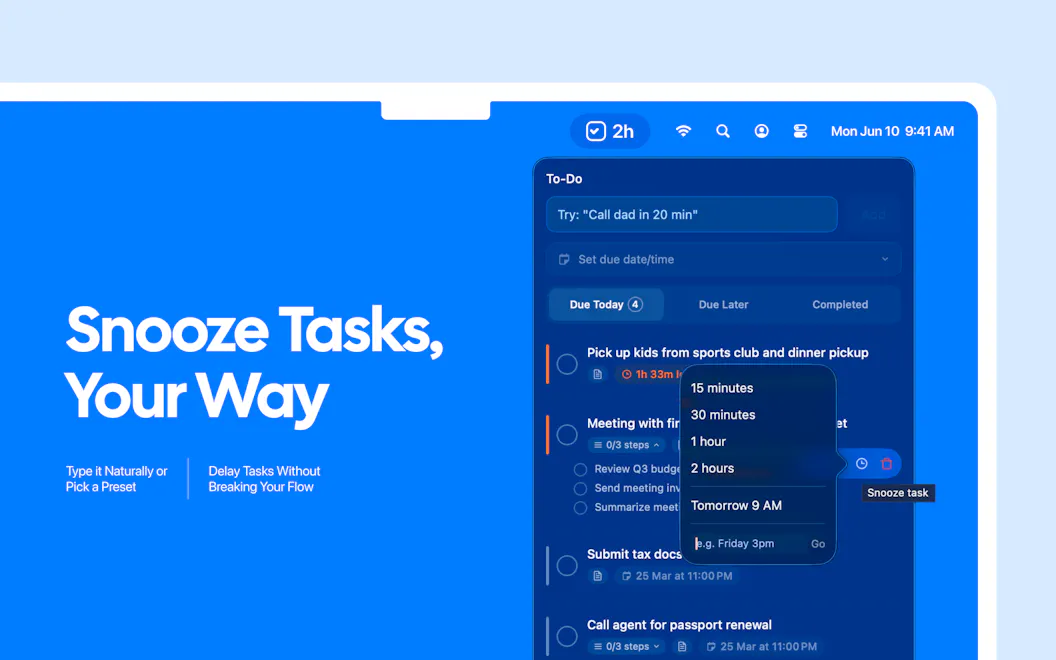
For Mac users: PopTask is a menu bar task manager that understands natural language input and schedules tasks automatically with AI.
Built by Haider
Artificial Intelligence Productivity Freemium
Visit website → Upvotes · 329
In category: #658 of 2808 · Artificial Intelligence
PopTask is a Product Hunt listing on Launch Llama with 329 total upvotes, founded by Haider who joined in Apr 2026, compared against 6 alternatives.
Product Hunt listing
Listing status
329upvotes
Community score
Haider (Joined Apr 2026)
Founder
Compared against 6 alternatives
Market comparison



Real numbers
90d
-
0
Views
-
0
Visitors
-
0
Clicks
Public Launch Llama traffic for this listing.
Key Features
- Capture tasks from natural language input
- Schedule tasks automatically using AI
- Show smart countdown alerts for tasks
- Access tasks from macOS menu bar
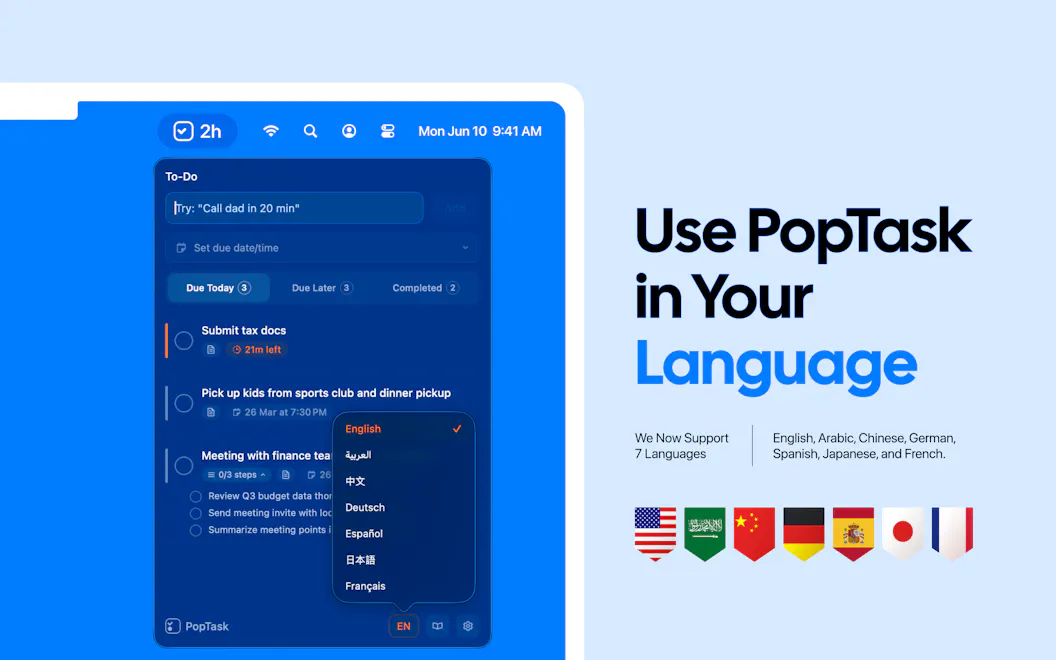
- Support multiple languages for task input
About
PopTask is a lightweight macOS menu bar task manager for quickly capturing tasks. Just type naturally even if the input is messy, shorthand, or full of slang and PopTask understands it and schedules it automatically. It supports 7 languages, shows smart countdown alerts, and includes AI powered scheduling and task breakdown. Everything runs on device on macOS 26 and later, with cloud support for earlier macOS versions.
Use Cases
- MacOS users who need to quickly capture tasks without precise formatting
- Users who want automatic task scheduling without manual date entry
Pricing
PopTask offers a free plan plus paid tiers. See the website for current pricing.
Verdict
In the competitive productivity space, PopTask stands out as a solid option. With 329 upvotes from the Launch Llama community, it's clearly resonating with founders. PopTask is a lightweight macOS menu bar task manager for quickly capturing tasks. If for mac users: poptask is a menu bar task manager that understands natural language input and schedules tasks automatically with ai is a priority for your team, it's worth giving PopTask a closer look.
FAQ
What is PopTask?
PopTask is a lightweight macOS menu bar task manager for quickly capturing tasks. Just type naturally even if the input is messy, shorthand, or full of slang and PopTask understands it and schedules it automatically. It supports 7 languages, shows smart countdown alerts, and includes AI powered scheduling and task breakdown. Everything runs on device on macOS 26 and later, with cloud support for earlier macOS versions.
Who should use PopTask?
PopTask is a strong fit if you are one of: • busy founders and teams looking to do more with less • teams adopting AI-powered workflows and automation If that does not sound like you, skim the features and site before committing time.
What problem does PopTask solve?
PopTask is built around this outcome: For Mac users: PopTask is a menu bar task manager that understands natural language input and schedules tasks automatically with AI. Use the site demo or docs to confirm it matches the bottleneck you are trying to remove.
What are the main features of PopTask?
PopTask includes: • Capture tasks from natural language input • Schedule tasks automatically using AI • Show smart countdown alerts for tasks • Access tasks from macOS menu bar • Support multiple languages for task input
Is PopTask free to start?
PopTask offers a free plan plus paid tiers. See the website for current pricing. Check the official site before you buy so you see current plans, trials, and limits. Most freemium tools let you validate the workflow before upgrading — check what the free tier unlocks for your use case.
How much does PopTask cost?
PopTask offers a free plan plus paid tiers. See the website for current pricing. Check the official site before you buy so you see current plans, trials, and limits.
Is PopTask private and safe for my files?
PopTask's positioning emphasizes keeping work local or private (for example browser-side processing or limited uploads). Still verify the privacy policy and data handling on the official site for your compliance needs.
How does PopTask use AI?
PopTask uses AI as part of its workflow. Before relying on it for customer-facing or confidential work, confirm what data is sent to models, whether outputs are editable, and how you can review results.
Is PopTask worth trying?
It promises: For Mac users: PopTask is a menu bar task manager that understands natural language input and schedules tasks automatically with AI. A concrete use case founders care about: macOS users who need to quickly capture tasks without precise formatting. It has 329 community upvotes on Launch Llama, which is a signal of interest — not a guarantee it fits you. Worth trying if that problem is painful for you this week; skip it if you only need a one-off workaround you already have.
How do I try PopTask?
Open the official PopTask website from this page, run the smallest real task you care about (not a toy demo), and decide in one session whether it removes friction. Check pricing and data/privacy terms before you put production work into it.
Founder Guides
Alternatives
- FocusOS
For professionals: FocusOS blocks distractions and tracks time locally on Mac so you stay focused and understand where your hours actually go.
- Quartz
For busy professionals: Quartz prioritizes your Gmail by importance and drafts replies in your voice, with all AI processing running locally on your Mac for privacy.
- Fetchy: AI Usage Menu Bar
For developers: Fetchy tracks AI API usage in your Mac menu bar with custom limits and alerts, so you see spending at a glance without interrupting your workflow.
- Pop - Paste, Organize, Perform
For Apple users: Pop syncs clipboard history across macOS, iOS, and iPadOS with keyboard shortcuts and 3-day item recovery.
- Didon
For macOS users: Didon automatically tracks your work in the background, categorizes tasks with AI, and shows where your time actually goes—no manual timers needed.
- LiquidTasks
For busy professionals: LiquidTasks organizes tasks with smart reminders and minimal interface, then tracks daily progress without the noise.
Ask AI
ChatGPT Claude Perplexity Grok
For agents
llms.txt · llms-full.txt · ai.txt · Live fact sheet · Full catalog (.md) · Endpoint index · API spec · REST access · Agent server · Server manifest · Server discovery