Invoko
For Mac users: Invoko is an AI desktop helper you talk to while working so you handle tasks and answer questions without leaving your current app.
Built by Alex Zhao · Artificial Intelligence · Productivity · Freemium
In category: #90 of 2034 · Artificial Intelligence
Invoko is a Product Hunt listing on Launch Llama with 444 total upvotes, founded by Alex Zhao who joined in Jun 2026, compared against 6 alternatives.
Product Hunt listing
Listing status
444upvotes
Community score
Alex Zhao (Joined Jun 2026)
Founder
Compared against 6 alternatives
Market comparison
Launched on Launch Llama Jun 21, 2026 · #4 of 41 that day
About
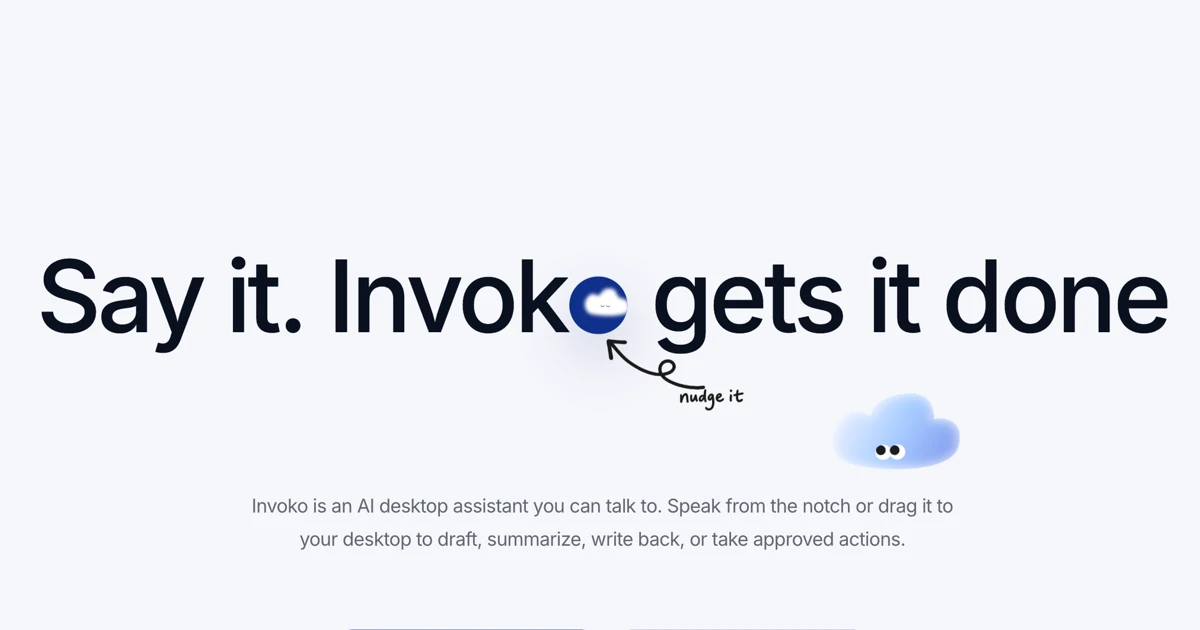
Invoko is an AI desktop helper you can talk to while you work. Bring it beside anything on your screen, ask it questions, or let it handle tasks across your apps.
Competitors: Cursor, GitHub Copilot, Claude Desktop, Codeium, CommandBar
Follow Invoko: X (Twitter)
Launch Llama's Take
Based on Launch Llama data as of
Invoko has 444 upvotes, including the votes it received on Product Hunt, which ranks it #90 of 2,034 Artificial Intelligence tools on Launch Llama by upvotes, in the top 10%. It has been listed on Launch Llama since June 2026. 1 Launch Llama member has upvoted it and it has no reviews yet.
Invoko is an AI desktop helper you can talk to while you work. Both Invoko and VoiceOS handle voice commands across apps, while Invoko also answers questions about what is on screen without switching windows.
Invoko vs VoiceOS
Invoko is an AI desktop helper you can talk to while you work. Both Invoko and VoiceOS handle voice commands across apps, while Invoko also answers questions about what is on screen without switching windows.
| Invoko | VoiceOS | Cursor | ConvoZen.AI | |
|---|---|---|---|---|
| What it does | For Mac users: Invoko is an AI desktop helper you talk to while working so you handle tasks and answer questions without leaving your cur… | For productivity-focused professionals: VoiceOS executes workflows by voice command across Mac and Windows, eliminating app-switching and… | For developers: Cursor's Composer 2 generates complex code efficiently at $0.50/M input tokens, reducing development time and costs. | For contact centers: ConvoZen turns conversations into outcomes with AI agents that understand sentiment and compliance so operations imp… |
| Pricing | Freemium | Freemium | Paid | Freemium |
| Free plan | Yes, free plan | Yes, free plan | No free plan listed | Yes, free plan |
| Category | Mac | Productivity | Developer Tools | SaaS |
| Upvotes on Launch Llama | 444 | 277 | 346 | 8 |
| Listed on Launch Llama | June 2026 | April 2026 | March 2026 | July 2026 |
Key Features
- Answer questions about content on screen without switching windows
- Execute tasks across multiple applications via voice commands
- Keep AI assistant visible alongside your current work
- Process spoken requests while maintaining focus on active app
- Access AI help without interrupting your workflow
Use Cases
- Ask Invoko questions about content in your current app without switching windows or copying text manually
- Use voice commands to have Invoko perform tasks across multiple applications while you stay focused on your work
- Keep Invoko in a sidebar while writing, coding, or designing to get instant answers without breaking your workflow
- Have Invoko handle repetitive cross-app tasks by speaking requests instead of manually navigating between programs
- Ask Invoko to extract, summarize, or analyze information from what's visible on your screen in real-time
Who it is for
- Designers and creators who want to generate, edit or animate images and video from a brief or reference photo.
- Students and researchers who need to understand papers through summaries and figure explanations.
- Small teams and founders who want to build a simple website, CRM concept or browser game from a description.
Pricing
Free plan with 200 monthly credits. Pro costs $19.90/month with 2,000 credits. Max costs $49.90/month with 5,000 credits.
Invoko at a glance
- 01What it is
- Invoko: For Mac users: Invoko is an AI desktop helper you talk to while working so you handle tasks and answer questions without leaving your current app.
- 02Pricing
- Invoko pricing: Free plan with 200 monthly credits.
- 03Best for
- Invoko is best for designers and creators who want to generate, edit or animate images and video from a brief or reference photo., students and researchers who need to understand papers through summaries and figure explanations. and small teams and founders who want to build a simple website, CRM concept or browser game from a description.
- 04Alternatives
- Top Invoko alternatives on Launch Llama: Cursor, VoiceOS and ConvoZen.AI.
FAQ
How does Clico Web relate to Desktop and the Chrome Extension?
Choose the Clico surface that fits where you are working. Clico Web gives you a browser workspace for conversations, research and creative projects. The Clico Chrome Extension works beside the page you are reading or writing in, while Clico Desktop works across Mac apps. Each has its own tools and controls, so a feature available in one may work differently in another.
Can Clico create websites and browser games?
Yes. Open the + menu in Clico Web and choose Create website or Create game, then describe what you want people to see or do. Add your copy, images or references to give the project direction. Clico can build static websites, frontend applications and games that run in a browser. Backend services, user accounts and payments require their own setup.
Can I publish or download what I build?
Yes. You can explore the preview first, then choose Publish when you are ready to make the project public. Later edits go live when you choose Publish changes, and you can unpublish the project. Pro and Max also include a ZIP download of the source code and built preview. These options are detailed in Clico’s builder update . Creating a project alone does not publish it.
How does Clico use a reference image?
Add an image, select it as a reference, and explain which details to keep or change, such as the subject, colors or composition. The number of references and available settings depend on the model. Review the result against your original: for GPT Image, OpenAI notes limits in visual consistency and precise placement , so a reference does not guarantee an exact match.
How does Deep Research work with web sources and my files?
Deep Research can combine your attachments with public web sources to compare information and build an answer with source links. Give it a clear question and specify any dates or documents that matter. Access to a page or file can vary. Check the linked originals before relying on a figure or quotation; NIST’s guidance on generative AI also recommends verifying sources and citations.
What files can I add?
Clico can read PDF, DOCX, PPTX, TXT, MD, CSV and XLSX files. You can also attach images, audio or video when the selected model supports that input. Each request accepts up to ten files, with a limit of eight MB per file and twenty MB combined. If an upload is too large, split the document or bring only the pages or material needed for your question.
What changes when I move from Free to Pro or Max?
Free includes 200 monthly credits and selected models. Pro provides 2,000 monthly credits and broader model access, including video generation; Max provides the same paid access with 5,000 monthly credits. Usage varies by model and settings. Annual plans are paid upfront, but credits are issued monthly and unused credits do not roll over. Compare the details on Clico’s pricing page and check your account for your current balance and access.
Can I reopen and continue a saved conversation?
Yes. Open a saved conversation from your history to revisit its messages, ask another question or continue the task. Tell Clico what you want to keep and what should change so the next request is clear. For a website or browser game, reopen the project conversation to continue editing the existing project. You can also delete saved conversations from your history.
Alternatives
More in Artificial Intelligence
New on Launch Llama
- Skyelight
- N8N Chat UI
- Canva Brush
- Riverside Agents
- Floot in ChatGPT
- MiniMax M3.1 Flash
- telemetry.dev
- BotGauge
Launched this week · This month's launches · All products A–Z
Ask AI about Invoko
Supporters
1 founder
1 founder supported Invoko on Launch Llama.

For bots & AI agents
Machine-readable versions of Invoko and Launch Llama. Fetch these instead of parsing this page.
This listing (.md) llms.txt llms-full.txt ai.txt Full catalog (.md) Endpoint index API docs MCP server MCP manifest Developer docs