TidyText
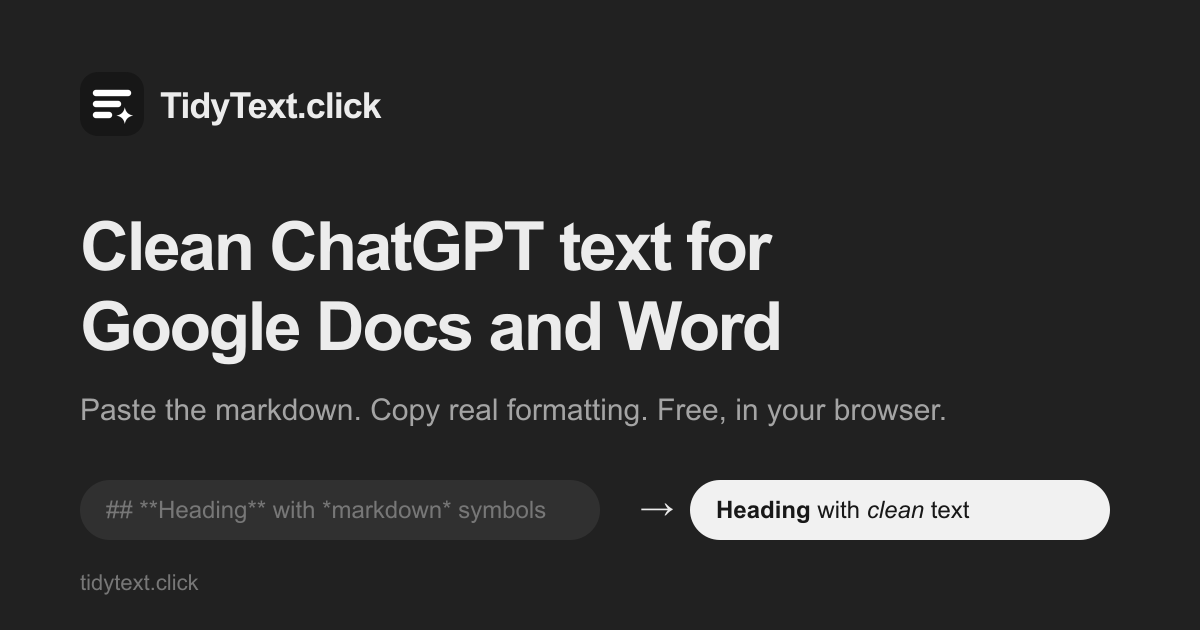
Clean ChatGPT text for Google Docs and Word
Paste a ChatGPT, Claude or Gemini answer and copy it out as real headings, lists, tables and code for Google Docs, Word or Gmail. Free, no sign-up.
Built by agnes ubanwa · Productivity · Free
In category: #565 of 1451 · Productivity
TidyText is a Community listing on Launch Llama with 24 total upvotes, founded by agnes ubanwa who joined in Oct 2026, compared against 4 alternatives.
Community listing
Listing status
24upvotes
Community score
agnes ubanwa (Joined Oct 2026)
Founder
Compared against 4 alternatives
Market comparison
Launched on Launch Llama Oct 12, 2026 · #30 of 197 that day
About
AI chat answers are written in markdown, so pasting them into Google Docs or Word leaves asterisks, pound signs and rows of pipes everywhere. TidyText converts the answer into real formatting before you paste: headings, bold, bullet and numbered lists, tables with borders, code blocks and readable math. It also strips hidden Unicode characters, can swap em dashes for commas or hyphens, and offers a plain-text copy. It runs entirely in your browser, so nothing you paste is uploaded or stored. Free, no account and no limits.
Key Features
- Markdown to Rich Text
- ChatGPT, Claude & Gemini Support
- Clean Heading & List Formatting
- Markdown Table Conversion
- Math Equations & Fractions
Use Cases
- Copying a ChatGPT, Claude or Gemini answer into Google Docs with real headings, lists and tables instead of literal asterisks and pipes
- Pasting an AI-written answer into Microsoft Word or Gmail without markdown symbols or hidden Unicode characters
- Moving code blocks and LaTeX math from an AI chat into a document while keeping monospaced formatting and readable equations
Who it is for
- Students and researchers pasting AI-generated notes and summaries into Google Docs or Word
- Office workers drafting emails and reports in Gmail or Outlook from AI assistant output
- Writers and content editors who reuse chatbot answers in Notion, Slack or Word documents
Pricing
TidyText is free to use. See the website for details.
FAQ
Why does ChatGPT text look messy when I paste it into Google Docs?
ChatGPT writes its answers in markdown. Google Docs and Word do not read markdown, so the asterisks, pound signs, pipes and backticks are pasted as literal characters. TidyText.click converts the markdown into real formatting first, so what you paste is already bold, headed, listed and tabled.
How do I copy a ChatGPT table into Google Docs or Word?
Paste the answer that contains the table into TidyText.click, click Tidy and copy, then paste into your document with Ctrl+V. The table arrives as a real table with cells and borders, not as rows of pipe characters.
Does TidyText.click upload my text?
No. The conversion runs as JavaScript inside your browser. Nothing you paste is sent to a server or stored, and the page works offline once it has loaded.
Does it work with Claude, Gemini, Copilot and Perplexity?
Yes. Every major assistant writes markdown, so the same conversion works for Claude, Gemini, Microsoft Copilot, Perplexity, DeepSeek, Grok and Mistral, as well as for markdown from Notion, GitHub or Obsidian.
What happens to LaTeX math equations?
Equations written between dollar signs or backslash brackets are converted to readable Unicode text: x^2 becomes x², \frac{a}{b} becomes a/b, \alpha becomes α and so on. Very complex equations keep their symbols but may need a manual tidy. You can turn the conversion off in Options.
Can I get plain text with no formatting at all?
Yes. Use Copy plain text. You get text with every markdown symbol removed, bullets as real bullet characters, numbered lists kept and tables as tab-separated rows.
Why did my paste lose its formatting?
Paste with Ctrl+V or Cmd+V. Paste without formatting (Ctrl+Shift+V) deliberately discards the rich text and inserts plain text instead.
Does it remove hidden Unicode characters and watermarks?
Yes, always. Zero-width spaces, joiners, soft hyphens, byte-order marks, direction controls and Unicode tag characters are stripped from everything you paste, and the result shows how many were removed. Joiners inside real emojis are kept.
Can it replace the em dashes ChatGPT uses?
Yes. Under Options choose what every em dash becomes: a comma, hyphen, semicolon, colon or full stop, or remove it. The separate em dash replacer page does the same for plain text.
Is TidyText.click free?
Yes. There is no account, no limit on length or number of uses and nothing to install.
Alternatives
 structalyFor teams: Structaly converts ChatGPT and Gemini conversations into clean, structured notes with headings, summaries, and table of contents for easy sharing.
More in Productivity
New on Launch Llama
Launched this week · This month's launches · All products A–Z
Ask AI about TidyText
Supporters
17 founders
17 founders supported TidyText on Launch Llama.







Reviews
4.3 · 3 reviews
Clean formatting that pastes seamlessly into Docs. Saves tons of manual editing time every day.
Tested during Launch Llama's submission flow: my sample heading, bold text, bullets, table and code block became editable rich text without signing in. A before/after diff showing exactly what was removed or transformed would make cleanup easier to verify. I tested the browser preview, not pasting into Word.
Clear one-line pitch: paste an AI answer and copy formatted text into Docs, Word, or Gmail, with no sign-up. I only opened the homepage briefly, so I could not check formatting quality on long answers.
For bots & AI agents
Machine-readable versions of TidyText and Launch Llama. Fetch these instead of parsing this page.
This listing (.md) llms.txt llms-full.txt ai.txt Full catalog (.md) Endpoint index API docs MCP server MCP manifest Developer docs