Rotli
For knowledge workers: Rotli is a local-first Mac workspace for notes and tasks with optional AI so you organize information without accounts or data sharing.
Built by Seth Medina · Artificial Intelligence · Productivity · Open Source · Free
In category: #1431 of 2035 · Artificial Intelligence
Rotli is a Community listing on Launch Llama with 3 total upvotes, founded by Seth Medina who joined in Sep 2026, compared against 4 alternatives.
Community listing
Listing status
3upvotes
Community score
Seth Medina (Joined Sep 2026)
Founder
Compared against 4 alternatives
Market comparison
Launched on Launch Llama Sep 21, 2026 · #48 of 101 that day
About
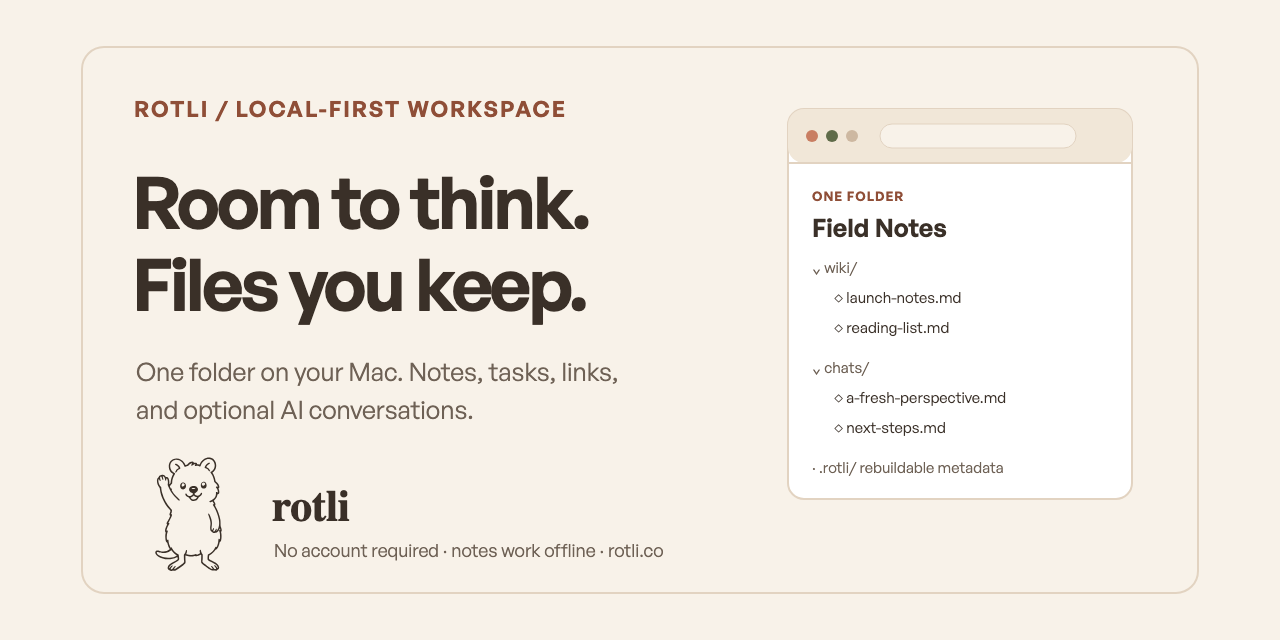
A calm, local-first Mac workspace for notes, tasks, links, and optional AI organization. One folder you own, with no account required. Included optional AI chat where you own the conversations powered by your subscriptions. Every chat gets a note at its core which can always be used as a summary.
Competitors: Obsidian, Apple Notes, Notion, Bear, Evernote
Follow Rotli: X (Twitter)
Key Features
- Store notes, tasks, and links in a local folder you fully own
- Chat with AI while maintaining conversation ownership through your own subscriptions
- Generate automatic note summaries from every AI chat session
- Work offline without requiring account creation or cloud sync
- Organize content with optional AI-powered assistance
Use Cases
- Keep personal project notes and task lists without external account dependencies
- Use AI chat for brainstorming while preserving conversations as searchable notes
- Maintain a local knowledge base of links and research accessible without internet
- Organize founder notes and decisions with AI summaries for quick reference
Who it is for
- Knowledge workers who want a local-first Mac workspace for notes and tasks.
- Privacy-conscious people who prefer no accounts and no data sharing.
- Subscribers to ChatGPT or other AI tools who want to put an existing AI plan to use for organizing notes.
Pricing
Rotli is free to use. See the website for details.
Rotli at a glance
- 01What it is
- Rotli: For knowledge workers: Rotli is a local-first Mac workspace for notes and tasks with optional AI so you organize information without accounts or data sharing.
- 02Pricing
- Rotli pricing: Free.
- 03Best for
- Rotli is best for knowledge workers who want a local-first Mac workspace for notes and tasks., privacy-conscious people who prefer no accounts and no data sharing. and subscribers to ChatGPT or other AI tools who want to put an existing AI plan to use for organizing notes.
- 04Alternatives
- Top Rotli alternatives on Launch Llama: Notion, MindMirror and minimi 2.0.
FAQ
Is rotli free?
Yes. It is free, needs no account, and the source is open under the MIT license.
Where do my notes live?
In one folder you choose, as plain Markdown files. rotli keeps its settings and search indexes in a hidden .rotli folder inside it, and can rebuild them at any time.
What is a vault, and how do I start one?
Your vault is the folder your notes live in. Pick an empty folder to start fresh, or one that already holds Markdown notes. A new vault opens with a short Welcome folder you can edit or delete.
Does it work offline?
Yes. Writing, tasks, links, and search need no network. Chat works offline too when you use an on-device model.
Which AI can I use?
A model that runs on your Mac, or the tools you already use, like Claude Code and Codex, with Cursor for code chat. AI is optional; rotli is a complete workspace without it.
Do I have to pay for AI?
No. rotli has no AI plan of its own and charges nothing for AI. It uses a model that runs on your Mac, or the AI tools you already pay for. Without AI it is still a complete workspace.
Is rotli just a notes app?
Notes are the foundation, as plain Markdown files. Around them, chat answers from your own notes, the Librarian files and links them, and Docs and Sheets (beta) and boards live as ordinary files in the same folder. The Features page says which parts run on the Mac and which in the browser.
Can I leave?
Your notes never left. The folder opens in any Markdown editor, and deleting rotli leaves every file where it was.
Can I use rotli in my browser?
Yes. Rotli Web is the same editor in your browser, and your notes stay in a folder on your computer. Chrome, Edge, and Arc open that folder directly. Firefox, Zen, and Brave, and chat in any browser, need Rotli Helper, a small program on your computer. Safari and phones aren’t supported yet.
What about Windows and Linux?
Native Windows and Linux apps are coming soon. Until then, use Rotli Web: it runs in your browser today.
Alternatives
More in Artificial Intelligence
New on Launch Llama
Launched this week · This month's launches · All products A–Z
Ask AI about Rotli
Supporters
1 founder
1 founder supported Rotli on Launch Llama.

For bots & AI agents
Machine-readable versions of Rotli and Launch Llama. Fetch these instead of parsing this page.
This listing (.md) llms.txt llms-full.txt ai.txt Full catalog (.md) Endpoint index API docs MCP server MCP manifest Developer docs