
ClipBuddy
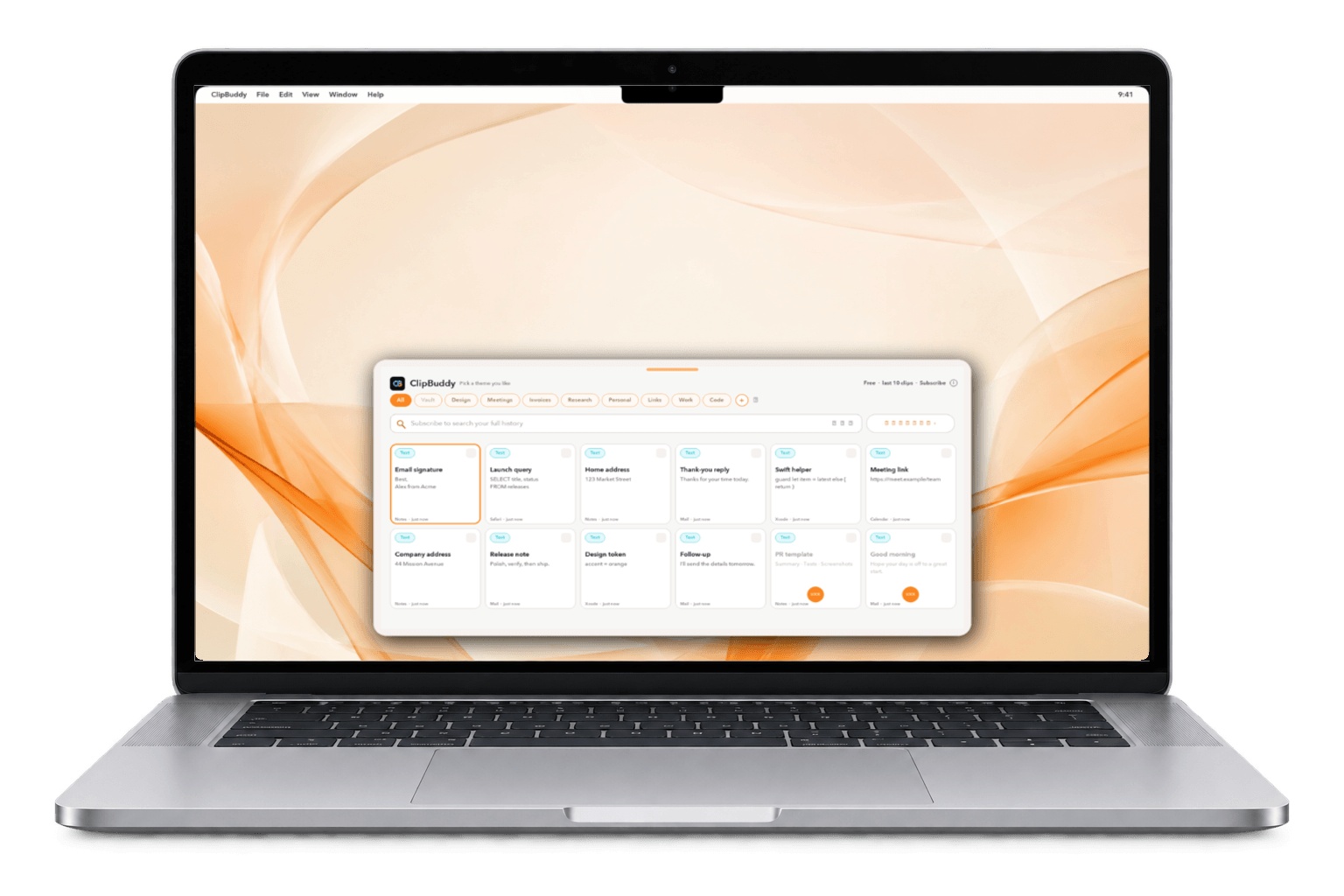
For Mac users: ClipBuddy stores everything you copy locally so you instantly retrieve addresses, photos, and links without cloud uploads or privacy risks.
Built by akash surve · Desktop Apps · Free
In category: #104 of 122 · Desktop Apps
ClipBuddy is a Community listing on Launch Llama with 2 total upvotes, founded by akash surve who joined in Sep 2026, compared against 5 alternatives.
Community listing
Listing status
2upvotes
Community score
akash surve (Joined Sep 2026)
Founder
Compared against 5 alternatives
Market comparison
Launched on Launch Llama Sep 21, 2026 · #70 of 101 that day
About
That address from Tuesday, the photo from last week, the link you lost — press ⌘⇧V and it’s back. Everything stays on your Mac. Nothing you copy is sent anywhere, ever.
Follow ClipBuddy: X (Twitter) · LinkedIn
Use Cases
- Retrieving a copied link, address or photo from earlier in the day without re-copying it from its original source
- Pasting a previously copied snippet, code line or tracking number from a searchable clipboard history on a Mac
- Editing a clip before pasting it, or reusing text from a clipboard stack, to speed up repetitive writing tasks
Who it is for
- Mac users who regularly copy and paste addresses, links, photos and code and want them recoverable without cloud uploads.
- Privacy-conscious Mac users who want clipboard history kept locally with no account or network access.
- Developers and writers on macOS who reuse snippets and commands and need a searchable copy history.
Pricing
ClipBuddy is free to use. See the website for details.
FAQ
What is ClipBuddy?
ClipBuddy is a native macOS clipboard manager (a Mac app from the Mac App Store, not a browser extension). It keeps a private history of the text, links, images, files and code you copy, so you can paste any of them again with one keystroke.
Does Mac save clipboard history?
No. macOS keeps only the one item you copied last and gives you no list of earlier copies. ClipBuddy adds that history and keeps it on your Mac.
How do I open my clipboard history on Mac?
Press Command-Shift-V anywhere. ClipBuddy opens your history as a panel; move with the arrow keys and press Return to put the clip back on your clipboard, then Command-V to paste. You can change the shortcut in Settings, Shortcuts.
How do I paste something I copied earlier?
Press Command-Shift-V, pick the clip and press Return, or press Command-1 to Command-9 for the first nine. On the free plan you see your last 10 clips. With Pro you can type to search your full history, including by meaning and by voice.
What is free and what needs Pro?
Free: your last 10 clips, the emoji picker, 30 text transforms, clipboard undo (Command-Option-Z), hiding from screen shares, themes and layouts. Pro: full history (up to 200,000 clips), search, the words inside screenshots, snippets, Paste Stack, nine slots, multi-select, the Touch ID Vault, rules, encrypted backups and on-device AI on macOS 26.
How do I copy and paste multiple things on Mac?
With Pro, turn on Paste Stack collecting, copy each item, then press Command-Option-S at each destination to paste them one by one. Stack order pastes the newest copy first; queue order pastes in the order you copied. Pro also lets you multi-select clips with Command-M and copy them as one combined clip.
Can ClipBuddy find the text inside screenshots?
Yes, with Pro. ClipBuddy reads the words in screenshots and images on your Mac, so you can find a screenshot by searching for text it contains and copy that text back out. The text recognition runs on your Mac.
Does ClipBuddy support snippets?
Yes, with Pro. Save reusable text with fill-in blanks and placeholders such as {date}, {date:+7d}, {time}, {clipboard} and {uuid}. Press Command-Shift-V, type the snippet's keyword and press Return; ClipBuddy asks for each blank, fills in the rest and puts the text on your clipboard.
Can I get back something I copied over?
Yes. Press Command-Option-Z anywhere and the previous clip is back on your clipboard. Press it again to keep stepping back: through your last 10 clips on the free plan, or 30 with Pro.
Is ClipBuddy private and secure?
Yes. ClipBuddy ships without the outgoing network permission, so it cannot send your clipboard anywhere, and the App Store privacy label is Data Not Collected. Copies that an app marks as concealed, such as passwords from a password manager, are never saved. With Pro, the Touch ID Vault keeps cards, keys and tokens behind Touch ID.
Alternatives
More in Desktop Apps
New on Launch Llama
Launched this week · This month's launches · All products A–Z
Ask AI about ClipBuddy
Supporters
1 founder
1 founder supported ClipBuddy on Launch Llama.
For bots & AI agents
Machine-readable versions of ClipBuddy and Launch Llama. Fetch these instead of parsing this page.
This listing (.md) llms.txt llms-full.txt ai.txt Full catalog (.md) Endpoint index API docs MCP server MCP manifest Developer docs