PeekPaste
For Mac users: PeekPaste organizes your clipboard with OCR search and local storage so you find any text, code, or image instantly without cloud sync.
Built by Sulochanal Chellian · Paid
PeekPaste is a Product Hunt listing on Launch Llama with 116 total upvotes, founded by Sulochanal Chellian who joined in Sep 2026, compared against 5 alternatives.
Product Hunt listing
Listing status
116upvotes
Community score
Sulochanal Chellian (Joined Sep 2026)
Founder
Compared against 5 alternatives
Market comparison
Launched on Launch Llama Sep 16, 2026 · #14 of 42 that day



About
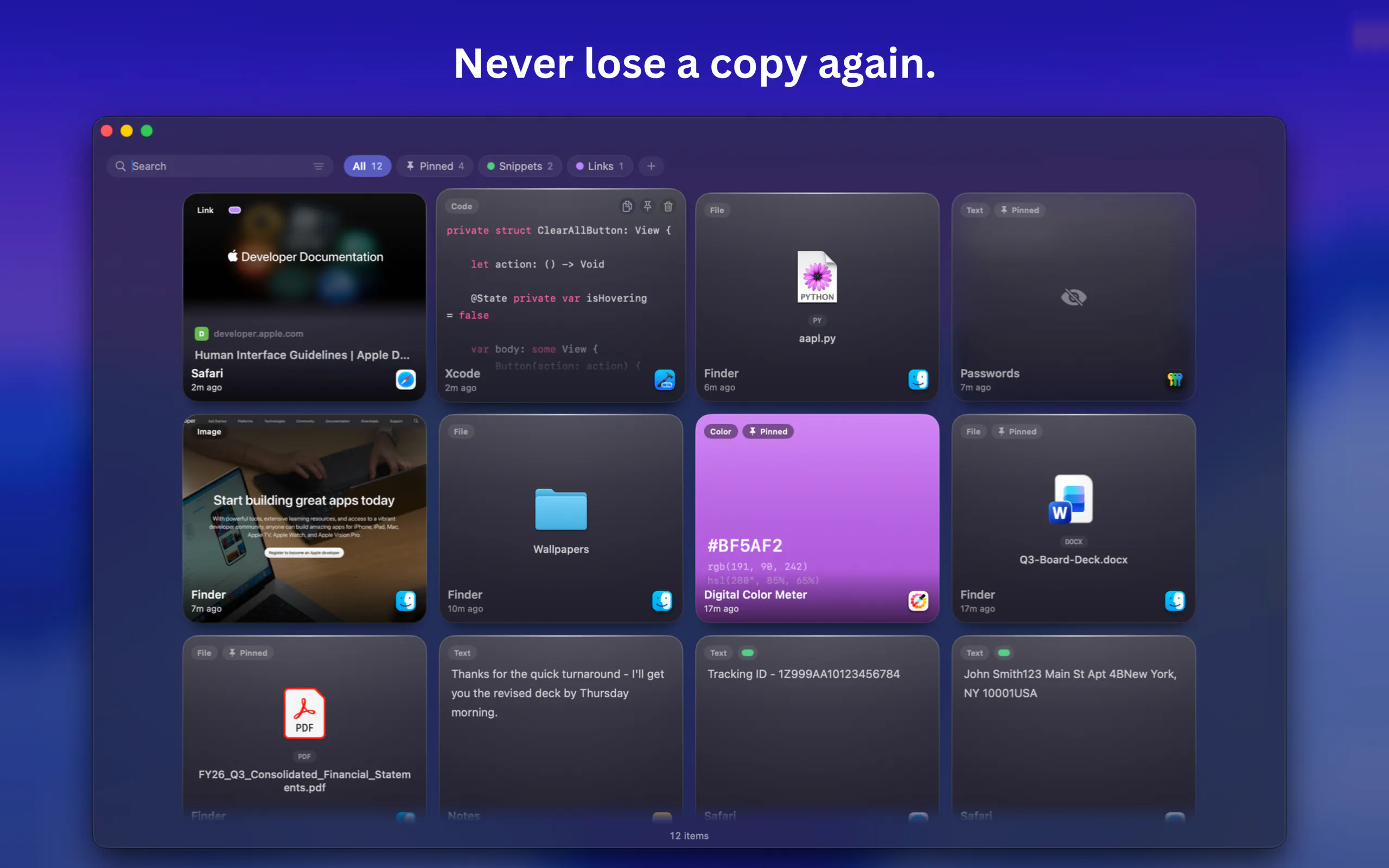
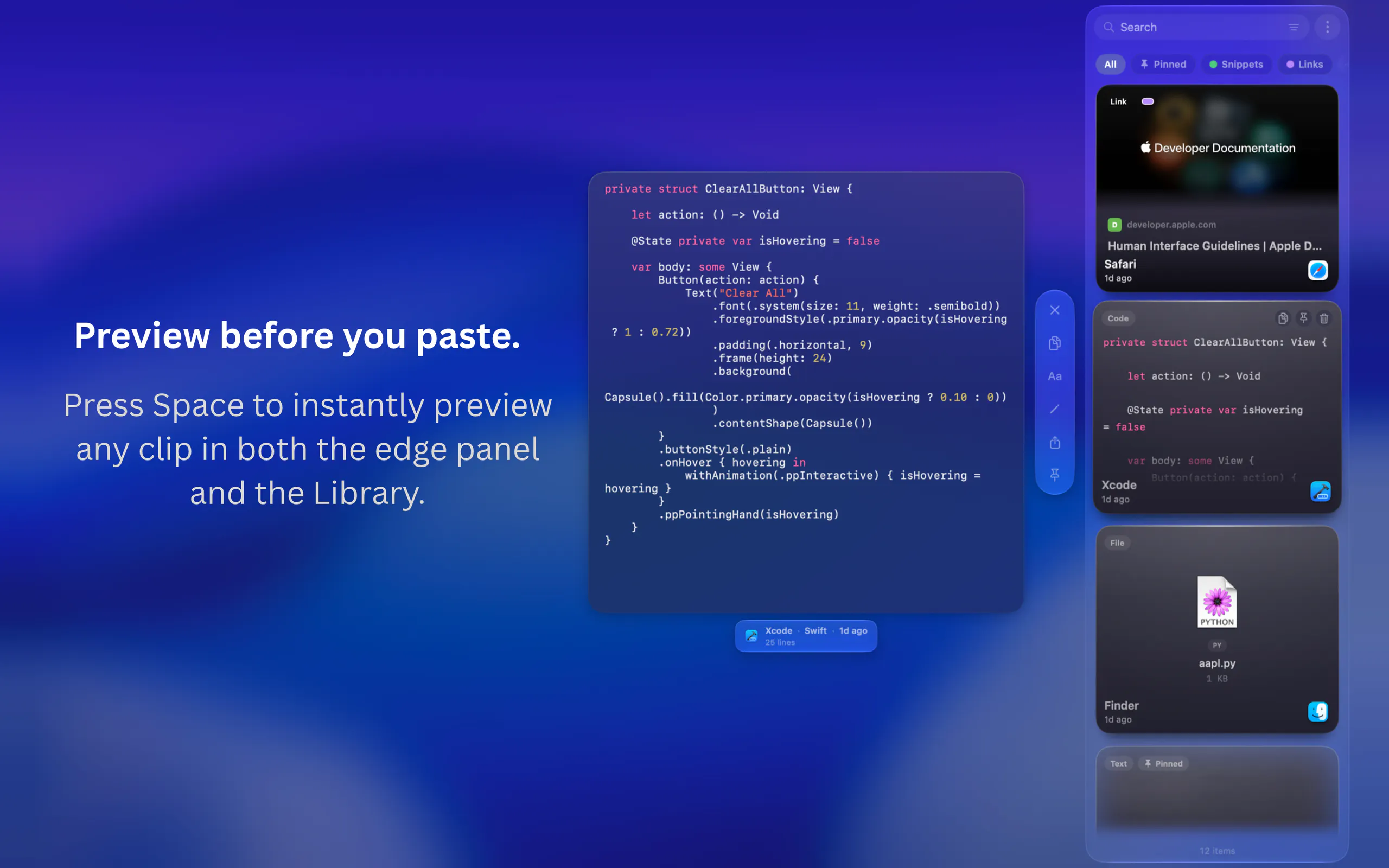
PeekPaste is a native clipboard manager for Mac that stays out of your way until you need it. Push your pointer against the screen edge and your clipboard slides in. Find text, code, links, images, colors and files, search inside screenshots with on-device OCR, pin and organize clips, or open the full Library when you need more. Everything stays on your Mac - no accounts, analytics, telemetry or cloud clipboard service.
Launch Llama's Take
Based on Launch Llama data as of
PeekPaste has 116 upvotes, including the votes it received on Product Hunt. It has been listed on Launch Llama since September 2026. No Launch Llama members have upvoted it yet and it has no reviews yet.
PeekPaste states that everything stays on your Mac, and Nimclip likewise keeps all of its clipboard data locally on the device. PeekPaste appears when the pointer is pushed against the screen edge, while Supaste lists syncing clipboard history across devices with iCloud.
PeekPaste vs Nimclip
PeekPaste states that everything stays on your Mac, and Nimclip likewise keeps all of its clipboard data locally on the device. PeekPaste appears when the pointer is pushed against the screen edge, while Supaste lists syncing clipboard history across devices with iCloud.
| PeekPaste | Nimclip | Supaste | Pop - Paste, Organize, Perform | |
|---|---|---|---|---|
| What it does | For Mac users: PeekPaste organizes your clipboard with OCR search and local storage so you find any text, code, or image instantly withou… | For macOS users: Nimclip stores your clipboard history locally with search, tags, and favorites so you never lose copied text or links. | For Mac users: Supaste saves your clipboard history of text, links, images, and code in a searchable timeline so you find what you copied… | For Apple users: Pop syncs clipboard history across macOS, iOS, and iPadOS with keyboard shortcuts and 3-day item recovery. |
| Pricing | Paid | Free | Freemium | Freemium |
| Free plan | No free plan listed | Yes, free to use | Yes, free plan | Yes, free plan |
| Category | Not stated | Open Source | Mac | Productivity |
| Upvotes on Launch Llama | 116 | 22 | 302 | 35 |
| Listed on Launch Llama | September 2026 | July 2026 | June 2026 | March 2026 |
Key Features
- Access clipboard history by moving pointer to screen edge
- Display text, code, links, images, colours and files with proper formatting
- Find text within screenshots using on-device recognition
- Preview clips before pasting them into applications
- Organize clips with categories, pins and filters
- Keep clipboard history entirely local with no cloud sync
Use Cases
- Developers who need to quickly find and reference code snippets while working
- Users searching for specific information copied from error messages or screenshots
- People working with sensitive information who need password protection
Who it is for
- Mac users who regularly copy and paste text, code, links, images or colours and want to retrieve them quickly.
- Privacy-minded Mac users who want clipboard history stored locally with no cloud sync or account.
Pricing
One-time payment of $9.99 with lifetime access and all future updates included. Seven-day free trial available.
PeekPaste at a glance
- 01What it is
- PeekPaste: For Mac users: PeekPaste organizes your clipboard with OCR search and local storage so you find any text, code, or image instantly without cloud sync.
- 02Pricing
- PeekPaste pricing: One-time payment of $9.99 with lifetime access and all future updates included.
- 03Best for
- PeekPaste is best for mac users who regularly copy and paste text, code, links, images or colours and want to retrieve them quickly. and privacy-minded Mac users who want clipboard history stored locally with no cloud sync or account.
- 04Alternatives
- Top PeekPaste alternatives on Launch Llama: Supaste, Nimclip and Pop - Paste, Organize, Perform.
FAQ
What does PeekPaste do?
PeekPaste remembers everything you copy — text, code, links, images, colours and files — and gives it back when you need it. Push your pointer against the edge of the screen and a panel of your recent clips slides in over whatever you were doing. Click one and it goes straight back into the app you were in.
How do I open it?
Push your pointer against the edge of the screen. You can choose which edge and how long the pointer has to rest there, or turn the edge trigger off entirely and use a keyboard shortcut instead. Both work together if you want them to.
Can PeekPaste find text inside screenshots?
Yes. Text inside captured images is recognised on your Mac and made searchable, so a screenshot of an error message or a receipt can be found by searching for words that appear inside the picture. It runs entirely on-device — nothing is uploaded.
What about passwords?
When a password manager marks content as confidential, macOS flags it and PeekPaste honours the flag — the clip can be pasted again but is never legible on screen. You can also switch off password capture entirely, name specific apps PeekPaste should never record from, and mark any individual clip as sensitive.
Does PeekPaste send my clipboard anywhere?
No. Your clipboard history is stored locally on your Mac. PeekPaste does not use analytics or a clipboard sync service. When you copy a web link, it can fetch that link's preview; your clipboard contents are not otherwise sent to LucidBit.
Why does it ask for Accessibility permission?
Only if you choose automatic pasting. PeekPaste uses the permission to return to the app you were using and send Command-V for you. You can skip it at any time: PeekPaste will place the clip on your clipboard, ready for you to paste normally.
Is PeekPaste Apple Silicon native?
Yes — native arm64 build. Runs on macOS 14 (Sonoma) or later.
Is PeekPaste a subscription?
No. $9.99 once, with a 7-day free trial. One purchase, all future updates.
Alternatives
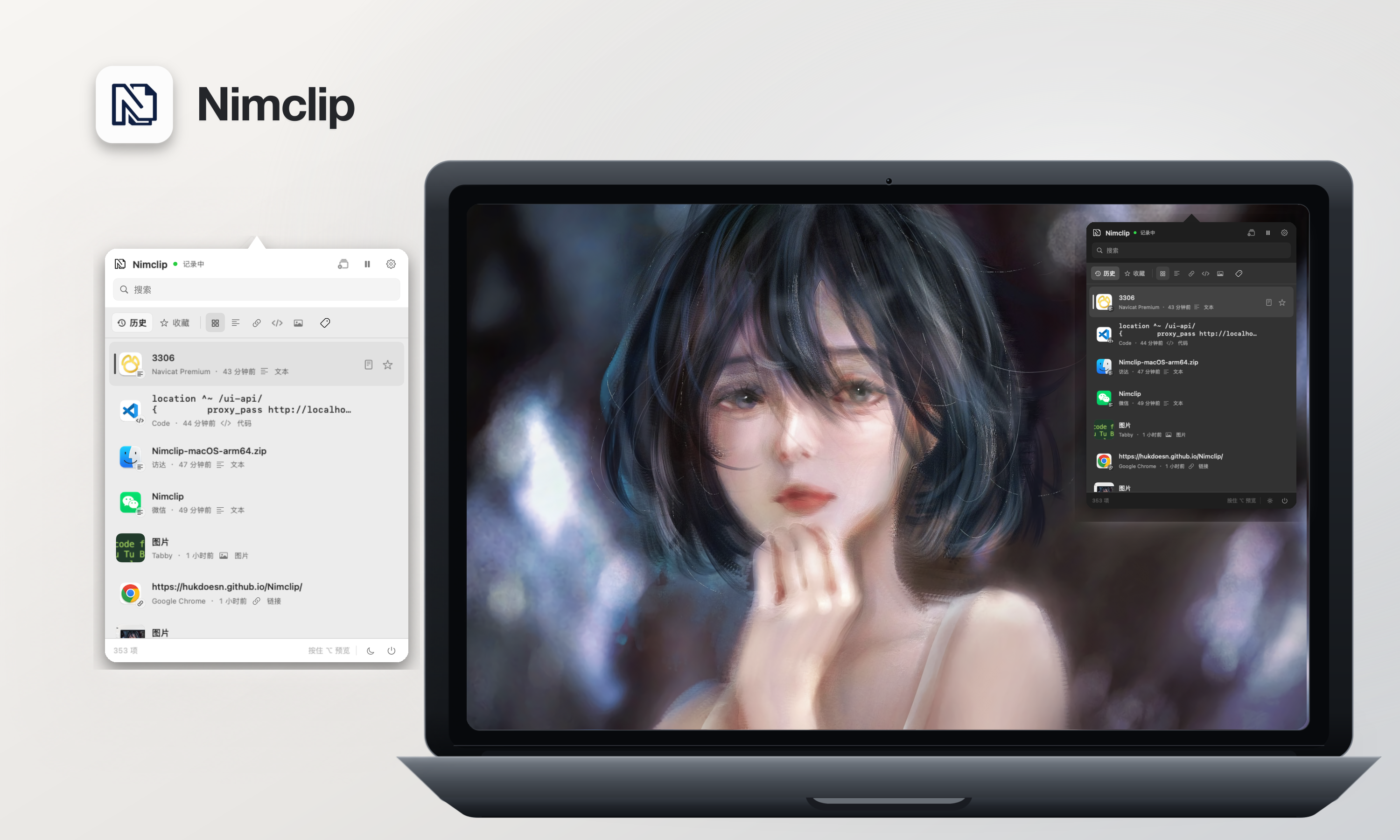 NimclipFor macOS users: Nimclip stores your clipboard history locally with search, tags, and favorites so you never lose copied text or links.
New on Launch Llama
Launched this week · This month's launches · All products A–Z
Ask AI about PeekPaste
For bots & AI agents
Machine-readable versions of PeekPaste and Launch Llama. Fetch these instead of parsing this page.
This listing (.md) llms.txt llms-full.txt ai.txt Full catalog (.md) Endpoint index API docs MCP server MCP manifest Developer docs