CommuteBar
For commuters: CommuteBar displays live traffic times in your Mac menu bar so you leave on time without switching apps CommuteBar keeps the workflow clear so you ship outcomes with less busywork.
Built by Arthur Amshukov · Paid
CommuteBar is a Product Hunt listing on Launch Llama with 106 total upvotes, founded by Arthur Amshukov who joined in Sep 2026, compared against 6 alternatives.
Product Hunt listing
Listing status
106upvotes
Community score
Arthur Amshukov (Joined Sep 2026)
Founder
Compared against 6 alternatives
Market comparison




About
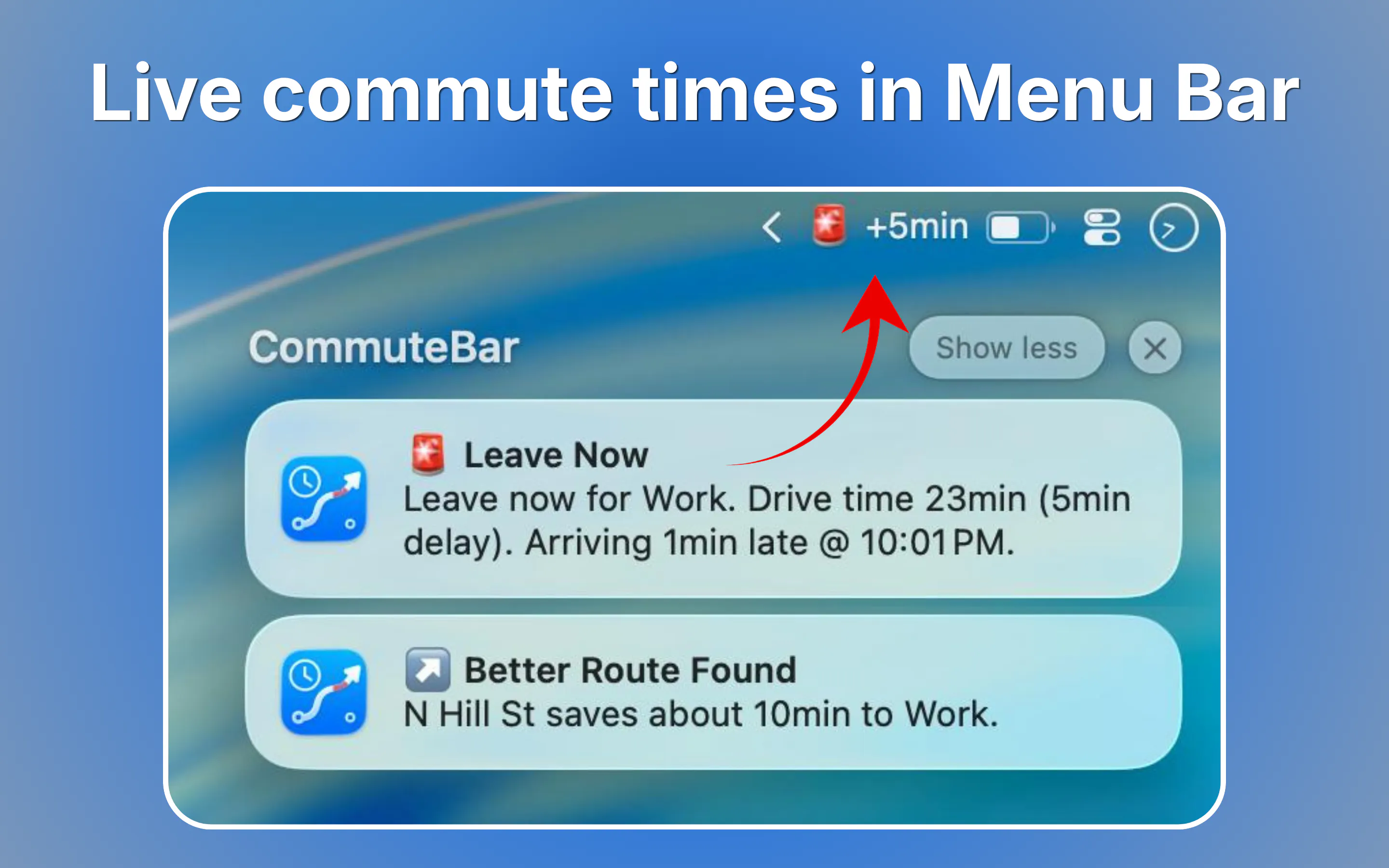
Glance at traffic. Leave on time. CommuteBar puts live commute times visibly on your Mac menu bar, no app-switching required. Save multiple destinations like office, school, gym. Schedule automatic switching for recurring commutes and get leave soon / leave now indicators and optional notifications. You also get route comparison, delayed traffic alerts and different travel modes.
Launch Llama's Take
Based on Launch Llama data as of
CommuteBar has 106 upvotes, including the votes it received on Product Hunt. It has been listed on Launch Llama since September 2026. No Launch Llama members have upvoted it yet and it has no reviews yet.
Key Features
- Display live commute times in Mac menu bar
- Show traffic delays and preview route delays
- Notify when it is time to leave
- Save and switch between multiple destinations
- Support drive, bike, or walk modes
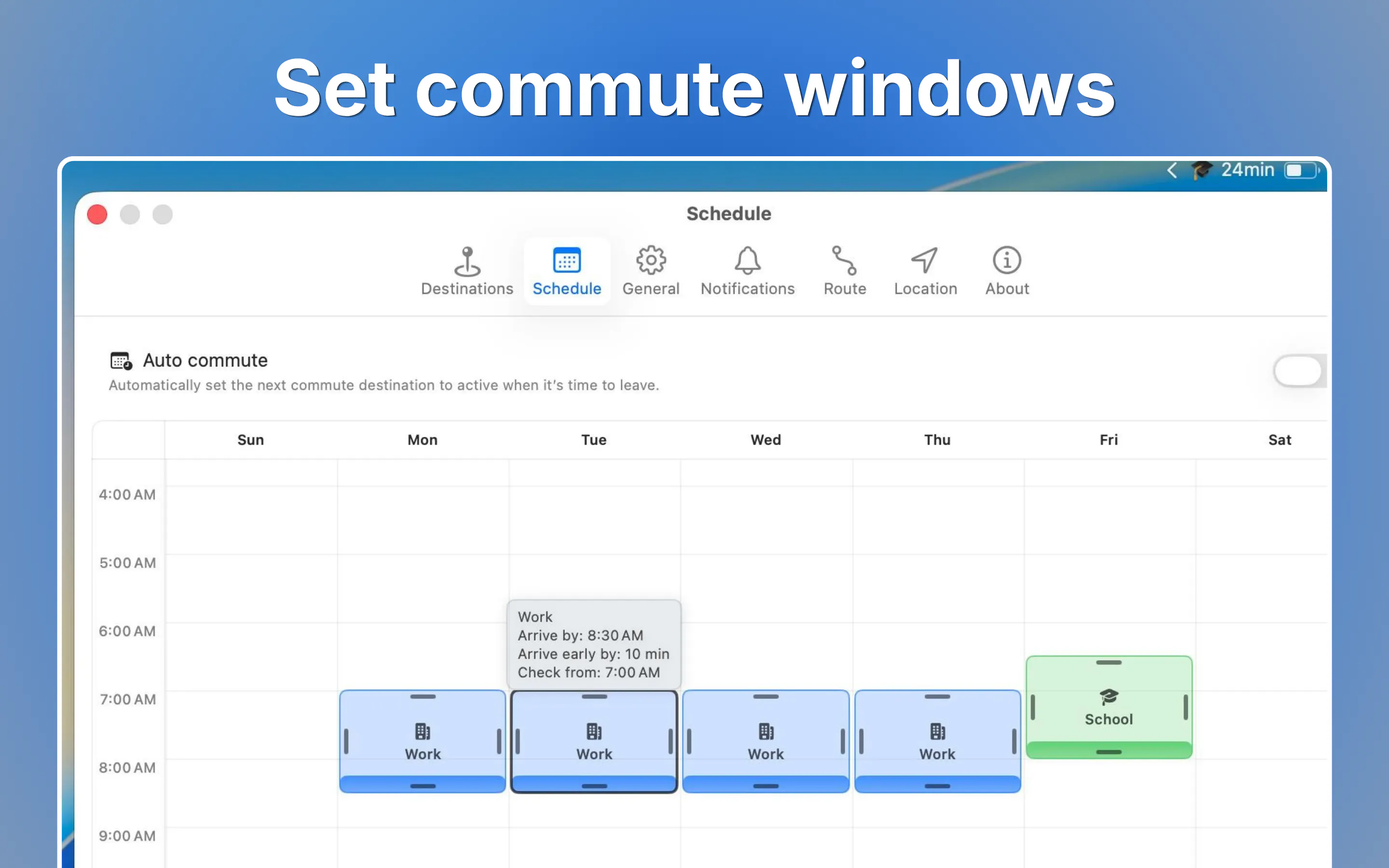
- Schedule commute windows across the week
Use Cases
- Workers tracking commute time from home to office and back
- Commuters avoiding tolls or highways on their route
- People who need alerts about when to leave for appointments
Pricing
Lifetime license available for $6.99 (launch deal, regular $9.99). No subscription required.
FAQ
What is CommuteBar?
CommuteBar is a macOS menu bar app that shows live commute times, traffic delays, and when it is time to leave. It uses Apple Maps on your Mac, so you can check your commute without opening another Maps app.
Do I need to create an account or log in?
Nope. No account, or login necessary. Just install and use.
Are travel times accurate?
Apple Maps provides helpful estimates, but they can occasionally be inaccurate, outdated, incomplete, or unavailable. Leave-by times and alerts rely on this information too, so they may not always be reliable. They're great for a quick glance, but for anything time-sensitive, it's best not to rely on them alone. Please also see our Terms of Use.
Does CommuteBar collect my location data?
Nope. It stays on your Mac. Apple Maps uses it there to calculate routes; we never see it.
Why doesn't CommuteBar appear in the Dock?
CommuteBar is a menu bar utility, so it doesn’t appear in the Dock like a regular app. Look for its icon in the menu bar, then open Settings from the popover or by right-clicking the icon.
Why don't I see CommuteBar in the menu bar?
If CommuteBar is running but you don’t see its menu bar indicator, it may be hidden in the menu bar’s overflow or hidden-items area. Check there and make sure CommuteBar is set to stay visible. If the menu bar is crowded, hiding a few other items can also help. Finally, check System Settings → Menu Bar and make sure CommuteBar is allowed to appear.
What permissions does CommuteBar need?
CommuteBar uses your location When In Use to calculate routes, with optional Location → Always for background updates and Notifications for leave-time and traffic alerts (off by default). You can change these permissions anytime in System Settings.
What are commute windows?
For each destination you can set when you need to arrive, how early you want to get there, and which days apply. During those windows CommuteBar shows Leave by, Leave soon, and Leave now as traffic changes. Edit windows in Settings → Schedule (drag blocks across the week) or in the destination editor.
What does Auto commute schedule do?
When Auto is on (Settings → Schedule), CommuteBar switches the monitored destination when a commute window opens. If two windows overlap, the preferred destination for that weekday wins. You can still switch manually anytime; Auto may switch again at the next window. Off by default.
How do notifications work?
Notifications are optional and off by default. Turn on Enable in Settings → Notifications, allow macOS alerts, then choose which days to notify and quiet hours. You’ll get leave alerts and traffic updates (for example Leave Soon, Leave Now, Commute Delayed). Turn alerts off for today or fully off anytime from Settings.
Founder Guides
Alternatives
 FocusOSFor professionals: FocusOS blocks distractions and tracks time locally on Mac so you stay focused and understand where your hours actually go.
 StandmoFor desk workers: Standmo tracks sit/stand sessions and sends timely notifications so you actually use your standing desk and build a sustainable healthy habit.
Ask AI about CommuteBar